Design System Management (DSM)
Design System Management (DSM) is a platform for centralizing the release, collaboration, and iteration of design specifications. It not only manages assets such as component styles and variables, but more importantly, ensures that the design language is continuously synchronized and uniformly used within the team.
How to Enter the Design System Management Platform
Select a published library file. There are 3 entrances to open DSM:
- Entrance 1: Dropdown of the file name on the editing page, click [Design System Mode]
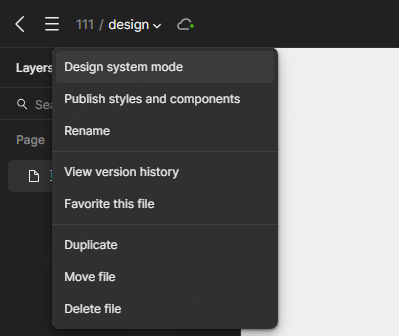
- Entrance 2: Team landing page -> Resources, click [Open in Design System]

- Entrance 3: Asset library list on the editing page, click [Open Design System]
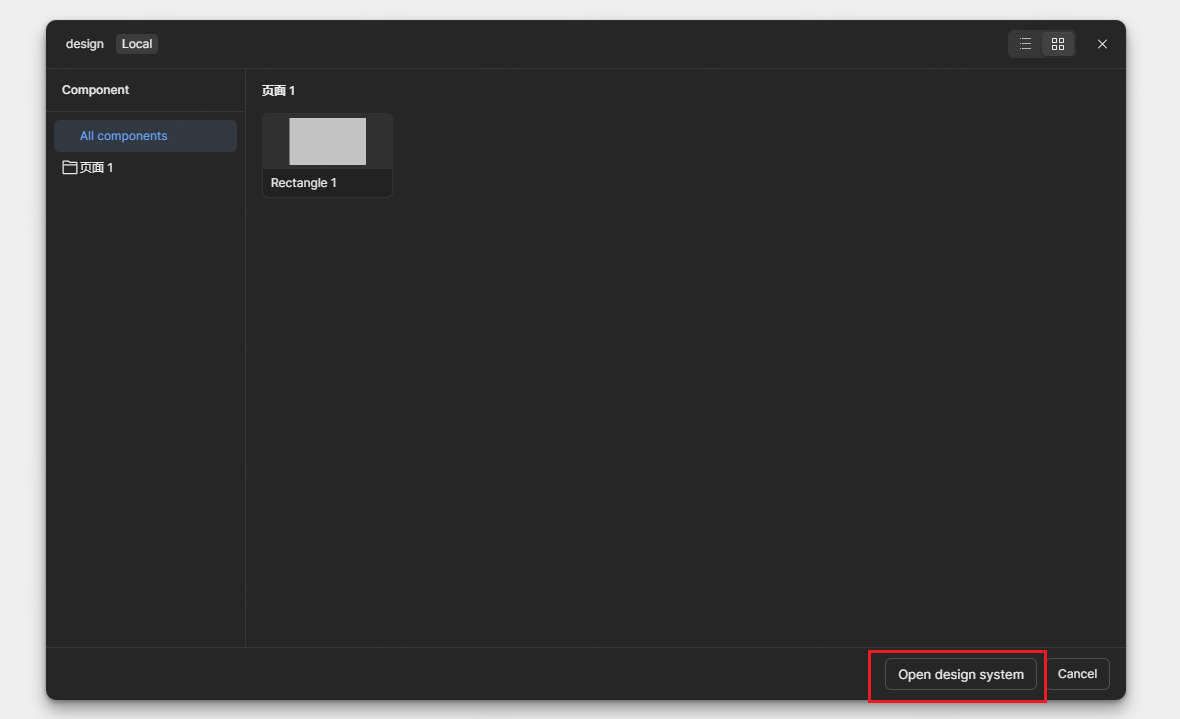
Alias Settings
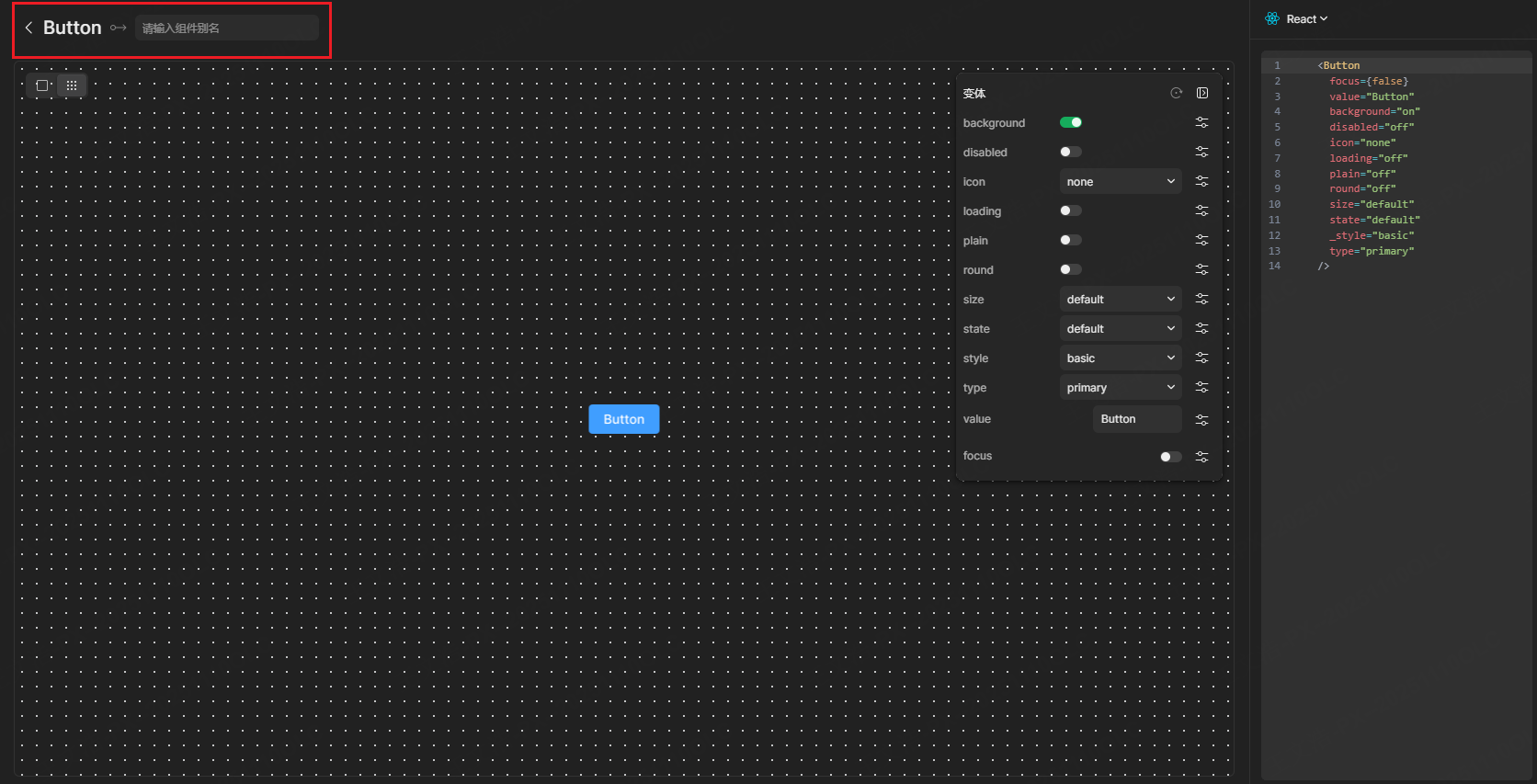
In the design system, users (designers or developers) actively declare the corresponding relationship between components and code. Through the alias system, design and development teams can jointly build and maintain the mapping relationship of the semantic system.
- Find the corresponding resource in DSM.
- Manually set the alias information of styles, components, and variables.
Tip
If the properties and names of your design components are already consistent with the frontend components, no alias configuration is required.
Code Parsing Configuration
Click Code Parsing to switch to the code parsing configuration page.
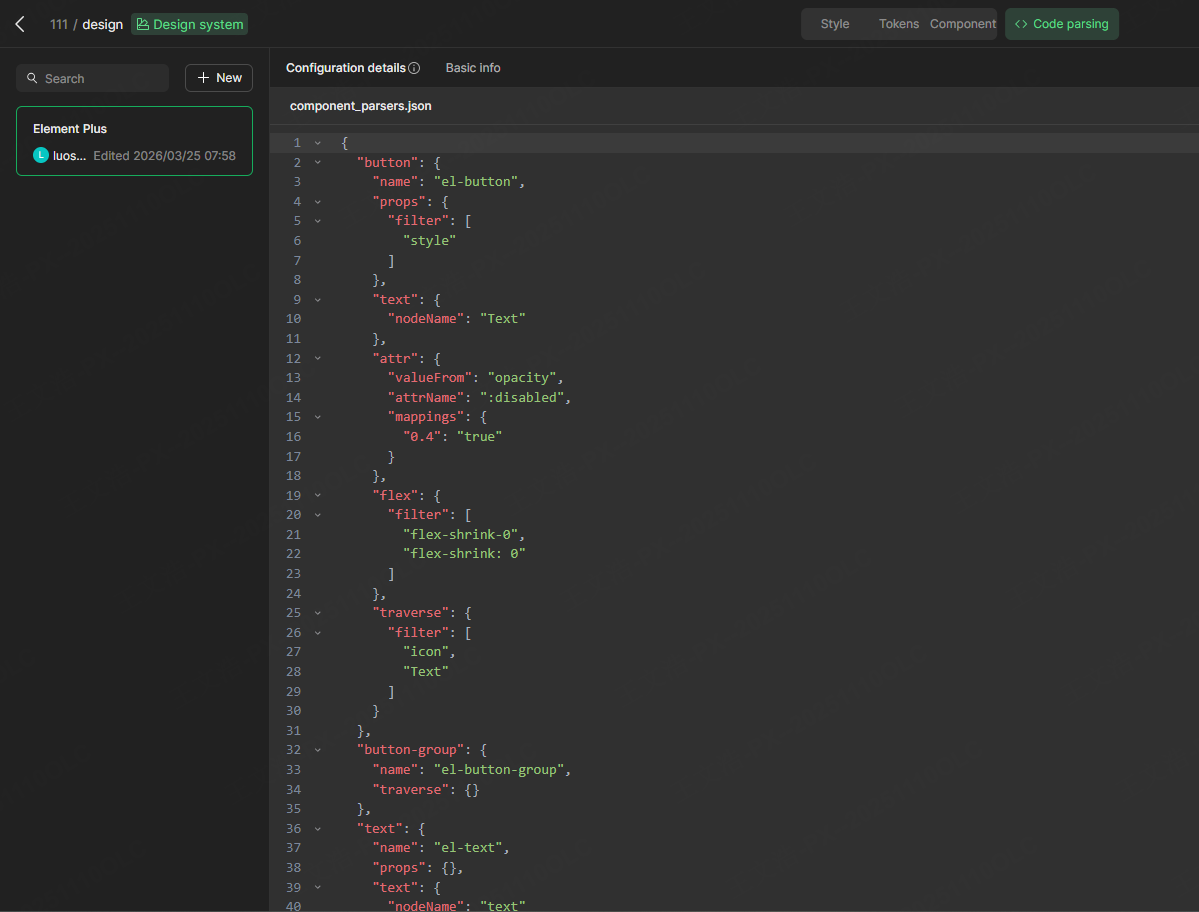
Create Configuration File
In the initial stage, it is recommended to try it out using the Element Plus component library code parsing configuration file template provided by us, which can also serve as a reference for enterprise configuration file creation.
The following is a template component library file, which can be copied to the team asset library for use.
Tip
For more detailed DSM function tutorials, please refer to the DSM Tutorial Document.