On this page

Scott
Landing page design organizes one offer around one next step: register, request a demo, start a trial, or buy. The page needs to explain who the offer is for, what the visitor receives, what it costs or requires, and what happens after the main button. Attractive styling cannot make up for an unclear promise or a broken form.
Start with the visitor’s reason for arriving, then arrange the headline, evidence, product image and call to action around that task. You can design and compare landing-page layouts in Pixso before implementation. The examples below show useful patterns; the worked registration page then turns those patterns into a complete screen and submission flow.
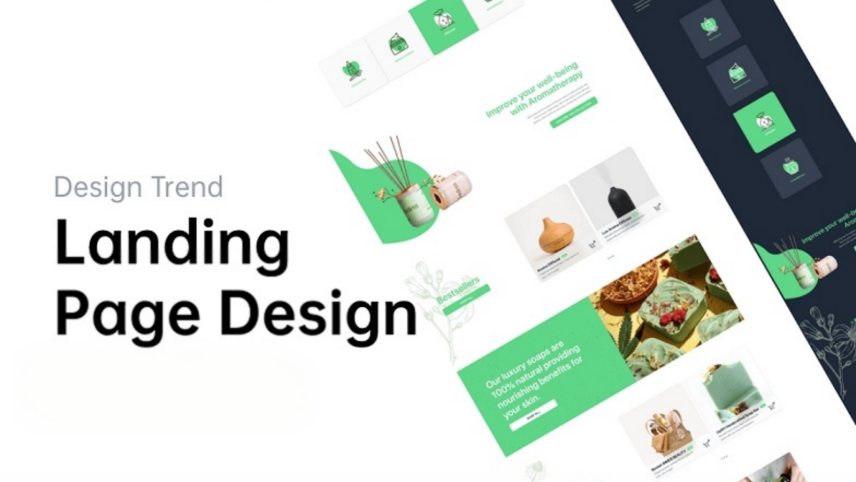
Part 1. Guidelines for Landing Page Design
Determine your purpose
Before designing a landing page, ensure you know what the goal of your landing page is. Are you looking to collect prospects’ email addresses to grow a mailing list? Or are you looking to offer your product and convert the prospect into a buying customer? Knowing this, you can design landing page templates that cater to your goal and purpose.
Think about your audience
To improve your conversion and know you’re sharing your landing page with the right people, understand who your target audience is. When you understand your audience and know which platform they’ll be more active in, you are more likely to get conversions. Additionally, if you have several target audiences for the products you offer, consider designing different landing pages for each specific target audience so the message is specifically tailored toward that segment.
Craft compelling copy
The harsh truth is your visitors are likely to leave your landing page immediately if they don’t find something interesting or find the information too overwhelming. To grab their attention instantly, write crisp, concise, and compelling copy tailored to your product and audience. Be direct with your product descriptions and emphasize its benefits more than its features. Moreover, your headline is your essential hook that determines if your visitor will stay on your page and keep reading. Nail it!
Use images to tell a story
Use an image that helps a visitor understand the offer. A workshop page might show the object participants will make; a software page might show the relevant screen and result. Keep essential details such as price, dates and requirements in readable text. Decorative imagery should not push the action or important conditions out of view.
Add social proof
Use evidence that supports the specific promise: a relevant customer quotation, an example output, or a documented case. Name the source and keep the context that makes the evidence meaningful. A logo wall or an unverified statistic does not establish that this offer will work for the person reading it.
Include a call-to-action
Choose a primary action whose label describes the next step. “View workshop dates” and “Pay and book” make different promises. Put the action beside the information needed to decide, and state any material commitment before the visitor submits. Supporting links can answer questions without competing for the same visual emphasis.
Part 2. Five Landing Page Examples and What to Learn from Them
These captured examples illustrate layout and message choices. Offers, account options and pricing shown in a screenshot may have changed; use the examples to study information hierarchy, not to compare current subscription terms. None of these screenshots establishes a conversion rate.
1. Shopify
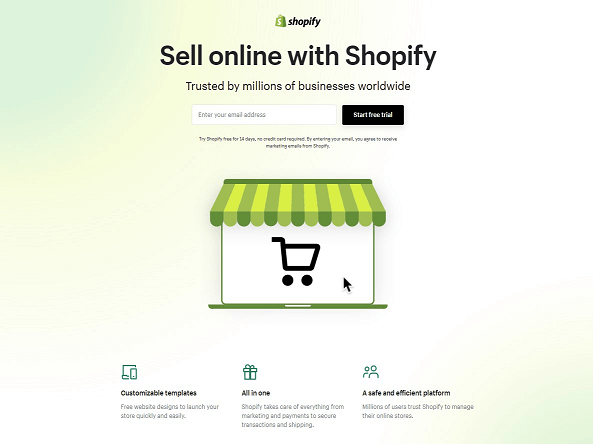
The Shopify example puts a short offer and signup action near the top. The shopping-cart illustration provides context without competing with a dense set of features. Notice the relationship between the headline, supporting sentence and form: the reader can identify the offer before scrolling.
Short benefit paragraphs and customer evidence follow the main action. For your own page, make the commitment explicit beside the form, then place answers to longer questions further down. Do not copy a past trial offer from the image into a new campaign.
2. Wise
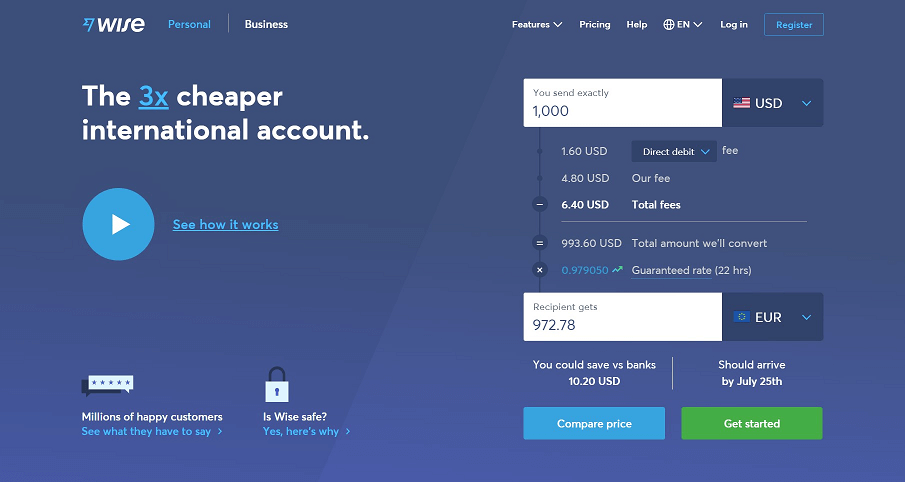
Wise’s landing page makes its send-and-receive-money feature comprehensible to visitors. Firstly, it distinguishes landing pages into two types—Personal and Business, thus tailoring landing pages for specific target audiences. They illustrate a currency converter to showcase what their offering is all about and even include a short video tutorial to explain its mechanics.
Wise’s landing page is quite lengthy but it highlights safety features and benefits to the prospects to build trust. Its product offering descriptions are detailed and provide good value. Moreover, they make use of FAQs as well to clarify further doubts.
3. Netflix
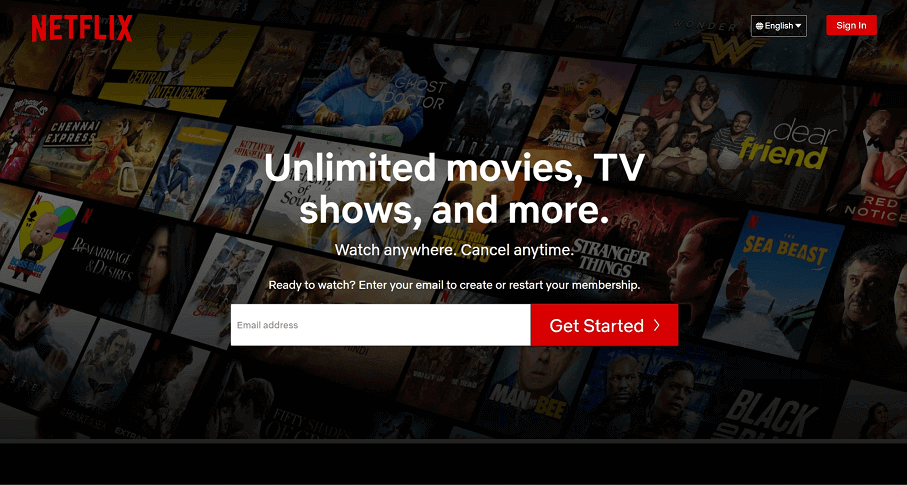
In the Netflix example, the headline and signup field sit over recognizable entertainment imagery. The short headline, contrasting button and restrained content around the field create a clear focal point. Whether that pattern succeeds for another service depends on the offer, audience and subsequent signup experience.
The red button is visually distinct from the darker surrounding area. This is a useful hierarchy example, not a requirement to use red or exactly three colors. Test the label and foreground–background contrast rather than relying on hue alone to make the action recognizable.
4. Airbnb
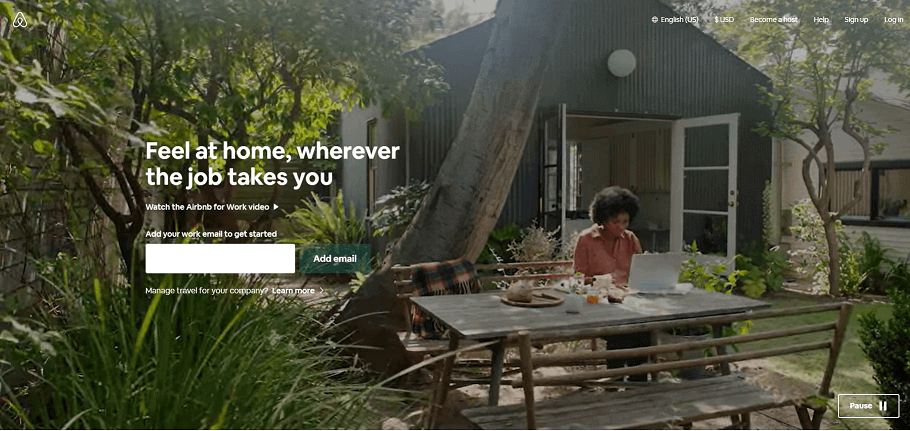
The Airbnb screenshot addresses people traveling for work. A photograph of a place to stay supports the headline about feeling at home wherever work takes you. The visible call to action sits beside that specific message, rather than a general list of travel features.
For a similar landing page, choose imagery and copy that describe the same use case. A reader should be able to connect the setting, benefit and next action. The static example demonstrates this relationship; it does not show whether the original page used motion or how well it converted.
5. Skillshare
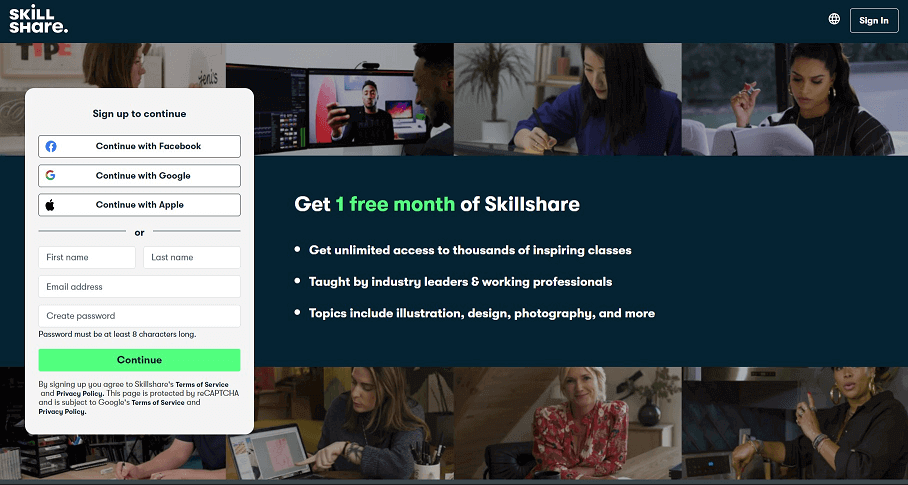
The Skillshare screenshot places its offer and signup choices in a compact area. The useful lesson is that the benefit and next step are close together. Treat the free-month wording as part of this captured example, not as a statement about Skillshare’s current offer.
Alternative account options are grouped separately from direct signup. If your service offers more than one method, explain which account is being used and preserve the visitor’s chosen offer after authentication. The number of buttons matters less than whether each route reaches the promised result.
Part 3. Turn the Offer into a Complete Registration Page
Imagine a pottery studio offering a two-hour beginner workshop. The visitor arrives from a post showing a finished bowl and wants to know whether they can attend, what they will make and how to reserve a place. The following is a design example, not a measured campaign result.
Make the promise specific
A useful headline is “Make your first ceramic bowl in a two-hour workshop.” A supporting line can give the location, included materials and available date. “Unlock your creativity” may be expressive, but it leaves the visitor to discover what is actually being offered. Keep the price and any later collection or delivery requirement near the booking decision.
Keep useful supporting routes
Reduce competing campaign actions, but keep the routes people need to make an informed choice. This workshop still needs links to accessibility information, cancellation terms and contact details. Removing every link can hide important conditions. Put supporting information near the decision it informs rather than hiding it to force a conversion.
Make the next step and commitment visible
Use “Choose a workshop date” before the visitor has selected a session. After date, participant count and price are confirmed, use a label that matches the actual submission. Repeat an action when a long page creates a useful second decision point; there is no universal rule that a button must appear twice.
For this workshop, design the full path from the landing page to confirmation. A prominent button is only the beginning: the visitor must be able to correct input and recognize whether a place was actually reserved.
A worked landing-page structure
| Section | What the visitor needs | Design decision |
|---|---|---|
| Opening | What they will make, who it suits and where it happens | Show the bowl, a specific headline and a short description; keep key facts as text. |
| Session choice | Date, duration, available places and full price | Keep the selected date beside the participant count and total. |
| Evidence | What a beginner can expect | Use an actual workshop example and an attributable participant quotation when available. |
| Registration | Required contact details and what submission means | Use persistent labels, explain why unusual information is required and show the commitment before submission. |
| Result | Whether the booking succeeded and what happens next | Show the confirmed session and a reference, or a specific recovery path if it failed. |
If the email field is empty, keep the chosen session and point to the missing field. If a selected session fills before submission, explain that it is no longer available and return to the session choice. A network timeout should not be presented as a confirmed booking or trigger an immediate duplicate submission. These states belong in the design alongside the attractive opening screen.
The W3C forms tutorial explains how inline and overall feedback help people understand submission results. In the workshop example, the confirmation heading and session details should convey success even when a visitor does not see an animation.
Test the page against the promise
Give someone the same context as the campaign: “You want to attend with a friend next Saturday. Find the total cost and reserve two places.” Observe whether they identify the right date, understand the price, find cancellation information and recognize the final result. If they hesitate over the offer, change the message or information order before adding stronger button colors.
After launch, distinguish arrivals, form starts and confirmed bookings. A change in traffic source can change conversion even when the page is identical. Compare like-for-like audiences and check failed submissions separately; do not attribute every increase or decrease to a headline redesign.
Part 4. Build and Review the Page in Pixso
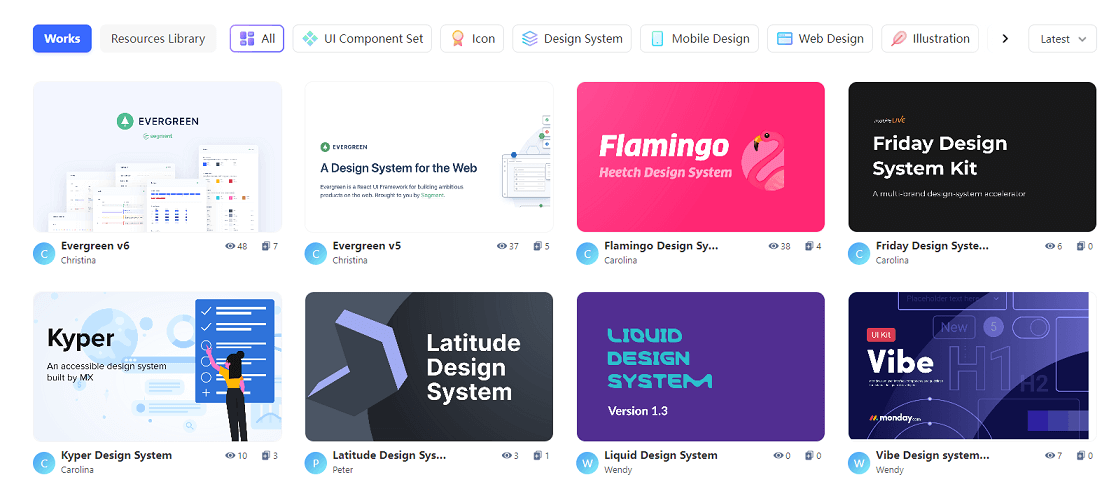
A suitable Pixso community template can provide a starting layout. Choose one for its content structure, then replace the sample offer, imagery and form with the workshop’s actual information. Check the template’s own use conditions and the workspace plan before relying on it for a project.
Make the Page and the Next Step Agree
In Pixso, put desktop and mobile versions beside the session-selection, validation and confirmation screens. Use shared components for repeated buttons and fields, and connect the key prototype steps for review. A successful design makes the offer understandable and the next action predictable; actual conversion must be evaluated with live product data.