Scott
Remember when sending a Sketch file paired with a Zeplin link felt like the absolute peak of modern tech? Those days are definitely behind us. Today, running a fragmented pipeline just feels like working in slow motion. Teams everywhere are asking if ditching their legacy setup for an all in one platform is actually worth the migration headache. In this guide, we are going to look at the real costs of tool-switching. We will explore how modern UI design tools fix the broken handoff process and why moving your team to a unified workspace like Pixso might just be the smartest move you make this year.
Part 1: The hidden tax of a fragmented setup
To really understand why product teams are abandoning their old systems, we have to talk honestly about the daily grind. Years ago, moving away from Photoshop to draw web interfaces in Sketch was a massive breath of fresh air. Soon after, Zeplin popped up to solve the agonizing chore of writing CSS specs for developers by hand. At the time, this combination felt like magic.
But let's look at how that same pipeline functions right now. The main issue is the constant context switching and the endless synchronization loops. Picture a typical Friday afternoon. You finally wrap up a massive set of wireframes and hit that sync button to push everything over to your handoff utility. Ten minutes later, your product manager spots a glaring typo on the payment screen. So, you have to open your local file again, fix the text, wait for the file to save, hit sync one more time, and drop a frantic message in Slack to make sure the developers refresh their browser.
It is exhausting. This back-and-forth creates severe version control chaos. You inevitably end up in meetings where developers are looking at outdated screens because someone simply forgot to sync the latest iteration. The delivery chain is way too long. When you rely on a fragmented workflow design tool setup, you are quietly paying a heavy tax. You lose productivity, you suffer through miscommunication, and you end up paying software licensing fees for multiple overlapping subscriptions that do not even talk to each other perfectly.
Part 2: The core differences of an integrated ecosystem
The biggest shift between the old way of working and a modern approach comes down to one concept: a single source of truth. When you transition your team to an all in one platform, you completely erase the walls separating your brainstorming sessions, visual drafting, prototyping, and developer handoff. Everything just happens inside the exact same file.
Real-time collaboration is the most obvious benefit here. Instead of locking files on a local server so your colleagues do not overwrite your hard work, multiple people can push pixels on the same canvas at the exact same time. It feels exactly like editing a live Google Doc.
You also get the massive advantage of cloud-based design systems. In a legacy setup, trying to make sure every single designer has the latest local library file downloaded is a complete nightmare. In a unified ecosystem, your typography, color tokens, and components live safely in the cloud. If you decide to change the corner radius of a primary button in your master library, that change ripples out to every active project instantly. On top of that, native developer handoff means that your software engineers simply log into the exact same URL the designers are using. They can grab CSS, download SVGs, and check margins without anyone having to manually export a single artboard.
Part 3: Enter Pixso: the premier integrated alternative
If you are seriously looking to escape the synchronization trap, you need an environment built specifically for the modern web. This is where Pixso enters the conversation. Rather than just being another vector drawing app, Pixso was built from the ground up as a comprehensive solution. It is designed to replace your drafting app, your prototyping software, and your handoff utility all at once.
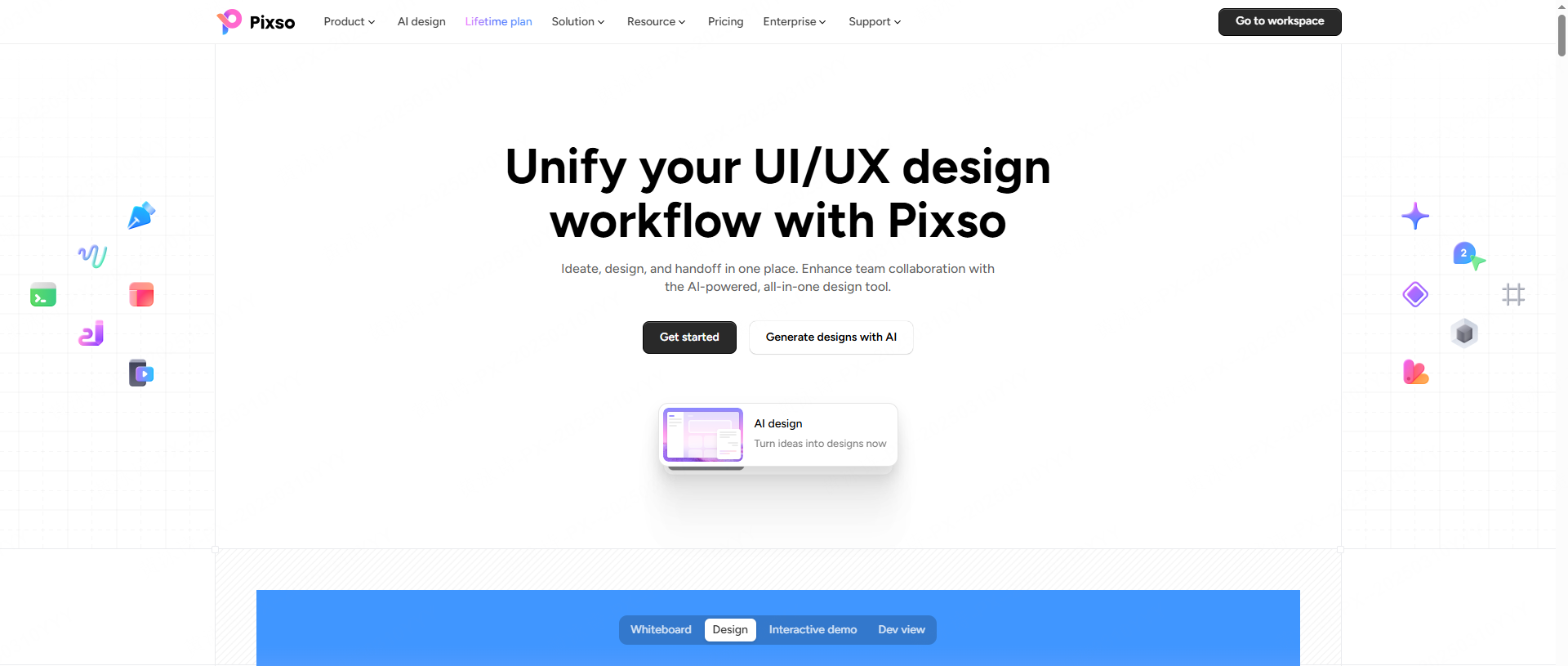
One of the best things about Pixso is how lightweight and accessible it is. Legacy software usually locked teams into the Apple ecosystem. That meant developers or product managers using Windows computers were completely shut out of the source files. Pixso lives right in the browser. Anyone with an internet connection can jump in, leave comments, edit, or inspect the work, regardless of what operating system they happen to be using.
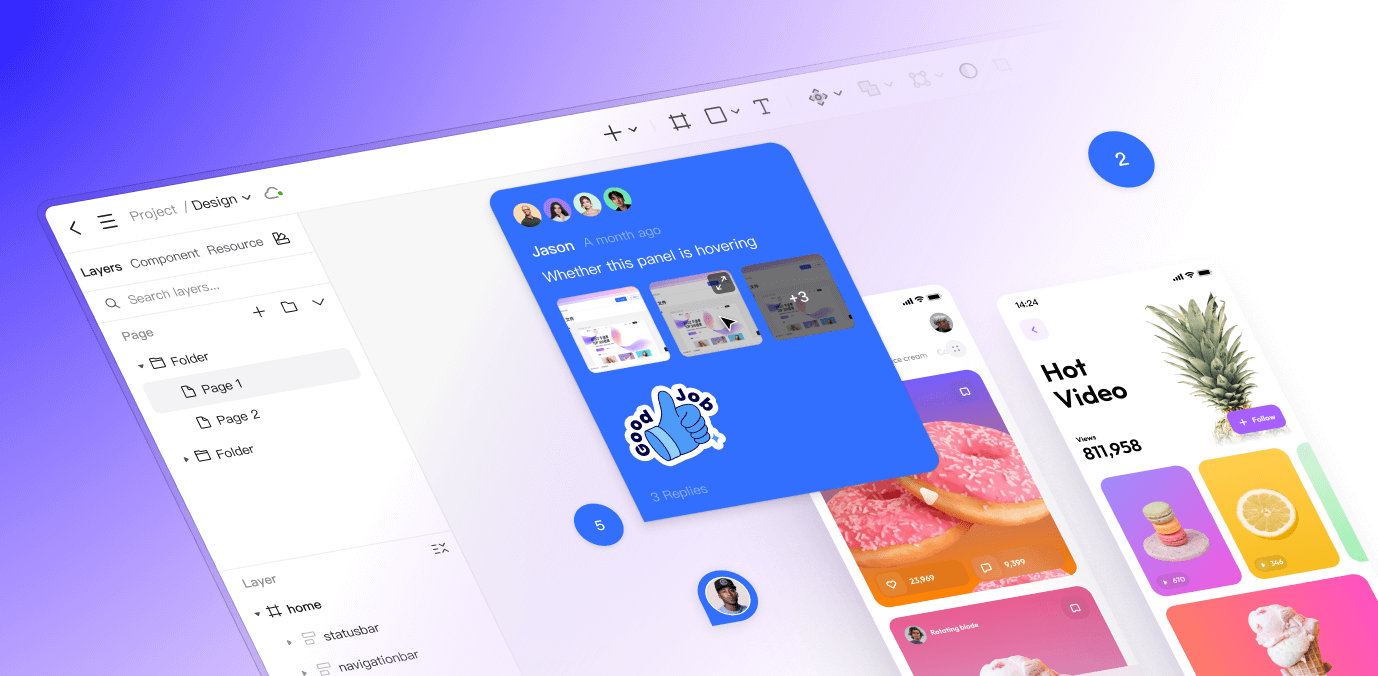
It provides an incredibly deep native feature set. You get advanced vector networks for drawing complex icons, highly intelligent auto-layout features that respond perfectly to different screen sizes, and a very capable native developer mode. Above all, Pixso is known for its high cost-performance ratio. By bringing this tool into your workflow, you can confidently cancel your secondary subscriptions. Consolidating your entire creative budget into one highly efficient package just makes financial sense.
Part 4: The cost-benefit tradeoff of switching
Deciding to rip out your entire creative pipeline fundamentally boils down to a cost-benefit analysis. Is the short-term pain of learning a new interface actually worth the long-term efficiency? For the vast majority of teams, the answer is an absolute yes, but how you approach the move depends on your specific situation.
If you are a small team, a startup, or an agency spinning up brand new projects, the advice is simple: switch immediately. You have very little legacy debt holding you back right now. Starting fresh in an all in one platform gives you instant access to faster iteration cycles and much cheaper operational costs. You avoid the trap of building a disorganized, messy file library from day one.
For mid-sized to large enterprise teams, the transition is absolutely worth it, because the long-term return on investment is massive. Compare licensing, migration, training, and maintenance costs, then measure whether the new workflow reduces time spent resolving version conflicts. However, this switch requires a bit of planning. The only time you really need to pause and evaluate is if your current operations rely heavily on highly specific, proprietary third-party plugins that only exist in your legacy environment. If your team cannot function without those niche extensions, you should check if Pixso offers native equivalents or smart workarounds before you completely pull the plug on your old setup.
Part 5: Step-by-step: migrating your legacy files
Let's address the elephant in the room. The biggest fear most professionals have when they think about abandoning Sketch is losing years of historical work. The idea of having to manually redraw hundreds of complex interface screens is terrifying. Luckily, Pixso totally understands this migration barrier and built a really smooth transition path. Because the migration cost is so low, you can bring your archives over without losing your sanity.
Here is the exact path to safely move your local files into your new collaborative environment:
First, open up your Pixso workspace in your browser or the desktop app. Head over to the main dashboard where all your projects live. You are looking for the import icon in the middle.
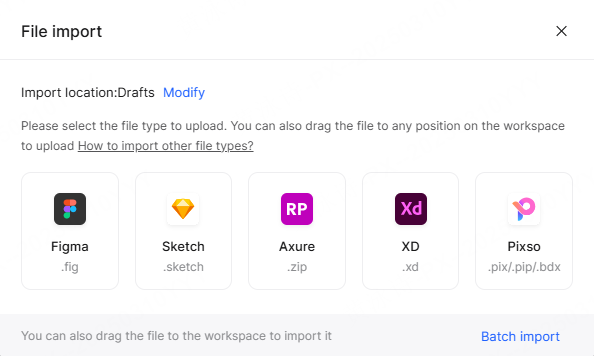
Next, pick the specific import option for your legacy file type. Pixso natively supports importing files from a few different older UI design tools. Once you click that import button, you just drag and drop your local file right into the browser window.
Now, just let the engine do the heavy lifting for a minute. The system will read the local data and convert it into cloud-native vectors. It translates your old artboards into modern frames, keeps your layer hierarchy exactly how you left it, and ensures your group structures do not fall apart.
Finally, you need to do a quick audit of your fonts and components. Since you are moving from a local Mac environment up to a cloud platform, you might hit some missing fonts if you used custom typefaces. Pixso will flag these and ask you to replace or upload the missing fonts to your cloud library. Take ten minutes to double-check that your complex symbols imported correctly as cloud components.
A quick tip to manage the risk: do not try to migrate your entire company archive on a Friday afternoon. Use a phased approach. Pick one low-stakes, non-critical project to use as a small test pilot. Move that single file over, let your team play around with it for a week, and let them get a feel for things before you move your core enterprise design systems.
Part 6: Securing the landing: rebuilding your team habits
A shiny new piece of software is not going to magically fix a broken team culture. When you transition to a modern workflow design tool, you are not just changing the buttons you click; you have to change how your team actually communicates. To squeeze the maximum value out of your new ecosystem, you have to reconstruct your internal habits.
You need to set up new, standardized team rules immediately. Because everyone is now playing in the exact same cloud sandbox, a messy file becomes a public nuisance instead of a private problem. Set strict naming conventions for your pages, your layers, and your project folders. Draw clear boundaries that define which files are active playgrounds for messy brainstorming and which files are locked, official components meant only for production.
You also need to invest a little time in team training. Do not just email out login credentials and expect your developers to instantly know how to navigate the new inspection panels. Host a quick twenty-minute workshop. Show the engineering team exactly how to extract CSS code, download their assets, and leave contextual comments right on the canvas. Show your junior creatives how the cloud-based component library works so they stop detaching instances and breaking the main system. By pairing a much better workflow design tool with strict, clear operational guidelines, you completely eliminate the friction of the past and unlock a truly unified, high-speed production pipeline.
Conclusion
Ditching your familiar Sketch and Zeplin setup might feel a bit intimidating at first, but let's be real—the industry has definitively moved past fragmented workflows. The long-term gains in everyday efficiency, the slashed licensing costs, and the incredibly smooth developer handoffs make transitioning to an all in one platform a really smart business move. By choosing a powerful alternative like Pixso, you get a cross-platform, collaborative space that scales up as your team grows. Start with a tiny pilot project, migrate a few of those legacy files, and feel the speed of a unified process for yourself. At the end of the day, modern UI design tools should tear down the walls between design and development, letting your team focus on building amazing products instead of babysitting file versions.