Scott
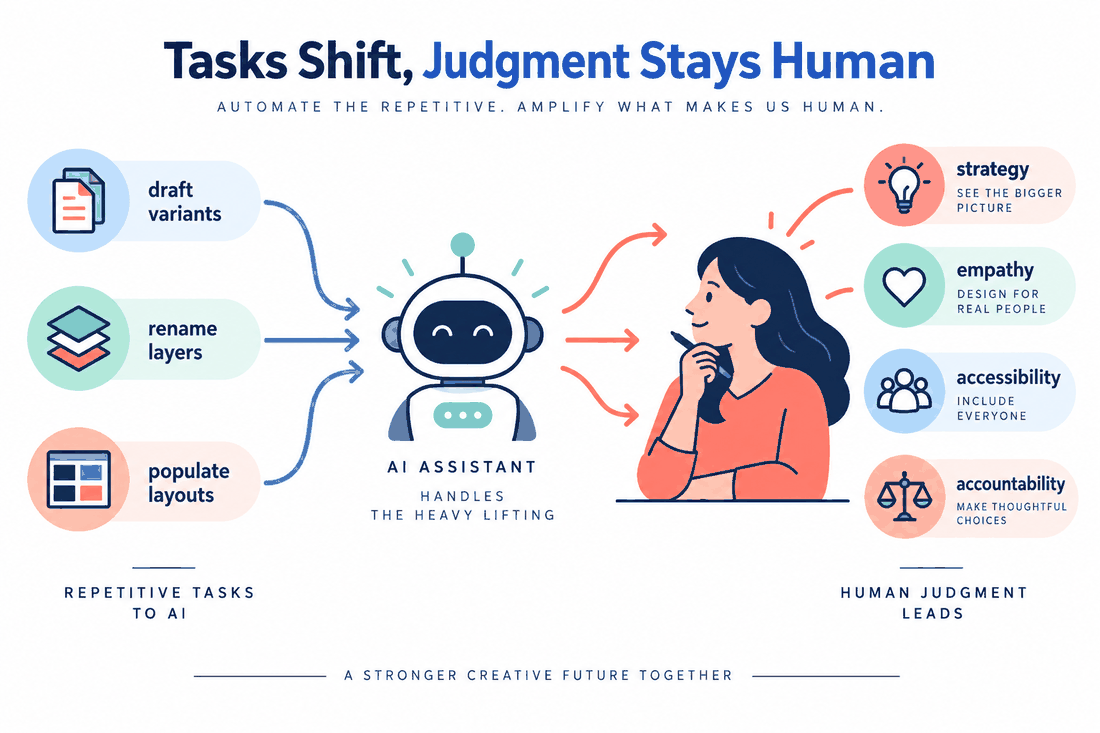
AI can assist with repetitive design tasks, but UI designers still need to make decisions about users, constraints, and product goals. A useful way to assess its effect on your work is to separate draft production from research, evaluation, and collaboration. This guide looks at those responsibilities and shows how to use Pixso AI in a design workflow.
Part 1: How AI changes design work
Hiring needs vary by company and market. When reviewing a role, look at the work it involves: research, interface design, prototyping, design systems, or collaboration with developers. A portfolio is more useful when it shows how you solve those problems, as well as the screens you produce.
Visual execution remains part of UI design, but a portfolio should also explain your decisions. Show why you chose a layout, how you handled different states, and what changed after feedback or testing. These details make your contribution easier to assess.
Combine visual design skills with user research, product context, and clear communication. When AI helps you produce a draft, use the time to compare alternatives and review the result. Explain both the tool’s contribution and the judgment you applied.
Part 2: Drawing the hard line between human and machine
AI-generated screens need review in the context of real users and tasks. A layout can look convincing while still having unclear labels, weak contrast, or missing states. Test those details instead of assuming that a polished draft is ready to use.
Use AI to explore draft layouts, suggest interface copy, or develop visual alternatives. Review generated screens and translations before using them in a project, and decide which parts need further design work.
The UI designer is responsible for reviewing the intended experience. If analytics suggest that users leave a checkout flow, investigate the cause before changing it. Include accessibility in that review: check contrast, focus, keyboard operation, and error states against applicable WCAG 2.2 criteria. Agree on the project’s requirements with the team and test the implemented interface.
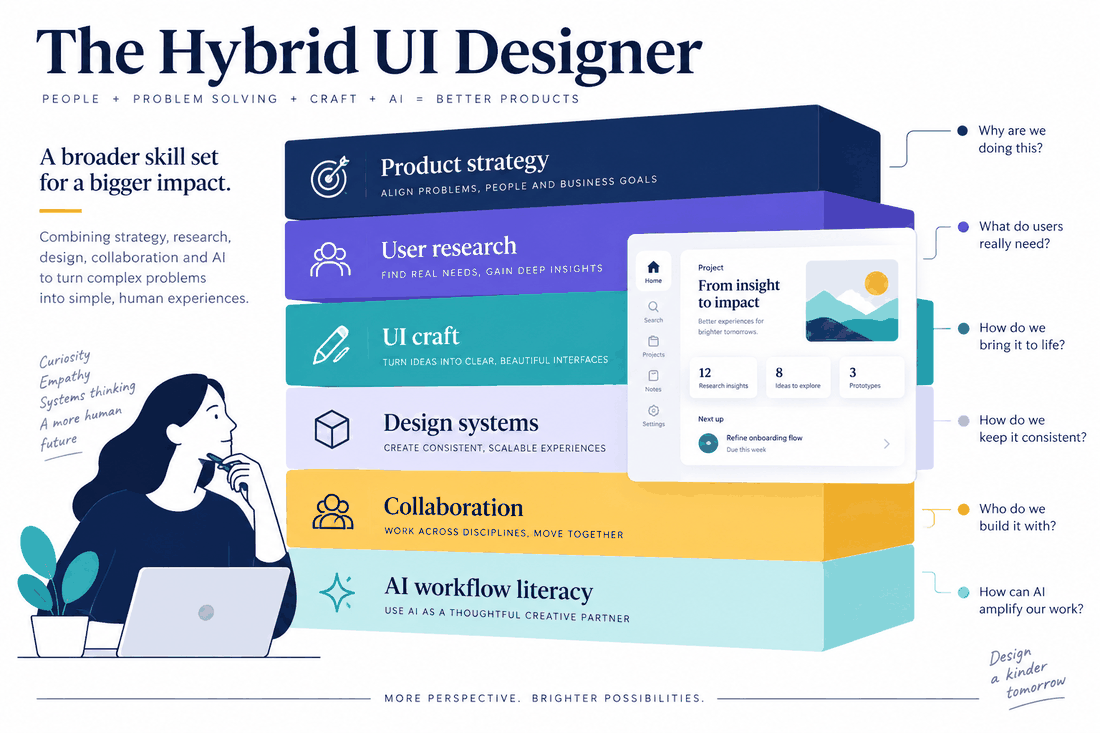
Part 3: The new core competencies
As tools change, decide which tasks benefit from automation and which need direct attention. Connect visual decisions with user needs and product goals, then explain those decisions to the people implementing and reviewing the product.
First, you need intense commercial awareness. You have to understand how your interface choices directly impact the company's bottom line. How does moving this feature affect customer acquisition cost? How does this onboarding flow improve lifetime value? You need to speak the language of business.
Second, you have to master cross-functional collaboration. You are the bridge between the coding team, the marketing department, and the end-user.
Finally, practice using AI tools for tasks that fit your workflow. Give the tool clear requirements, then inspect the generated structure and content. Judge the workflow by the quality of the result and how easily the team can revise it.
Part 4: Using Pixso in an AI-assisted design workflow
Choose tools around the tasks your team needs to complete. Pixso combines interface design and collaboration in a shared workspace, so a team can develop screens and discuss revisions together.
Pixso AI lets you explore AI-assisted design tasks within the workspace. Start with a defined problem, describe the required screen, and review the output before incorporating it into the project.
An empty dashboard, a repeated table layout, or a set of screen variations can provide a focused starting task. Describe the content and constraints, then examine the generated layers and layout. Refine spacing, labels, and states so the result fits the product you are designing.
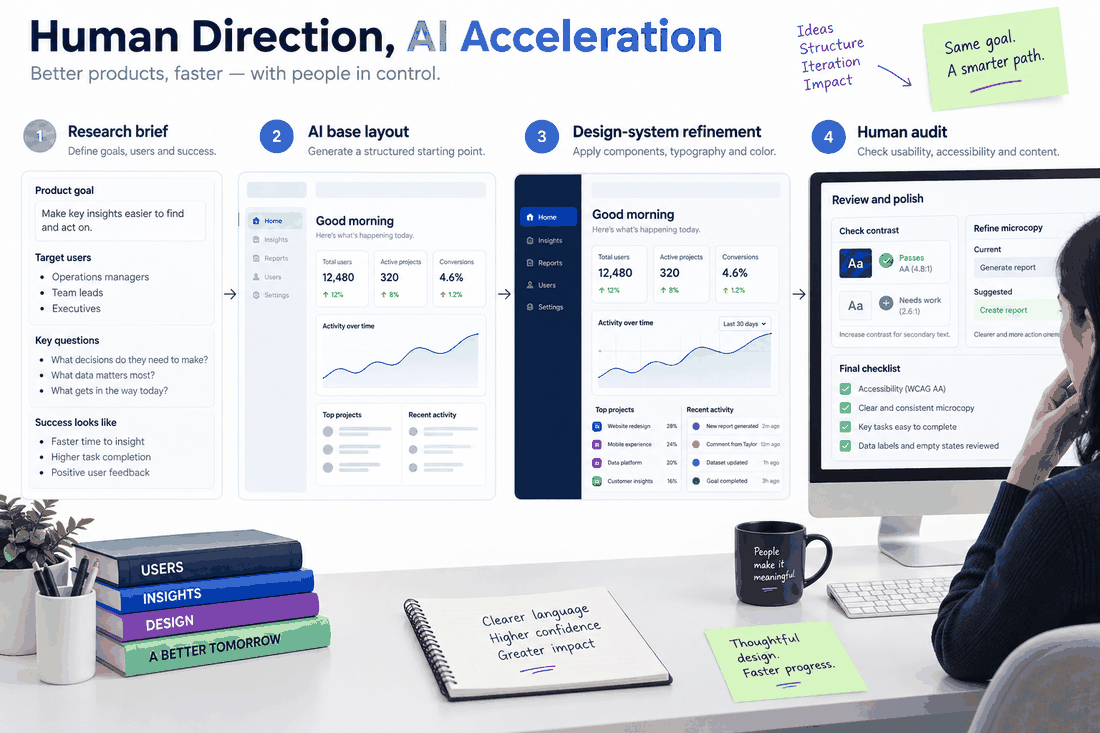
Part 5: A real-world workflow: executing with Pixso
Here is a practical way to use AI in a dashboard redesign while keeping design decisions under your control.
Step 1: Define the problem.
Read the user research and discuss the task with the product manager. If the dashboard is too dense and users cannot find their daily tasks, map a clearer structure before generating a new layout.
Step 2: Generate a first draft.
Open Pixso and describe the dashboard’s purpose, desktop width, navigation, and required content. Generate a first version, then inspect its hierarchy and layout before continuing.
Step 3: Apply the design system.
Review the generated structure, replace unsuitable elements with your team’s components, and adjust spacing and layout behavior. Check the screens at the sizes the product needs to support.
Step 4: Review the experience.
Replace unsuitable placeholder text with clear interface copy. Check contrast, keyboard interaction, focus, and error states, and test whether people can complete the intended task. Use the findings to refine the design.
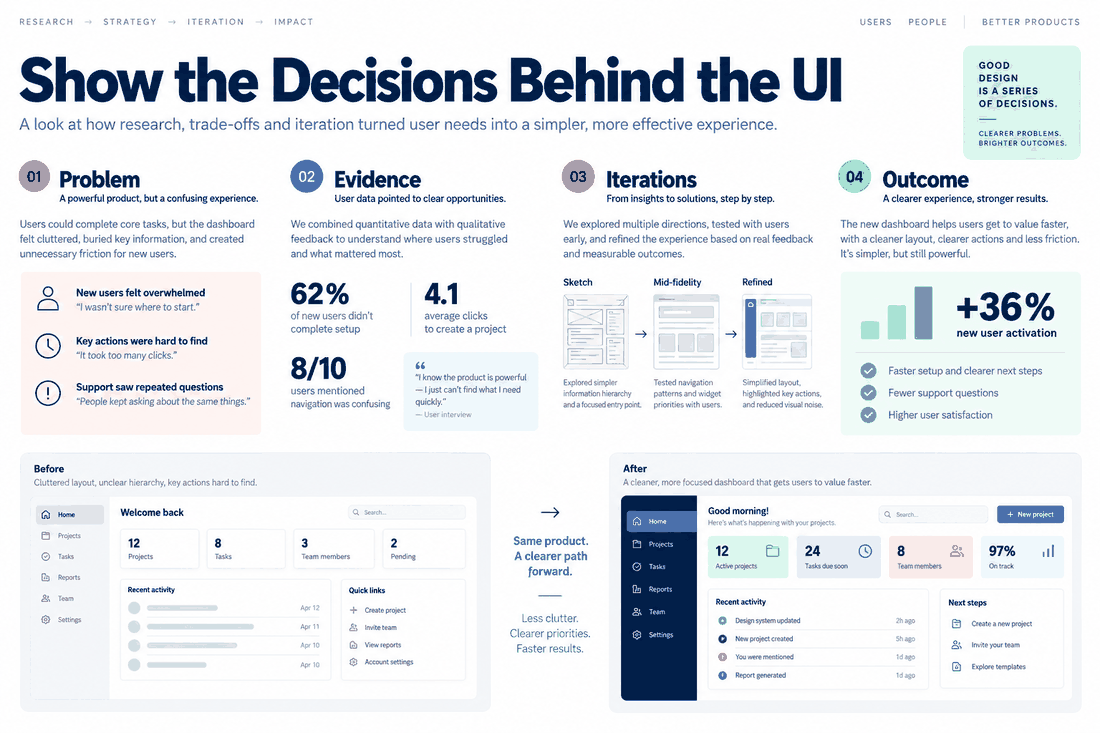
Part 6: Rebranding your career
Explain your process to employers through specific projects. Show the problem, the constraints, the alternatives you considered, and the evidence behind your final decisions.
A portfolio should show more than the final visuals. Include the business problem, relevant user research, and changes made after testing. Explain what you designed yourself and where AI helped produce an initial draft.
Describe where automation helped and the changes you made after reviewing its output. Use actual project results when discussing time saved or improvements in task completion. This makes your process and contribution clear to an employer.
Conclusion
Focus on research, interface decisions, accessibility, and collaboration. Practice using Pixso AI for draft generation and repetitive tasks, then show how your review improved the result. Build a portfolio around the decisions, testing, and iterations that demonstrate your contribution to a product.