Scott
Ever since Adobe put adobe xd on life support, Windows designers have been in a tough spot. We watched the industry shift, hoping for a miracle, but the writing is on the wall. If you run your design business on Windows, finding a viable adobe xd alternative is an urgent operational task, not a casual experiment. You need to keep delivering client work without worrying if your primary design app will stop opening after the next Windows update. Let's look at where we stand in 2026 and map out a practical path forward that actually keeps your workflow intact.
Part 1: What Windows designers actually care about
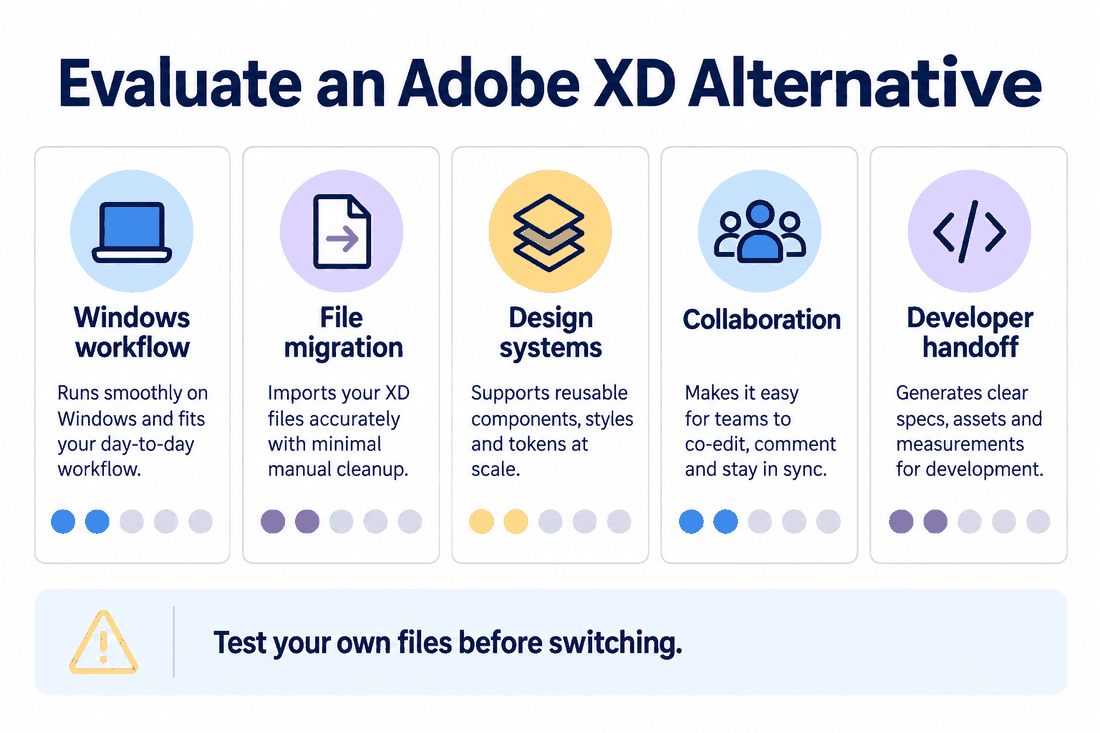
Let's cut through the marketing fluff. Many of us loved adobe xd because it was lightweight, fast, and didn't crash your computer when you had fifty artboards open. It ran natively, utilized local GPU power, and just worked.
What Actually Matters in2026:
- No Web-Only Lag: We need a real desktop app that won't freeze when Chrome runs out of memory.
- UI + Ideation: A single workspace for wireframes, mood boards, and final high-fidelity layouts.
- Smooth Handoff: Simple, native developer inspection that doesn't require third-party plugins.
- Zero Data Loss: Opening an older xd file shouldn't feel like playing Russian roulette with your layers.
But finding an adobe xd replacement that works on Windows without treating you like a second-class citizen is surprisingly difficult.
Most modern online collaboration tools ignore this. They push everything into browser tabs. That is fine for a simple website mockup, but when you are managing a massive product design system with hundreds of components and nested states, web browsers start to buckle. Windows designers need a dedicated desktop client that works offline, accesses local system fonts smoothly, and taps directly into hardware acceleration.
We also need advanced vector engines, responsive layout grids, high-fidelity prototyping, and clear developer handoff tools. More importantly, we need real-time teamwork features that do not choke when three people edit the same canvas. And finally, the pricing has to make sense. Nobody wants to pay a massive monthly subscription fee to a giant software suite just to use a single design tool, which is where platforms like Pixso come in.
Part 2: Pixso: the practical sanctuary for Windows teams
When you evaluate an adobe xd replacement, you need to look at how much friction it introduces to your daily work. Pixso was built specifically to bridge this gap, offering a highly optimized workspace that feels incredibly familiar to anyone coming from a traditional desktop setup.
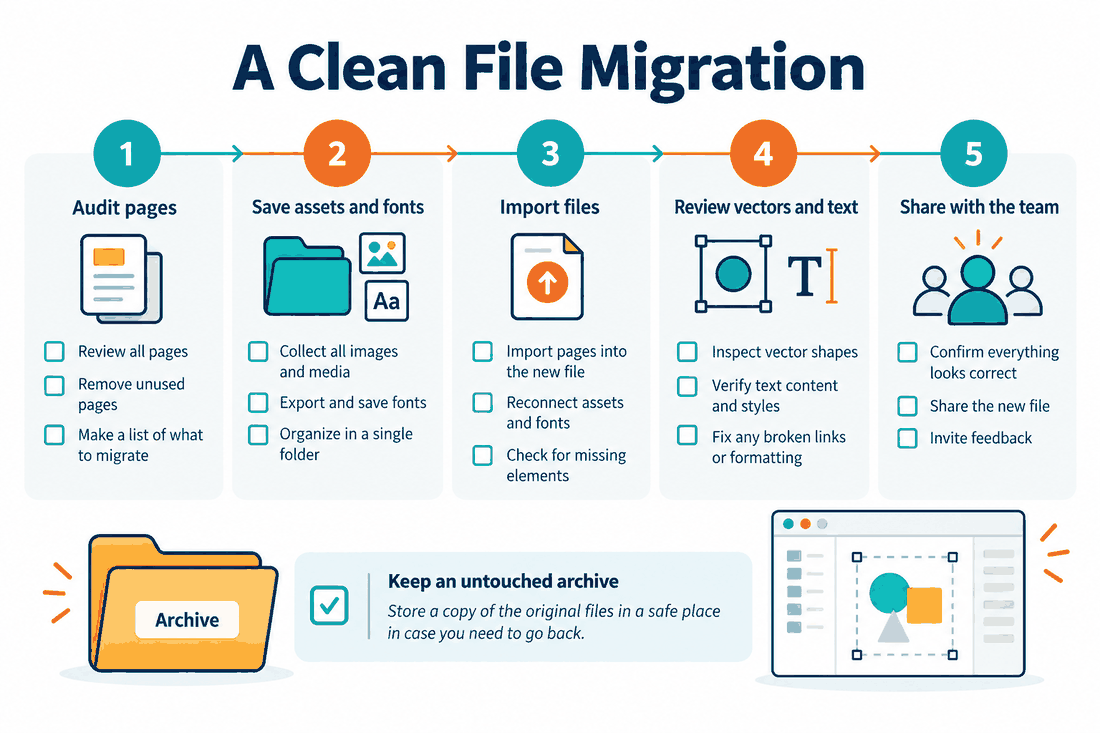
The Pixso Setup for Windows Users:
- One-click migration of legacy design files
- Native desktop client for Windows (GPU accelerated)
- Built-in whiteboard workspace for quick wireframing
- Built-in AI tools for instant copywriting and assets
- Highly competitive, transparent team pricing
The migration process is incredibly straightforward. You can drag any legacy xd file directly into Pixso, and the tool will parse the vector shapes, text elements, and prototyping linkages with impressive accuracy. This keeps you from losing years of client archives or wasting unbillable hours rebuilding old components from scratch.
Unlike standard online collaboration tools that rely purely on WebGL inside browser wrappers, Pixso offers a highly optimized, native-grade Windows desktop application. It manages system memory intelligently, so you can scroll, pan, and edit massive design files with virtually zero lag.
It also integrates a digital whiteboard right next to the design canvas. This means you can run a brainstorming session, map out a user journey, sketch a wireframe, and build your final UI designs in the exact same application. Add in built-in AI tools that generate UI text copy or generate quick vector graphics on the fly, and you have a workspace that actually respects your time. Combined with independent, transparent pricing that is highly competitive, it is a very easy choice to pitch to your team or stakeholders. This makes the tool a highly practical adobe xd alternative for teams that value speed and cost-performance.
Part 3: A raw look at 6 other alternatives
While Pixso is a highly focused option for Windows users, it is worth looking at the rest of the market. Let's look at the strengths and weaknesses of the other major players in 2026.
1. Figma
Figma is the massive player that redefined the market for online collaboration tools. It is incredibly feature-rich, but it comes with clear trade-offs.
The Reality: The community is unmatched, and its auto-layout tool is brilliant. However, unlike the local-first speed of adobe xd, Figma is heavily cloud-dependent. If your internet is spotty, your productivity drops. It is also becoming increasingly expensive as its pricing tiers scale up.
2. Lunacy
Built by Icons8, Lunacy is marketed as a native adobe xd alternative for offline design work on Windows.
The Reality: It is completely free, runs natively on Windows, and comes with a massive built-in library of illustrations, icons, and photos. However, while it is great for solo creators, its multiplayer collaboration and enterprise-level developer handoff tools are not quite ready for scaling design teams.
3. Penpot
Penpot is a browser-based adobe xd replacement that has gathered a strong following among open-source enthusiasts.
The Reality: It is completely free, self-hostable, and built on open web standards like SVG. The major drawback is that the interface feels a bit foreign to designers used to traditional tools, and rendering performance can lag on very complex files.
4. Axure RP
Axure is the heavyweight champ of complex interactive prototyping.
The Reality: If you need to prototype a form with complex logical variables and conditional paths, Axure is incredible. But for daily UI design and visual layout work, the interface feels slow, clunky, and outdated.
5. Affinity Designer
Serif's professional vector application is highly regarded by digital illustrators.
The Reality: It is a beautiful, fast, current Affinity and Sketch plans and capabilities should be checked against the official product pages; test the target file and workflow before migrating that runs incredibly well on Windows. But if you're ditching adobe xd for illustration, keep in mind that Affinity lacks UI-specific prototyping, collaborative editing, and developer inspection features.
6. Sketch
We have to mention Sketch because it practically invented the modern UI design workflow.
The Reality: It is a beautiful, highly polished tool with a fantastic ecosystem. But it remains strictly exclusive to macOS. If you run Windows, it is completely out of the question, making it useless for mixed-platform teams.
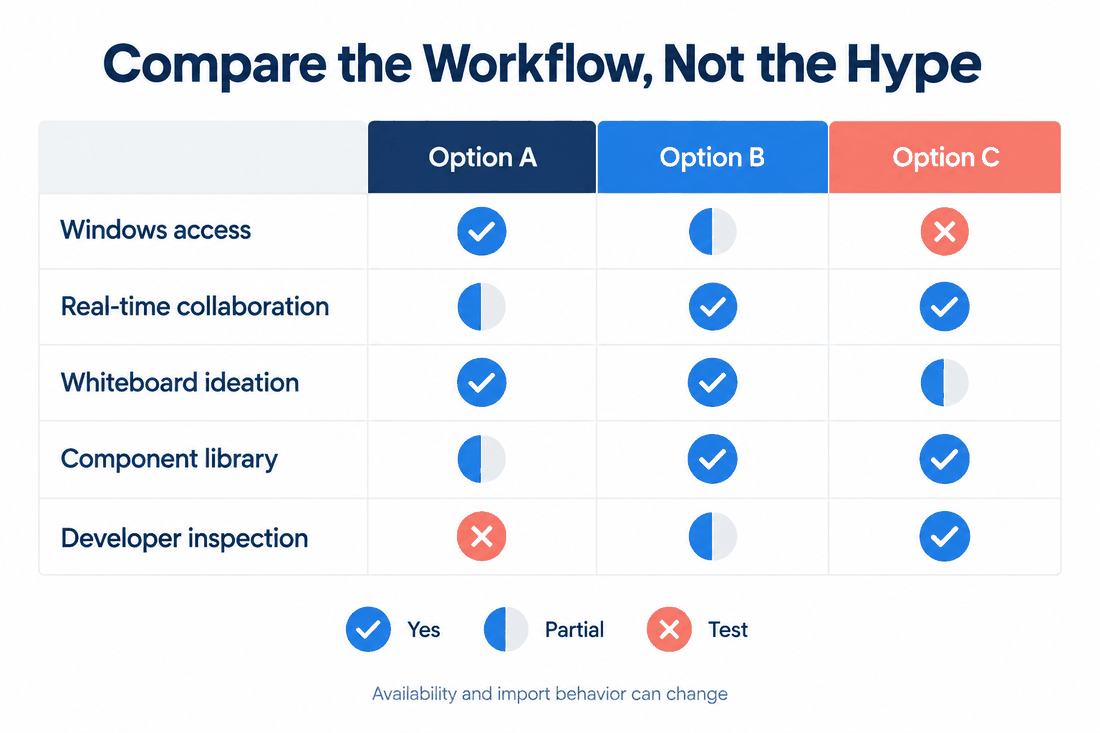
| Quick Feature Matchup | |||
| Tool | Win App? | Real-time Collab? | Import .XD? |
| Pixso | Yes (Native) | Yes | Yes (High Acc) |
| Figma | Yes (Wrapper) | Yes | No (Via Plugins) |
| Lunacy | Yes (Native) | Yes (Basic) | Yes (Partial) |
| Penpot | No | Yes | No |
| Axure RP | Yes (Native) | No (Sync Only) | No |
| Affinity Designer | Yes (Native) | No | No |
Part 4: The stress-free file migration blueprint
Switching your primary design tool can feel incredibly disruptive, but transitioning away from adobe xd doesn't mean you have to break your active projects. If you plan your move carefully, you can transition your entire team over a weekend.
The Clean Transition Process:
- Audit: Open your active local directories. Delete unused pages, legacy drafts, and messy style states.
- Export Assets: Make sure your custom icon libraries andlocal fonts are saved in clear, accessible folders.
- Import: Batch-import your target files directly into the Pixso dashboard.
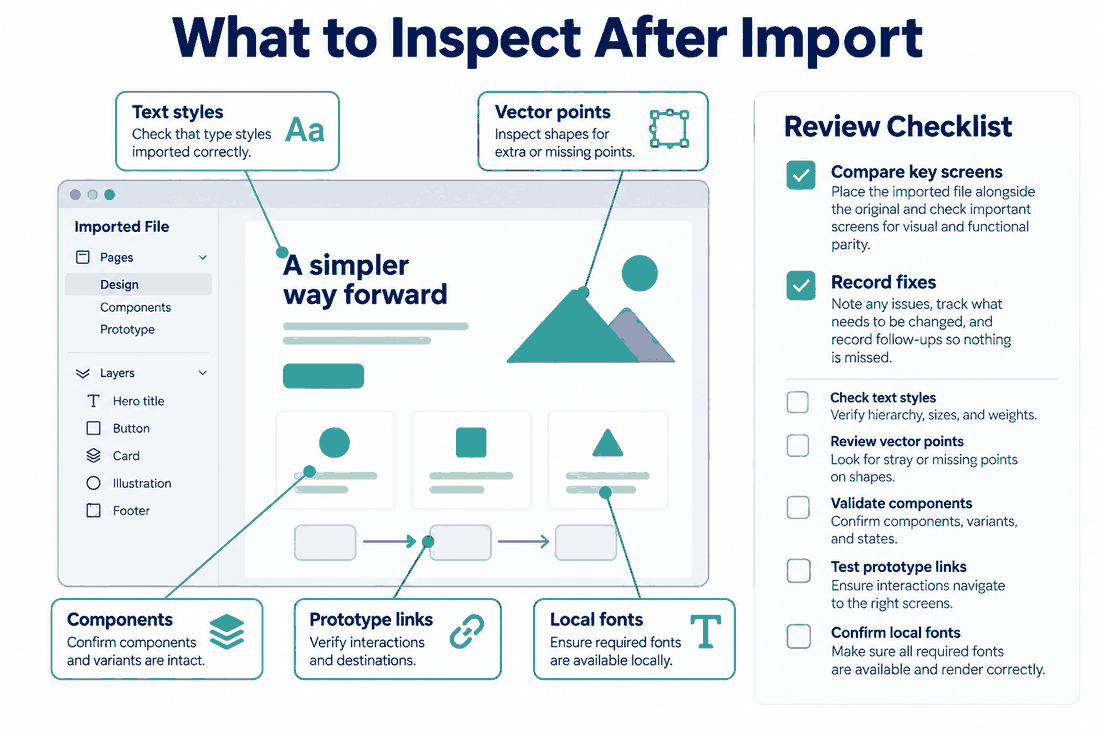
- Review: Spend an hour checking your vector points, text alignments, and component variables.
- Hand Off: Share a clean workspace link with your developers so they can inspect assets immediately.
The key is to run an audit of your active projects before you import your first xd file into your new workspace. Take thirty minutes to delete draft pages you don't need, clean up your layer names, and organize your color styles.
Once your design files are clean, let the import engine do the work. Once imported, quickly double-check that your fonts are mapped correctly. Since different platforms render typography systems slightly differently, you may need to map local system fonts to web fonts or upload your company's custom OTF files. Once verified, you can invite your team and developers to the new canvas, eliminating the need to export static PDFs or handle messy design handoffs ever again.
Conclusion
Leaving a familiar design tool is always a bit stressful, but the end of the adobe xd era is actually a fantastic chance to modernize your entire setup. By moving to a more connected, modern platform, you can eliminate slow rendering, expensive subscription bundles, and clunky handoff workflows. In 2026, Pixso stands out as an incredibly stable, high-performance option built specifically for the needs of Windows design teams. By choosing a tool that values native performance and clean file migration, you can protect your past work, keep your team happy, and design with complete confidence.

![[2026] 5 Best UI Design Tools](https://cms.pixso.net/images/articles/5-best-ui-design-tools.png)