On this page

Scott
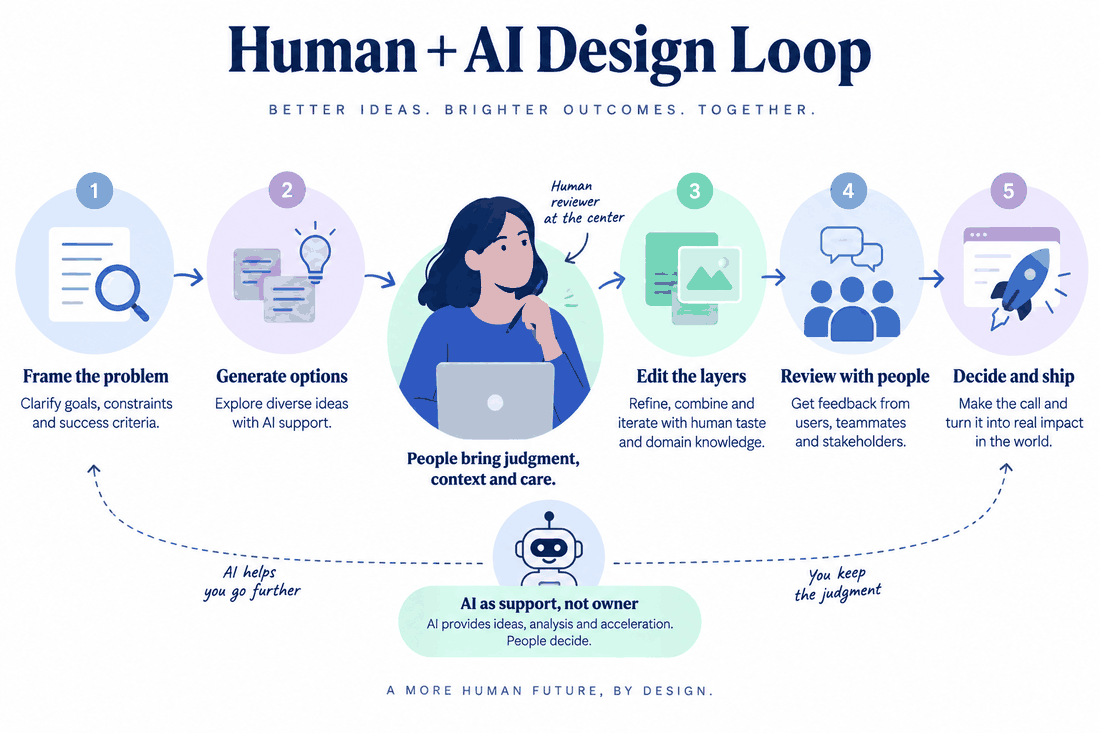
An AI assistant is most useful when the designer can give it a bounded task and judge the result. Drafting alternative labels, exploring a screen arrangement or producing an image direction can move work forward. Choosing the problem, understanding users and deciding what the product should do remain design decisions. This guide explains how to work with AI in Pixso while keeping those decisions connected to the project.
1. Choose a Task with a Clear Outcome
Start with a part of the work that you can describe and review. “Suggest shorter labels for these filters” gives the assistant a specific job. “Make the dashboard better” leaves the user task, content and success criteria undefined.
For a spending dashboard, identify the information users need first: current balance, recent transactions and an unusual charge. Then decide where assistance would help, such as exploring a transaction-card layout or drafting a clearer empty-state message.
Keep a small set of requirements beside the draft. Include realistic values, long labels and an error state. These details make it easier to distinguish a useful result from an attractive screen that omits part of the task.
2. Work with Output You Can Use
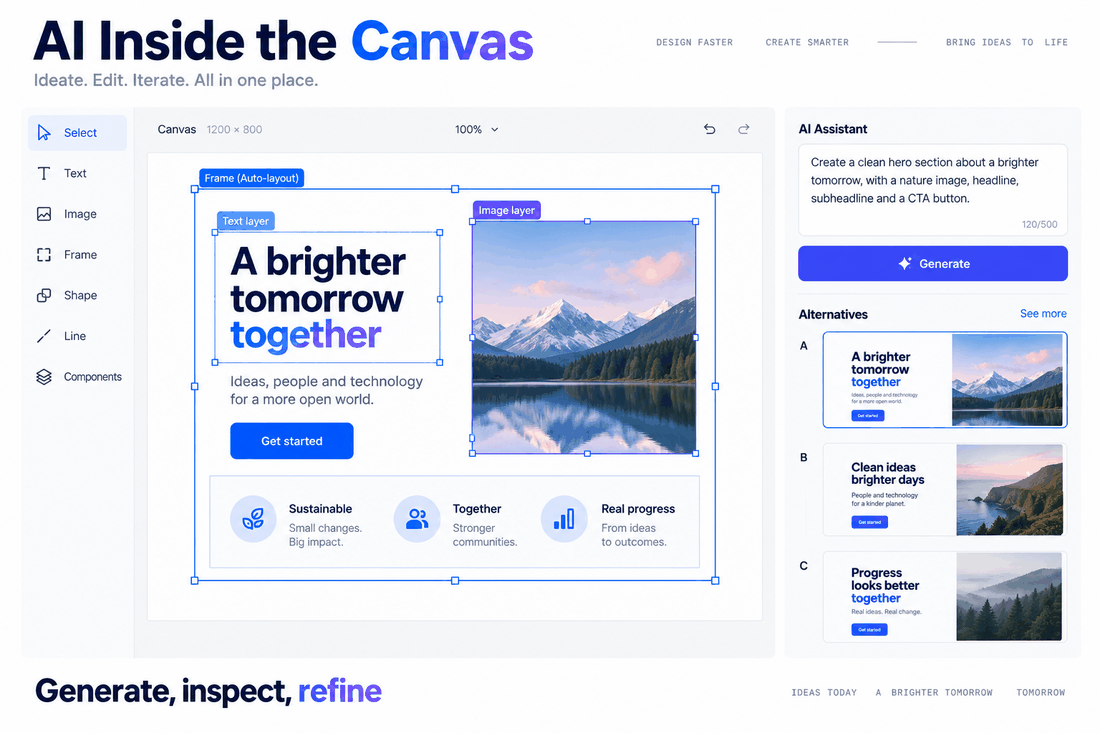
Choose the workflow for the output you need. A generated image may be useful for an illustration or visual direction. A screen that needs editable labels, reusable components and multiple states calls for a design-generation or editing workflow.
Try one representative task before changing the team’s process. Inspect the resulting layers, text and layout, then make an ordinary revision such as changing a label or adding a row. That shows how much work the draft will save.
Pixso AI offers assistance within the design workflow. Use the tools available in your workspace for the current task, then continue editing the result in the file. Keep the prompt specific enough that a teammate can understand what you asked for and why you kept the result.
3. Bring the Draft into Your Design System
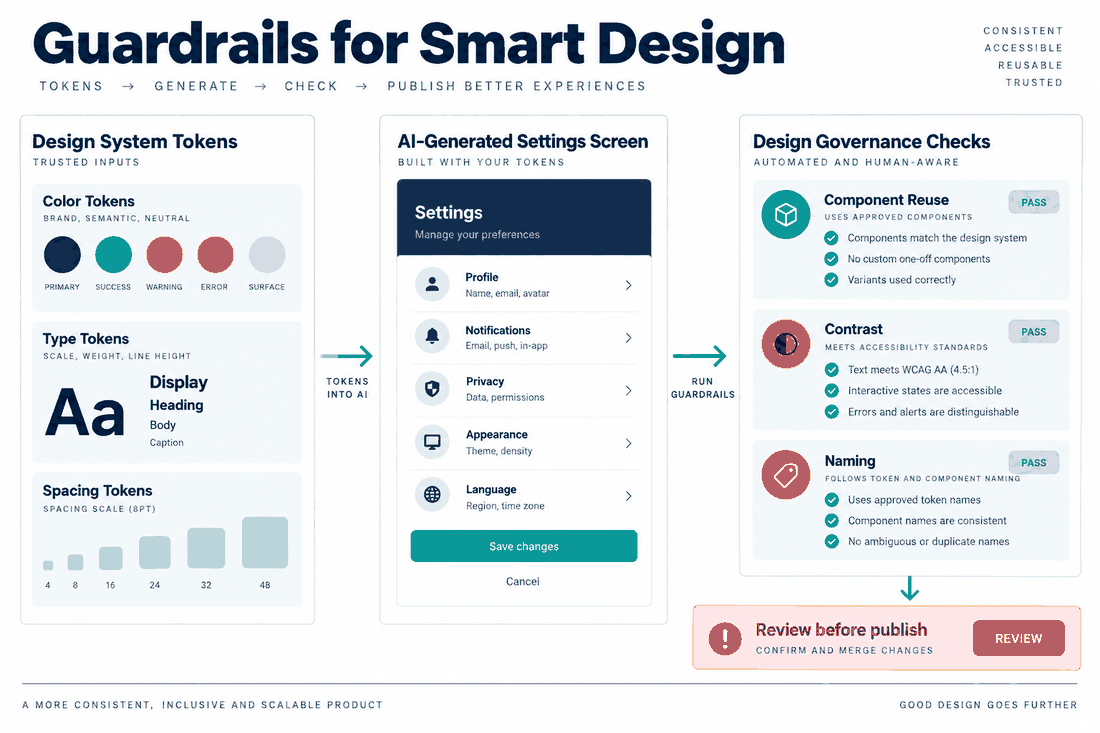
A useful draft needs to fit the product’s components, text styles and states. Compare it with an existing screen from the same flow, especially where spacing, button hierarchy or feedback could change the meaning.
Include relevant constraints in the brief: the primary action, required content, supported screen size and approved terminology. After generation, apply the team’s established styles and components where they belong.
For a settings page, reuse the existing input and toggle components instead of leaving similar-looking replacements in the file. Check the selected, disabled and error states. Publish agreed component changes through the library workflow so other files can review and apply them.
4. Refine the Parts That Affect Use
Evaluate the draft by the changes the project will need. Can a long name fit? Can the main action move without breaking the grouping? Can another designer identify the reusable elements? Work through those questions before polishing decorative detail.
Keep useful parts of the result and revise the rest. When using an AI edit, request one clear change, such as placing the filters above the result list. Compare the revised frame with the earlier version to see what else changed.
Then edit the hierarchy, labels and spacing directly. A named version or adjacent comparison frame helps the team understand why a change was chosen and recover an earlier approach when needed.
5. Review Alternatives with the Team
AI can help prepare alternative wording or arrangements for discussion. Use the same content and task in each option so the review focuses on the design decision.
For the spending dashboard, compare a table with grouped transaction cards. Ask whether users need to scan many entries, compare values or inspect one item in detail. Those needs determine which arrangement is useful.
Share the alternatives in the design file and keep comments beside the relevant elements. Once the team chooses a direction, update the working screen and record the reason for the choice. Make clear which version developers should use.
6. Check the Experience with Real Content
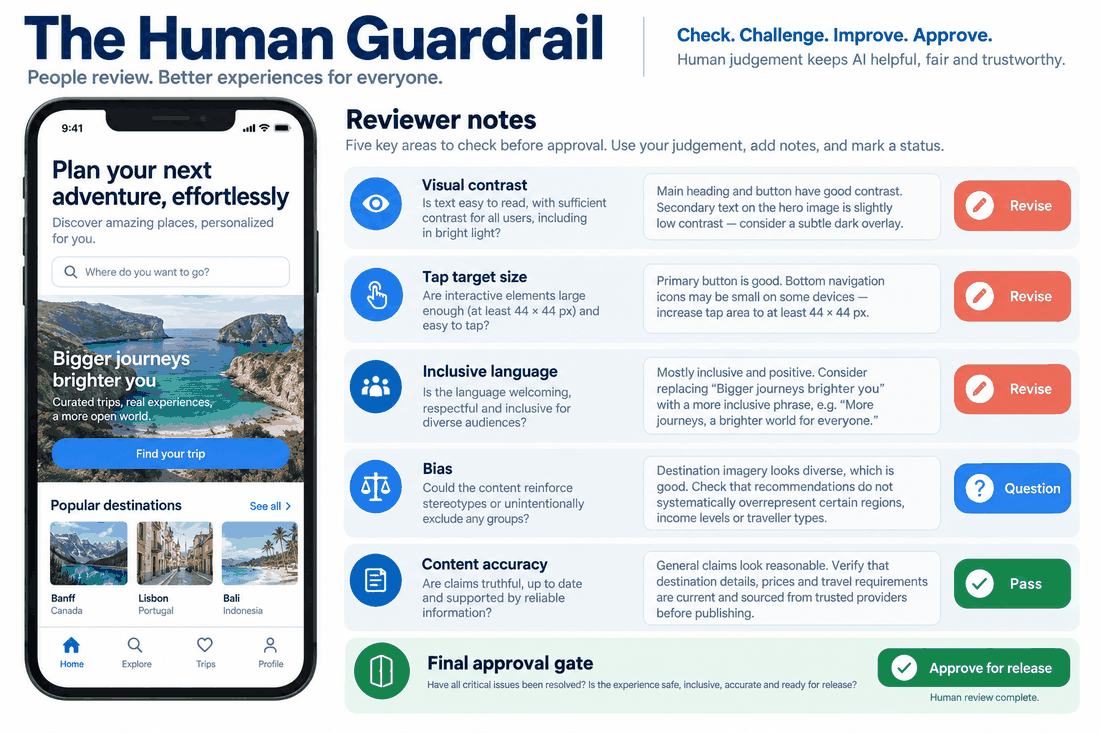
Generated drafts can contain unrealistic assumptions about names, language, ability or context. Replace placeholder personas and data with research and content appropriate to the product.
Review contrast, labels, target sizes and the way the interface communicates errors. Include keyboard and assistive-technology behavior in the implementation requirements, then test it in the working product.
Use translated labels, larger text and different input conditions to expose weaknesses in the design. These checks are easier to act on when each finding points to a specific component, state or interaction.
Make AI Useful to the Design Task
Give AI a focused job, refine the result against the product’s requirements and review it with the people who will use or implement it. In Pixso, keep the draft, design decisions and feedback together so the next person can continue the work with context.

![[Full Guide] UI Design Prototyping](https://pixso.net/assets/media/what-is-ui-design-prototyping-79f536e2c60326ab.webp)