Scott
A missing font can change line breaks, button widths and the hierarchy of a shared design. Start by identifying the exact missing family and style, then decide whether to make that font available or replace it. Do not replace fonts across the whole file before finding out whether the problem affects one weight, one computer or every collaborator.
Keep the replacement consistent with your UI typography system: a font that opens successfully can still be the wrong fit for a heading, label or table. The workflow below separates font availability from the layout changes that need review afterward.
1. Find the source of a missing-font warning
A missing-font warning means the file refers to a font that is unavailable in the current editing environment. Replacing it with a different family can change line breaks, button widths and the hierarchy of the screen.
Compare the exact family, style and weight names used in the design. Two files with similar names may be different releases, and a regular font does not provide the same shapes as a semibold style. Ask the file's owner which font files the team has approved.
| What you see | First comparison | Next action |
|---|---|---|
| Several local font families are missing on one computer | Can that computer use an installed font in another application? Is the editor's local-font connection available? | Resolve installation or the local-font connection before replacing text throughout the design. |
| Regular works, but Semibold or Italic is missing | Compare the requested style with the styles actually available for that family. | Obtain the approved missing style or deliberately map it to an available one. Do not assume a similar family name is interchangeable. |
| The file works for its owner but not a reviewer | Compare font availability, exact release and access to the team's shared library. | Make the same approved source available to both people, then reopen the affected text. |
| The family appears, but some characters are boxes or use a different face | Try the affected characters in a separate text layer with that same family and style. | Choose a font or a documented fallback that covers the required script. Reinstalling an unrelated weight will not add missing glyphs. |
| No warning remains, but a label wraps differently | Compare family, style, release, size, spacing and text-box width with the reference. | Treat this as a typography/layout difference, not proof that another font is missing. |
Use a copy of one affected screen while investigating. Keep the original font names with that copy so the team can restore the intended choice if an initial replacement turns out to be wrong.
2. Make the approved fonts available in Pixso
Agree on the family names and font files the project will use. Keep that decision with the design system so a new collaborator can identify the required fonts without searching through old messages.
To use fonts installed on your computer in the browser, connect the Pixso Local Font Assistant. Local font access and a shared font library solve different problems: the assistant makes an installed font available on your computer; a team library organizes access within the workspace.
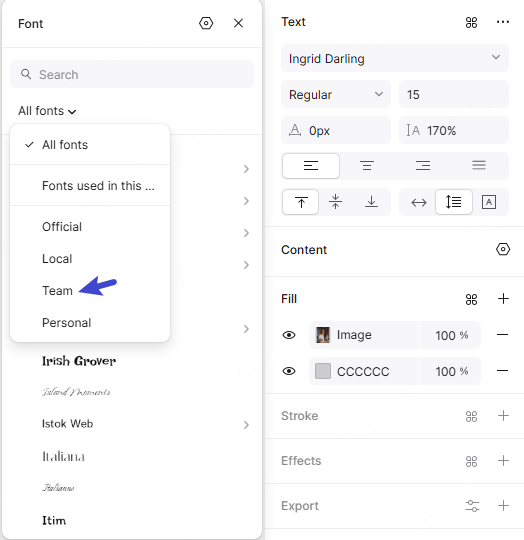
Pixso's plan comparison lists local-font access and team font libraries separately. Use the font source available to your workspace and permitted by the font license. Confirm access with another team member and check that the required styles appear in their file before adopting a family across a project.
If a warning remains, check the exact font name, installed styles and Font Assistant connection. For an imported design, inspect headings, buttons and dense text after resolving the font. Importing a design file does not give a collaborator a separate font license or ensure that every font is already installed.
Compare the layout before accepting a replacement
Suppose a shared checkout screen uses a semibold heading and the button label “Continue to payment.” The heading looks right after a replacement, but the button grows to two lines. Keep the button width, font size and spacing unchanged for the first comparison. Changing all three at once makes it difficult to tell what caused the difference.
- Put the original reference and the candidate replacement side by side at the intended display size.
- Compare the heading, the button, a price such as “$1,249.00,” and the longest validation message used by the screen.
- If the correct approved font is available, restore it before changing component dimensions.
- If the team is intentionally changing the typeface, update the text role and adjust the component's wrapping or sizing rules. Do not shrink one button's text merely to hide the mismatch.
- Repeat the comparison at a narrow screen width and with a collaborator's environment before applying the change to the rest of the flow.
This gives the team a specific decision: restore the intended typography, or adopt a new typeface with the layout work it requires.
3. Keep font files and usage terms together
A font used in a design file may need different permissions when embedded in a website or app. Keep the source, version and applicable license with the project so the team can identify the correct files for each use.
Record which families and styles are approved, where the files came from and who maintains them. This gives collaborators a clear reference when they add a new weight or prepare another language.
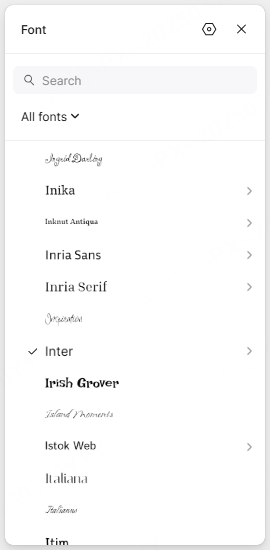
Use the team's approved files in shared libraries and check the applicable terms before distributing or embedding a font. A library helps organize access; it does not replace the permissions attached to the font.
4. Publish shared typography changes deliberately
Define text styles for recurring roles such as headings, body text, captions and labels. Meaningful names help designers choose the right style instead of recreating a similar one on each screen.
Specify the family, weight, size, line height and letter spacing for each role. Where the project uses design tokens, agree which values they control and how those names map to implementation.
| Concern | Recommended team practice |
| Font file storage | Keep approved font files, their source and license information in a shared project location. |
| Missing fonts | Check the exact family and style names, available font files and Font Assistant connection. |
| Version conflicts | Agree on the font release used by the project and resolve mismatches before updating shared screens. |
| Shared typography | Define reusable text styles, publish agreed changes and review updates in the files that use them. |
After changing a shared style or component, review the affected instances in the source file. Publish the library update for the team, then review and apply the available update in linked files. A change in one library file is not a reason to assume that every consuming file has already accepted it. Pixso's components guide distinguishes local changes from publishing an update to the team.
5. Plan font loading with developers
Font choices affect both the design and the files the website needs to load. Share the required families, styles and languages with developers early so they can select suitable web-font files.
A font working inside Pixso does not prove that the published website loads it. On the implemented page, inspect the actual rendered font and the font-file request. A failed request, an incorrect family or style mapping, or a subset missing required characters belongs to the web implementation rather than the editor's font selector.
During loading, text may use a fallback font or remain briefly invisible depending on the implementation. Compare the fallback with the intended font: different character widths can move labels, change line breaks and shift nearby content. The MDN @font-face reference explains the browser-side family and source declarations.
Load the styles and character sets the site needs. When subsetting is appropriate and permitted, keep every character required by the supported languages. Choose a font-display strategy with the developer and test loading, failure and slow-connection behavior on the implemented page.
6. Carry typography decisions into handoff
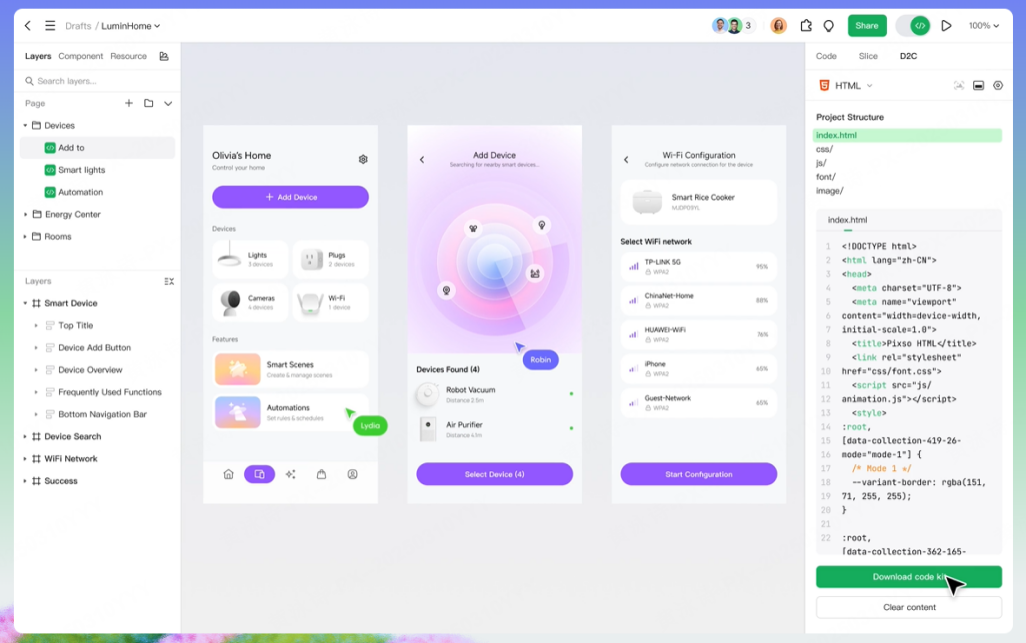
Give developers a readable reference for each text role. Include the family and style names, size, line height, letter spacing and the expected wrapping behavior at narrow widths.
Keep the typography reference beside representative screens, including long labels and validation messages. Resolve differences in font files or naming before treating the design as the implementation reference.
For the checkout example, attach the approved font release and show whether “Continue to payment” stays on one line or makes the button taller. Include the error state and the narrow layout. A developer can then reproduce an intentional decision instead of guessing which screenshot is correct.
Restore the font, then review the screen
First establish which family and style the file needs. Make that source available, or agree on a replacement. Then compare the text and its components before distributing the change. Keep the font decision with the design so the next collaborator can follow the same path.

![[2026] Best UI Animation Tools](https://pixso.net/assets/media/ui-animation-tools-b7cfee581b5c6143.webp)