Scott
There was a time, not so long ago, when being a "serious" designer meant having a powerhouse computer that cost as much as a used car. You’d sit there, waiting ten minutes for your software to load, praying that the "spinning wheel of death" wouldn't appear before you hit Cmd+S. But look around today: the landscape has shifted. We aren't tethered to those heavy installers anymore. The shift toward web-based design tools isn’t just about convenience; it’s a total revolution in how digital products get built. We’ve moved from isolated, local files to a world where a web app is the heartbeat of the creative process. If you’re still clinging to traditional desktop software, you’re not just working slower; you’re working in a silo that the rest of the industry has already left behind.
Part 1. Pixso and the new reality of design
Let’s be honest: nobody actually misses managing file versions like "v3_final_final_v2." This is exactly where Pixso changed the game. As a robust browser-based design tool, it proves that you don’t need to sacrifice power for portability. Pixso was built for the way we work now: fast, collaborative, and messy.
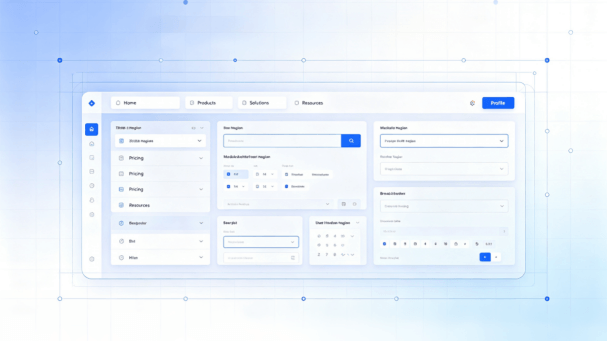
The beauty of a tool like Pixso is that it treats UI design online as a first-class citizen. You don't "export" your work to the web; the work is the web. It lives in a persistent, live state. Because it’s a cloud-native web app, Pixso bypasses the hardware gatekeeping that used to keep designers on high-end Macs. You can open a complex, 500-screen project on a mid-range laptop in a Chrome tab, and it just works. No lag, no overheating, and definitely no "missing font" errors because everything is synced to the cloud instantly. Plus, with Pixso AI, you’re not just drawing shapes; you’re using smart algorithms to generate icons and layouts on the fly, right inside the canvas.

Part 2. Ditching the heavyweight: Why desktop software is feeling like a burden
Let’s talk about the "hardware tax." For years, designers were forced to play an expensive game of catch-up with desktop software requirements. Every new update required more RAM and a better GPU. Moving to web-based design tools effectively kills this cycle.
When you use a browser-based design tool, the heavy lifting happens on a server miles away, not on your local CPU. This "lightweight" approach changes everything:
- True Device Independence: You can start a wireframe on your office PC, tweak it on your iPad during a commute, and present it from a client’s laptop.
- The End of the Installation Loop: Remember waiting for a 2GB update to download while you were on a deadline? In a web app, updates happen in the background. You just refresh the tab, and you’re on the latest version.
- Automatic Peace of Mind: The "save" button is basically a relic. In a modern browser-based design tool, every single pixel move is logged. If your computer dies mid-sentence, your work is already safe in the cloud.
Part 3. Collaboration without the chaos
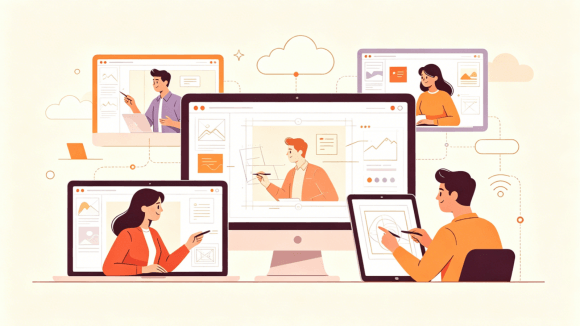
The biggest problem with traditional desktop software wasn't the features; it was the isolation. You worked in a vacuum, exported a file, and sent it into the Slack abyss. Real-time collaboration is the "killer feature" that pushed web-based design tools into the mainstream.
In Pixso, the canvas is not a private playground; it is a shared space. You can have a copywriter fixing headlines, a PM leaving comments on a flow, and a developer checking hex codes, all in the same file at the same time. This kills the need for "check-ins" because the progress is visible to everyone.
- One Link to Rule Them All: Stop sending attachments. Send a URL. You control who can edit and who can just look.
- A Unified Workspace: Pixso doesn't just do UI. It brings whiteboarding, PRD documentation, and high-fidelity prototyping into one spot. You don't have to jump between four different apps just to explain a single feature.
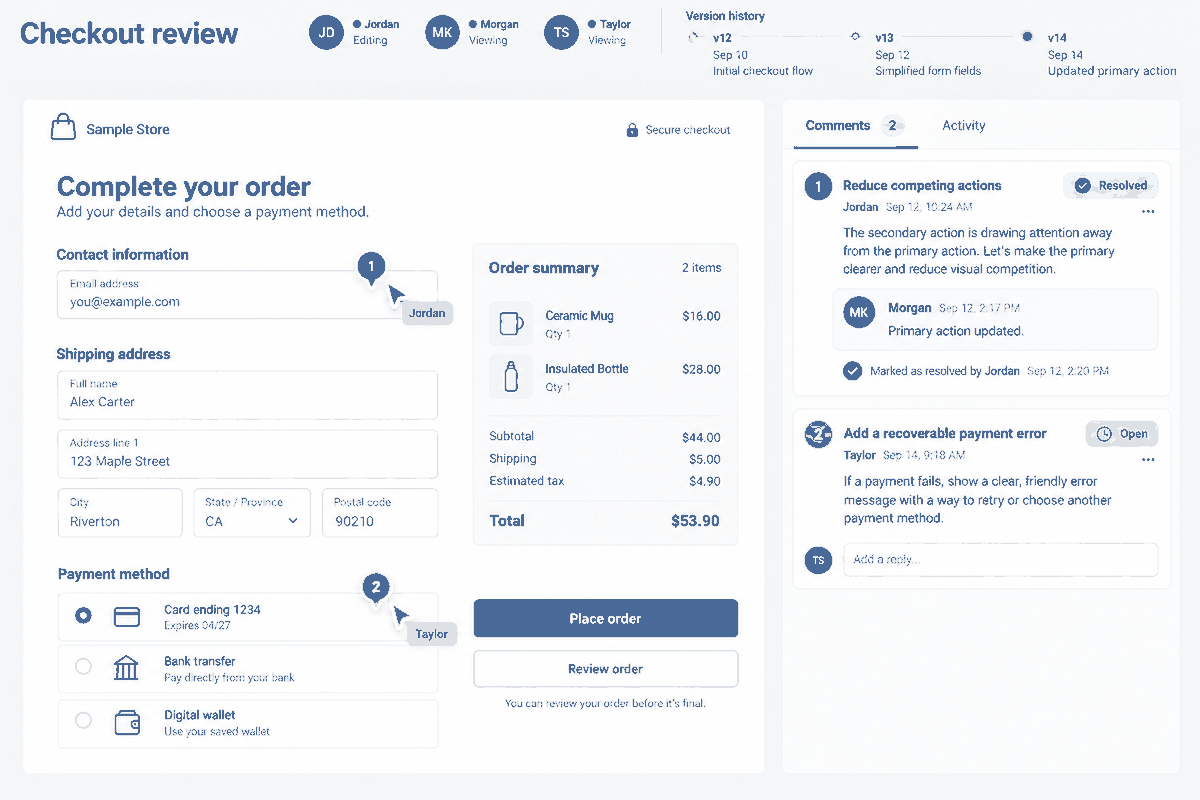
Part 4. Keeping the brand on the rails: Cloud-native design systems
We’ve all been there: you download a "Master UI Kit" from the company drive, only to find out six months later that you were using an outdated version. This is the nightmare of local desktop software. When your assets are scattered across various hard drives, brand consistency is impossible to maintain.
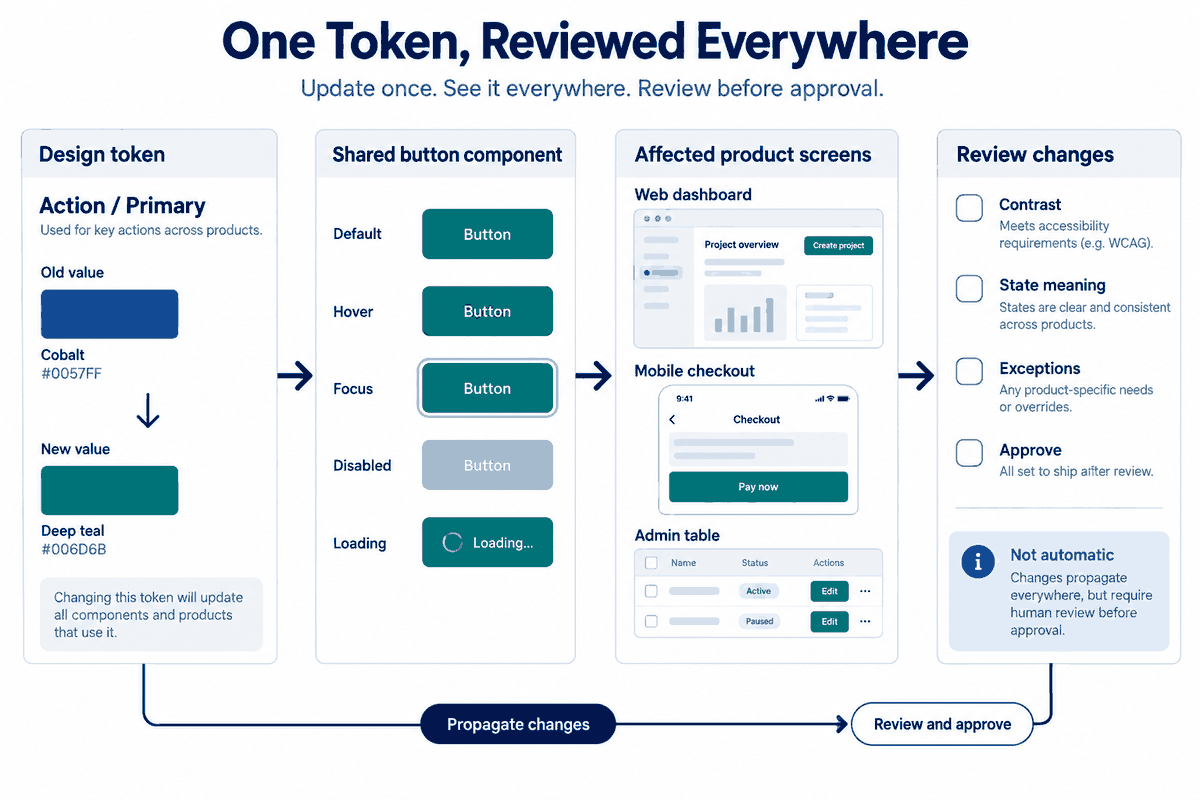
Using web-based design tools allows for a "central nervous system" for your brand. In Pixso, your design system is a living library. When the brand team decides to change the primary "Action Blue," they update the master token in the cloud. Instantly, every button in every project across the whole company updates.
- Global Synchronization: No more manual searching and replacing.
- Atomic Design Logic: You build components once and reuse them everywhere.
- Control over Chaos: It prevents "rogue" designers from inventing their own margins or font sizes, keeping the product's UI design online polished and professional.
Part 5. Dev handoff: Ending the designer-developer war
The gap between a pretty mockup and a working website is usually where the drama happens. In the old days of desktop software, handoff was an exercise in frustration. Designers had to create "redlines" and developers had to guess the padding.
Web-based design tools have turned this into a "self-service" model. Since Pixso is built on web tech, it speaks the same language as developers.
- Live Inspection: A developer opens the Pixso link and clicks an element. They immediately see the CSS, the Swift code, or the XML for Android.
- Original Assets: Need that SVG icon? The dev can export it directly from the canvas in the format they need.
- Real-time Context: If a designer makes a quick change during a sprint, the developer sees it instantly. No more "Wait, which version of the PDF am I looking at?"
Part 6. Security and the enterprise reality
There’s a lingering myth that "web" means "less secure." In reality, for a modern enterprise, web-based design tools offer better control than thousands of random files floating around on employee laptops.
Pixso takes this a step further by understanding that one size doesn't fit all. While most people love the convenience of the cloud, some industries (like banking or healthcare) have strict rules. Pixso offers:
- Private Deployment: You can run it on your own servers if you need to keep data behind a specific firewall.
- Compliance Ready: It’s built to handle things like GDPR and HIPAA, making it a safe choice for global teams.
- Cost Management: Instead of buying 500 individual software licenses that you have to manually track, you manage everything via a centralized dashboard. It’s cheaper, faster, and much easier for the IT department.
Part 7. The power of AI in the cloud
One of the coolest things about using a web app for design is how fast it evolves. Because Pixso is cloud-based, it can integrate AI features that would crush a local machine’s performance. Pixso AI isn't just a gimmick; it’s a productivity booster. It can help you brainstorm layouts, generate realistic placeholder text, or even suggest color palettes that pass accessibility tests.
Traditional desktop software just can’t keep up with this pace of innovation. By the time a desktop app pushes an update, the web-based design tools have already integrated three new plugins and an AI assistant. This "constant evolution" means your workflow is always getting better without you having to lift a finger.
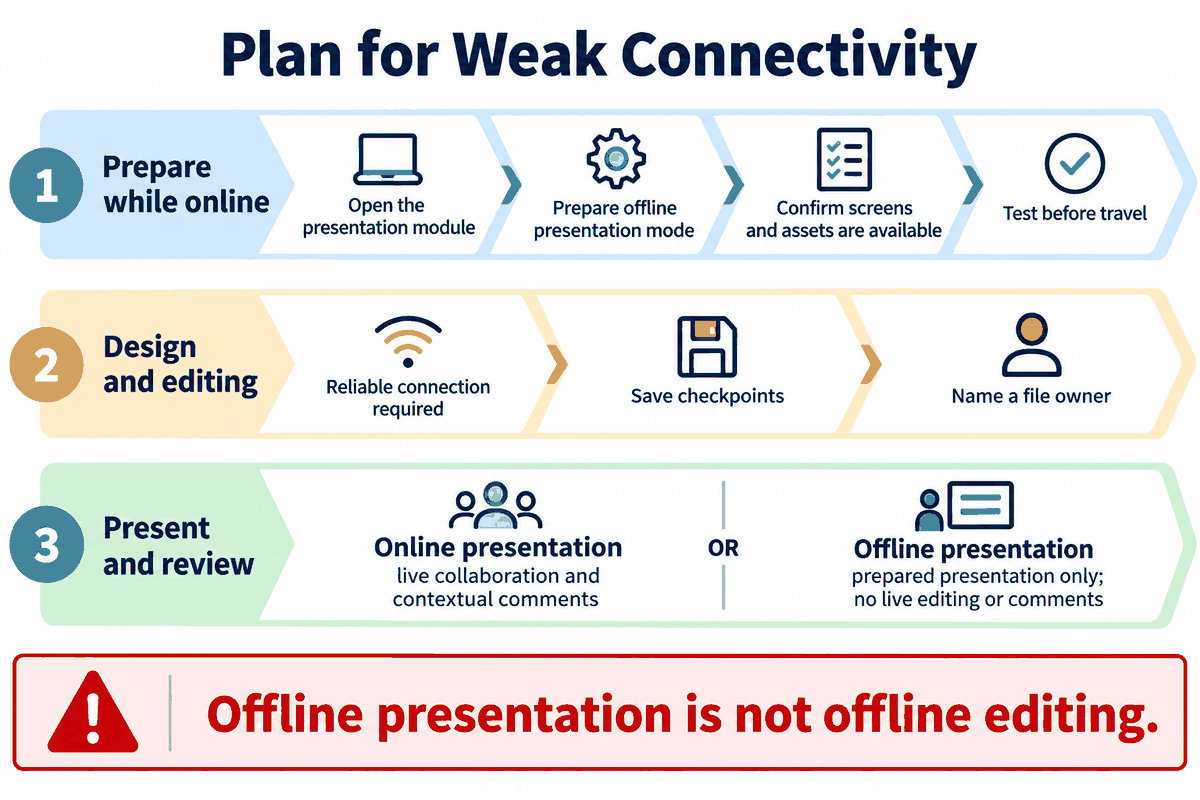
Part 8. Reliability: What happens when the Wi-Fi drops?
The biggest "fear" people have with UI design online is the internet connection. "What if I’m on a plane?" or "What if the office Wi-Fi goes down?" It’s a fair question, but the answer is surprisingly simple: local caching.
Modern tools like Pixso are smarter than we give them credit for. They use your browser's local storage to cache your current project. If your internet blips, you can usually keep editing. Once you’re back online, the tool silently syncs your changes to the cloud. In many ways, this is actually safer than desktop software, where a power outage could mean losing two hours of unsaved work.
Summary: Comparison at a glance
| Factor | Pixso (Web-Based) | Old-School Desktop Apps |
| Setup | None (log in and go) | Heavy installers & updates |
| Teamwork | Real-time "Multiplayer" | Export/Email/Repeat |
| Hardware | Anything with a browser | Expensive "Pro" workstations |
| Single Source of Truth | Built-in (The link is the file) | Non-existent (Files everywhere) |
| Dev Handoff | Automated & Live | Manual specs & guesswork |
The transition from desktop software to web-based design tools was not just a change in technology; it was a change in philosophy. We’ve realized that design is a team sport, not a solo performance. Tools like Pixso have stripped away the technical barriers that used to slow us down. By moving your UI design online, you aren't just saving money on hardware; you’re gaining a level of speed and collaborative power that was literally impossible ten years ago. The cloud isn't coming; it’s already here. The only question is whether you’re going to stay on your local hard drive or join the rest of us in the browser.
Conclusion
Ultimately, the choice between a web app and traditional software comes down to how much you value your time and your team's sanity. Using web-based design tools like Pixso simplifies the "busy work", the saving, the syncing, the handoff, and the installation, leaving you more room to actually design. It’s about building a workflow that is as fluid and interconnected as the internet itself. As we move further into an AI-augmented world, the browser-based design tool will only become more essential. It’s time to close the desktop installer for the last time and embrace a faster, smarter way to build the future.
When should you choose a web-based UI design tool?
Browser-based tools are useful when designers, reviewers, and developers need to access the same file across locations or operating systems. Desktop software may be preferred for local editing or a specific platform requirement.
Test both with your real network, file, permission, and handoff requirements. Pixso supports a browser-based UI design workflow; verify the current plan and access model before moving a team project.