On this page

Scott
For a long time, the UI design industry was locked into a very specific way of working. You bought an expensive Apple computer, installed a native desktop application, and worked in isolation. That era is rapidly ending. The way product teams operate today simply doesn't align with local files and hardware restrictions. Distributed teams demand flexibility, instant feedback, and seamless handoffs to developers who might be working on entirely different operating systems. We are currently living through a massive migration toward the browser. In this guide, we are going to look closely at why the industry is ditching legacy workflows, what teams actually need to scale their design operations, and how choosing the right platform completely changes how digital products are built.
Part 1: The End of the Hardware Tax
If you have been in the design industry for a while, you probably remember the sheer frustration of the hardware divide. For years, the standard software used by UI professionals was strictly tied to the Apple ecosystem. If you were a freelance designer or part of an agency, you simply had to buy a Mac. That was the cost of entry. But as companies grew and the lines between design, product management, and engineering started to blur, this hardware exclusivity became a massive operational bottleneck.
Think about a typical product squad. You have a lead designer on a MacBook, but the product manager reviewing the wireframes is on a Microsoft Surface tablet, and the entire engineering team is using custom-built PC rigs. Whenever those non-designers needed to inspect a layout, grab a hex code, or export a basic icon, they hit a brick wall. People spent years searching forums for ways to use Sketch on Windows. You had to buy expensive third-party plugins or separate handoff tools just so the rest of the company could see what the design team was doing.
This friction is exactly why web-based design tools have completely taken over. When your workspace lives in the browser, the operating system stops mattering entirely. You just open a tab, log in, and your canvas is right there. It democratizes the design process. A junior designer can practice their skills on a cheap Chromebook, while a CEO can review high-fidelity mockups from a hotel lobby desktop. Eliminating the need to buy specific hardware saves companies thousands of dollars in equipment costs and ensures that anyone who needs to be part of the product conversation can jump in instantly.
Part 2: Making the Jump Without the Headache Using Pixso
Even when teams realize they need to move to the browser, they often hesitate. The thought of migrating years of legacy files, complex component libraries, and established team workflows is terrifying. Nobody wants to spend three months rebuilding their entire design system from scratch just to switch software. If you are going to make the move, you need a Sketch alternative that actually respects the work you have already done.
This is where Pixso has stepped in to fill a massive gap in the market. It is built specifically for teams that need to modernize their workflow without losing their history. When you decide to switch, Pixso allows you to directly import your legacy desktop files. It doesn't just bring over a flattened image; it actively preserves your layer hierarchies, your naming conventions, and your component overrides. It essentially replicates the core operational logic you and your team are already deeply familiar with. The learning curve is remarkably flat because the interface feels intuitive to anyone who has spent time in traditional UI software.
But Pixso is not just a basic import tool. It brings heavy-duty, professional-grade design capabilities straight into the browser. We are talking about advanced vector network editing for custom iconography, and deep auto-layout features that save you hours of manual pixel-pushing. When a client asks you to add a new button to a responsive card component, Pixso’s auto-layout ensures the background resizes and the padding adjusts automatically. You can also string together high-fidelity, interactive prototypes with complex animations right next to your design canvas. By combining the familiarity of your old workflow with the sheer power of modern browser architecture, Pixso proves exactly why you don't need a heavy desktop app to do professional UI work.
Part 3: Killing the File Versioning Chaos
Let's talk about the nightmare of file management. If you work in a traditional desktop app, your workflow is inherently asynchronous. You open a file, make your changes, hit save, and then you have to figure out how to share it. Maybe you drop it in a shared Google Drive folder, or maybe you zip it up and send it via Slack. Before long, your team's shared folder is littered with files named "Dashboard_Final," "Dashboard_Final_v2," and "Dashboard_Absolutely_Final_USE_THIS_ONE."
If two designers accidentally open the same local file from a shared server and start working at the same time, someone is going to lose their work. You end up having to manually copy and paste artboards between files just to merge the changes. It is a terrifying, error-prone way to work.
Moving your team to a cloud-based design tool completely eradicates this chaos. It introduces real-time multiplayer collaboration. You and three other designers can be inside the exact same file, on the exact same artboard, at the exact same time. You can actually see your colleague's cursor moving across the screen as they adjust the typography on a hero banner, while you are down at the bottom of the page fixing the footer layout.
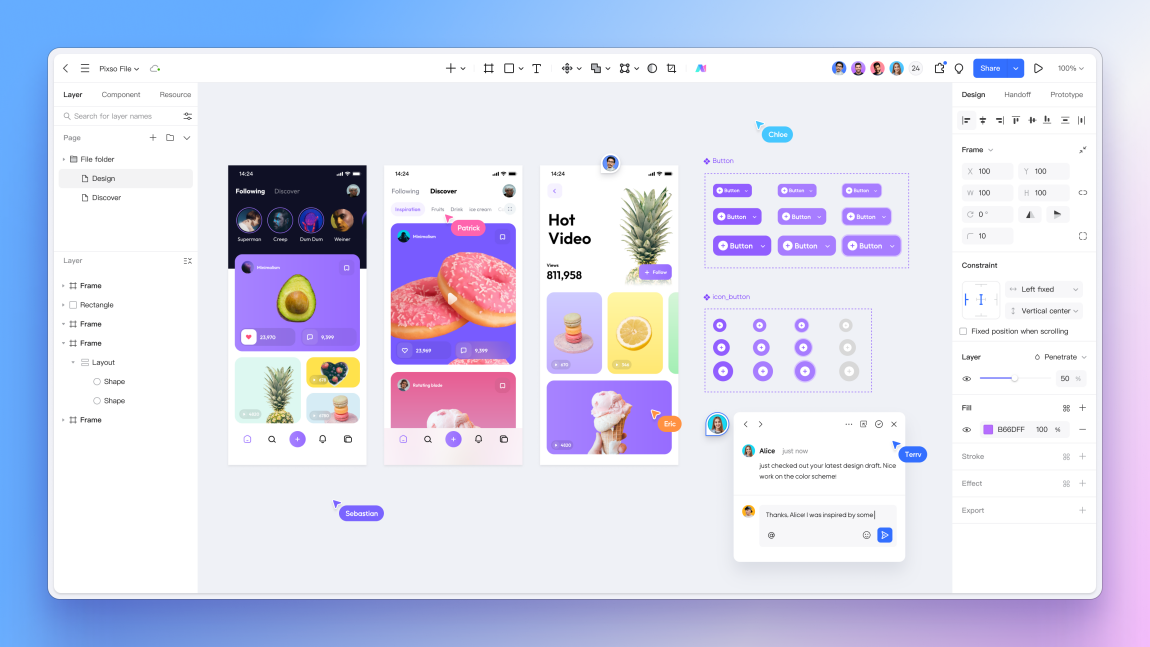
This changes how teams communicate. Instead of taking a screenshot, drawing a red circle on it, and emailing it to a designer, a product manager can just drop a comment pin directly onto a specific button on the canvas. The designer gets a notification, replies to the thread right there in the file, and marks it as resolved. An online design tool turns design from a lonely, isolated task into an open, highly communicative team environment.
Part 4: Scaling Your Single Source of Truth
As a product grows, keeping the interface visually consistent becomes the hardest part of the job. You need a strict system. Every designer needs to be using the exact same shade of brand blue, the same corner radius on input fields, and the same typography scale. In the old days of desktop apps, managing a design system usually meant having one master file that everyone had to manually download and sync. When the lead designer updated a master component, everyone else's local files would often break, leaving detached symbols everywhere.
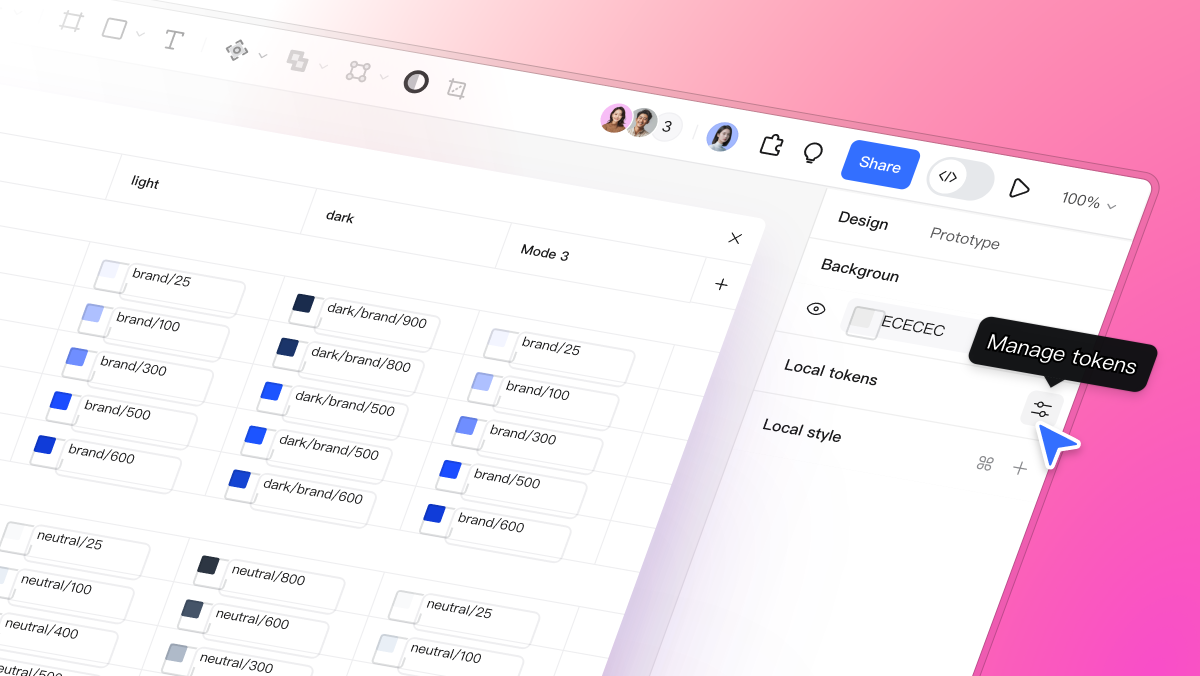
A native cloud-based design tool handles design systems infinitely better because there are no local files to sync. Everything lives on the same central server. You can build a comprehensive library containing all your UI components, color styles, and text styles, and publish it to your team. When you realize the primary call-to-action button needs to be slightly larger, you update the master component in the library. Within seconds, that change pushes out and automatically updates across every single file, artboard, and prototype in your entire organization.
A serious Sketch alternative like Pixso takes this even further by giving you deep administrative control. You can set up incredibly precise permissions. For instance, you can allow junior designers to pull assets from the library to use in their daily mockup work, but restrict their ability to actually alter the master components. You can also manage complex variants, grouping the default, hover, active, and disabled states of a single UI element into one clean, manageable asset. This ensures that as your team scales from three designers to thirty, your design language remains strictly standardized and protected.
Part 5: Handoffs That Developers Actually Appreciate
The historical friction between the design department and the engineering department is legendary. A designer spends weeks crafting a pixel-perfect layout, hands it over to the development team, and what gets built in the browser looks completely different. The gap between a static design file and live code is where most product timelines fall apart.
In the past, solving this required buying even more software. Because the engineering team couldn't just download a native Sketch for Windows client to inspect the files themselves, designers had to use third-party plugins to push their artboards to entirely different handoff platforms. It was a tedious extra step that constantly caused versioning issues between what the designer updated and what the developer was looking at.
Today, modern web-based design tools have completely absorbed the handoff process. You don't need a separate app anymore. When a sprint is ready for development, you simply send the engineering team a URL. When they open that link, they enter a dedicated development mode. They can click on any layer on the canvas and instantly see exactly what they need. The platform automatically generates native redline measurements, spatial relationships, and production-ready code snippets for CSS, iOS, or Android.
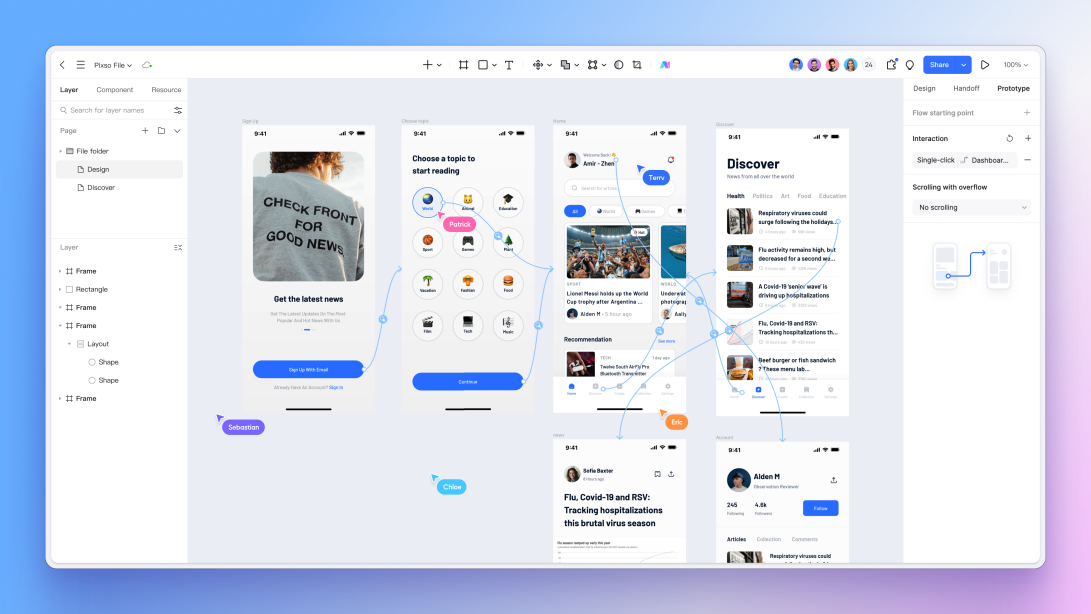
Furthermore, developers can handle their own asset generation. If they need a specific SVG icon or a transparent background PNG, they don't have to interrupt the designer and ask them to export it. They simply mark the layer and download the slice exactly how they need it. This type of integrated online design tool dramatically reduces back-and-forth Slack messages, drastically lowers the amount of QA testing required, and ensures that the final coded product actually matches the approved designs.
Part 6: Enterprise Security, Speed, and Reliability
Despite all the obvious benefits of working in the browser, large enterprise companies often have one major hesitation: security and stability. When you tell an IT director that the company's proprietary product designs are moving away from local hard drives, they immediately start asking about latency, server uptime, and data breaches.
These concerns are valid, but the architecture behind top-tier web-based design tools has evolved aggressively to handle enterprise demands. If you are adopting a major Sketch alternative today, you aren't just getting a lightweight web app. Platforms like Pixso are built with serious enterprise-grade security protocols. They offer end-to-end encryption and, crucially for highly regulated industries like finance or healthcare, they offer private cloud deployment options. You can host the entire design environment on your own secure servers, ensuring your intellectual property never touches the public internet.
On the performance side, the technology has caught up. The rendering engines powering these tools use WebGL and advanced canvas technologies to handle massive files. You can have a project with hundreds of complex artboards and thousands of layers, and panning across the canvas still feels buttery smooth, with virtually zero latency.
And what about the classic fear of the internet dropping out? A robust cloud-based design tool builds in offline fallbacks. If you are working on a train and your Wi-Fi suddenly disconnects, the platform doesn't crash or kick you out. It caches your recent edits locally in the browser memory. You can keep working, and the absolute second you get a signal back, it silently syncs all your changes back to the main server. You get the incredible collaborative power of the cloud without sacrificing the reliability of local storage.
Conclusion
The UI industry is not going to revert to isolated desktop applications. The demands of modern product development simply don't allow for it. Continuing to rely on hardware-locked software forces teams into slow, asynchronous workflows, creates unnecessary friction with developers who need access to files, and makes managing a unified design system incredibly difficult. Moving to the browser is about removing those barriers entirely. By adopting a highly capable Sketch alternative like Pixso, you instantly equip your team with real-time collaboration, zero-friction developer handoffs, and a centralized source of truth. It is time to stop worrying about file versions, hardware limitations, and sync errors. Move your workflow online, give your entire cross-functional team a seat at the table, and focus purely on designing better products.