Scott
Agentic UI patterns let users understand and control software that can plan or execute multi-step actions on their behalf. The essential sequence is visible intent, preview, authorization, execution feedback, recovery, and audit evidence. A chat box alone is not enough when the system can change records, send messages, spend money, or affect other people.
Part 1. What makes an interface agentic?
An AI assistant suggests content for a person to use. An agentic system may select tools, assemble a plan, and perform actions toward a goal. The boundary matters because execution creates consequences beyond generated text.
This guide uses one example: a sales-operations agent prepares an update to 120 customer records. It identifies stale lifecycle stages, proposes field changes, asks for approval, executes permitted updates, reports failures, offers an undo window where supported, and records an audit trail. The example is intentionally narrow so every control can be tested.
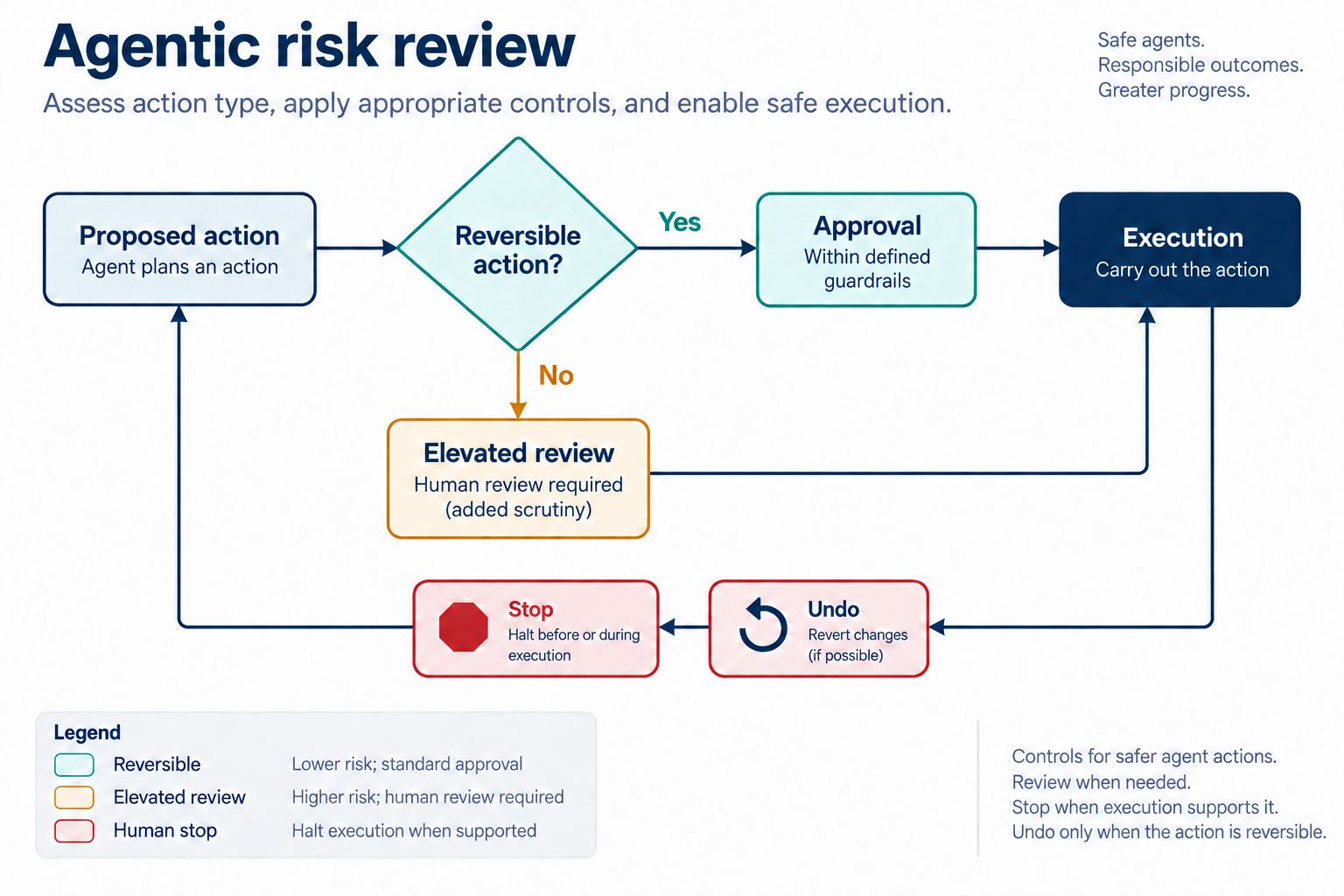
Before designing, classify each action by impact and reversibility. Reading account data is different from changing it. Drafting an email is different from sending it. Updating 120 records is different from updating one. The interface should become more explicit as scope, consequence, uncertainty, or irreversibility increases.
Part 2. Make intent and scope visible
The user’s initial request may be incomplete. “Clean up stale opportunities” does not define what counts as stale, which records are included, which fields can change, or whether customers will be contacted. The system should restate the goal as an operational scope before execution.
For the example, the interface shows:
- Goal: update lifecycle stage for records with no activity in 90 days.
- Scope: North America pipeline, 120 records.
- Fields: lifecycle stage and internal review note.
- Excluded actions: no deletion, no customer email, no owner reassignment.
- Data source: CRM snapshot refreshed at a stated time.
Let the user edit the scope in structured controls. Natural-language refinement can help, but final boundaries should be visible as values the user can inspect. Permission checks must come from the product’s authorization system, not from the model’s interpretation of the request.
Part 3. Preview the plan and its consequences
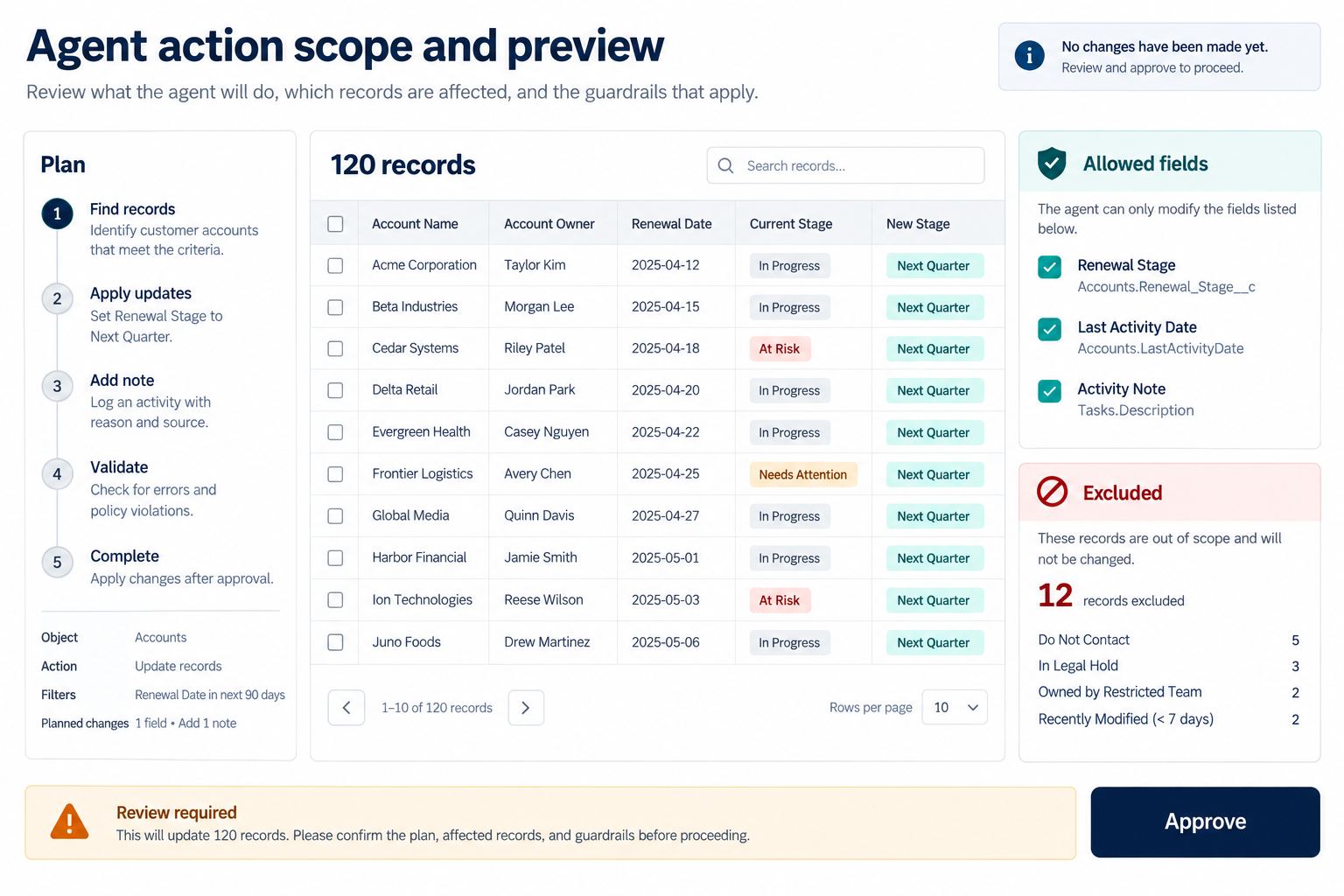
An action preview is the most important agentic UI pattern for consequential work. It should show what the agent plans to do, why each step is needed, which tools or data sources it will use, and what will change. A useful preview is concrete enough to catch a wrong assumption.
Across agentic UI patterns, the preview is where vague intent becomes a reviewable action contract.
For bulk CRM updates, show a summary and a sample of affected records. Include current value, proposed value, reason, confidence where meaningful, and any policy warning. Let the reviewer expand the full list or download a review artifact if permitted. Do not hide exceptions inside a collapsed “120 changes” badge.
| Risk | Preview requirement | Approval pattern |
|---|---|---|
| Low and reversible | Summary, affected object, expected result | Confirm or allow a remembered preference |
| Moderate or broad scope | Step plan, sample changes, exclusions, failure behavior | Explicit approval for the current scope |
| High impact or irreversible | Complete affected set, consequences, policy evidence, alternatives | Strong confirmation and, where required, a second accountable reviewer |
Do not use visual confidence to replace evidence. A confident-looking plan can still rely on stale or incomplete data. Show source freshness and unresolved assumptions near the affected decision.
Part 4. Design approval as a scoped decision
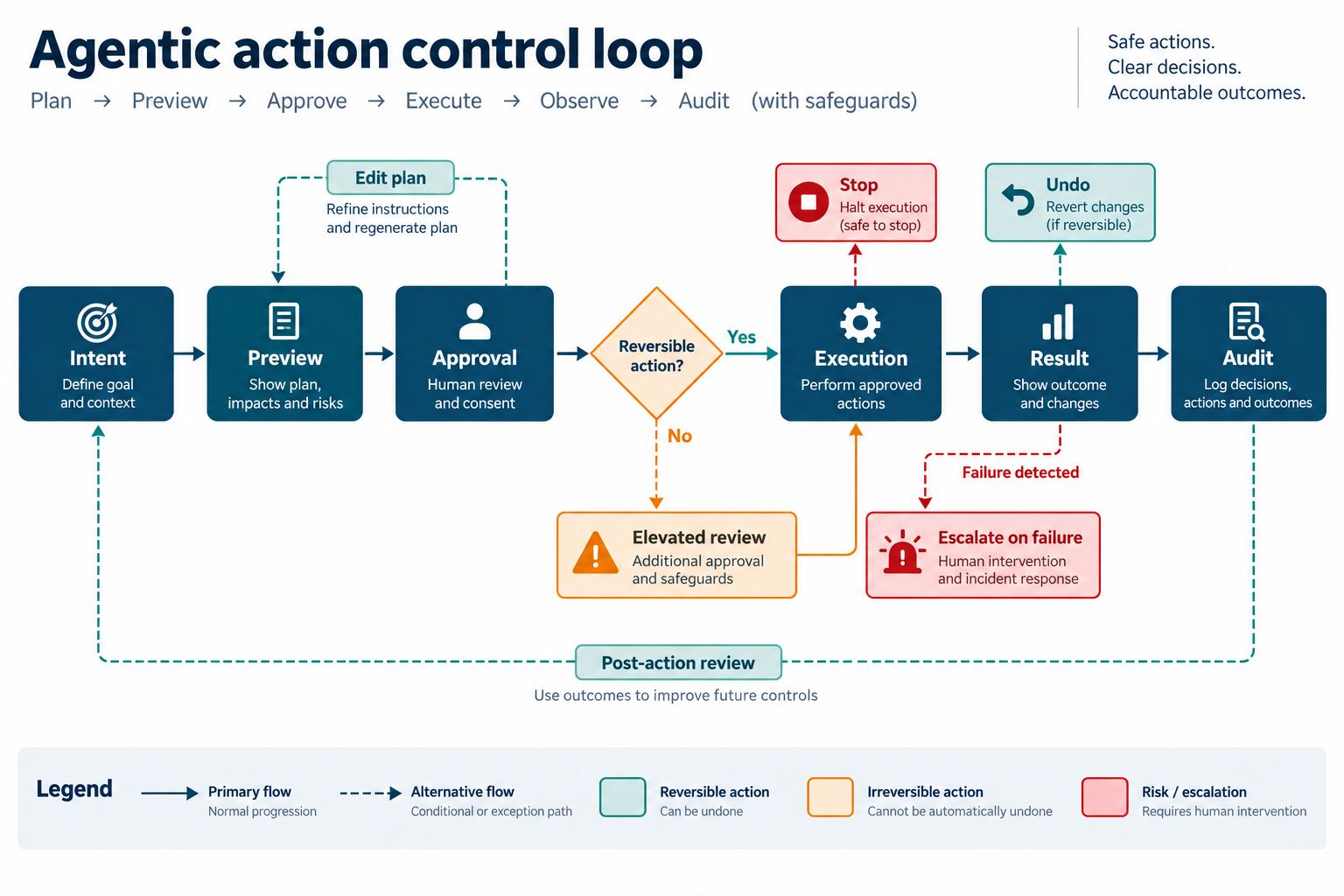
Approval should bind to the exact action plan, data version, and affected scope. A user who approved 120 lifecycle-stage changes did not approve a later plan that also sends emails. If a material detail changes, invalidate the earlier approval and request it again.
Label buttons with the action: “Approve 120 updates” is clearer than “Continue.” Near the approval, state whether the action can be stopped, whether it can be undone, and what evidence will remain. Avoid dark patterns such as visually dominant approval beside a faint cancel action.
For regulated or high-impact tasks, one user may not have sufficient authority. The UI can route the plan to a named reviewer and show waiting, approved, rejected, and expired states. Organizational policy determines who can approve; the agent must not select its own reviewer.
Part 5. Show execution as observable work
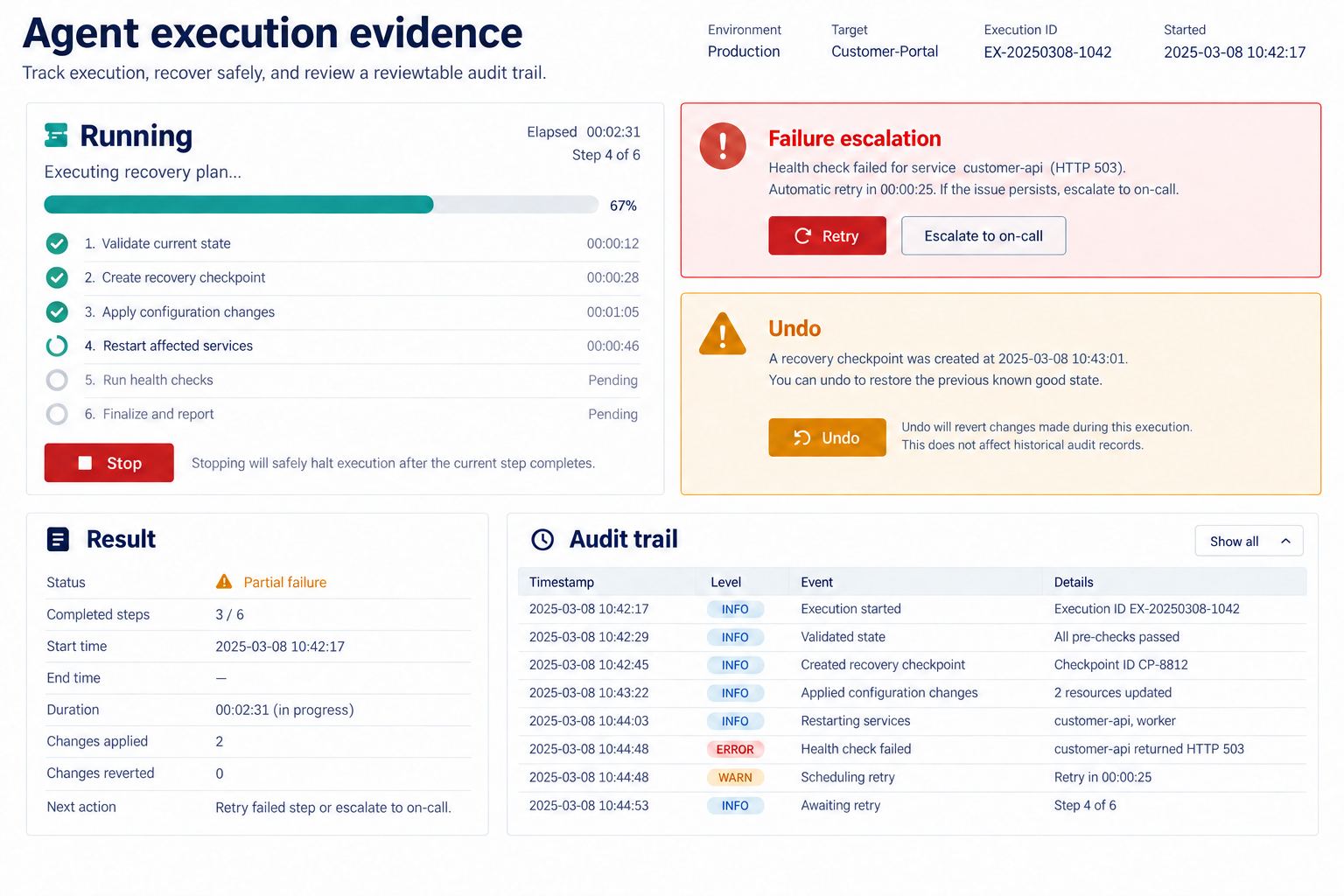
After approval, the interface should reveal what is running without presenting an internal chain of thought. Show a concise step label, affected count, completed count, current tool or system where appropriate, and the user controls that remain available.
Distinguish these states:
- Queued: accepted but not started.
- Running: active work with measurable or indeterminate progress.
- Paused: stopped at a safe boundary and able to resume.
- Waiting for input: requires a user decision; not the same as system delay.
- Partially complete: some actions succeeded and others did not.
- Stopped: execution ended before all planned actions.
- Complete: the approved scope finished and evidence is available.
A Stop control needs a defined result. It may stop only future steps while completed changes remain. Say that explicitly. If stopping could corrupt work, the system should pause at safe checkpoints rather than implying immediate cancellation.
Part 6. Handle partial failure without hiding success
Multi-step actions can fail in mixed ways. In the CRM example, 112 records may update successfully, five may be blocked by permissions, and three may have changed since the preview. A single red “Failed” banner loses critical information.
Show the result by category, retain the original plan and approval reference, and provide recovery at the right level. Retry may be appropriate for temporary service errors. Permission failures need an authorized person. Conflicts need a refreshed preview. Never retry a non-idempotent action blindly.
| Result | Evidence | Next action |
|---|---|---|
| 112 updated | Record IDs, changed fields, timestamps | Review summary |
| 5 permission blocked | Record and missing authorization | Request access or assign an authorized owner |
| 3 conflicts | Current value differs from preview | Refresh and approve a revised plan |
| Service interruption | Last confirmed checkpoint | Retry only the unconfirmed set |
Part 7. Offer undo only when it is real
Undo is a valuable control for reversible agentic actions, but it is not a reassuring label to add everywhere. Define the reversal operation, time window, dependent changes, and evidence. If another user edits a record after the agent, a full rollback may be unsafe.
For the example, the product may allow lifecycle-stage values to be restored for ten minutes, while internal notes remain in history. The result screen should state that scope precisely. After the window closes, replace Undo with a review or corrective workflow rather than leaving a dead control.
Irreversible actions require prevention and approval, not fake undo. Sending an external message, making a payment, or disclosing data may not be retractable even if the interface can hide the local record.
Part 8. Make the audit trail useful
An audit trail should answer who requested the action, what plan and data version were reviewed, who approved it, which tools executed it, what changed, what failed, and which correction followed. Bind every record to stable identifiers and timestamps. Preserve only data permitted by the organization’s retention and privacy rules.
The user-facing result can be concise, while authorized reviewers can access a detailed record. Do not expose model prompts, personal data, or credentials simply to make the log look complete. The audit interface needs its own access controls and export policy.
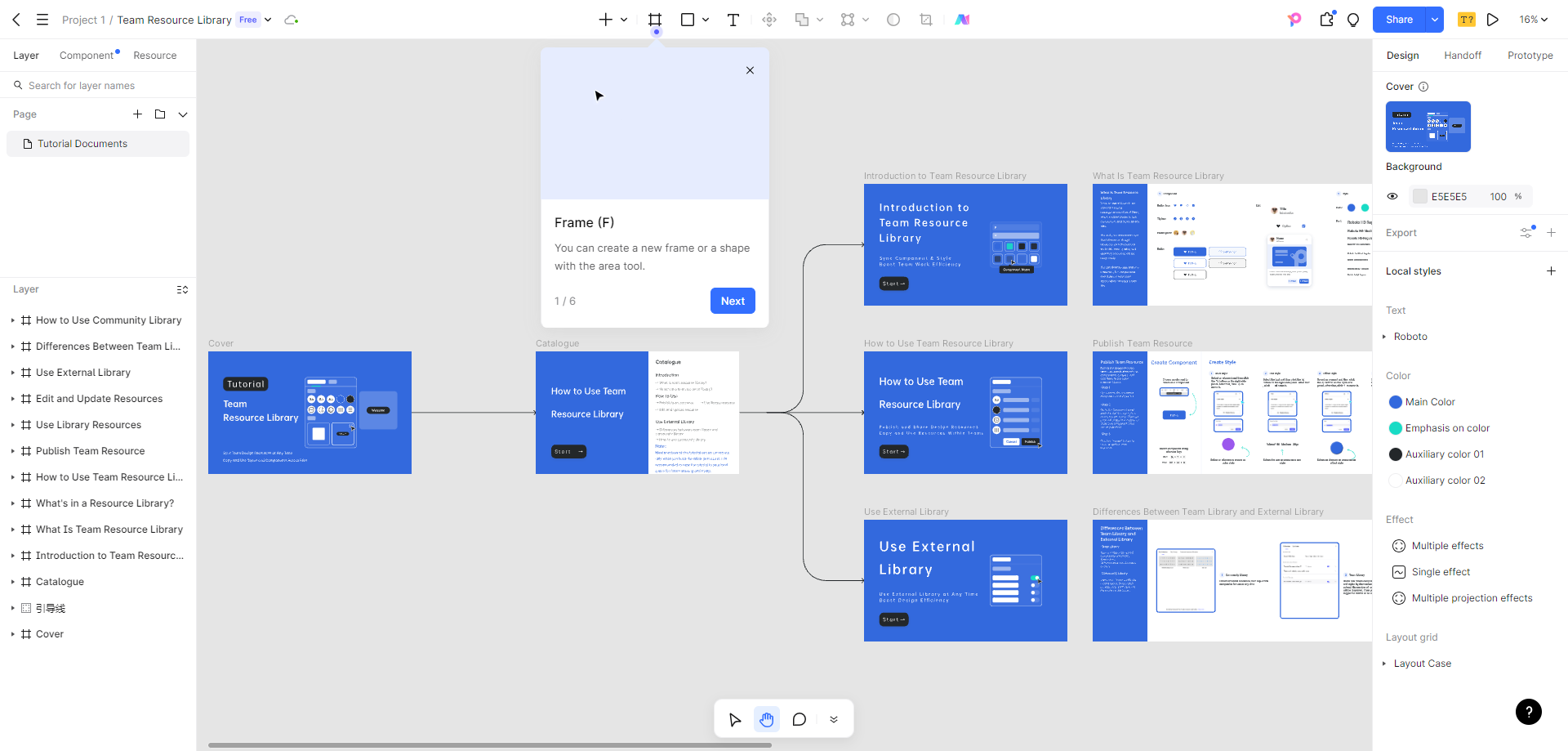
Part 9. Design agentic states in Pixso
Use Pixso to build the workflow as editable state frames: intent, preview, approval, running, waiting for input, partial result, success, stopped, and audit detail. Create reusable components for the plan step, affected-record row, permission warning, approval block, progress summary, result category, undo timer, and audit entry.
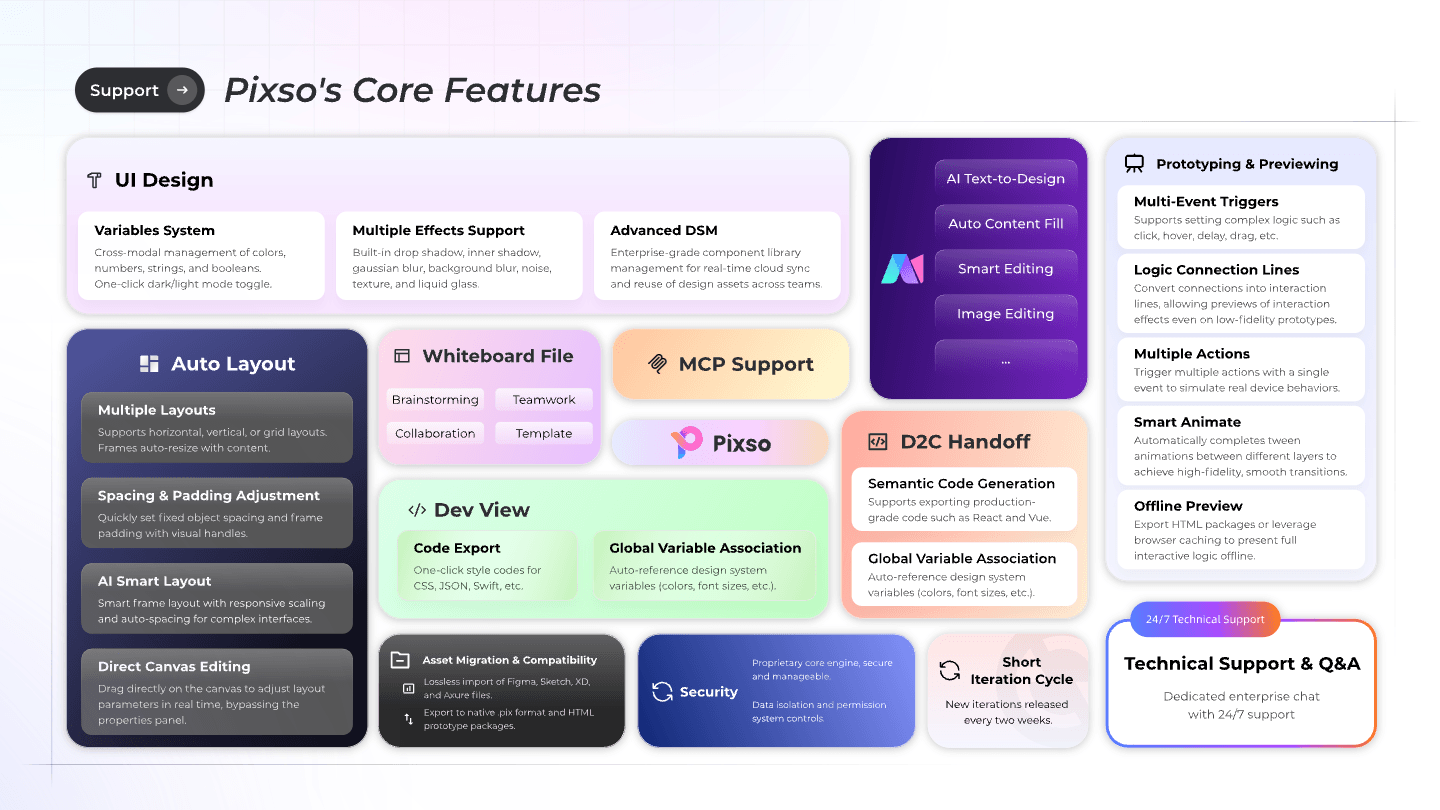
Keeping these agentic UI patterns in one component system makes risk language and control placement easier to review.
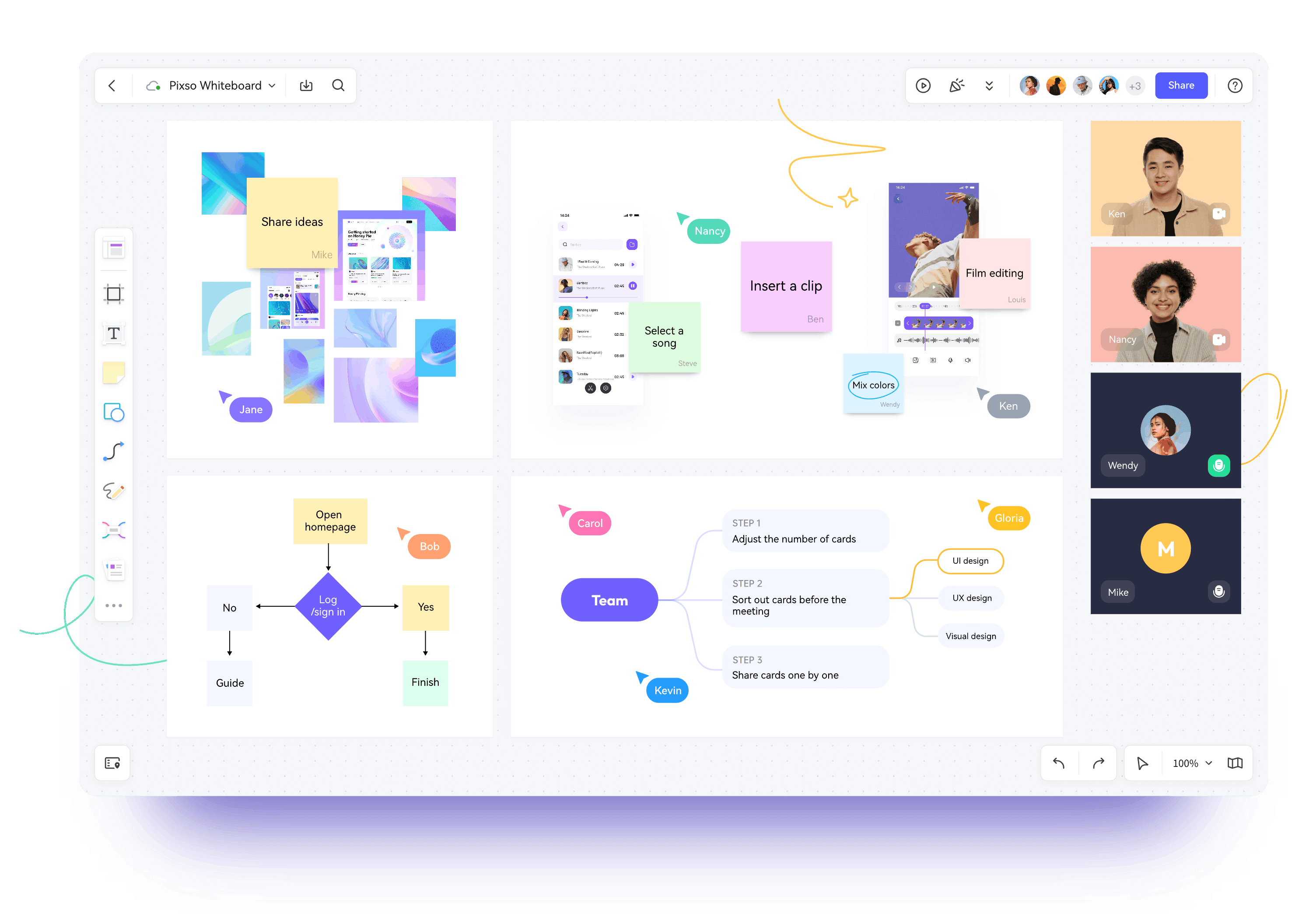
Pixso Whiteboard can hold the early tool-and-permission map, with tables for allowed actions, owners, and escalation paths. In the design file, components, styles, variables, and shared libraries keep risk and status patterns consistent. Real-time editing and contextual comments let product, design, engineering, security, legal, and domain reviewers examine the same state.
Pixso AI can help turn a written brief into an editable starting design and assist with layout, naming, checklist creation, text, and image tasks inside the editor. It does not determine authorization, policy, factual correctness, or acceptable risk. Use the Pixso AI feature guide to verify the current tools, and review every generated state manually.
Part 10. Test the control loop, not only the happy path
Review the state sequence with concrete scenarios:
The strongest agentic UI patterns remain understandable when the happy path breaks.
- The user narrows 120 records to one region before approval.
- The data changes after preview and invalidates three proposed updates.
- The approver rejects the plan with a reason.
- The user stops execution after 40 records.
- A temporary failure occurs, and retry targets only unconfirmed work.
- The undo window is available, then expires.
- An auditor traces one record from request through correction.
Share the frames through the Pixso collaborative design workspace and record acceptance criteria in comments or the approved requirements system. For implementation delivery, Pixso’s developer inspection and D2C workflow can provide specs or generated code for engineering refinement. Real permissions, tool calls, data integrity, accessibility, and audit retention must be verified in the built product.
Part 11. Agentic UI pattern checklist
- Intent is restated as structured goal, scope, actions, and exclusions.
- Preview shows affected objects, proposed changes, sources, and uncertainty.
- Approval is bound to an exact plan, data version, and accountable role.
- Queued, running, waiting, paused, partial, stopped, failed, and complete are distinct.
- Stop behavior and safe checkpoints are defined.
- Retry cannot duplicate irreversible or non-idempotent actions.
- Undo names its scope, time window, and exceptions.
- Audit evidence is traceable, access-controlled, and retention-aware.
- Implementation is tested for permissions, keyboard access, announcements, failure recovery, and data integrity.
Conclusion
Agentic UI patterns should turn autonomous work into inspectable, scoped, and recoverable action. Show intent, preview consequences, bind approval to the exact plan, keep execution observable, separate partial results, offer honest recovery, and preserve accountable evidence. Pixso can help teams design and review the full state model before engineering validates it in production.