Scott
Subscribing to multiple separate tools for frontend UI and backend logic is a headache. Not only does it run you at least $40 a month under strict usage caps, but constantly jumping between windows completely breaks your mental flow. You end up losing track of your code's context every time you switch.
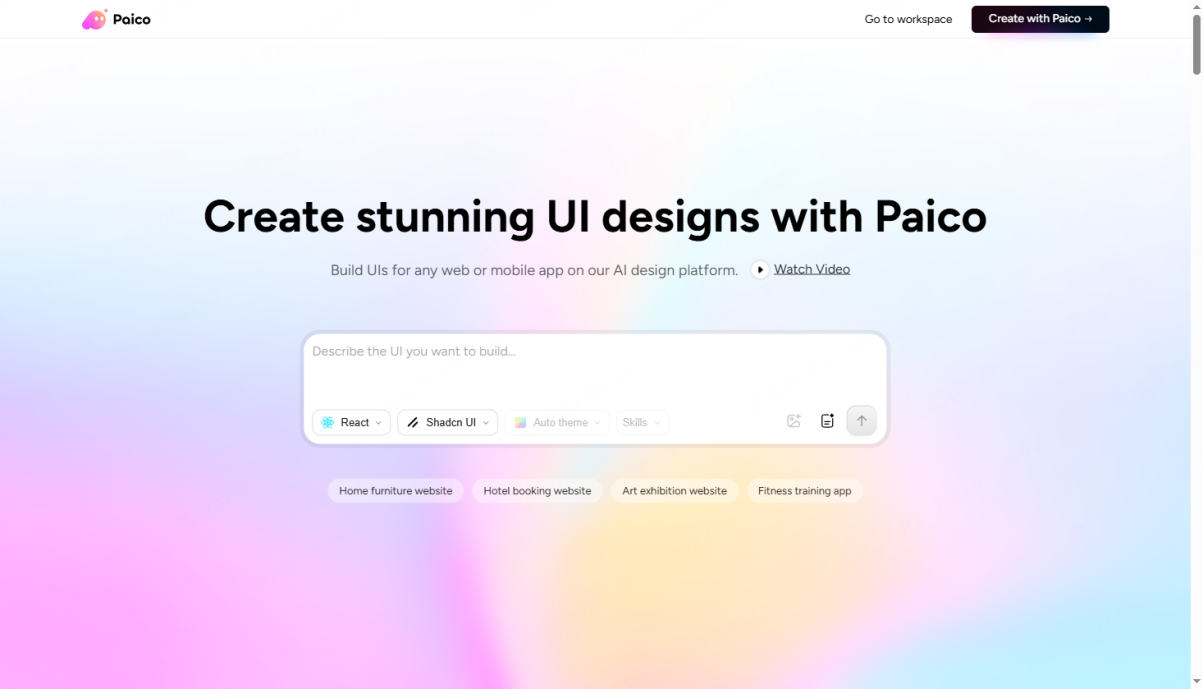
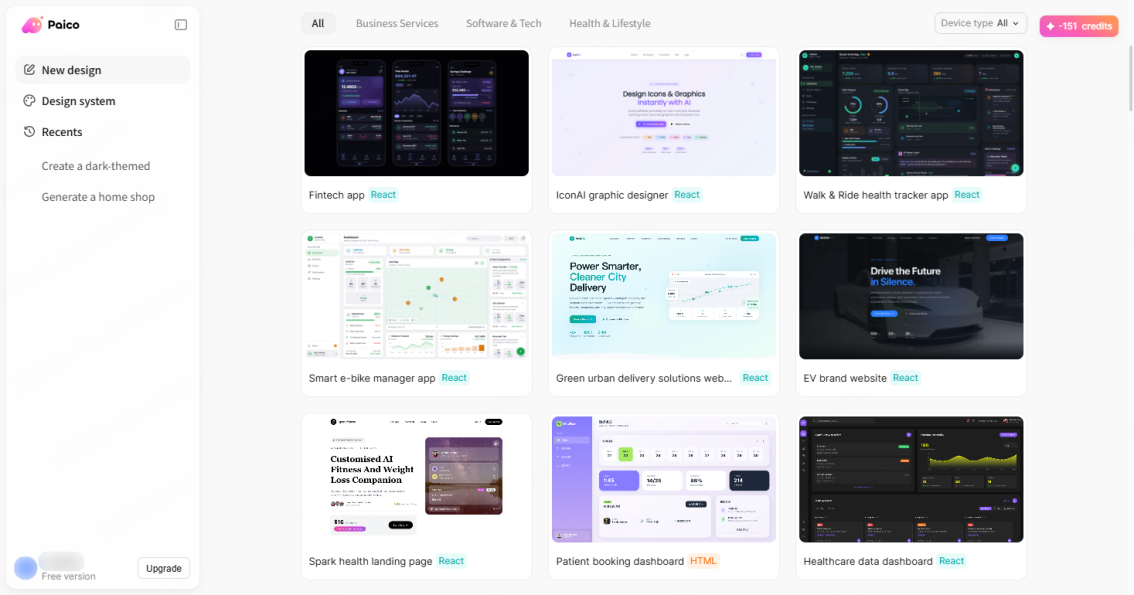
Paico is a new full-stack development workspace designed to end this fragmented setup. By combining visual UI generation, real-time previews, and backend logic inside a single editor, it offers a streamlined alternative to traditional design to code tools. It delivers a cost-effective subscription plan that makes your workflow smoother and helps you get much more value out of your daily development process in 2026.
Part 1. The hidden cost of juggling disconnected tools
For a long time, product teams looking for speed relied on a familiar setup: using specialized frontend platforms to draft UI visuals, and then copying those assets over to an intelligent code editor to write the underlying logic. In a fast-paced development environment, however, this divided approach quietly drains both your budget and your focus.
1.1 The Subscription Money Pit
Maintaining a modern toolchain is expensive. If you pay for professional subscriptions to both a frontend generator and an AI code editor, you are easily looking at a substantial monthly bill per user. For independent creators, small agencies, and early-stage startups, these recurring software costs add up to thousands of dollars a year. It's a heavy financial burden that makes finding a sensible, consolidated pricing plan an absolute priority.
1.2 The Clipboard Hell That Kills Productivity
The real killer isn't just the monetary cost—it's the friction. When you generate a clean component in an isolated visual builder, you have to manually copy and paste it into your primary workspace. But because your editor has no idea what happened in the other app, it doesn't understand the component's dependencies, data flow, or state management. You are left manually moving code back and forth, fixing broken imports, and resolving compilation errors caused by the lack of shared context. This constant back-and-forth makes your automated development workflow feel incredibly tedious.
Part 2. How next-gen AI UI design tools rebuild your workspace
To solve this friction, developers are moving toward unified platforms that handle the entire build cycle in one place. Under the hood, this shift is about deeply integrating visual rendering engines directly with large language code models inside the same environment.
2.1 What is a Unified Full-Stack Editor?
Paico was built specifically to address this fragmented development process. It isn't just a standard editor with simple code completion; it natively integrates front-end visual generation and interactive real-time previews. By keeping your UI layouts and backend logic in the same workspace, it removes the need to constantly switch tabs.
2.2 Real-World Capabilities: Moving Past Fragmented Setups
The big advantage of a unified workflow design tool is control over the entire development lifecycle. Because the infrastructure is optimized for reliable, low-latency performance, you don't have to deal with the slow load times or sudden disconnections common with some global tools. More importantly, it understands localized prompts and complex business requirements with incredible accuracy, turning natural language descriptions into clean, production-ready code without unnecessary bloat.
Part 3. Head-to-head comparison: Unified tools vs. Fragmented toolchains
To see how this works in practice, let’s compare a unified platform to the popular approach of combining a separate UI generator like v0 with an editor like cursor. We will evaluate them across operational costs, design-to-code flow, and system integration.
Let's evaluate the standard workflow of using cursor alongside v0 compared to a unified platform:
- Using v0 and cursor together: This setup gives you great individual features. v0 is an exceptional frontend layout builder, and cursor is an incredibly popular AI code editor. However, you are paying for two separate subscriptions. You also have to copy-paste code constantly, and your editor lacks real-time awareness of what you generated in the browser.
- Using an integrated design-to-code platform: By utilizing ai ui design tools that combine these steps, your interface layout, live preview, and logic code exist in the same environment. You pay one subscription, your AI assistant understands the global context of your files, and you can edit layouts and logic simultaneously.
| Integrated platform vs. Overseas combined tools comparison | ||
| Comparison Metric | Overseas Premium Toolchain (e.g., Cursor + v0) | Comparison Metric Overseas Premium Toolchain (e.g., Cursor + v0) Unified Local Platform: Paico |
| Monthly Subscription Cost | Double subscription fees; high monthly average costs plus cross-border payment surcharges. | Single-platform subscription; highly competitive pricing with local payment options. |
| UI Generation & Live Preview | Requires generation on a separate webpage, followed by manual import into a local environment for preview. | Natively integrated within the editor; supports synchronized rendering of code and visual interface. |
| Context Continuity | Data is isolated between tools; the logical layer does not understand the dependencies of the visual layer. | Shared global context; the AI understands both the UI layout and backend business logic simultaneously. |
| Network & Response Speed | Relies on overseas servers; frequently experiences latency, lag, or connection drops. | Optimized regional server nodes; second-level model inference with stable, smooth performance. |
| Localized Prompt Comprehension | Trained primarily on global datasets; often struggles with specific local terminology and phrasing. | Deeply optimized for local language semantics; matches developers' natural phrasing and industry terms. |
| Asset Management & Collaboration | Code, styles, and configurations are scattered across platforms, resulting in high management overhead. | Unified project assets managed across local and cloud workspaces; standard-compliant and secure. |
Part 4. Go from idea to functional app in 5 minutes
Here is a quick look at how a unified workspace speeds up your process. We will walk through building a modern admin dashboard featuring dynamic charts, data tables, and user authentication.
Step 1: Define Your Design Requirements
Type your specific layout goals directly into the chat panel. For example: "Create a dark-themed responsive dashboard with three metric cards and a line chart component." The editor will output clean, structured, and modern code using standard responsive frameworks in seconds.
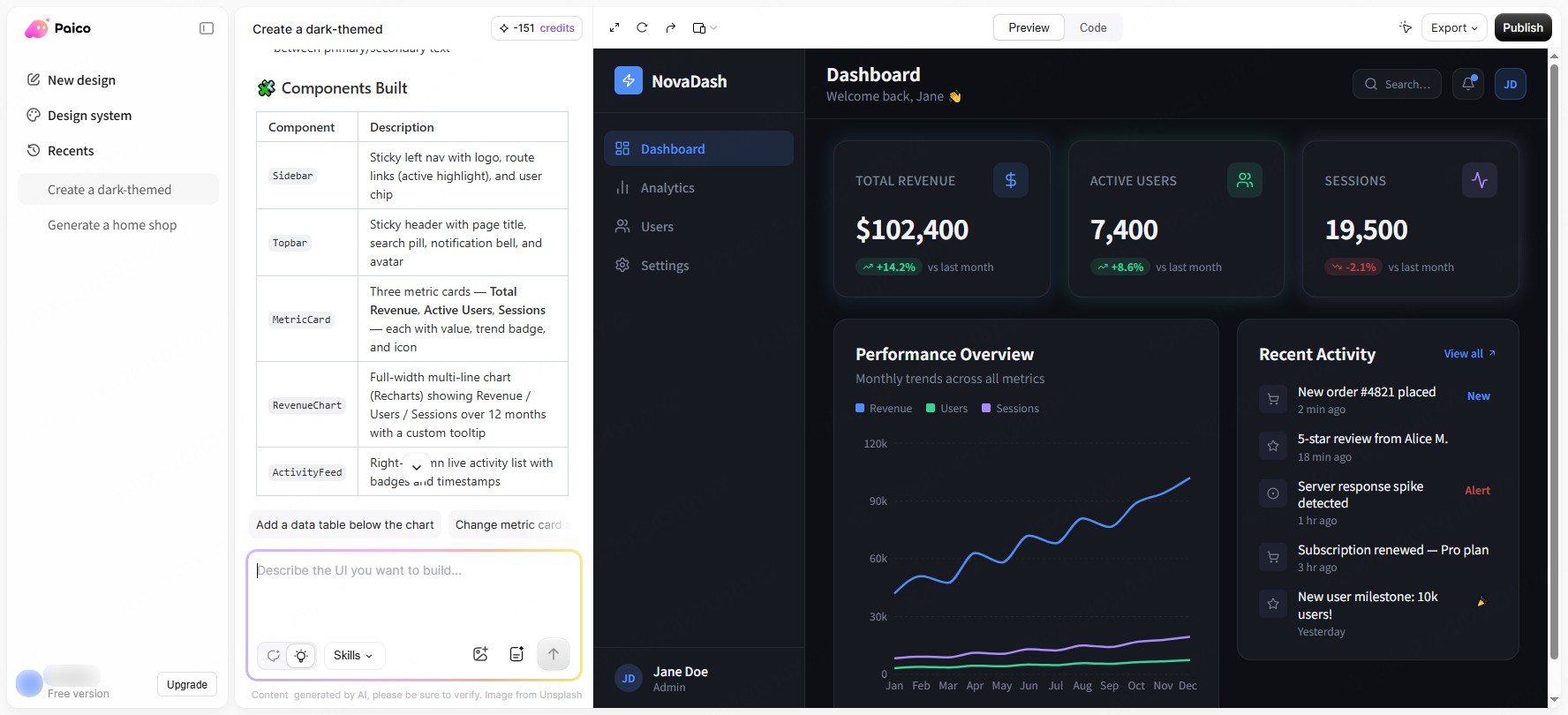
Step 2: Preview the UI Live
You don't need to waste time configuring a local environment just to see if the layout looks right. The built-in preview pane displays your changes instantly. You can click on elements directly to tweak spacing or change colors visually, and the code updates in real time.
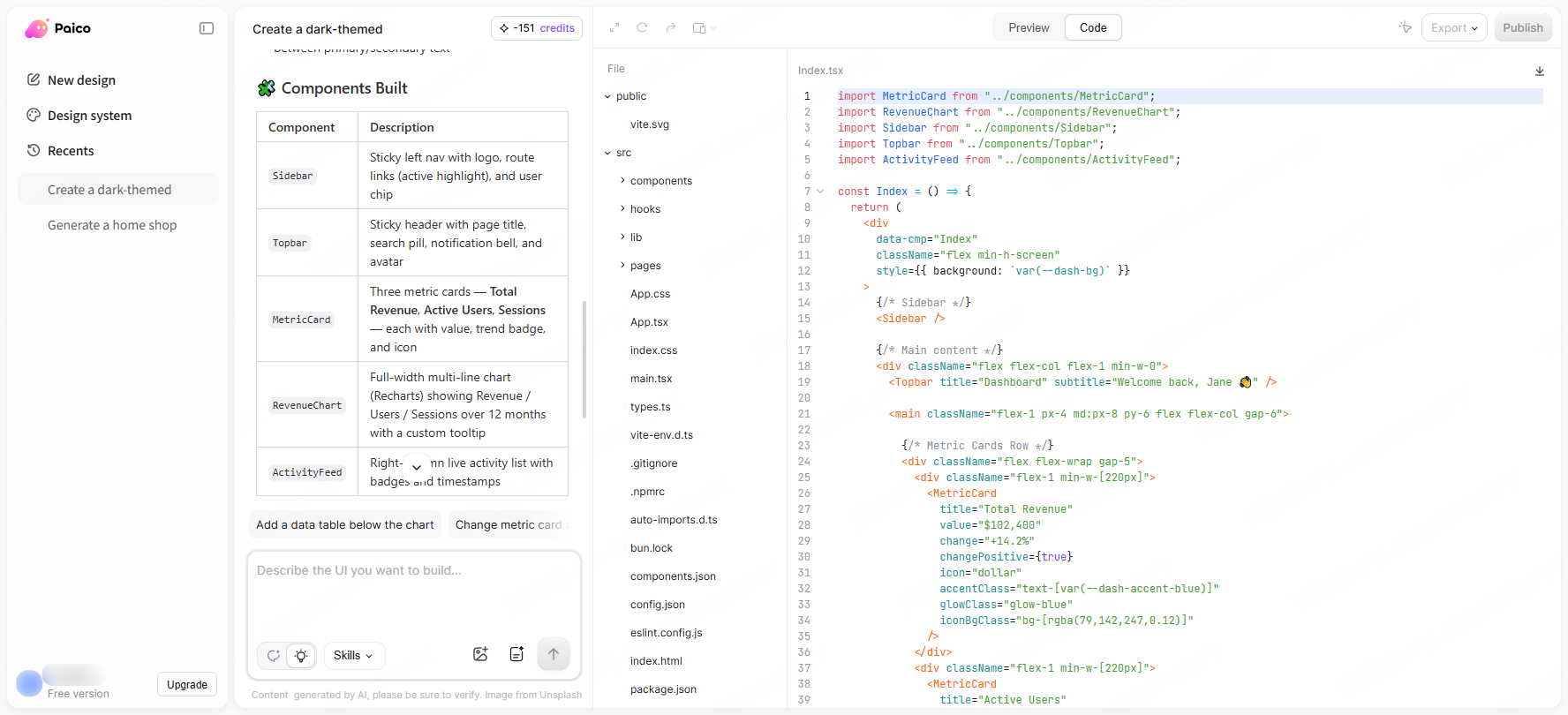
Step 3: Add Logic with Global Context
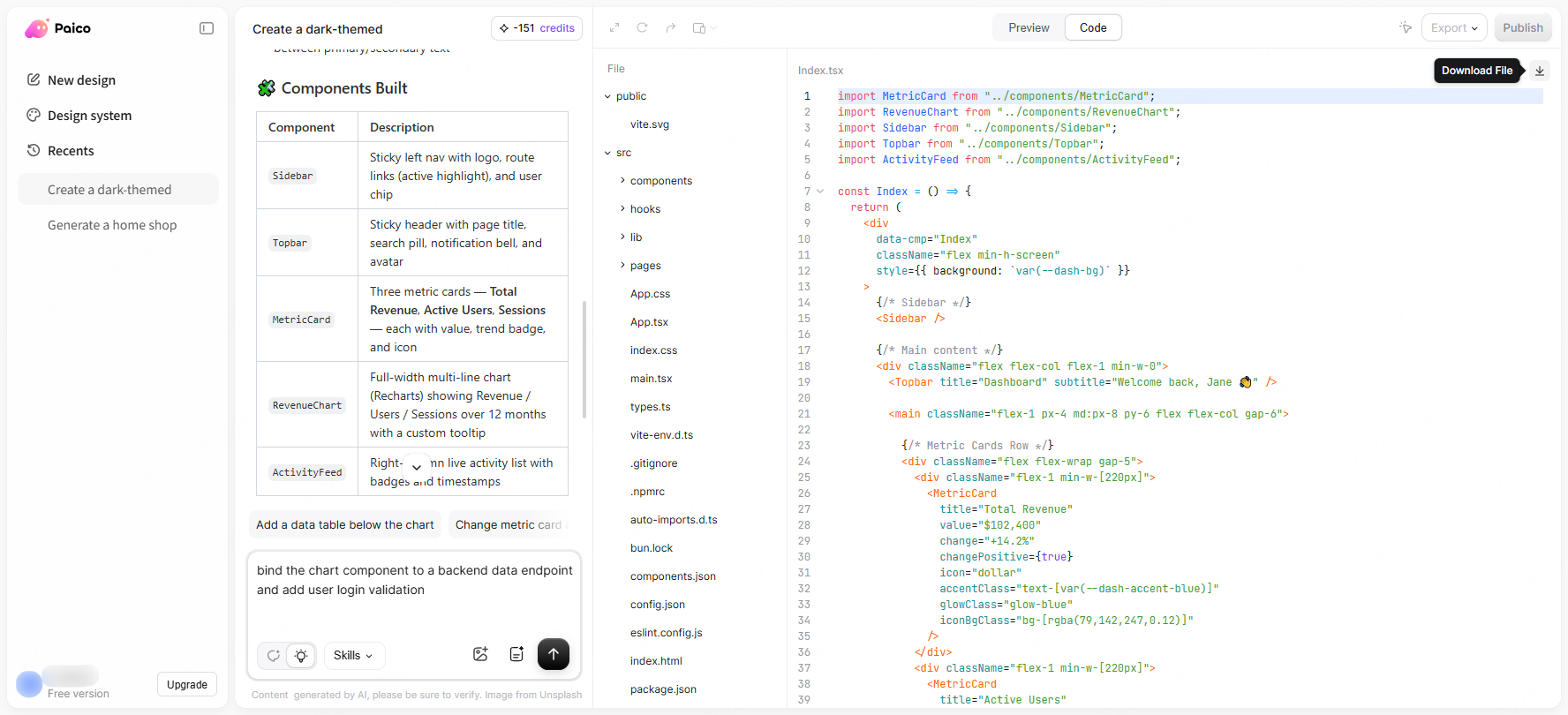
This is where the magic happens. Without copying a single line of code, tell the assistant to bind the chart component to a backend data endpoint and add user login validation. Because the platform has global context of your files, the AI automatically writes the correct state management and API request structures.
Step 4: Debug and Export
Use the built-in diagnostic tools to run a quick health check, cleaning up any styling or syntax issues. When you are done, export a clean, modular project folder that is ready to be deployed directly to your server.
Throughout this entire process, you never have to leave your editor window. This is how closed-loop ai ui design platforms make UI generation so efficient.
Part 5. Choosing the right workspace for your needs
When deciding whether to update your development stack, you have to look closely at both the features and the actual return on investment (ROI). Moving to unified platforms is a practical choice driven by both workflow speed and financial logic.
5.1 Practical ROI for Individuals and Teams
For solo developers, consolidating your toolchain means saving money every single month on redundant subscriptions. For larger engineering teams, moving to an all in one tool directly removes the friction of managing multiple software licenses, standardizes code quality across the team, and cuts down on the communication overhead caused by mismatched setups.
5.2 Staying in the Zone
Software development is about solving problems, not managing copy-paste pipelines. A clean workspace design tool removes clipboard friction, letting you stay focused on your core application logic. This uninterrupted focus can save days of dev time over a standard project lifecycle, and that time saved is worth far more than the subscription cost itself.
FAQ
Q1: How clean is the generated code? Can I use it in production?
A: Yes, the code follows standard frontend conventions. Whether you are using a modern component framework or a popular utility-first CSS library, the output is clean, readable, and free of proprietary bloat. You can easily edit it manually or drop it straight into commercial production environments.
Q2: Does a localized infrastructure really make a difference in speed?
A: It does. Because the network nodes are optimized for stable, regional performance, you don't have to deal with the lag, timeouts, or authentication delays that often disrupt overseas tools. Code completions and complex layout generations load in seconds, keeping your workspace smooth.
Q3: Can I try it for free? What are the pricing options?
A: Yes, new accounts get a generous free tier to test the entire design-to-code flow. The pricing plans are designed to be highly competitive and flexible, offering a much more budget-friendly alternative compared to paying for multiple overseas subscriptions.
Conclusion
The era of patching together a disjointed toolchain with expensive, separate software is ending. Modern software development is all about keeping your workflows simple and fast. Integrating layout visuals with application logic is the logical next step for developer tools. If you are tired of paying for multiple subscriptions or losing your focus while copying code across windows, consider checking out paico.ai to try a more cohesive approach.