Scott
Every digital storefront relies on crisp, distraction-free product visuals to drive sales. But getting there? That usually means hours glued to the pen tool or juggling third-party web apps. Designers constantly look for ways to optimize this workflow bottleneck. Figuring out how to remove the background from an image without breaking your creative focus is absolutely essential. That is exactly why Pixso is turning heads in the design community. It is a powerful UI/UX platform that builds a highly capable AI tool for removing the background from an image directly into your workspace. No tab-switching, no weird file exports, just clean, editable layers ready for your mockups. Let’s look at how this native integration solves the most annoying parts of asset preparation.
Part 1: The harsh reality of e-commerce UI workflows
If you have ever worked on an e-commerce project, you know the drill. The photography or marketing team hands over a massive shared folder containing hundreds of raw product shots. You are tasked with turning these raw assets into high-converting product grids, dynamic hero banners, checkout screens, and mobile app interfaces.
The problem is that raw photography is rarely UI-ready. The lighting varies. The backdrops are inconsistent: some are off-white, some have distracting studio equipment in the frame, and others are shot on location. To build a cohesive, trustworthy digital storefront, you need absolute visual consistency. This means isolating the product perfectly.
Historically, designers had two bad options. Option one was manual masking in a heavy raster editing program. This guarantees high quality but takes a massive amount of time. Spending ten minutes meticulously tracing a bicycle wheel or a model's hair is fine for a single billboard poster, but it is a project-killer when you have three hundred SKUs to process before Friday. Option two was using a random web-based background remover. This speeds up the cutout process, but ruins the workflow. You have to download the original file, upload it to the browser, wait, download the transparent PNG, and then finally import it into your design canvas. If the client wants a revision, you have to do the whole dance again.
This friction is exactly why modern UI designers need a better system. We need to focus on user experience, layout hierarchy, and conversion rate optimization, not clicking around edges for hours. Finding a reliable, integrated AI tool for removing the background from an image is no longer a luxury; it is a fundamental requirement for staying competitive and hitting tight sprint deadlines.
Part 2: Pixso native workspace to the rescue
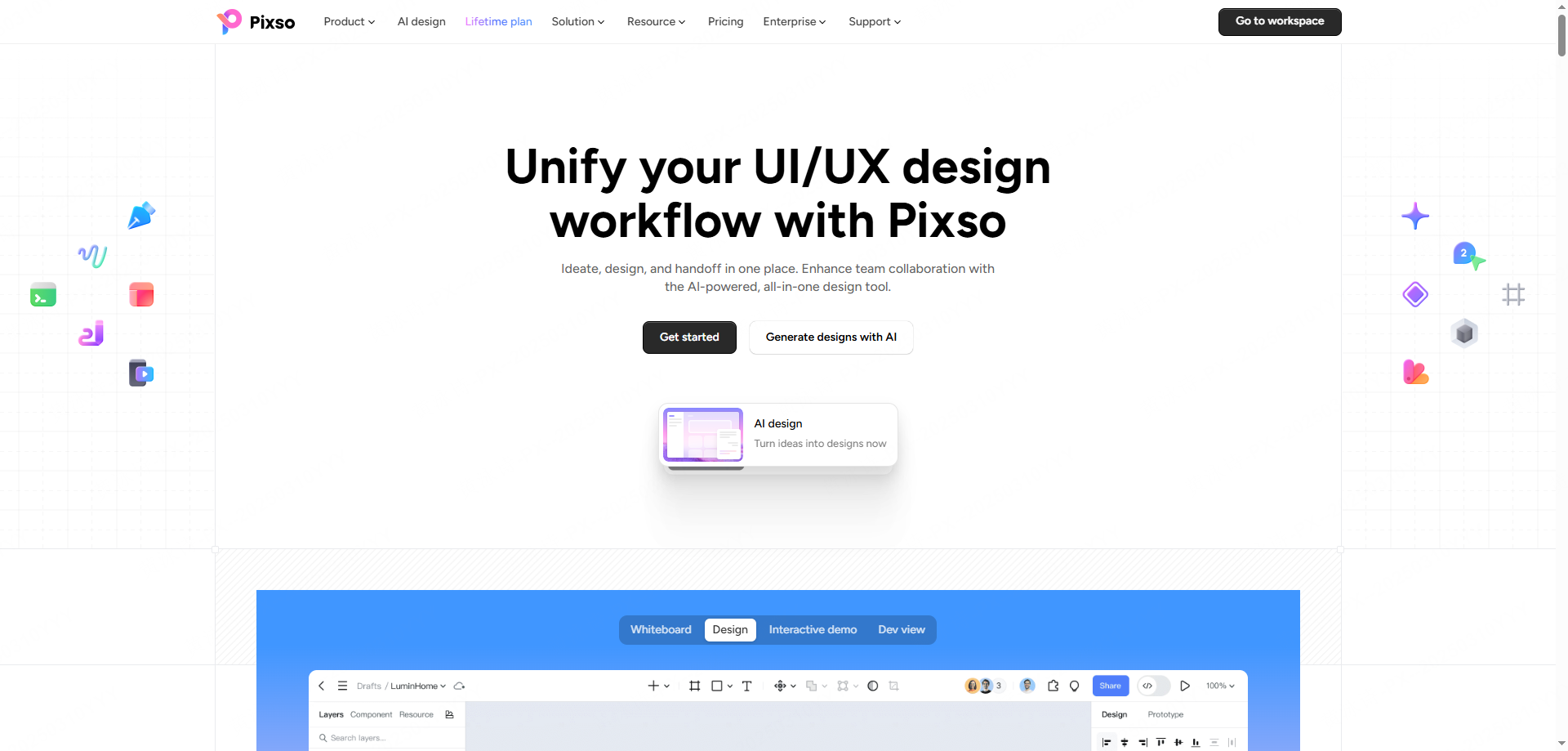
Before we look at the specific steps, it helps to understand why doing this inside a dedicated UI tool changes the game. Pixso is not a standalone photo editor; it is a comprehensive, cloud-based collaborative design platform built specifically for UI/UX teams. It handles wireframing, prototyping, design systems, and developer handoff seamlessly.
Recently, Pixso introduced a sweeping suite of native AI capabilities deeply woven into its canvas. The platform now features a Smart Design System where designers can generate entire page layouts via natural language, create custom visual assets from text prompts, and perform rapid image manipulation.
Because Pixso natively hosts this technology, your assets never have to leave the ecosystem. You simply drop a messy product photo onto your artboard, and Pixso handles the rest right there. It turns a tedious external task into a simple property adjustment within your existing layer tree. This level of integration prevents version control issues, saves hard drive space, and keeps your entire team focused on the actual interface design rather than file management.
Part 3: Why designers prefer Pixso for e-commerce cutouts
When you are building a storefront, not just any cutout will do. You have strict client requirements, marketplace rules, and technical constraints to consider. Pixso was developed with these exact professional standards in mind, solving several massive headaches at once.
First, let's talk about e-commerce platform compliance. Whether you are pushing products to Amazon, Shopify, or a custom-built headless storefront, the rules are strict. Amazon, for example, demands pure white backdrops for primary images. Other sections of an app might require perfectly transparent layers to sit cleanly over dark mode interfaces or colored promotional banners. Pixso handles this instantly, allowing you to output compliant white base images or clean PNGs. Even better, it understands depth. Instead of leaving you with a floating, unnatural product, Pixso allows you to retain or naturally reconstruct the original drop shadows, keeping your UI looking grounded and professional.
Then there is the issue of high-precision masking. An average background remover falls apart when dealing with complex subjects. E-commerce is full of them: a fluffy winter coat, a bicycle with thin metal spokes, or a translucent glass bottle of perfume. Pixso uses specialized machine learning models trained specifically to recognize and separate difficult edges. The subject stays entirely intact. If you encounter an exceptionally tricky photo, Pixso does not leave you stranded; it offers adjustable parameters and manual fine-tuning tools so you can perfect the mask without ever leaving the canvas.
Perhaps the biggest advantage is how it handles the isolated image afterward. Because this happens inside a UI tool, it is completely non-destructive. The processed image becomes an editable layer. If you accidentally crop too much, you just adjust the mask. It does not permanently destroy your original pixels.
Furthermore, this setup lets you use the image directly in your UI layout. Once the background is gone, you can immediately wrap the image in an Auto Layout frame, drop it into your standardized product card component, and watch it propagate across hundreds of mockup screens instantly. When it is time for launch, your developers can pull the fully optimized, perfectly scaled assets directly from the canvas using Pixso's handoff mode. There is zero friction between design and development.
Finally, we have to consider batch processing and data security. E-commerce moves fast. High-frequency updates mean processing dozens of images at once. Pixso processes batches of images in seconds, ensuring visual consistency across your entire catalog in a fraction of the time. For enterprise brands, keeping unreleased product shots secure is vital. Unlike sketchy free websites that might harvest your uploaded data, Pixso keeps your assets protected within a secure workspace. It offers generous free quotas that cover everyday tasks, and highly cost-effective premium tiers for massive batch processing jobs, making it vastly superior to paying per-image on other platforms.
Part 4: The 1-minute tutorial: removing backgrounds easily
Learning a new workflow can feel daunting, but Pixso keeps things incredibly simple. You do not need to read a massive manual to get started. Here is the exact, step-by-step process showing you how to remove the background from an image without any prior experience. You can literally do this in under sixty seconds.
Step 1: Bring Your Image to the Canvas
Open your active Pixso design file. Locate your raw product photography on your computer and simply drag and drop the files directly onto the Pixso artboard. You can drop a single file or multiple images if you are working on a batch update.
Step 2: Locate the Quick Actions Menu
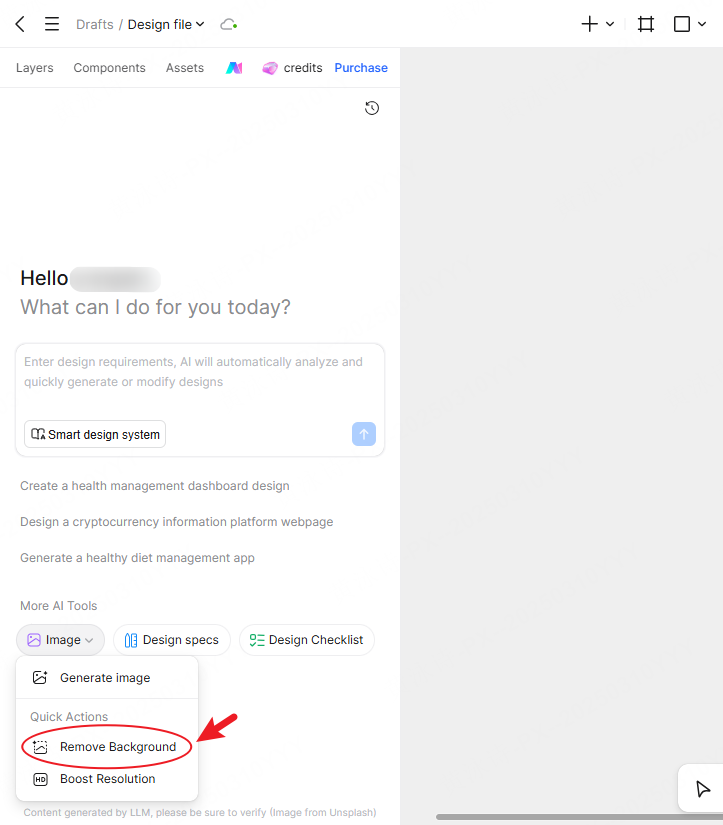
Click on the image layer you want to clean up. Look at the contextual menu or the AI tools panel within the interface. You will see a section labeled "More AI Tools". Click this to reveal your processing options, and find the "Quick Actions" panel.
Step 3: Trigger the AI Extraction
Click the "Remove Background" button. The Pixso engine will briefly analyze the image data, identify your main product, and instantly strip away all surrounding pixels. The background disappears, leaving only your subject.
Step 4: Refine and Place
Your product is now isolated and ready to use. If you need to tweak the contrast or adjust a specific tricky edge, you can use the native image adjustment properties right there in the side panel. From here, just drag your pristine product shot into your UI component library, apply your styling, and you are done.
It really is that straightforward. No complicated lassoing, no messy edge refinement brushes, just click, wait a second, and design.
FAQ
Q1. Can I process a whole folder of new SKUs at the same time?
Absolutely. E-commerce design is all about scale. You can select multiple image layers on your canvas simultaneously and run the background remover on all of them at once. This ensures that a massive category page update takes minutes instead of hours, keeping your whole team on schedule.
Q2. Will I lose my original photo if the client changes their mind?
No, and this is why native integration is so important. When you learn how to remove the background from an image inside Pixso, you are using a non-destructive workflow. The original image data is securely retained in the file history and layer properties. You can easily revert to the original state or tweak the mask settings at any point later in the project lifecycle.
Q3. Does this AI tool for removing the background from an image handle transparent materials?
Yes, it does. Glassware, plastic packaging, and shiny jewelry often confuse older software. Pixso utilizes an advanced algorithm that understands opacity and reflections. It carefully preserves the translucent parts of a glass bottle while cleanly wiping out the studio backdrop behind it.
Q4. Is this feature going to drain my budget?
Not at all. Pixso provides a very practical allowance of free usage that handles standard daily design needs perfectly. If you are running an agency that needs to process thousands of images for a major site overhaul, the batch premium pricing is highly cost-effective compared to specialized standalone cutout subscriptions.
Conclusion
Dealing with endless product photography should never be the hardest part of building an online store. By bringing a powerful, precise AI tool for removing the background from an image right into your primary design space, you eliminate workflow friction entirely. Pixso proves that you do not need to sacrifice quality for speed. It gives you e-commerce-ready assets, perfectly integrated into your component libraries, without the massive time sink. Stop letting tedious manual masking slow down your creative process. Jump into Pixso today, streamline your UI asset preparation, and get back to designing interfaces that actually convert.