Scott
The design industry is undergoing a massive, forced migration. Adobe has ended active development for XD, and InVision services shut down at the end of 2024; product teams are incredibly vulnerable. Relying on unsupported software leads to broken workflows, security risks, and ultimately, lost assets. Your immediate priority is figuring out how to safely rescue every legacy xd file and finding a modern platform to call home. You don't just need a basic adobe xd alternative; you need a comprehensive ecosystem that replaces your entire fragmented tech stack. In this guide, we will explore how to migrate your work safely and why consolidating your workflow into modern invision alternatives is the smartest operational move your design team can make.
Part 1: The frustration of fragmented workflows
For the better part of a decade, the industry standard for creating digital products was a completely fragmented mess. Designers would build their static vector screens in a local desktop application, save their work, and then use a plugin to sync those screens to a third-party web platform just to link them together and gather client feedback.
This disconnected workflow created endless friction. When you rely on multiple disconnected ui design tools to complete a single project, you introduce massive room for error. A designer might update a button locally but forget to push that update to the prototyping link. Suddenly, the developers are writing code based on an outdated layout, and stakeholders are frustrated because their feedback seems to have been ignored. Furthermore, managing scattered design files across local hard drives and shared cloud folders inevitably led to version control chaos. The shutdown of legacy platforms is actually a blessing in disguise because it forces teams to abandon this clunky, multi-subscription model and look toward unified design collaboration tools.
Part 2: Why Pixso is the logical next step
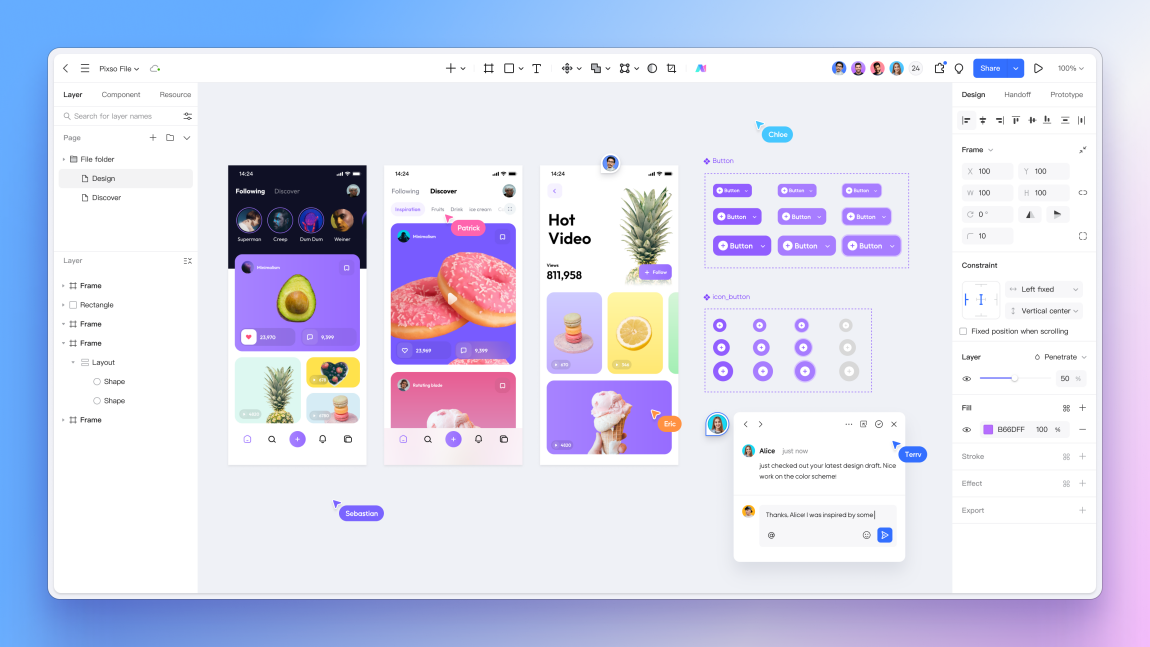
If you are scrambling to figure out your team's next move, you should look directly at Pixso. Instead of searching for one application to draw your interfaces and a completely separate platform to host your prototypes, Pixso offers a true all-in-one, full-cycle ecosystem.
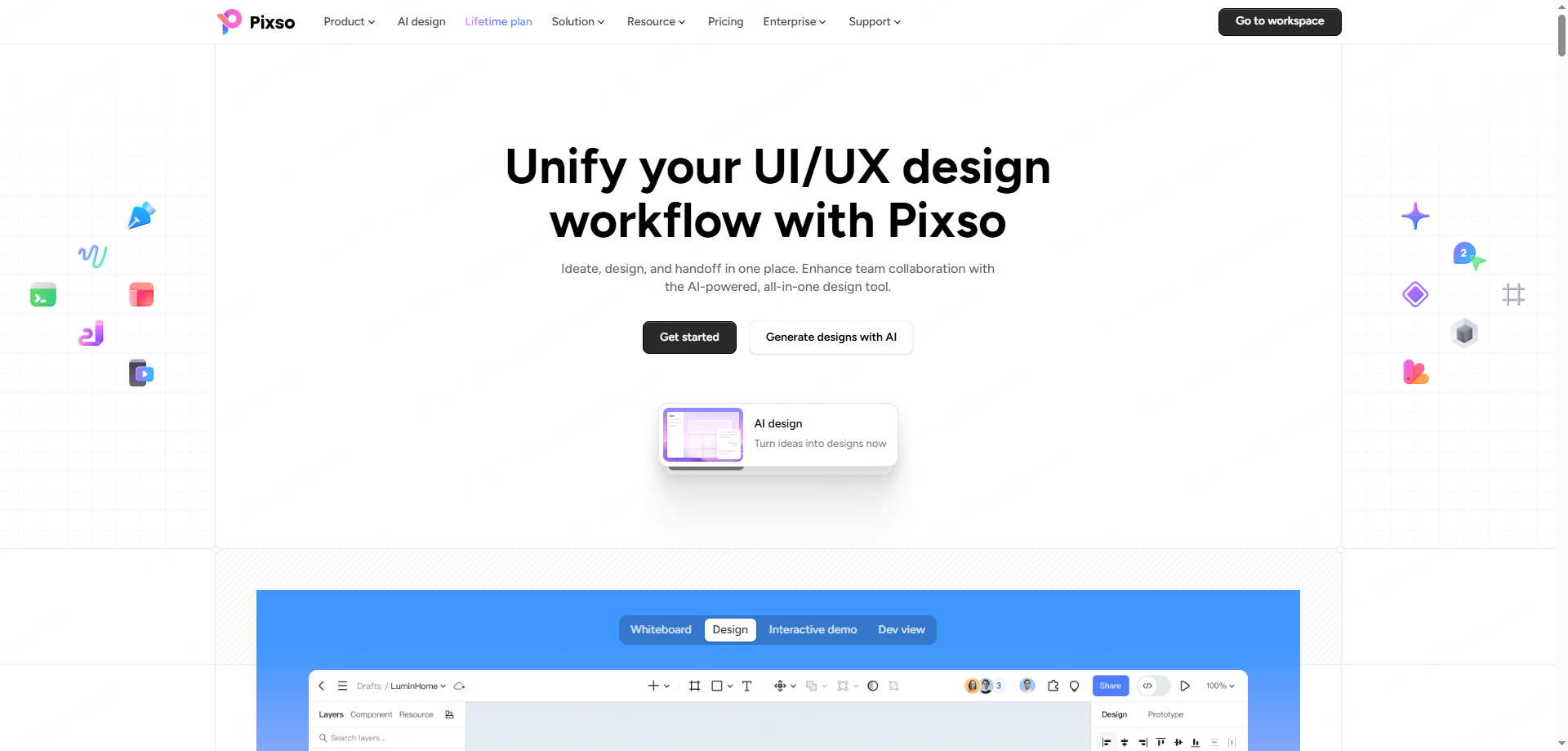
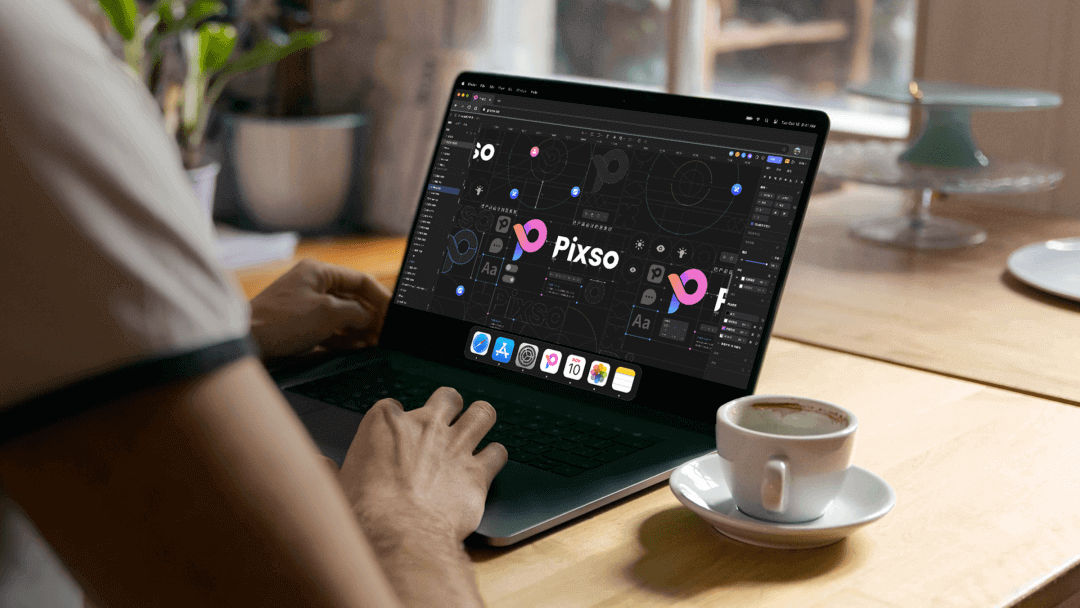
It has rapidly established itself as the premier adobe xd alternative because it fundamentally understands what modern product teams demand: speed, centralization, and reliability. Pixso handles everything from high-fidelity UI layouts and interactive prototyping to real-time multiplayer editing and automated developer handoffs, all within a single browser tab. You no longer have to jump between desktop software and a web link.
For teams currently evaluating various invision alternatives, Pixso represents a massive workflow upgrade. It doesn't just host your clickable prototypes; it hosts the actual, editable vector source files right next to the stakeholder comments. Combined with a highly competitive pricing structure that scales reasonably for both solo freelancers and massive enterprise teams, it provides incredible value. Plus, because the interface and operational logic mirror industry standards, the learning curve and transition timeline depend on the team, file complexity and training available.
Part 3: Verify migrated files and preserve legacy context
A major migration risk is losing history or context. Nobody wants to manually rebuild hundreds of intricate mobile screens from scratch. This fear of transition downtime is where most migrations fall apart. You might have an old xd file containing three years' worth of product iterations, and if a new tool cannot parse it correctly, that historical data is essentially dead.
Keep the original XD files and test a representative import into Pixso. Compare layer hierarchy, typography, vector shapes, components and prototype behavior before moving more files. For InVision, inventory exports and local assets already in your possession; the closed service should not be presented as an available source of prototypes or comments.
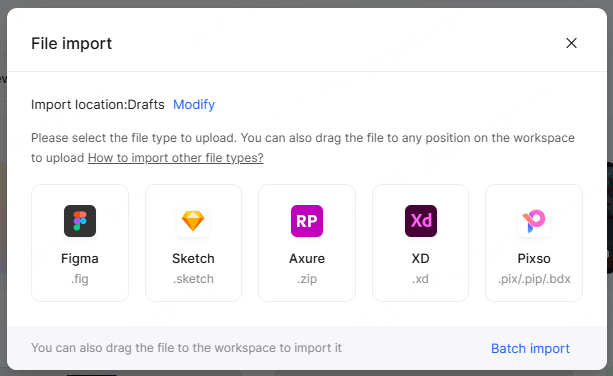
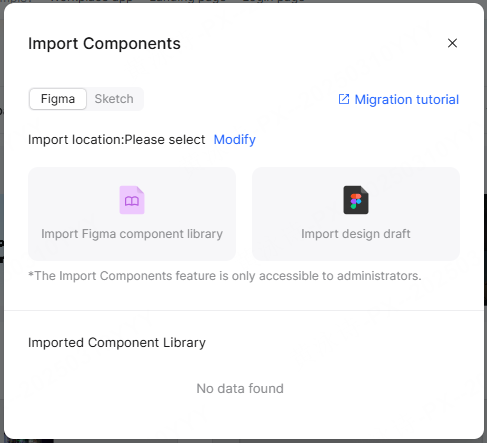
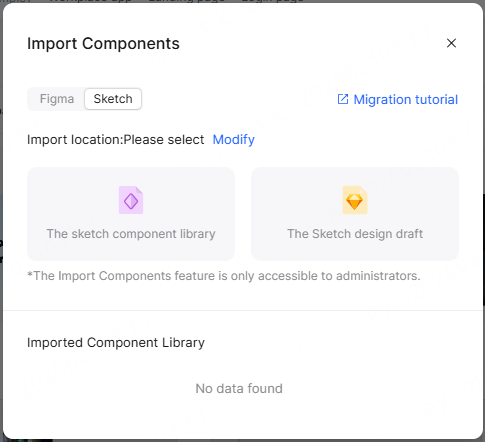
But what if your team has a mixed history of assets? Perhaps an external agency sent you files built in other platforms. Pixso goes far beyond just handling an xd file. It features a dedicated import tool specifically for administrators that allows them to natively upload entire Figma and Sketch component libraries directly into the workspace. This cross-platform compatibility can help teams centralize files in one workspace, subject to the supported formats and migration checks.
If your source files are in XD, review Pixso as an Adobe XD alternative and test a representative file before committing the whole project to a new workflow.
Part 4: Real-time teamwork without the hardware tax
One of the fatal flaws of older desktop-bound software was hardware exclusivity and the isolation it caused. In the past, if you were on a Windows machine, participating in the core design process was incredibly difficult, if not impossible. Today's product teams are highly distributed, cross-functional, and use a wide mix of hardware.
Pixso’s browser workflow can let team members work across supported operating systems. Check browser and hardware requirements with representative files; a web application still uses device memory, graphics and network resources.
More importantly, this cloud-native architecture enables true real-time collaboration. Instead of passing static design files back and forth via Slack or email, multiple people can be inside the canvas simultaneously. A copywriter can edit the hero text on a landing page while a UI designer simultaneously adjusts the padding on the navigation bar. If a product manager has a question, they simply click a shared link, jump into the file, and leave a contextual comment directly on the specific UI element. This closed-loop communication is exactly why modern design collaboration tools have permanently killed the era of asynchronous file sharing.
Part 5: Standardizing systems at scale
As a digital product grows, keeping the interface visually consistent becomes exponentially harder. If your team is relying on local files, standardizing a brand language across different departments is nearly impossible. Someone will always accidentally use the wrong hex code for a button or an outdated version of the company logo.
To scale effectively without breaking your UI, you need a robust cloud-based design system. Pixso excels at managing complex team-wide assets. You can build a centralized library containing your typography scales, color variables, and interactive components. When you establish a master component—like a complex dropdown menu with meticulously built variants for hover, active, and disabled states—you publish it to the shared team library.
Shared libraries can help distribute component updates, but propagation depends on linked instances, permissions, versioning and overrides. Review updates in representative files before applying them across a product.
Part 6: Bridging the gap with seamless developer handoff
The handoff process is historically where most project timelines derail. In the past, if you wanted developers to know the exact spacing between two elements or the specific CSS for a drop shadow, you had to sync your screens to a separate tool and pray the layout translated correctly.
Because Pixso is an end-to-end platform, the developer handoff is completely seamless and built natively into the interface. One of the main reasons teams are choosing it over other invision alternatives is that it can reduce the need for standalone inspect software, depending on the handoff requirements. When a layout is approved, you don't export anything. You simply share the project link with your engineering team.
When developers open that link, they enter a specialized development mode. They can click on any vector shape, text box, or container and immediately view the exact CSS, iOS, or Android code snippets required to build it. They can see the precise pixel distances between elements and the specific variable font parameters without having to ask the designer. If they need to download an icon or a background image, they can mark it for export themselves and generate the slices in whatever format and resolution they need. This drastically reduces visual QA issues and ensures the final coded product actually reflects the designer's original intent.
Part 7: Future-proofing with enterprise security and stability
When you commit to migrating your entire operational workflow to a new platform, you need evidence about stability, security and the future roadmap. It is deeply frustrating to adopt a platform only to have it stagnate or shut down a few years later. You need a tool that is actively maintained, frequently updated, and financially viable for your organization.
Evaluate performance using representative project sizes, devices and networks. Review the product’s supported environment, update policy and contractual support terms. Large-project responsiveness and uptime require evidence from the intended workload rather than an unconditional promise.
Pixso offers private deployment options. Confirm the storage locations, encryption scope, administrator access, integrations and operational responsibilities for the selected deployment. Keeping servers internally does not by itself prevent external breaches or insider misuse.
Conclusion
Clinging to sunsetting software is a dangerous game that will eventually break your team's workflow. The inability to safely store your work, collaborate in real time, or hand off clean code will actively damage your project timelines and frustrate your staff. The industry has firmly moved to the cloud, and it is time your operations do too. Don't wait until your last xd file refuses to open. By migrating to a platform like Pixso, you secure your historical assets while upgrading to a faster, unified way of working. Invest in modern design collaboration tools today, centralize your team's efforts, and get back to focusing on what actually matters: building incredible user experiences.