Scott
If you are trying to build software on your own, speed is your primary asset. In a market where competitors launch new iterations weekly, how fast you can turn a sketch into a working mvp determines if your project succeeds or quietly gets abandoned in a local folder.
The traditional development loop is broken for solo creators. You sketch a mockup, try to guess the spacing, export assets, write countless CSS rules, and then realize you have spent all your energy before writing a single backend endpoint. It is a massive time sink.
The modern fix for independent creators is using automated systems to merge UI construction and development. By using Paico, a layout assistant that translates interfaces directly into source code, you can skip manual asset-cutting and style re-authoring. Measure the time spent generating, repairing, and integrating the frontend against your existing workflow. Instead of fighting with layout structures, you can devote your attention to API schemas and commercial validation. For single-person teams, this is a highly effective way to bypass frontend bottlenecks.
Part 1. Why Your Prototypes Fail Before Launch
Let's look at the actual reasons so many developer-led projects never ship. Most of the time, it is not a lack of coding skill; it is a mismatch between what you are building and where you are spending your hours.
1.1 The Perfectionism Trap: Spending Too Much Time in Drawing Software
Many developers start with a great idea and immediately get stuck tweaking design files. They spend weeks aligning buttons, choosing drop shadows, and making interactive animations.
But here is the catch: when you are just trying to find out if users want your product, a beautiful layout is not a differentiator. Over-polishing your interface early on consumes your initial budget and motivation. By the time the layout looks acceptable, your enthusiasm has faded, and you still haven't written any backend logic.
1.2 The Pseudo-Demand Risk: Building Huge Features Without Feedback
It is easy to build massive codebases in isolation based on personal assumptions. Developers write database tables, sign-up flows, and security profiles before anyone has even visited their landing page.
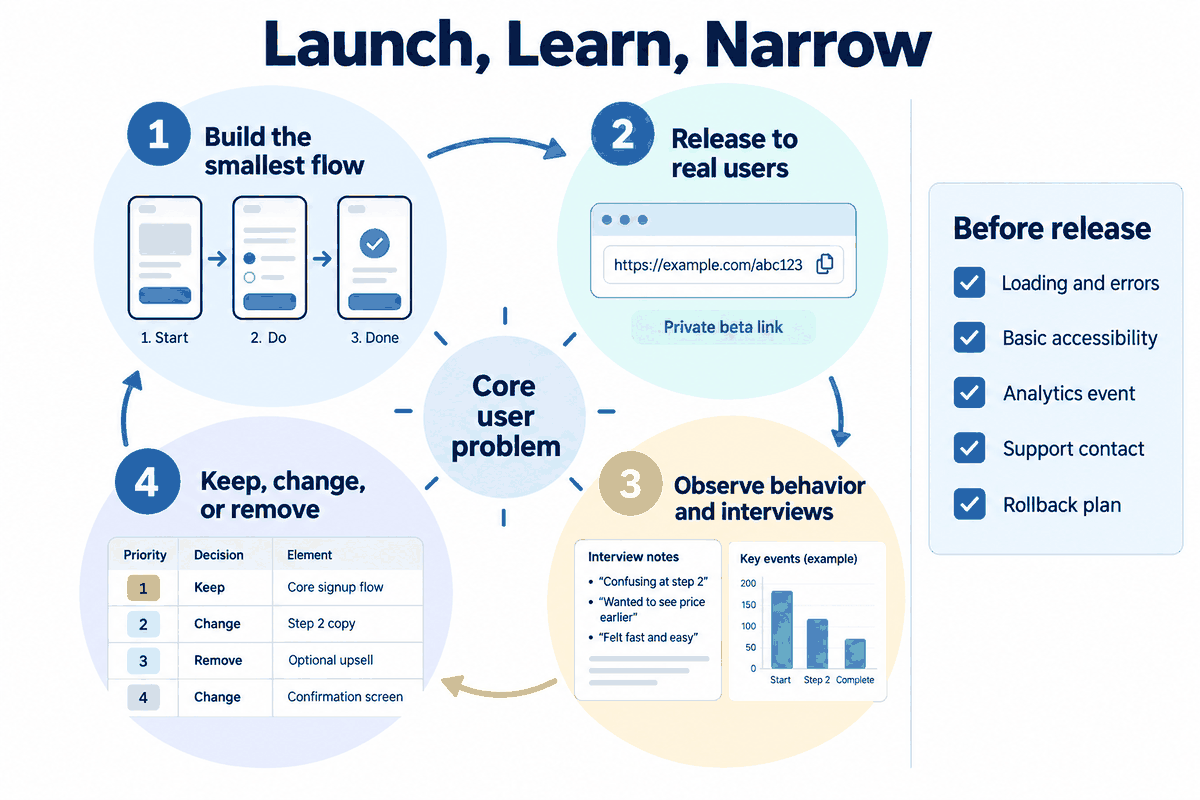
The primary rule of how to create an mvp is to launch the core value proposition as fast as possible. If you do not test your assumptions early on, you risk spending months building complex features that nobody wants. Early feedback is much more valuable than clean backend functions that gather dust.
1.3 The Layout Hand-off Bottleneck: Translating Vector Mockups to Clean Markup
Even if you draw a decent visual mockup, translating those vector layers into responsive, modular layouts for a React or Vue codebase is tedious work. Writing styles, making grids responsive, and managing nested elements takes up the majority of your frontend timeline.
This manual layout phase is a massive efficiency killer. Instead of constantly context-switching between visual layouts and code files, developers are finding success by letting their design interface generate the structural files directly. Using Paico, you can build layouts visually and export files in a single motion, saving hours of manual labor in your very first session.

Part 2. Why Paico Fits Solo SaaS Projects
When you run a solo business, your choice of tools dictates your launch date. To get your product out the door, you need a setup that handles the UI layout while letting you keep total control over your code.
2.1 What Exactly Is Paico?
Paico is an interface-to-code creation environment designed for developers. It does not just output static SVG or PNG files. Instead, it processes layouts with an understanding of modern component design. You can arrange elements visually and let the core algorithms translate your designs into clean, modular source code that is ready for deployment and custom development.
2.2 Code Ownership Over Proprietary Visual Systems
Standard design programs only output visual mockups. On the other hand, classic no-code platforms make creation fast but lock your assets in a closed environment where you cannot export files or run custom servers. Paico offers a balanced path: it provides the flexibility of visual layouts and the direct file access of standard manual builds, giving you total ownership of your files.
Here is an honest breakdown of how these different development styles compare:
| Operational Metrics | Traditional Hand Coding | Closed No-Code Platforms | Paico AI-Assisted Output |
| Setup Time | Slow; requires manual writing of every CSS class and grid structure | Fast visual assembly from pre-made widgets | Fast visual layout generation using text or templates |
| Design Flexibility | Total control, but every tweak requires manual layout rewrites | Restricted to the host's styling blocks and options | High; visual layout tools generate clean responsive patterns |
| Output Readability | High, assuming the developer writes clean structures | Poor; output files contain deep, unreadable divs and styles | High; structured, clean CSS Grid/Flexbox codebases |
| System Scalability | Infinite; you own the repository and can scale indefinitely | Highly limited; hard to hook up custom API logic or databases | Infinite; outputs standard code that you can edit in any IDE |
| Hosting Costs | Low; you can use free static hosts (Vercel, Netlify) | High; you must pay their specific hosting subscription fees | Low; you deploy the exported files to any provider you want |
This comparison shows how you can skip visual layout bottlenecks without giving up your freedom to scale. If you want a SaaS setup that does not restrict your backend architecture, register at paico.cn to see the quality of its layout exports.
Part 3. How to Build and Validate a Lightweight Product in 3 Days
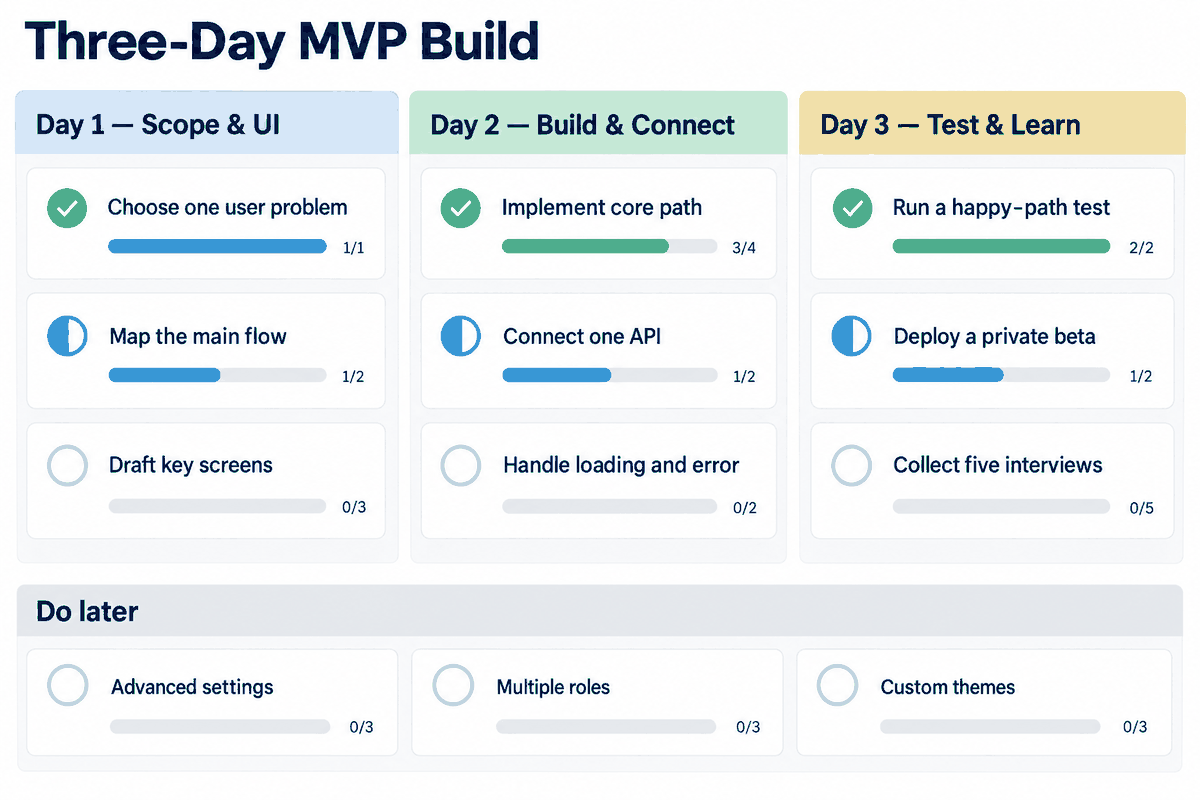
Once you have the right setup, you need an actionable plan to launch. Let's look at how you can structure a 3-day development cycle for a standard SaaS utility app.
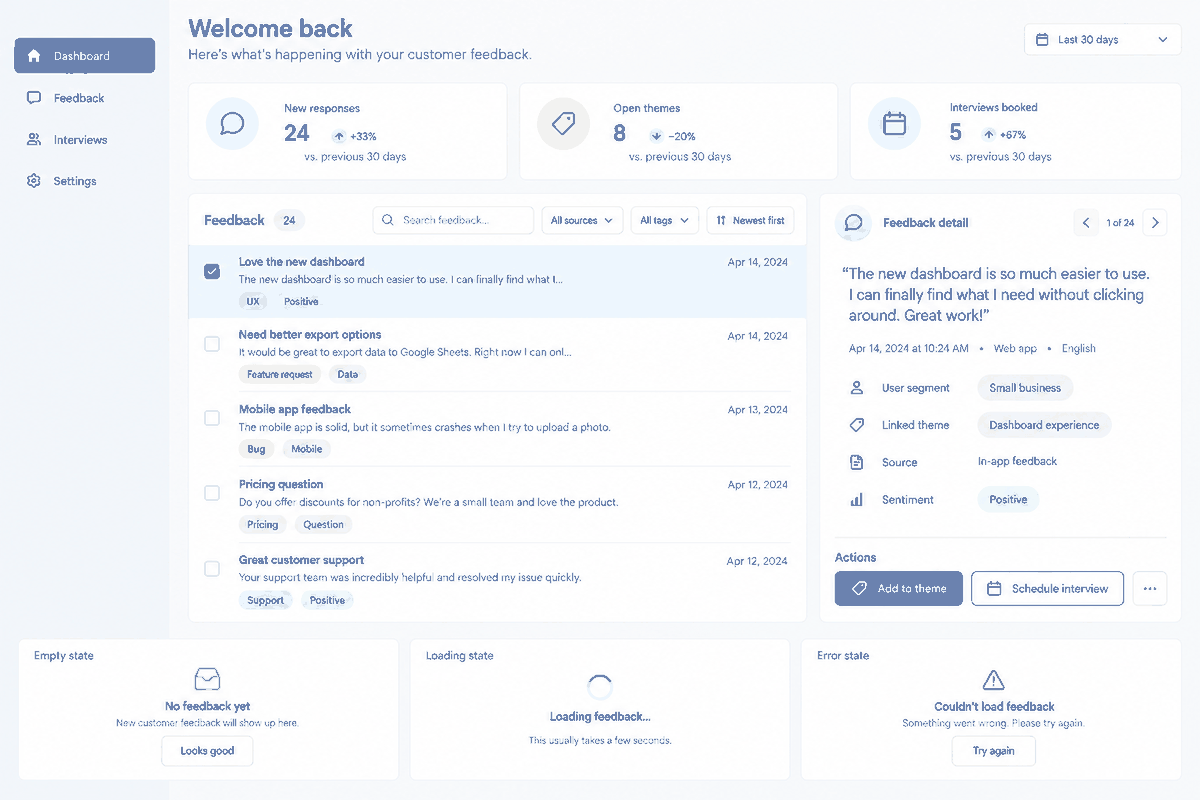
Step 1: Layout Drafting and Automated Generation
After logging in, you can choose functional templates or use brief text descriptions to draft your layout outlines. This skips the step of figuring out structural layouts on an empty canvas.
DAY 1: Design & Structure
- Draft core layout structures
- Generate components using AI
Step 2: Visual Adjustments and Navigation Setup
With your template layouts ready, use the control sidebars to adjust colors, spacing, and font sizes. You can configure basic navigation paths and link clicks visually without writing Javascript event handlers manually.
DAY 2: Fine-Tuning & Interactions
- Adjust styles, layouts, margins
- Set up page routing and events
Step 3: Exporting Clean, Production-Grade Source Code
Once you are satisfied with the interface, select your preferred frontend framework (such as React, Vue, or HTML). The system processes the visual layers and outputs standard files. Download the archive to get an organized, readable directory.
DAY 3: Export & Backend Wiring
- Export React/Vue source code
- Connect APIs and deploy to Vercel
Step 4: Connecting APIs and Launching
Import the exported folder into your code editor, wire up your backend service calls, link your database interfaces, and push the files to your server or static hosting provider to start gathering user feedback.
Hands-on practice is the best way to understand how much this speeds up your workflow. Try using Paico for your next prototype, and see how fast you can turn a draft into a live web application.
Part 4. Three Technical Strengths of Paico
Most developers are skeptical of automatic code generation because historically, visual layout editors produced messy, unreadable output. A generator is only useful if its files do not require a complete rewrite.
4.1 Clean Layouts Conforming to Web Standards
Many visual builders place elements using absolute pixel positions, which breaks layouts on mobile devices. Paico resolves this by generating layouts with modern CSS Flexbox and Grid. The output is responsive by default, using clear styling naming conventions and modular components.
4.2 Broad Tech Stack Compatibility
Whether your project is built around standard HTML/CSS, component-based single-page engines, or utility-first CSS engines like Tailwind, the platform supports your stack. The exported files drop right into your current projects without forcing you to change your development settings.
4.3 Simplified Controls for Quick Iterations
The interface focuses on layout structures rather than advanced graphic design features. By simplifying complex design menus, the system allows developers and non-designers alike to build professional layouts without a steep learning curve.
FAQ
Here are answers to the most common questions independent developers have when adopting these tools for their projects.
Q1: I am a backend developer with zero eye for visual design. Is this tool actually easy to use?
Yes, this is exactly the audience the platform was built for. You do not need to spend years studying color palettes or layout hierarchies. The system comes pre-loaded with UI kits and modern interface components. You can build layouts visually and let the tool arrange them properly, helping you create a modern, professional interface without relying on unpolished default styles.
Q2: How does this system compare to visual page-building services like Webflow or Framer?
The difference comes down to who owns the underlying software files. Standard visual page builders are excellent for marketing websites, but they make it difficult to export raw files. If you need to write complex database logic, set up custom auth states, or host the application on your own local servers, you will hit a wall. Paico focuses on giving you the raw, clean source code directly. This allows you to integrate your frontend layouts with any database or cloud service without platform restrictions.
Q3: When planning how to create an mvp, what is the best strategy to keep development times low?
The most reliable strategy is to focus entirely on your core feature. Skip optional features like custom notification controls, profile avatar upload systems, or visual layout customization tools. Instead, draft the main user interface using modern ai-powered design tools, export the layout files, and link them to a minimal backend service. This lets you test the core idea with real users before writing complex features.
Q4: How does the generated source code handle responsive screens?
Instead of placing elements using fixed pixel coordinates, the export system interprets visual components structurally. It uses fluid CSS parameters, Flexbox wraps, and media query properties. This ensures that when you export the files, your interface adapts naturally to mobile, tablet, and desktop viewports without requiring you to write separate mobile stylesheets.
Conclusion
By letting automated platforms handle the repetitive parts of frontend creation, solo founders can focus on solving user problems. This practical SaaS bootstrapping method allows you to move quickly from ideas to active links. Check out the platform at paico.ai, start your project, and ship your ideas today.