Scott
For growing startup teams focusing on fast execution and budget efficiency, choosing your product development stack is no longer just about basic vector editing features. Instead, it is an evaluation of cloud-based workflows and generative automation. When you look closely at platform performance, system layout tools, the integration of ai ui design tools, and total subscription costs, the conclusion is straightforward: Pixso is a practical, highly capable option for teams looking to build consistent design systems and ship software faster.
Compared to traditional design suites that carry high price tags and cause connectivity lag for remote employees, Pixso offers built-in assistants and a unified canvas. This helps product teams lower communication friction and keep administrative overhead down.
Part 1. The Four Core Pain Points of Startup Teams Choosing UI Software
The survival of any small or medium-sized product team depends on speed. Choosing an overly complex or expensive tool can stall your release schedule and drain your limited engineering resources. In practice, growing businesses usually encounter four main problems during their evaluation process:
1.1 Tight Budgets vs. High Seat-Based Subscription Fees
Early-stage teams must manage their cash flow carefully. Many established professional layout tools rely on expensive monthly subscriptions that charge per editor seat. As your team expands to include developers, product managers, and testers, these seat fees can quickly become a significant financial burden. Furthermore, some legacy systems require complicated international payment setups, making corporate bookkeeping and accounting reports more complex than they need to be.
1.2 Communication Silos Across Departments
Finishing a visual mockup is only a small part of the product lifecycle. Designers must constantly verify logical flows with product managers and hand over visual specifications, layout details, and asset packages to developers.
If your layout tool lacks reliable real-time editing features, your team will waste time sending static files back and forth, dealing with confusing version names (such as "v2_final_final"), and resolving inconsistent design specs. This fragmented approach is a primary reason why software launches get delayed.
1.3 High Learning Curves and Onboarding Bottlenecks
Small, agile teams do not have the luxury of long training cycles. New hires, consultants, and client reviewers need to jump into a project and start collaborating immediately. If a design system uses a complex interface or lacks clear localized documentation, team members will waste valuable days trying to learn the software instead of focusing on building the core product features.
1.4 Missing Out on AI-Driven Productivity
In today's fast-moving software market, teams that still draw every icon and calculate every layout margin manually will struggle to keep up. While many legacy editors claim to support automation, they often rely on third-party plugins that are unstable, expensive, or separate from the main workspace. Working without a cohesive, built-in helper leaves teams struggling to meet modern delivery speeds.

Part 2. Comparative Review of Mainstream UI Design Systems
To help you choose the best tool for your team, let us look at how the top design platforms on the market compare across key categories:
2.1 Figma: The Industry Benchmark with High Barriers
Figma set the standard for browser-based, multi-player canvas collaboration. However, for many distributed teams, the subscription costs can be prohibitive. The premium seat tiers represent a significant expense for small startups, and the lack of flexible pricing structures can make it difficult to scale your team naturally without sudden budget increases.
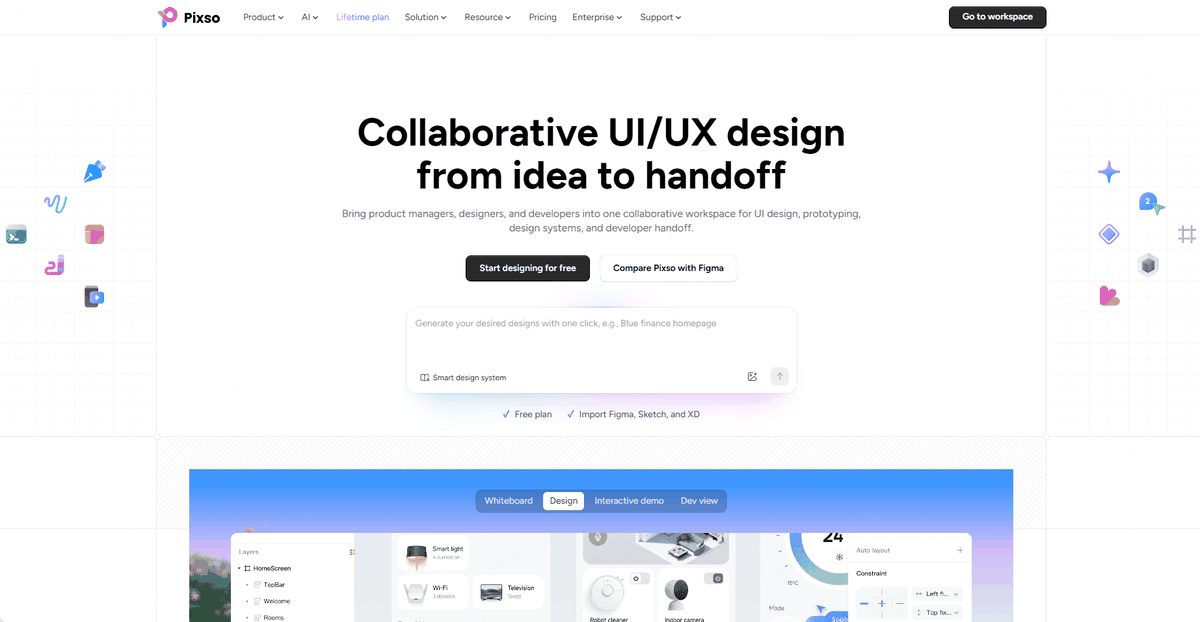
2.2 Pixso: Direct Performance Match with Flexible Collaboration
As a modern cloud-based editor, Pixso matches the core vector and layout performance of legacy platforms while offering a more accessible ecosystem for growing product teams. It solves common performance lag issues with optimized regional hosting and introduces a native smart design workspace to streamline the transition from raw concepts to finished UI components.
2.3 Sketch and Adobe XD: The Limitations of Desktop-First Workflows
These tools represent an older era of offline-first design. In a world where product teams prioritize rapid, remote collaboration, relying on manual file saving, uploading, and email sharing is slow and outdated. For new teams starting a project from scratch, investing in these legacy desktop systems is generally not recommended as they phase out of modern workflows.
Part 3. Why Pixso Is a Practical Choice for Startup Teams
Selecting a design platform means choosing how your team works together. Pixso stands out because it focuses directly on two major modern design trends: generative automation and frictionless collaboration.
3.1 Prompt-to-UI Layouts: The Built-In AI Engine
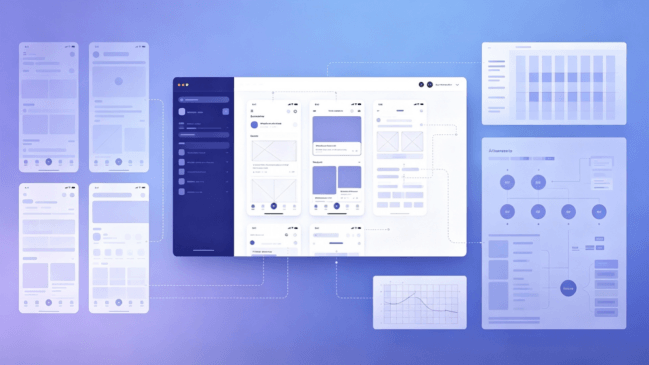
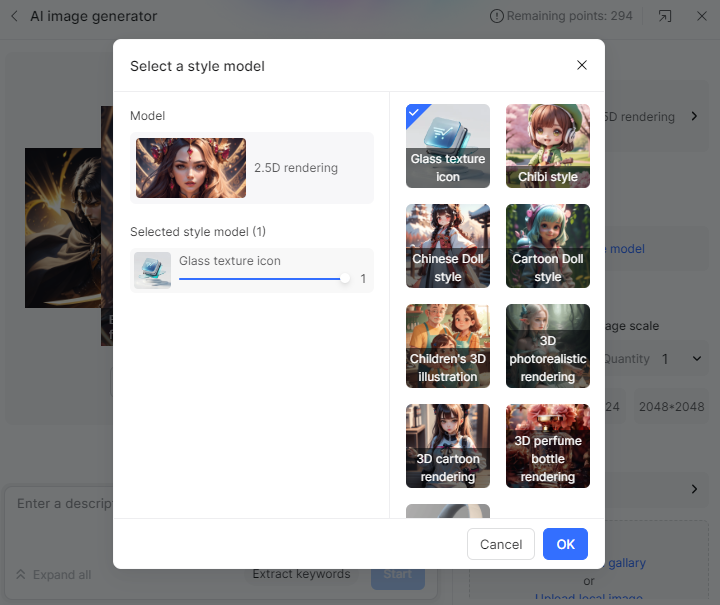
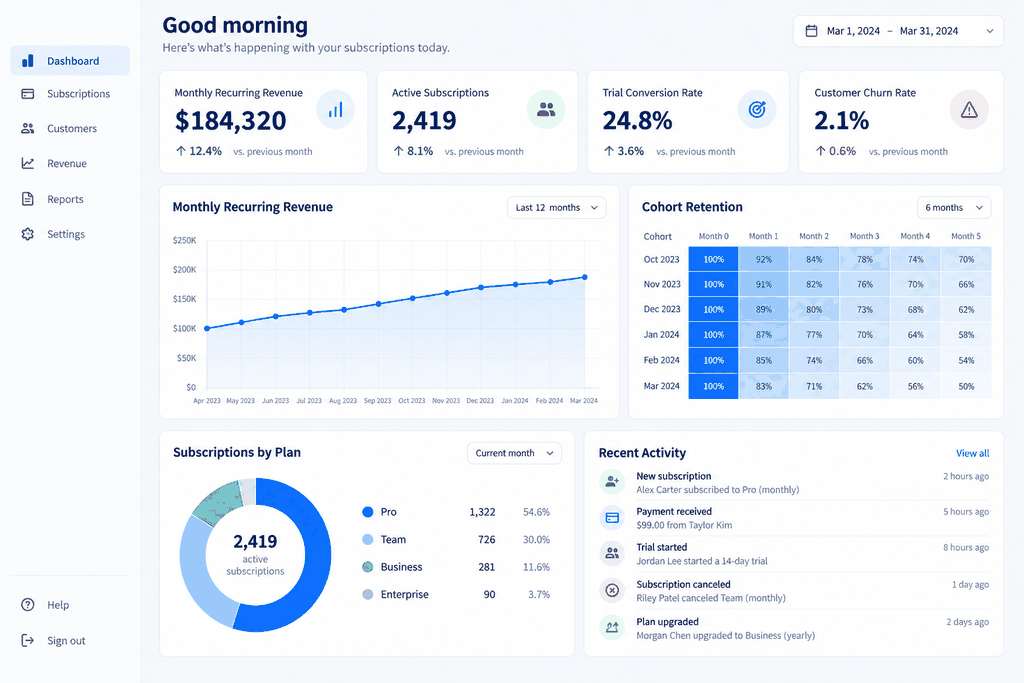
In Pixso, the assistant is not just a basic chat window; it is built directly into the vector editor canvas. Unlike generic image generators that only output flat, non-editable graphics, the pixso ai helper allows you to generate fully editable, vector-based high-fidelity design layouts using simple text instructions.
What makes this approach practical is that you can instruct the ai design generator to follow specific, standardized frameworks or use your own custom design systems. This means the output is not just a random collection of vector shapes. Instead, it is a structured page built with standardized component states that follow clean layout practices. This turns visual research and initial layout drafting from a multi-day task into a fast, interactive process.
3.2 Simplified Design-to-Code Deliveries
In traditional workflows, designers have to manually document layout values, while developers measure paddings and margins by eye. Pixso resolves this friction by bridging the gap between design and front-end development.
When developers log into the shared canvas, they can instantly inspect any element to view its corresponding CSS, iOS, or Android style properties. This automated handoff ensures developers can translate visual mockups into code without guessing, helping you ship your code faster.
3.3 Centralized Asset and Design System Management
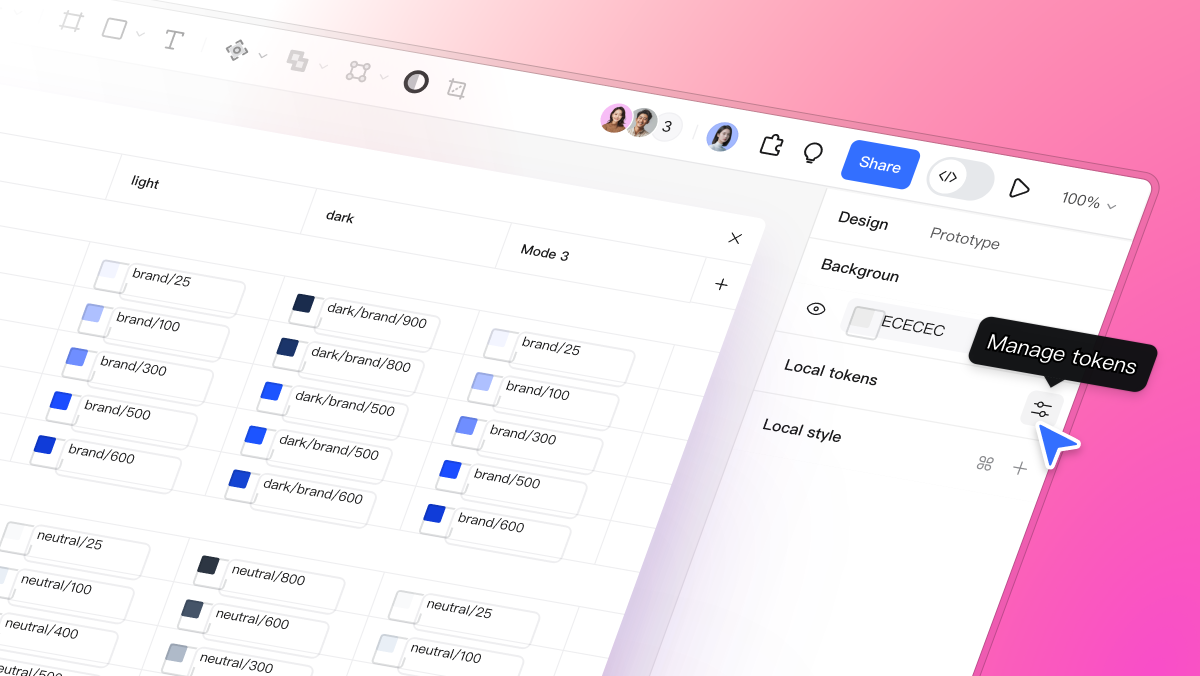
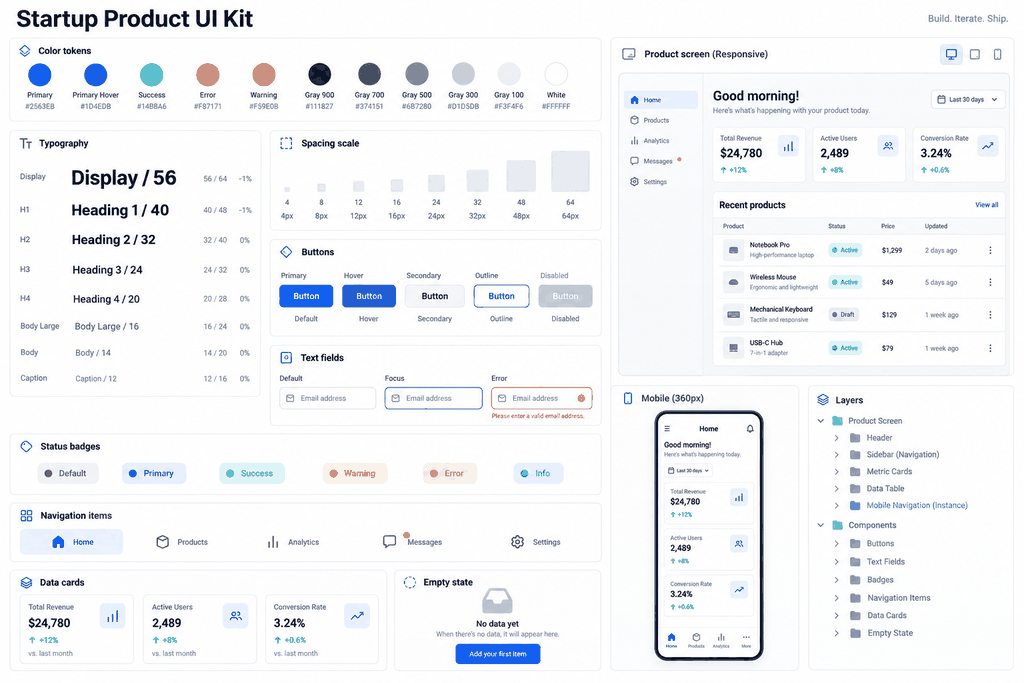
Because early-stage teams often experience rapid changes in personnel, keeping your project files organized in a single place is critical. Pixso includes a robust shared component library that makes it easy to build and maintain standard design guidelines.
When you update a primary color token, typography style, or header component in your central library, those changes sync automatically across all of your project files. This ensures your product's visual identity remains consistent while saving your team from having to make manual updates across multiple documents.
Part 4. Why Editor-Native AI Outperforms External Image Generators
Many product teams confuse generic image generators with structured, layout-based design engines. The main advantage of using an integrated tool like Pixso is its support for detailed vector editing and clean developer handoffs.
- Detailed Layer Control: When you import a flat, AI-generated image into an editor, you lose the ability to edit individual layers, customize text, or adjust margins. In contrast, designs generated with Pixso's smart design assistant are native to the canvas. You can edit every vector point, change colors, adjust text layers, and re-arrange components just like you drew them by hand.
- No-Code Layout Exports: Traditional visual generation systems do not understand web standards or layout hierarchies. Pixso's native assistant bridges this gap by outputting designs that follow modern CSS flexbox rules. This means your team can easily convert generated layouts into clean frontend code without having to rewrite the styling from scratch.
- Consistent Design Language: By connecting the helper to your team's existing UI components and tokens, you can guide the ai design engine to match your brand's specific style rules. This ensures that new pages and feature drafts remain consistent with your existing application visual identity as you iterate.
Part 5. A Step-by-Step Migration Guide for Agile Teams
Moving your projects to a new platform can feel daunting, especially if you are worried about losing your existing files or spending too much time retraining your team. Here is a simple, five-step plan to help your team transition smoothly:
Step 1: Import Files (Figma, Sketch, XD)
Step 2: Build Central Component Libraries
Step 3: Generate Drafts Using AI Assistant
Step 4: Real-Time Team Reviews & Comments
Step 5: Code Handoff & Version Management
Step 1: Import Your Existing Design Assets
You do not have to recreate your past work from scratch. Pixso's import engine lets you upload files from Figma, Sketch, or Adobe XD with a single click. The platform automatically processes vector paths, grouped layers, text styles, and layout constraints, ensuring you can pick up right where you left off.
Step 2: Set Up Your Shared Component Library
Before starting on new features, take some time to set up your primary component library. Defining your reusable buttons, form inputs, and navigation elements allows team members to build consistent pages quickly using simple drag-and-drop actions.
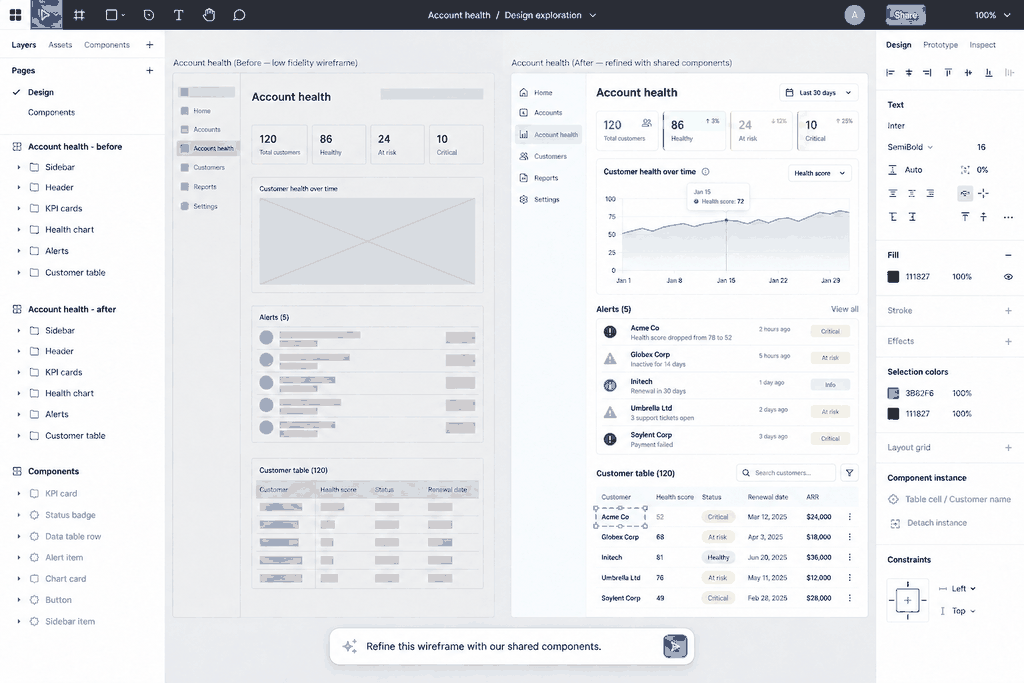
Step 3: Use the AI Assistant to Generate Layouts
Open the side panel or use a quick shortcut to activate the assistant. Describe the page you want to build (for example: Create a dashboard interface for an analytics application showing a sidebar, three main statistic widgets, and a clean line graph), choose your target screen dimensions, select your preferred design system, and let the tool generate a structured layout on your canvas.
Step 4: Run Real-Time Collaborative Reviews
Invite your product managers, frontend engineers, and clients into the cloud-based workspace. Using the built-in comment features, team members can pin feedback directly to specific design components, keeping discussions organized and easy to follow.
Step 5: Automate Developer Handoffs and Version Control
Once the layout is approved, share the design link with your development team. They can view CSS styles, export assets, and inspect element measurements directly from the browser. The system also tracks your project's version history, allowing you to roll back to earlier drafts if your requirements change.
Part 6. Comparing Total Costs: Pixso vs. Legacy Platforms
When choosing tools for your business, it is important to calculate both direct subscription costs and hidden operational expenses.
6.1 Direct Subscription Costs
Traditional design platforms often charge high monthly fees per user, usually billed in foreign currencies, which exposes your business to exchange rate fluctuations. Pixso offers flexible pricing plans tailored for growing teams. You can purchase the exact number of seats your team needs, helping you keep your software budget predictable as you scale.
6.2 Hidden Operational Costs
- Network Reliability: Using tools hosted entirely on distant servers can cause significant lag during busy work hours, slowing down your team's output. Pixso utilizes optimized edge-network hosting to provide fast file load times and smooth real-time edits, regardless of where your team is located.
- Team Communication: A fully localized, intuitive user interface helps non-designers (like product managers, developers, and founders) navigate the canvas and share feedback without getting confused by complicated layouts, saving you time on internal meetings.
- Data Security: For companies with strict security and data compliance requirements, Pixso offers private cloud deployment options. This gives you complete control over your core design assets and user data—a level of security that standard public cloud services rarely provide.
FAQ
Q1: How difficult is it to migrate our existing design team from Figma?
The transition is usually very straightforward. Pixso shares a similar layout structure and keyboard shortcut map with other industry-standard tools, meaning most designers can get comfortable with the interface within a few hours. Because you can import files directly, you can move your active projects over without losing your vector structures or layer hierarchies.
Q2: Is the platform only for designers, or can other team members use it?
It is built as a shared workspace for your entire product team. Product managers can use it to draft wireframes and review layout copy, developers can log in to check style measurements and export code snippets, and clients can leave feedback directly on the canvas, keeping everyone aligned on project changes.
Q3: Can I work on my projects when I am offline?
Yes. While the platform is built around cloud-based collaboration, it includes a robust local caching system. If you experience temporary network issues while working, your edits are saved locally on your device and will sync back to the cloud as soon as your connection is restored, keeping your work safe.
Q4: Are the assets generated by the ai design assistant ready to be handed off to developers?
Yes. Unlike flat images produced by generic graphics generators, the layouts created by Pixso's ai design generator follow standard layout hierarchies and CSS positioning rules. This means you can inspect the generated elements to view clear CSS styles and responsive properties, making it much easier for your developers to translate the mockups into actual frontend code.
Conclusion
When choosing UI design software, you should look beyond basic vector tools and evaluate how well the platform fits your team's day-to-day workflow. If you are an early-stage team focused on launching quickly and testing your ideas, Pixso's built-in helper tools can help you save time. For growing companies looking to scale, its automatic design-to-code exports and shared workspaces provide a practical way to keep your team moving fast. Create an account at Pixso to experience a more collaborative approach to product design.
A startup UI design tool decision framework
Start with the first product workflow you must ship, not a long feature list. Define the screens, reviewers, prototype states, component reuse, and developer handoff your team needs this quarter.
Run a time-boxed pilot with a real file, record setup and review friction, and confirm plan limits before inviting the whole team. Pixso’s shared UI design workspace and AI UI workflow can be evaluated separately against those requirements.