Free for 1 year
After your application is approved, receive
education benefits valid for 1 year.
A free Team plan for students and educators.
From your first UI screen to a clickable prototype,
grow your ideas on one shared canvas.
After approval, the applicant account gets Team for 1 year · no extra AI credits
1 seat for you Valid for 1 year Team features No AI credits included
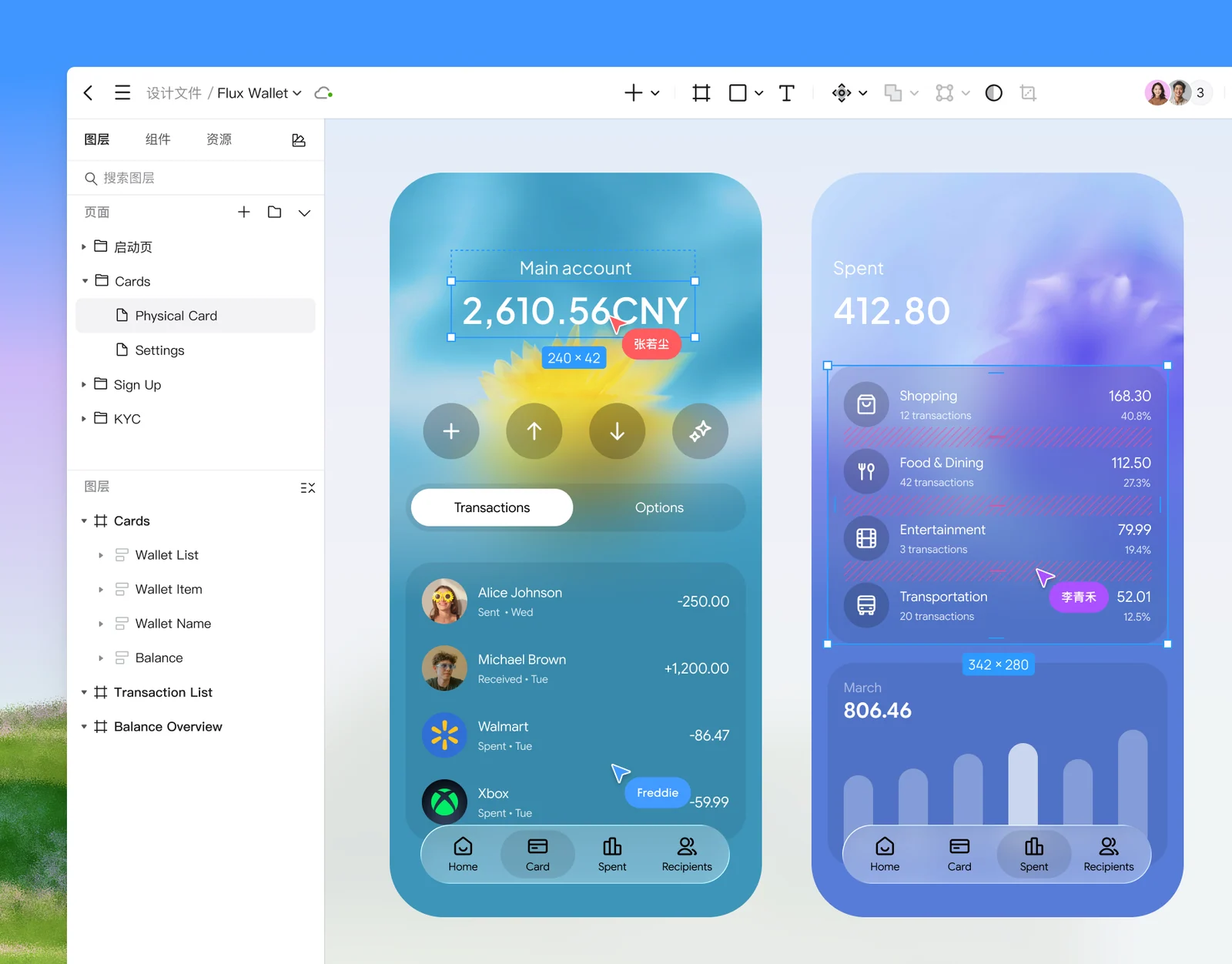
Focus on making. We will provide the tools.
Complete coursework, refine a graduation project, and prepare teaching examples.
Spend your time on the work itself.
After your application is approved, receive
education benefits valid for 1 year.
Apply as an individual and activate Team for your account.
Start creating from your own account.
Design, components, prototypes, and version management —
practice a professional workflow while you learn.
Education activates one Team seat for the applicant.
It does not include extra AI credits.
Think it through, then make it real
UI design, reusable components, and interactive prototypes —
practice the complete design process in one tool.
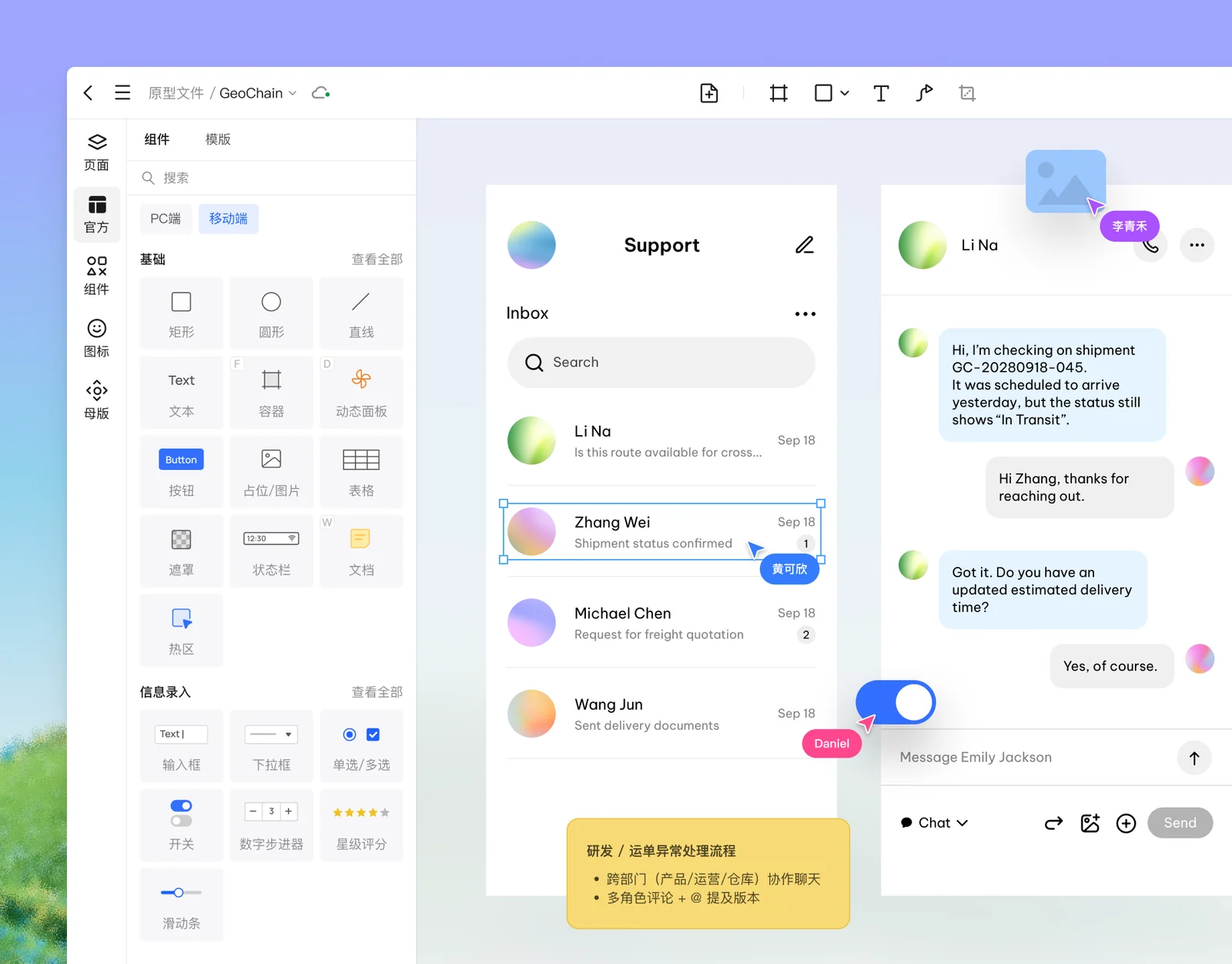
Use vector tools, auto layout, and components to build web and app interfaces. Adjust copy, spacing, and states until every screen stands up to review.
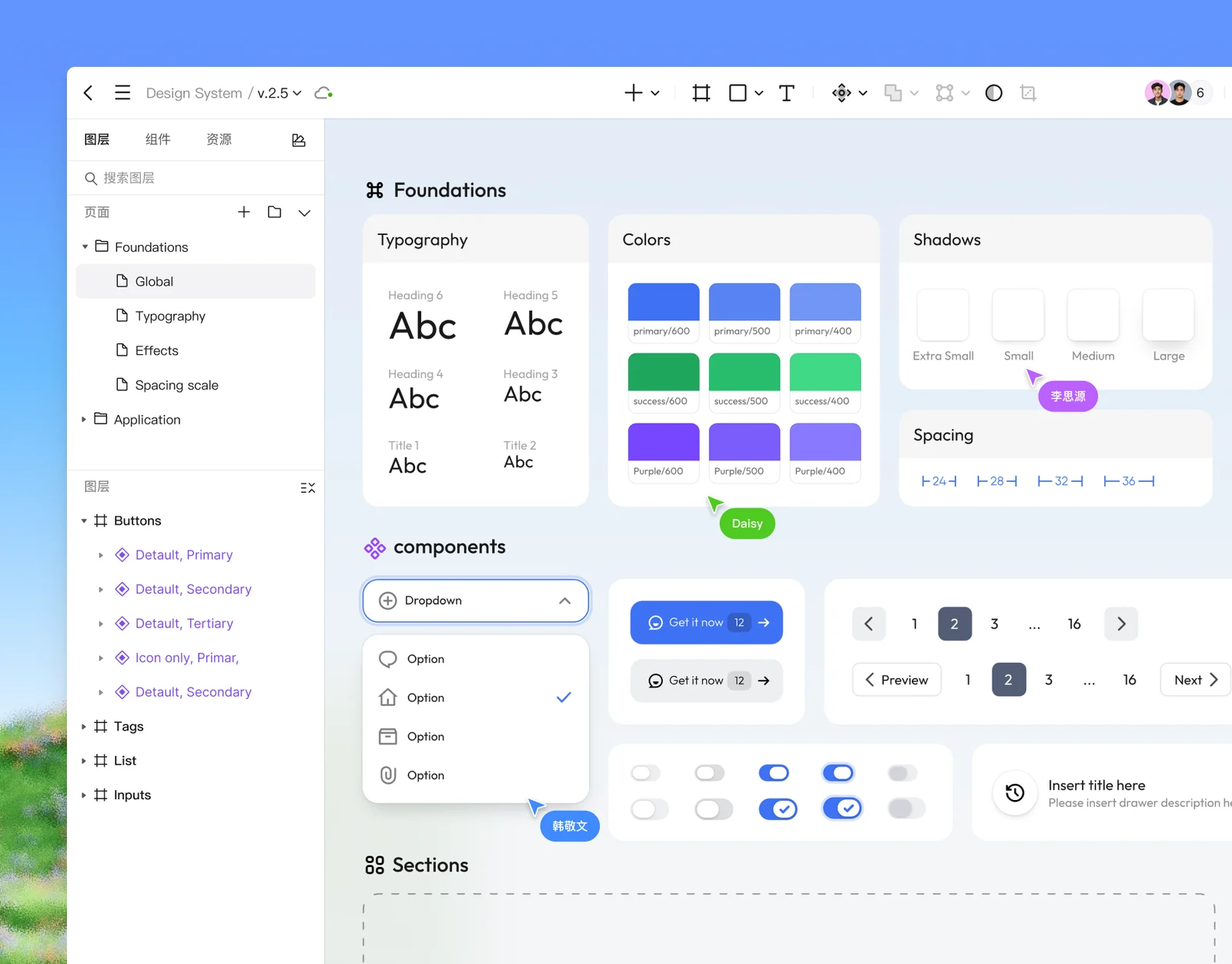
Organize colors, text styles, and common components as reusable assets. Update once and apply everywhere to keep the whole project consistent.
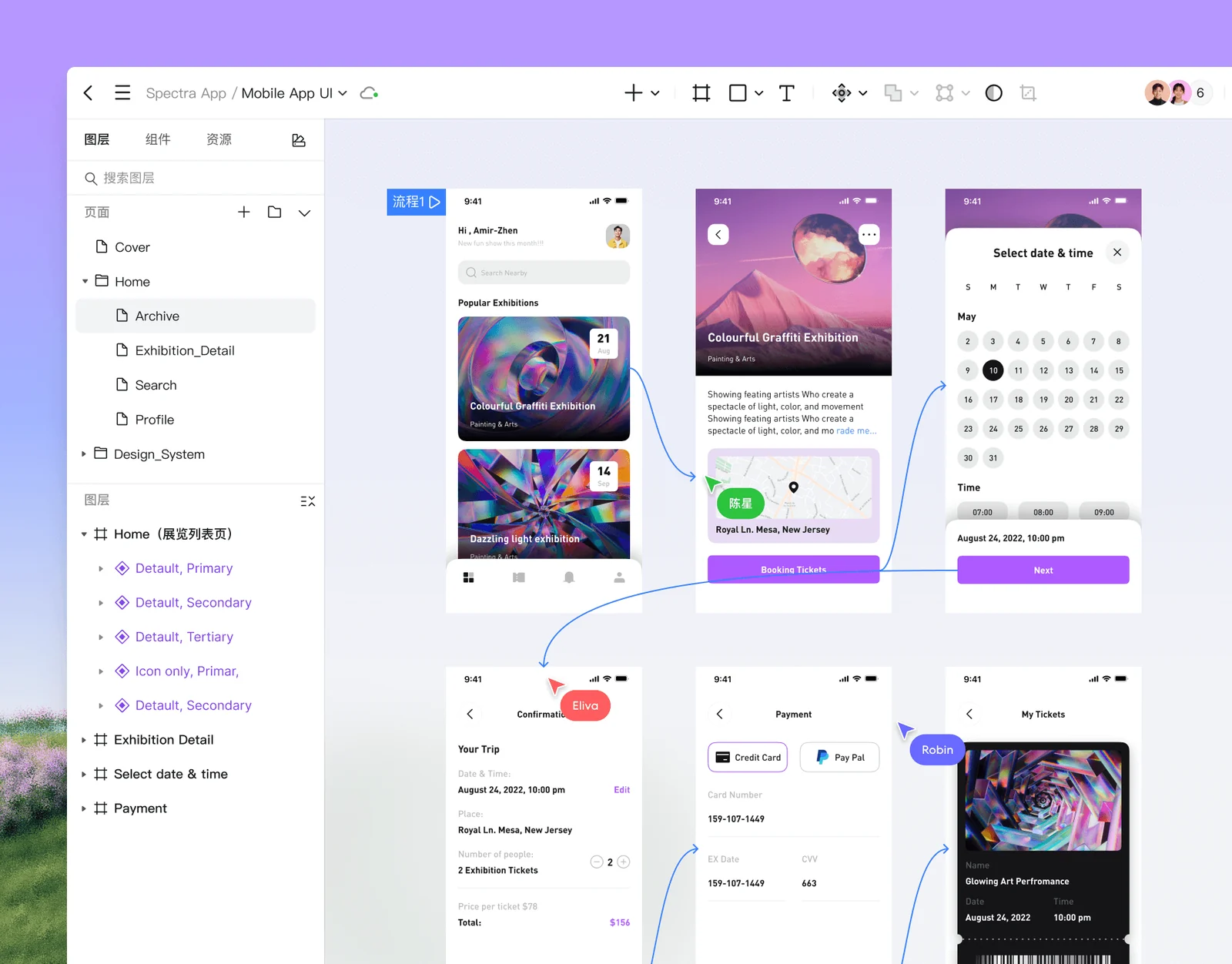
Connect artboards, set transitions and interactions, and demonstrate the full flow with a clickable prototype. In a review, show how a user completes the task step by step.
Learning and teaching deserve better tools
Course exercises, club projects, graduation work, and personal portfolios —
keep refining every attempt here.
Prepare teaching examples and break down components and interactions,
then explain the thinking and details in one living design file.
Education is for individual students and educators. One applicant seat does not grant Team benefits to an entire class or department.
Start your next project now
Apply with your own Pixso account,
so every good idea you have while learning has a place to take shape.
Use your own account. Existing users do not need to register again.
Choose your role, enter your name and school, and upload a student or employment proof image.
After submission, one Team seat is activated for the applicant first, followed by manual review.
Education activates Team for the applicant account for 1 year; it does not grant extra AI credits.
About Pixso Education
Understand the benefits,
then start creating with confidence.
Students and educators can apply with their own account. Enter your name and school and upload valid proof. After a successful submission, the education benefit is activated first and reviewed manually later; you do not need to create an organization for a department or school.
Education is valid for 1 year. An individual application gives the applicant one Team seat; it does not include paid seats for classmates or colleagues.
Education provides Team features for UI design, component and style management, interactive prototypes, and design collaboration. The benefit is activated only for the verified applicant account for 1 year; Education does not include extra AI credits.
No. The benefit is one Team seat for the applicant account for 1 year. It does not grant AI credits or the monthly AI credits included with a paid Team plan.
No. Complete verification with your existing account. The Education benefit should be activated on that account so your existing files stay together.
Yes. Import Figma files into Pixso and keep editing them. After importing, check fonts, components, and interactions before continuing your coursework or portfolio.
After submission, one Team seat is activated for the applicant for 1 year, followed by manual review. More information may be requested when evidence is incomplete; verification may be cancelled if the applicant is ineligible or the information is inaccurate. Check the benefit shown in your account.
This Education benefit lasts 1 year and does not promise automatic renewal. Renewal options and eligibility after expiry will follow the Education rules published at that time.