Scott
In modern product design, cross functional collaboration often suffers from tool fragmentation. Product managers need dedicated spaces for competitive benchmarking, flowcharts, and mind mapping. Designers require intuitive canvases for empathy maps, moodboards, and live design reviews. Meanwhile, engineering leads need visual clarity to map out technical architectures.
Pixso Whiteboard solves this challenge by serving as an expansive online collaborative whiteboard platform integrated directly within the Pixso ecosystem. By bridging the gap between early discovery and vector UI production, it provides a unified hub for modern collaborative product design.
Beyond inheriting the core real time co creation strengths of Pixso, the whiteboard integrates mind maps, flowcharts, sticky notes, freehand drawing, documents, and structured tables. Below is a deep dive into how teams can leverage Pixso Whiteboard across every phase of the collaborative design lifecycle.
Make collaboration produce a decision trail, not just more artifacts. For each workshop outcome, record the chosen option, the unresolved risk, the owner, and the frame or component that will be reviewed next. A UI design collaboration workspace keeps that context beside the visual work instead of leaving it in a separate chat thread.
- Decision: state the option the team accepted and the constraint it satisfies.
- Evidence: link the finding, user task, or technical dependency that led to the choice.
- Next check: name the screen state or component that will prove whether the decision works.
1. Information Gathering: Rapid Ideation and Team Brainstorming
At the kickoff of any product initiative, teams must aggregate massive amounts of unstructured reference data. Traditional offline workshops or fragmented chat threads often lead to information silos.
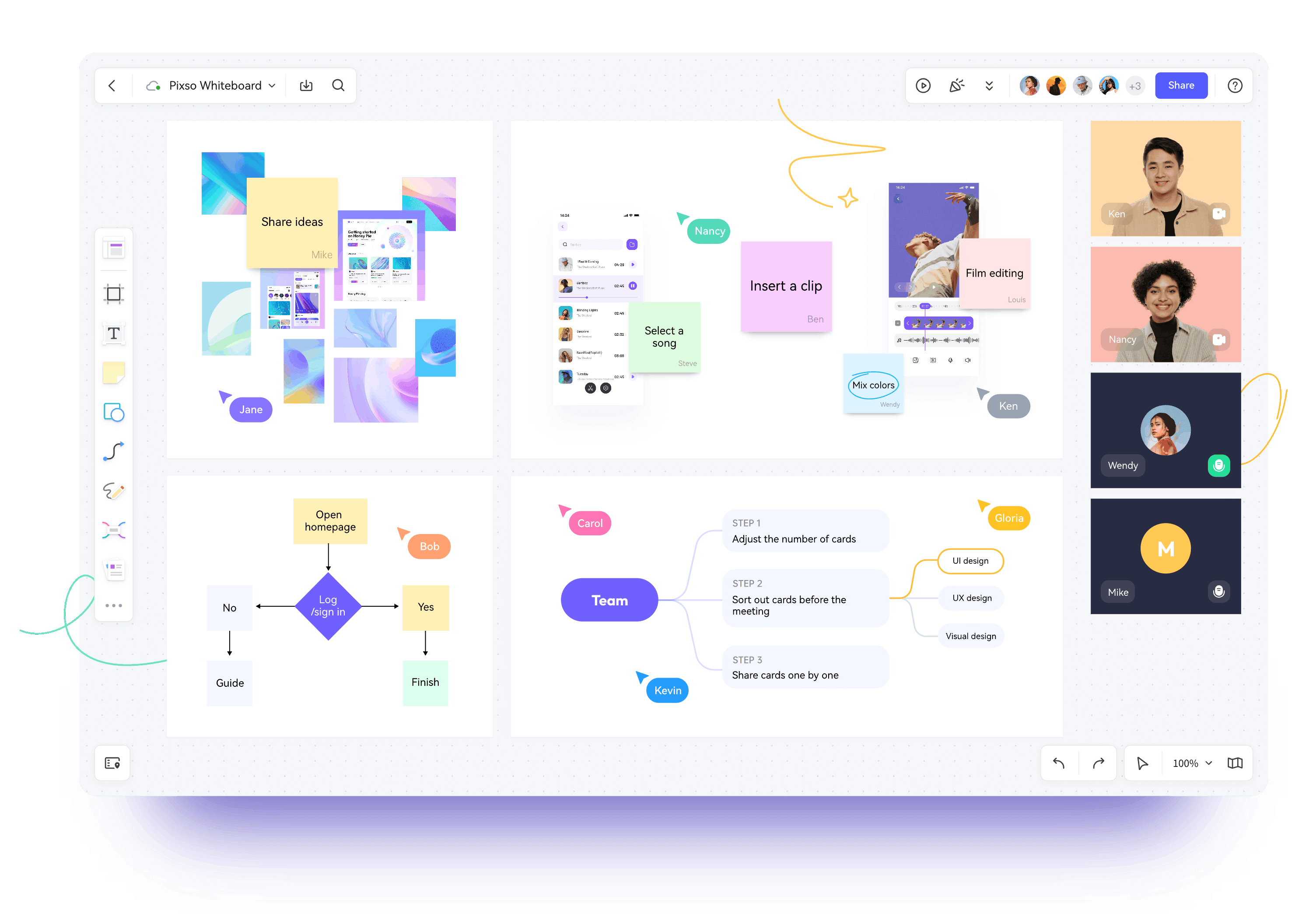
Pixso Whiteboard provides an infinite digital canvas where team members can insert reference images, documents, structured tables, and sticky notes. With flexible spatial organization, fragmented data points quickly transform into cohesive project briefs.
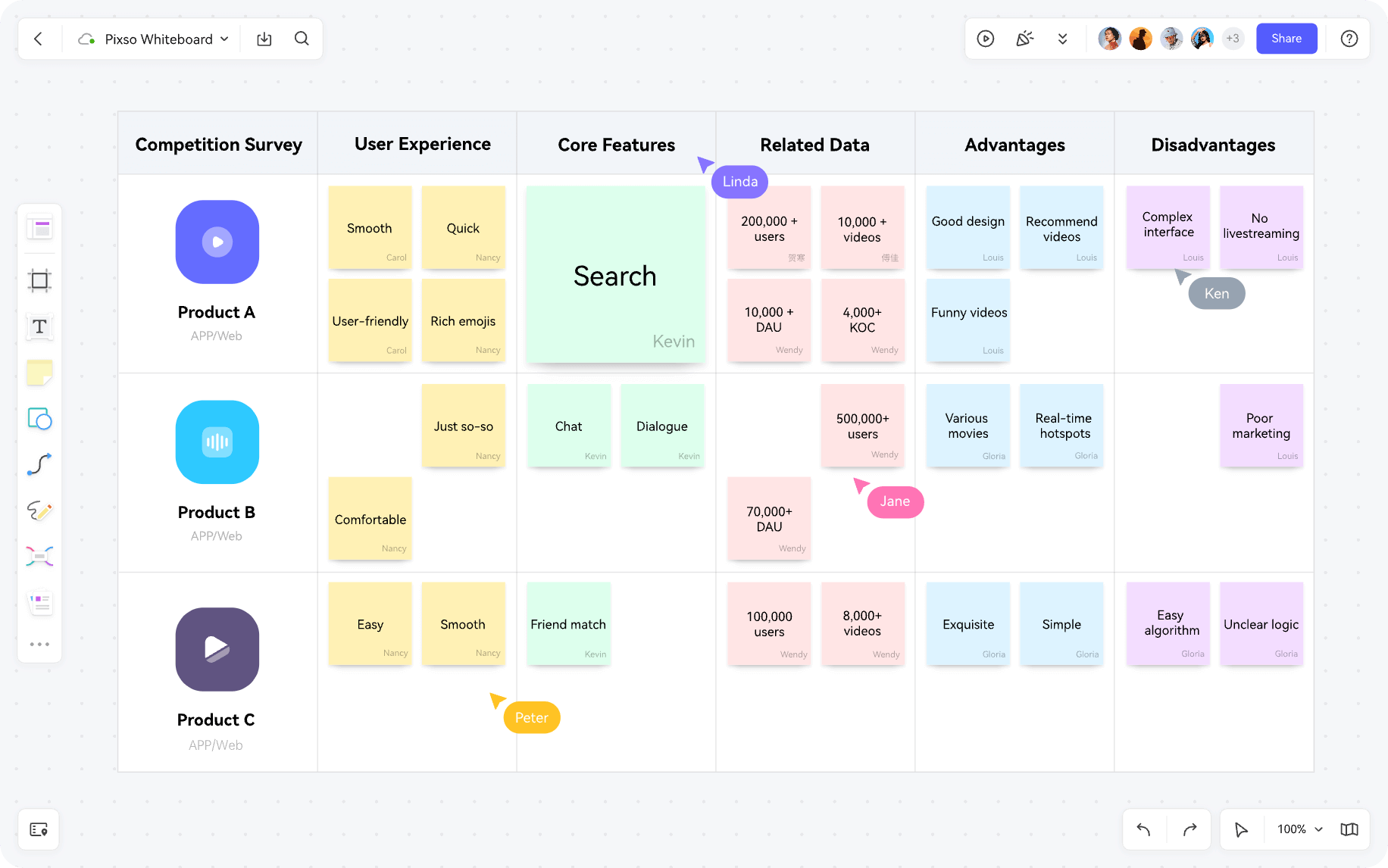
Distributed teams can collaborate live using integrated audio and video conferencing or connect with everyday communication tools like Zoom, Microsoft Teams, Google Meet, and Slack. When project opinions diverge, built-in interactive voting tools allow teams to reach consensus quickly and establish clear product priorities.
2. Strategic Planning: Market Positioning and Product Roadmaps
Once initial brainstorming wraps up, product teams must translate high level concepts into concrete delivery schedules.
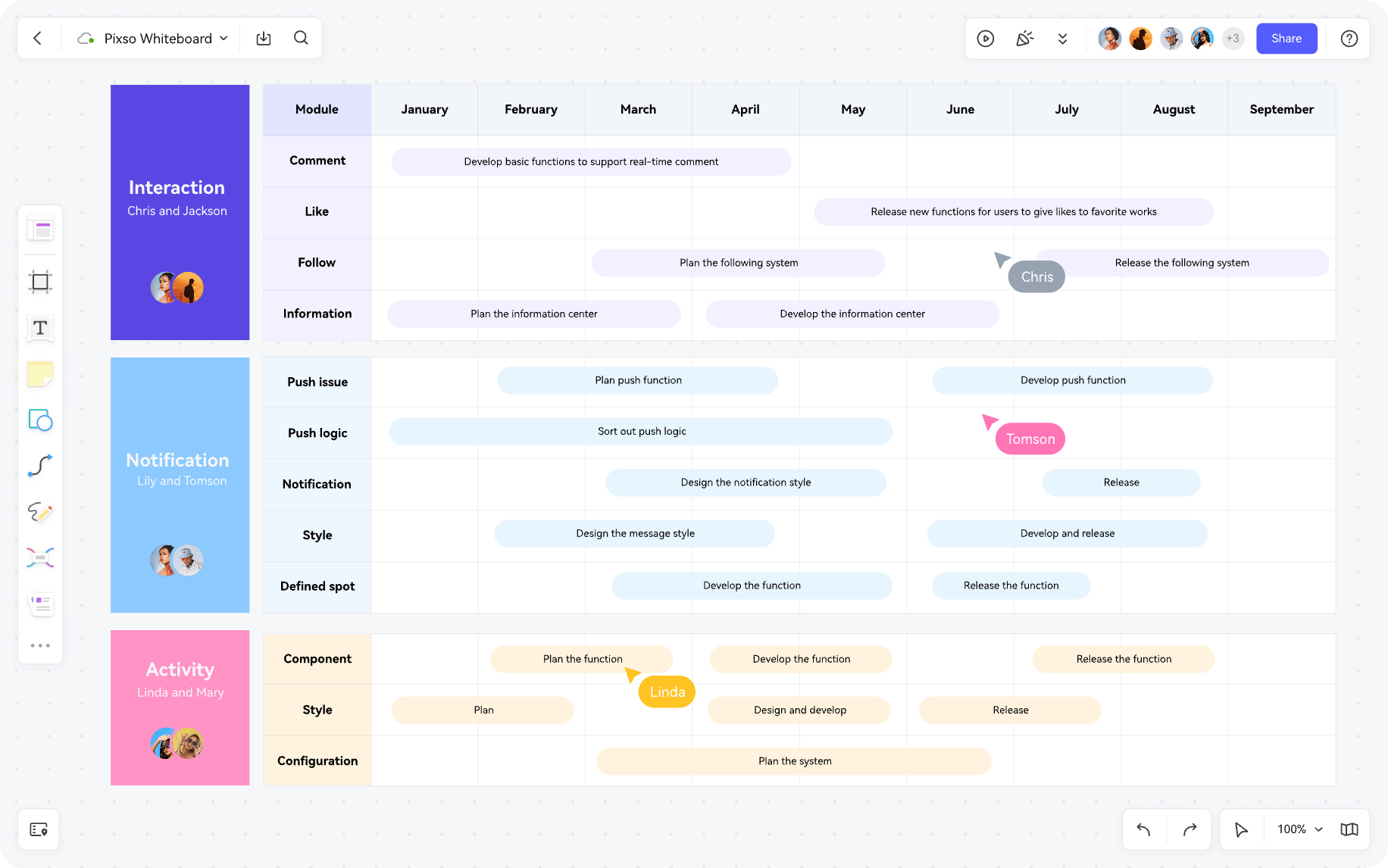
With Pixso Whiteboard, managers can map the entire product lifecycle using standard strategic templates, including Business Model Canvases, Lean Canvas frameworks, and Product Vision Boards. Once market positioning is established, interactive kanban boards allow teams to decompose complex epics into trackable user stories with assignees and milestone target dates.
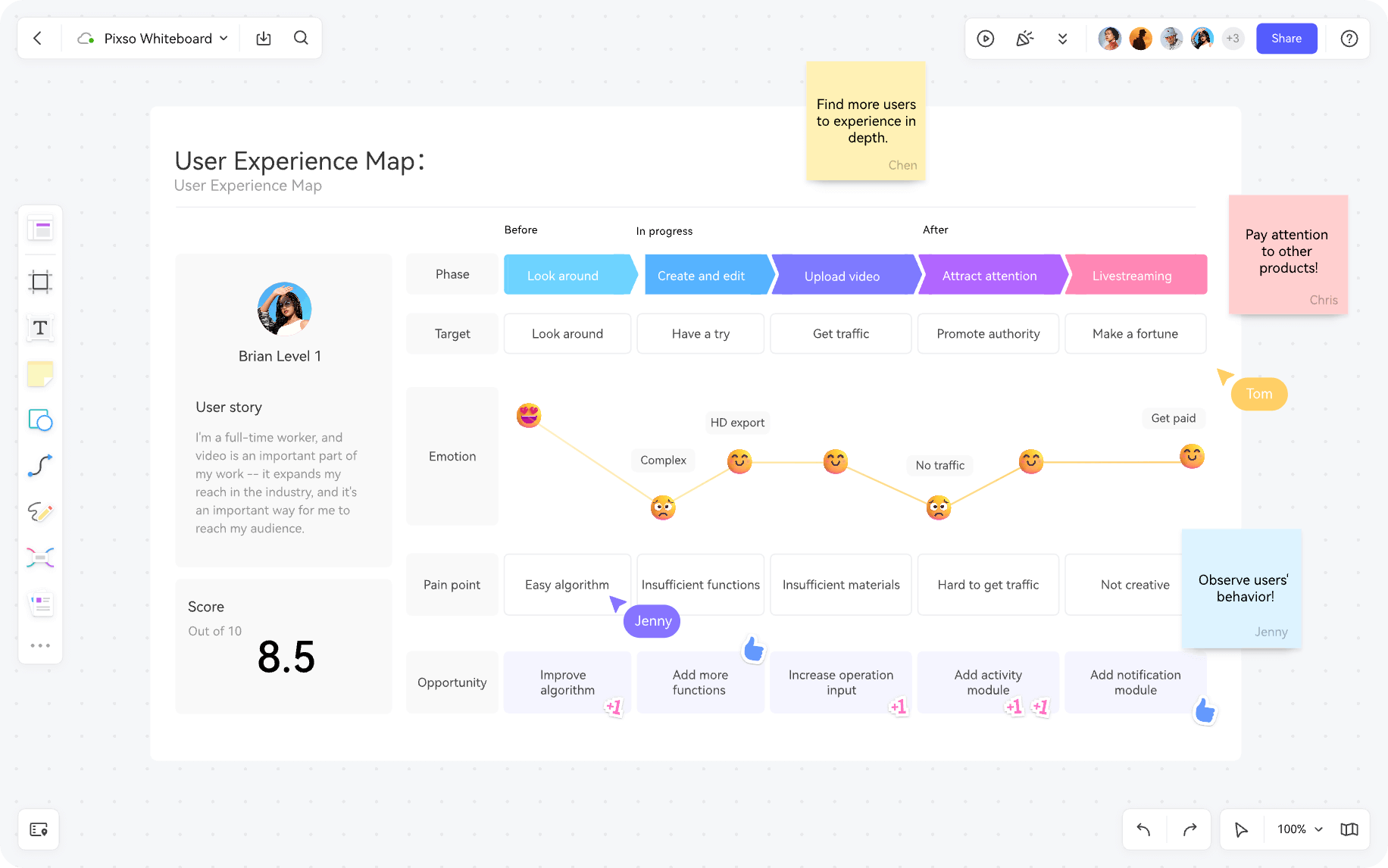
Because all boards are continuously preserved in the cloud, teams can revisit previous design rationales and project iterations anytime without taking manual screenshots.
3. Requirements Analysis: Empathy Mapping and User Personas
Identifying core audience pain points is critical before committing to interface development. Pixso Whiteboard provides an ideal collaborative environment for synthesizing user interviews and building accurate user personas.
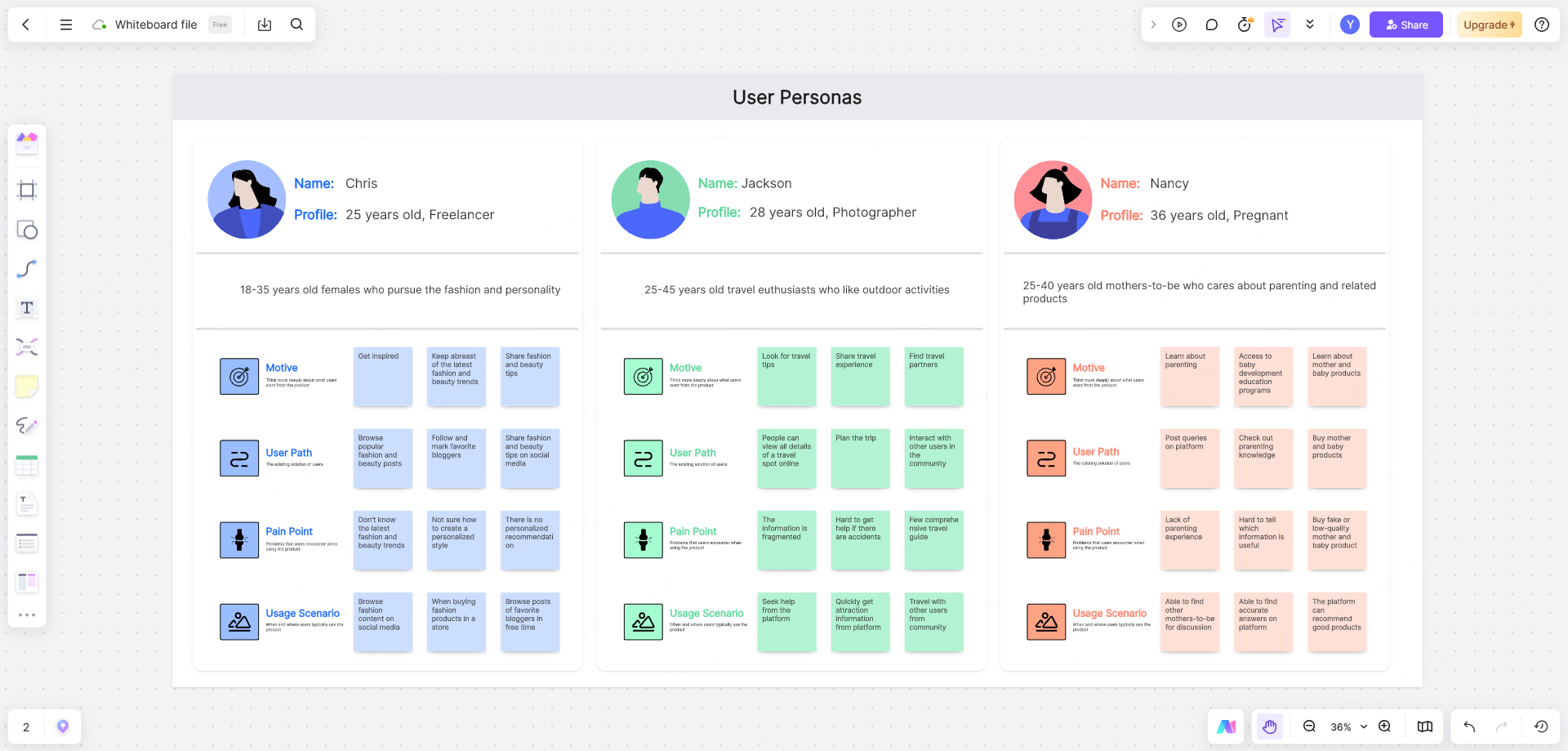
With a single click, researchers can insert pre built analytical templates, including:
- SWOT and SMART analysis frameworks
- Detailed user persona cards
- End to end user journey maps
- Empathy maps and service blueprints
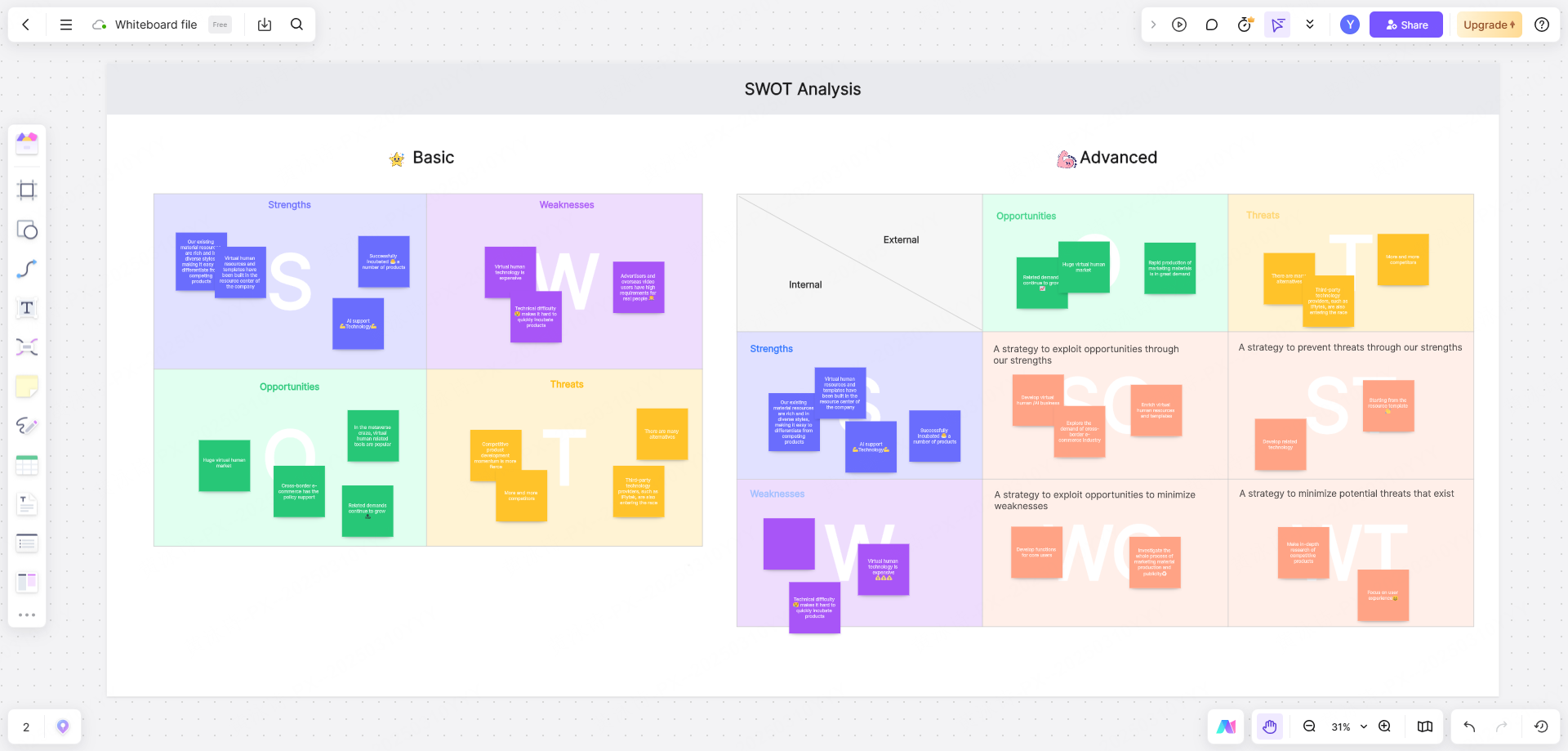
These visual assets help product managers and designers break through project bottlenecks and make evidence backed feature decisions.
4. Product Specification: Structuring Features and System Flows
To ensure reliable delivery, product managers must define functional hierarchies and system logic clearly. Pixso Whiteboard equips product managers with robust diagramming tools to guide the complete development cycle:
- Optimize development logic and eliminate functional gaps early
- Identify edge cases in user interaction flows
- Accelerate time to market by aligning engineering and design
- Improve overall product design quality
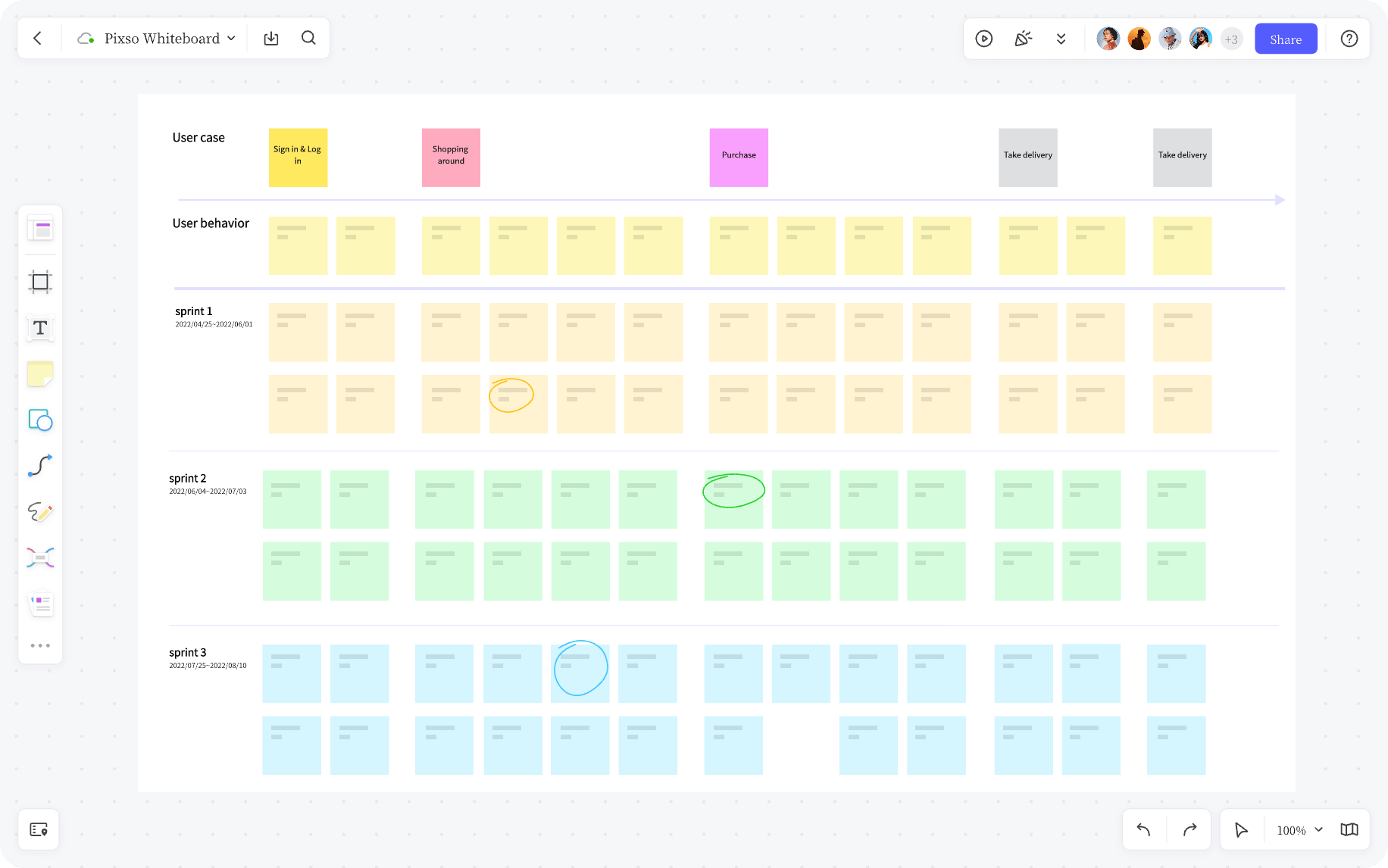
Teams can construct comprehensive feature architecture trees, fishbone diagrams, Venn diagrams, and detailed process flows to keep technical implementation organized and predictable.

5. Design Exploration: Moodboards, Wireframes, and Live Reviews
During creative discovery, Pixso Whiteboard serves as an open visual launchpad where designers can assemble moodboards, drop brand assets, and sketch low fidelity wireframes using intuitive marker tools.
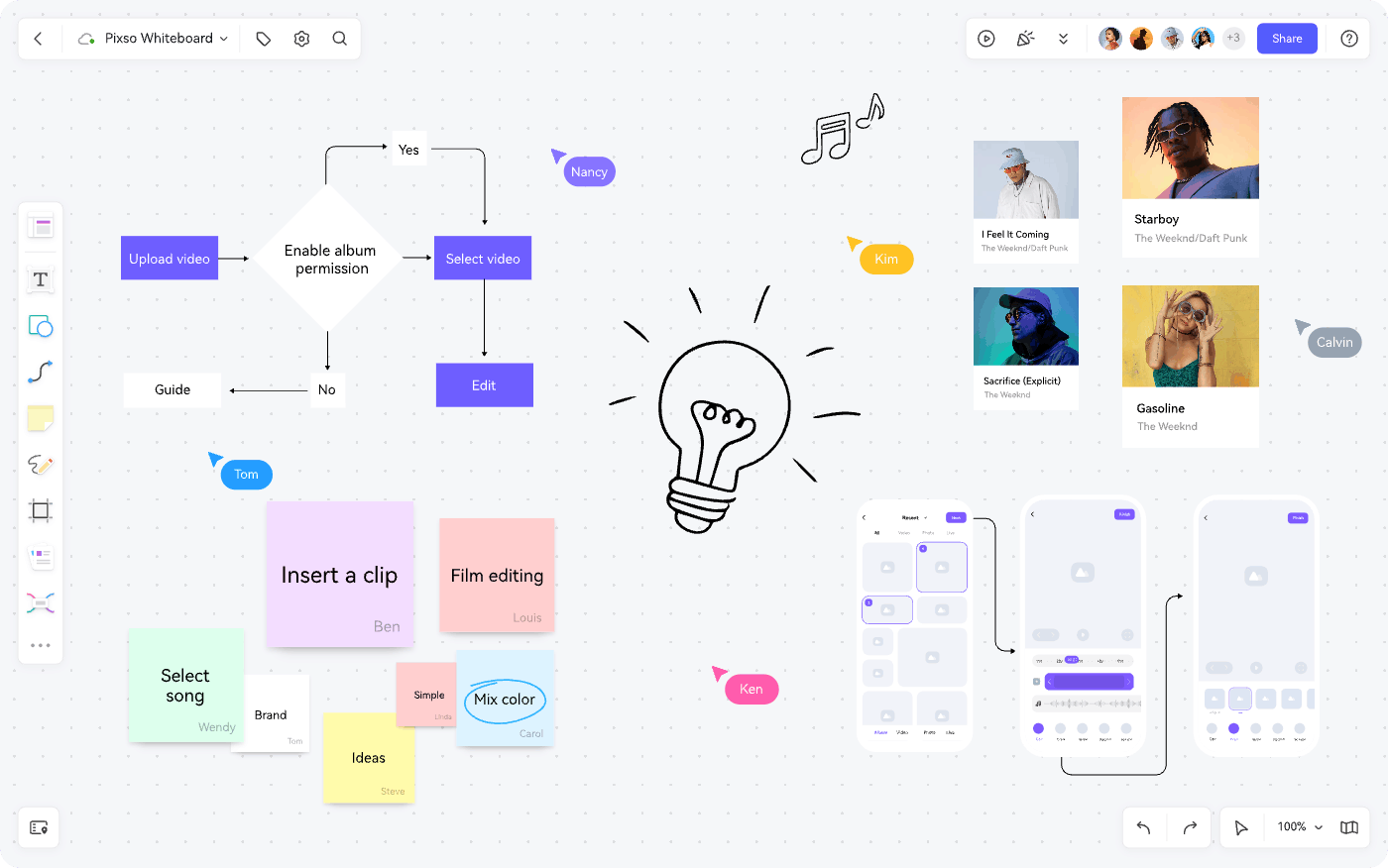
Once wireframes are validated, teams can transition seamlessly into the Pixso UI editor for high fidelity vector design, interactive prototyping, and design system management. For design handoff, design frames can be embedded back onto the whiteboard for live team walkthroughs, visual annotations, and stakeholder approvals.
6. Agile Sprint Management: Synchronized Team Execution
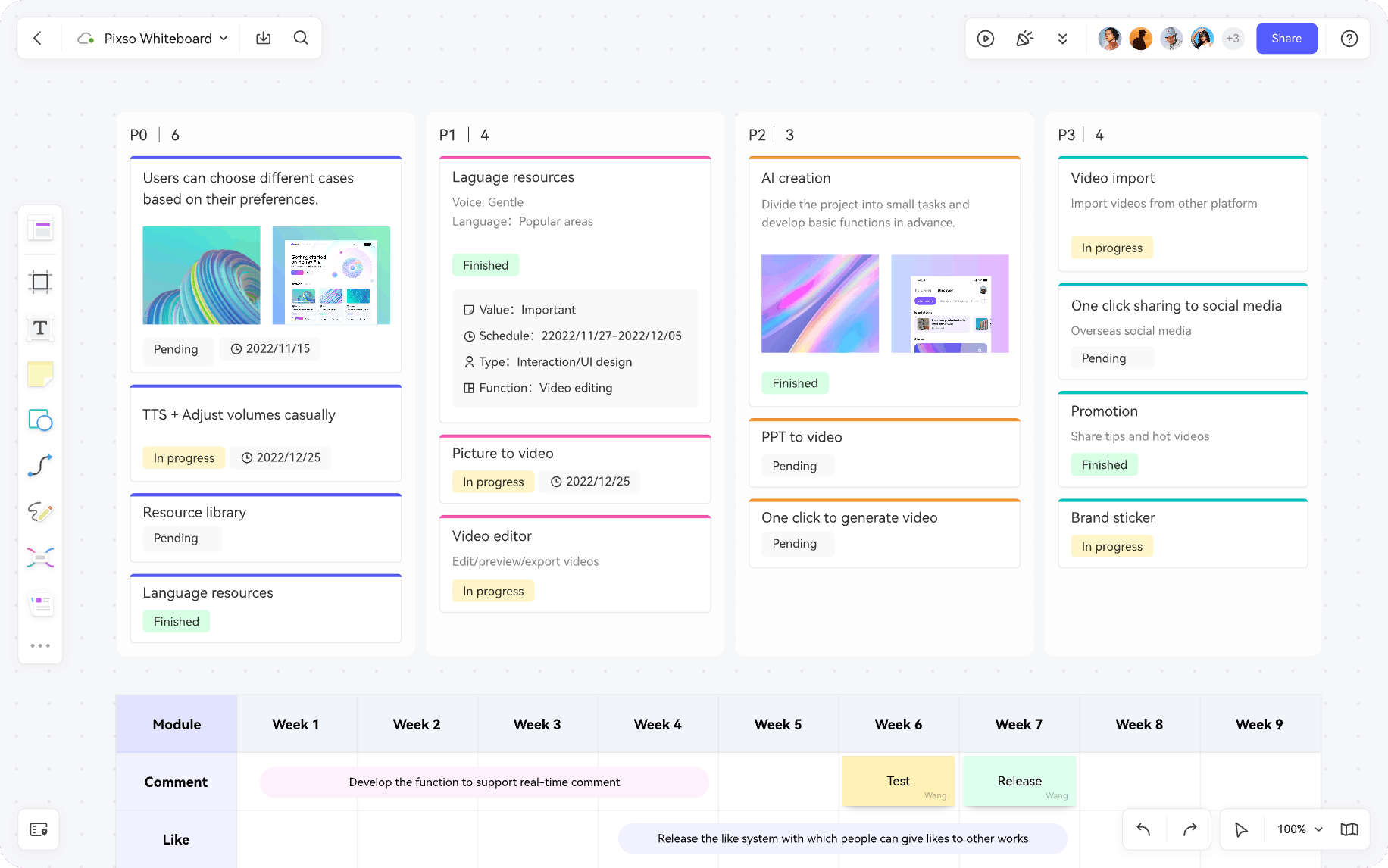
Every product release functions as an agile sprint. Pixso Whiteboard includes flexible task management boards to keep cross-functional teams aligned on release schedules.
Teams can track sprint progress along visual timelines and assign custom metadata to individual task cards, including urgency levels, execution status, designated owners, and completion deadlines. Upstream planners and downstream engineers can review sprint progress on a single shared screen.
FAQ
Q1. How does Pixso Whiteboard reduce friction between brainstorming and UI production?
Unlike standalone whiteboard apps that require exporting static images, Pixso Whiteboard is natively connected to the Pixso design workspace. Teams can ideate, map user flows, and sketch wireframes on the whiteboard, then copy vector components directly into UI canvas files for high-fidelity prototyping without data loss.
Q2. How do modern design collaboration tools improve remote team alignment?
Cloud native platforms provide infinite shared surfaces where cross functional teams can collaborate simultaneously or asynchronously. Features like live cursor tracking, contextual sticky note commenting, and embedded video conferencing replace scattered email threads and static presentations with interactive visual documentation.
Q3. What makes visual whiteboard templates effective for agile product discovery?
Standardized visual frameworks like user journey maps, SWOT grids, and sprint retrospectives give distributed teams structured formats to analyze complex problems. They allow product managers and developers to organize qualitative user feedback into prioritized backlogs within minutes.
Q4. Is an online collaborative whiteboard platform suitable for enterprise design workshops?
Yes, modern platforms support high participant concurrency, interactive voting widgets, private workshop facilitator controls, and robust cloud permissions. These capabilities allow large organizations to conduct remote design thinking bootcamps, stakeholder reviews, and sprint planning sessions securely at scale.
Summary
Pixso Whiteboard delivers a comprehensive ecosystem that unites product managers, UI UX designers, and developers throughout the entire product lifecycle. By replacing isolated utilities with a unified canvas for brainstorming, diagramming, user research, and sprint tracking, it empowers teams to bring innovative digital products to life faster.
Individual creators can explore all premium capabilities for free by visiting the official Pixso platform, creating an account, and launching a new whiteboard file directly from the workspace.