On this page

Scott
Design teams rarely struggle because they lack talent. They struggle because a small visual decision made in one file becomes a dozen inconsistent decisions across a product. A slightly different blue, a button that ignores the shared spacing rule, and a component that has no owner can quietly multiply the cost of every release. This is the problem design token governance solves: it turns visual decisions into explicit, reusable rules that designers and engineers can trust.
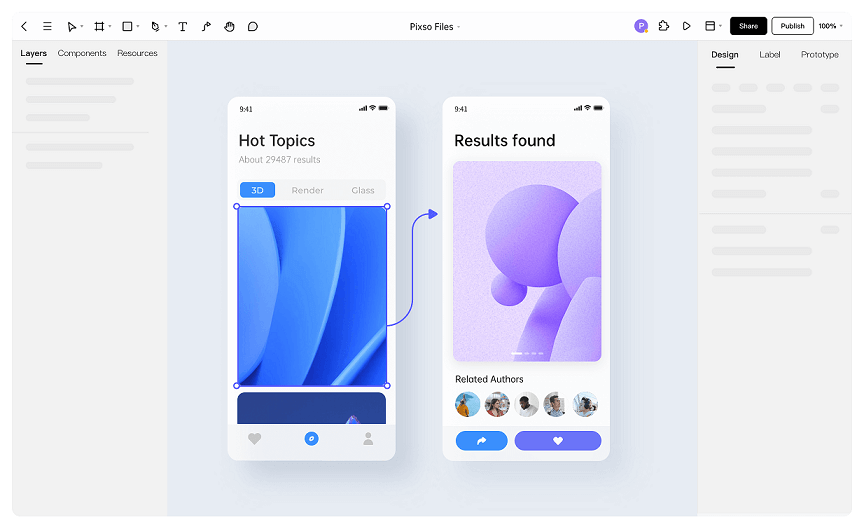
Pixso is useful when a team needs those rules to live close to the work. It combines UI design, design systems, collaborative review, and design-to-code delivery in one workspace, so governance is connected to real screens rather than hidden in a document. This guide explains how to build a practical design token governance workflow, where Pixso can help, and how to keep the system helpful instead of bureaucratic. For teams that need to keep these decisions close to the work, the Pixso design system workspace provides a shared place to review the related design context.
Part 1. What design token governance actually means
A design token is a named decision such as color.brand.primary, space.3, or radius.card. The name matters because it separates intent from a raw value. If a team changes the primary brand color, the token can be updated once and every dependent component can be reviewed systematically. Governance is the set of agreements that makes those tokens reliable: naming, ownership, status, usage, change control, and communication.
Good design token governance is not a gate that slows designers down. It is a shared language. Designers can explore quickly inside approved boundaries, while engineers know which values are stable enough to implement. The governance model should answer five questions:
- What does this token represent, and where is it allowed?
- Who owns the decision and who reviews changes?
- Which tokens are experimental, approved, deprecated, or retired?
- How are tokens mapped to components and code?
- How does the team learn about a change before it reaches production?
When these answers are missing, teams often create “almost the same” variables. The result is a design system that looks organized in a library but behaves inconsistently in product work.
Part 2. Start with an inventory, not a naming debate
Before writing a naming convention, collect evidence. Export a list of colors, type sizes, spacing values, border radii, shadows, and motion settings from the products your team actually maintains. Group values that are visually or semantically equivalent. A #1769E0 used for a primary action and a #1768DF used for a link may be a deliberate distinction, or it may be drift created by copying an old screen.
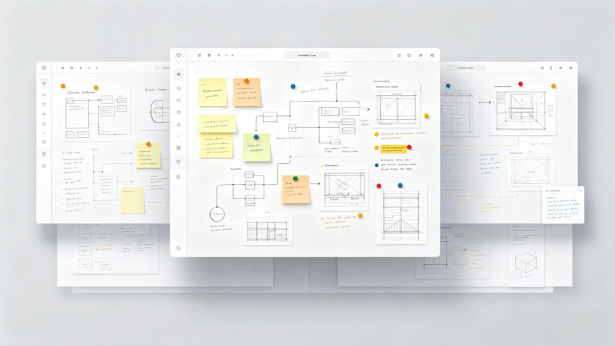
A whiteboard is a practical place to run this inventory workshop because it keeps raw observations, questions, and decisions visible. Pixso Whiteboard includes structured tables for brainstorming, flowcharts, and PRD work. A team can create one table for “observed value,” another for “intended meaning,” and a third for “decision.” That is more useful than asking everyone to discuss screenshots in a chat thread.
Use a simple status column: candidate, mapped, approved, deprecated, or retired. Keep the original evidence beside the decision. This protects the process from becoming an abstract exercise and helps new team members understand why a token exists.
Operational token review: make each change traceable
Governance becomes useful when a designer can answer “what changed, why, and who approved it” without searching through a chat thread. Add a small change record to every shared-token proposal before it reaches the library:
| Record | What to capture | Exit test |
|---|---|---|
| Intent | The product meaning and the components that use the token | A reviewer can name the affected user-facing states |
| Impact | Theme, contrast, responsive behavior, and code mapping | Design and engineering agree on the risk boundary |
| Decision | Owner, reviewer, status, date, and rollback or deprecation path | The next person knows whether to adopt, test, or avoid it |
Keep the record next to the editable component and its examples. In a shared Pixso file, the team can review the token, component states, and implementation notes in one pass instead of approving an abstract value that nobody has seen in context.
Part 3. Choose a token architecture that scales
Most teams need at least two layers. A primitive token stores a raw design value, while a semantic token describes its role. For example, blue.600 can be a primitive token and color.action.primary can be a semantic token that references it. Components should use semantic tokens wherever possible. This allows a dark theme, a high-contrast theme, or a partner brand to change the underlying value without rewriting every component.
| Layer | Example | Primary question | Who reviews it? |
|---|---|---|---|
| Primitive | blue.600 | Is the raw value accessible and intentional? | Design system team |
| Semantic | color.action.primary | Does the role make sense across products? | Design and product |
| Component | button.primary.background | Does the component use the role correctly? | Component owner |
Keep names predictable and searchable. Avoid names such as “nice blue,” “new gray,” or “homepage padding.” They describe a moment, not a reusable decision. A robust convention usually includes a domain, role, and state: color.text.default, color.text.muted, or color.action.primary.hover. The exact syntax can differ; consistency matters more than fashion.
Part 4. Make the design system the source of truth
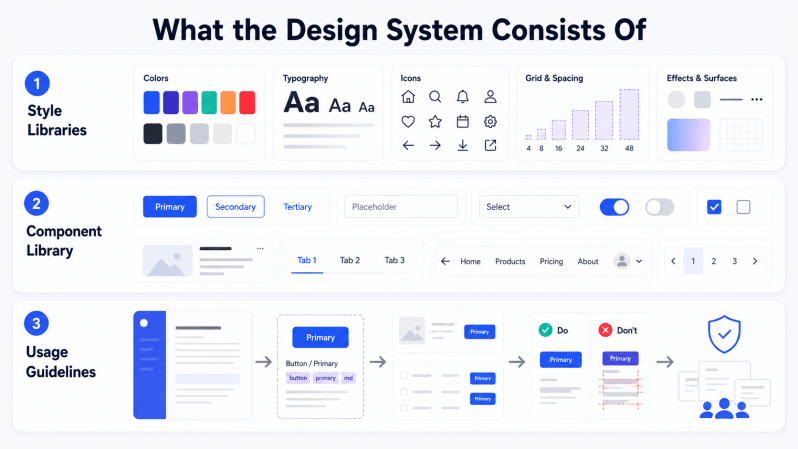
Governance fails when tokens live in a spreadsheet but components live somewhere else. The system needs a place where designers can discover the current rule, see examples, and use it without copying values manually. In Pixso, teams can consolidate components, styles, variables, and assets into a reusable design system. That lets the rule stay attached to the actual component a designer is placing on a canvas.
Start with a small foundation library instead of importing every historical pattern. Publish typography, color roles, spacing, elevation, and the ten or twenty components used most often. Add usage notes directly to the component documentation. A note such as “Use for a primary action with a clear next step; do not use for destructive actions” prevents more inconsistency than a page of generic principles.
Design system governance also needs ownership. Assign a named owner for each domain, a backup reviewer, and a response time for requests. A designer should know where to ask for a new token and how long a decision will take. When the process is visible, teams stop creating unofficial forks.

Part 5. Use Pixso AI where it reduces maintenance work
Pixso AI works best as an assistant inside an established governance model, not as a replacement for judgment. AI intelligent renaming can turn vague layers such as “Rectangle 23” into semantic names that make a component easier to inspect. AI intelligent layout can create a more sensible auto layout structure for selected content, which helps a team bring legacy screens closer to its spacing rules.
For a new product area, use AI intelligent editing or the text-to-design capability to test a direction quickly. A sentence such as “Create a billing settings page using our neutral surface, primary action, and destructive action roles” can produce a visual starting point. The designer still checks the result against the approved variables, components, accessibility requirements, and product context. This division of labor is important: AI accelerates exploration, while governance protects consistency.
AI design specifications can also help turn a theme color and a written description into a first-pass system proposal. Treat the proposal as a candidate set. Review contrast, states, naming, and component usage before publishing it to the team library. The more clearly your existing system is defined, the more controllable the AI output becomes.
Part 6. Define a lightweight change-control loop
Not every token change deserves a committee. Use three levels. A local correction fixes a mistake inside one component and can be approved by its owner. A shared token change affects several components and needs a design-system review. A breaking change affects product behavior, code, or brand expression and needs product and engineering sign-off.
For every request, capture the problem, evidence, proposed name, affected components, migration plan, and rollback option. Add a “before” and “after” frame to the review file. Pixso’s multiplayer editing and comments let designers, product managers, and engineers review the same proposal without exporting a sequence of static screenshots. Comments remain attached to the design context, so the decision is easier to audit later.
Use a status field and a short decision log. If a token is deprecated, document the replacement and a date for removal. Deprecation without a migration path simply creates another layer of uncertainty.
Part 7. Connect tokens to developer handoff
Design token governance becomes valuable when it survives handoff. For each component, show the semantic roles it consumes and the states that need implementation. Include edge cases such as long labels, error messages, disabled controls, and dark mode. A developer should not have to infer whether a gray is a text color, a border color, or a disabled state.
Pixso supports link sharing for preview, editing, comments, and annotations, and it can generate React, Vue, HTML, ArkUI, and Flutter code for developers to refine. Generated code is not a substitute for production architecture, but it gives engineers a concrete starting point and exposes mismatches early. A useful handoff checklist asks: Are component names stable? Are variable names semantic? Are all states represented? Does the generated structure reflect the intended responsive behavior?
Part 8. Measure whether governance is helping
Track outcomes rather than the number of rules. Useful indicators include the percentage of screens using approved semantic tokens, the number of duplicate values removed, the time needed to approve a new component, and the number of visual regressions found after release. Pair these with qualitative signals: can a new designer find the right asset, and can an engineer understand the intent without a meeting?
Review the system every six to eight weeks. Remove unused tokens, merge duplicates, and note where teams created local workarounds. Workarounds are not always failures; they can reveal a missing abstraction or a product-specific need. Governance should learn from those signals instead of punishing them.
Part 9. A practical rollout plan for the next 30 days
- Week 1: inventory values across two representative flows and record the evidence on a Pixso Whiteboard table.
- Week 2: approve a small primitive and semantic token set, then map the ten most-used components.
- Week 3: publish the foundation library, add usage notes, and run one collaborative review with engineering.
- Week 4: migrate a real feature, measure drift, and document the next set of improvements.
Do not wait for a perfect taxonomy. A small, well-owned system that solves a real release problem will earn adoption faster than a complete library nobody trusts.
FAQ
Q1. Should every color become a token?
No. Tokenize values that carry meaning or repeat across a product. A one-off illustration color may stay local, while an action, text, surface, or status color should normally be governed.
Q2. Can AI create a complete design system by itself?
AI can accelerate proposals, naming, layout, and documentation, but teams still need to validate accessibility, semantics, ownership, and implementation constraints. Use Pixso AI to shorten the first draft, then apply human review.
Q3. How do we prevent governance from slowing delivery?
Keep the default path lightweight. Give component owners authority for local changes, reserve cross-team review for shared tokens, and publish decisions where designers already work.
Q4. What is the smallest viable governance workflow?
Start with one shared component family, a short semantic naming rule, one owner, and a visible change record. Expand the review surface only when a change crosses product areas or affects code mapping. A small loop that is used consistently is more reliable than a large policy that designers bypass.
Conclusion
Design token governance works when it connects intent, components, and code. Start with evidence, keep the architecture semantic, and make ownership visible. Pixso brings whiteboard planning, reusable design-system assets, collaborative review, AI assistance, and design-to-code handoff into one workflow, giving teams a practical place to maintain the rules that keep products coherent as they grow.Use this reference when comparing AI-assisted design exploration with your governed component library.