Scott

What counts as a useful UX trend?
UX trends are not a collection of visual effects. They are recurring responses to product problems: people need to understand a task, recover from an interruption, and know what a system will do next. A pattern becomes useful when a team can state the problem, choose a small experiment and observe what happens. A rounded card, an animated transition or an AI label is not evidence of a better experience by itself.
This guide turns eight patterns into design questions. A pattern that helps a first-time user may slow down an expert; a motion effect that explains a relationship may distract someone who has enabled reduced motion. Read each section as a hypothesis to test against your product, audience, platform and content.
A simple method for testing a trend
Before adding a pattern, write four sentences:
- User and task: who is trying to do what?
- Current obstacle: where do they hesitate, fail or lose confidence?
- Pattern and alternative: what will change, and what is the simplest alternative?
- Evidence: what observation would make the team keep, change or remove it?
Match the review to the decision. To compare two labels, ask people what they expect each action to do before they select it. To investigate recovery, interrupt a prototype at the point where work could be lost. To investigate speed, use the implemented page on the target network. These answer different questions; a few prototype sessions can reveal confusion, but they cannot establish a conversion uplift.
| Pattern | Question to test | Evidence to record |
|---|---|---|
| Clear UX writing | Can a new user predict the result of the action? | Label comprehension and wrong-action rate |
| Resilient states | Can a user recover without losing work? | Recovery completion and repeated attempts |
| Guided onboarding | Does the guidance help the first task? | Time to first useful action and skip behavior |
| Explained data | Can a reader state the unit and comparison? | Interpretation accuracy |
| Personalization | Can people understand and change the preference? | Preference edits and undo success |
| AI assistance | Can a reviewer see, edit and reverse the output? | Review accuracy and reversal success |
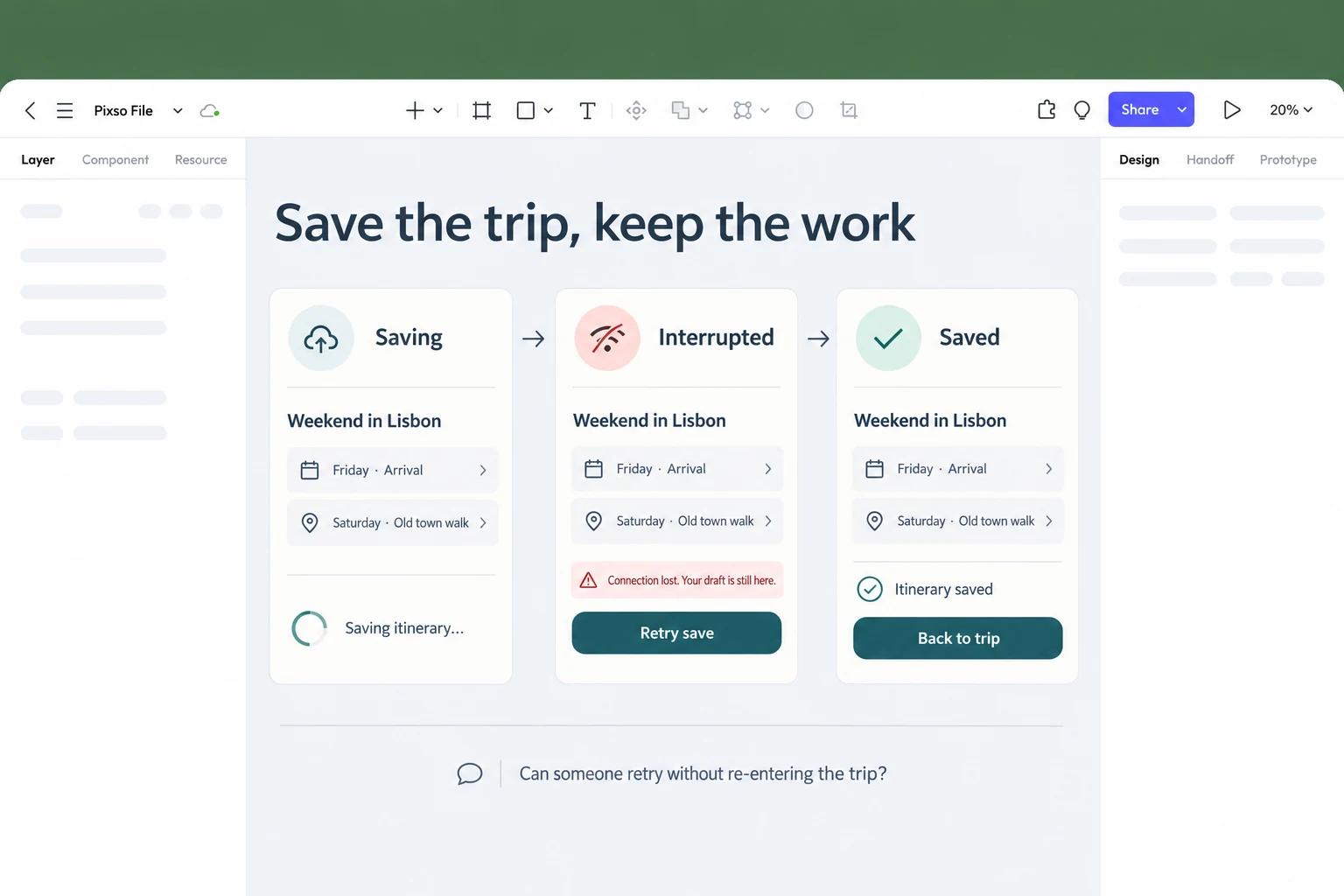
For a concrete Pixso exercise, create a travel itinerary called “Weekend in Lisbon” with a Friday arrival and a Saturday walk. Duplicate it into three states: saving, interrupted and saved. In the interrupted state, keep both itinerary items visible, explain that the draft remains, and offer “Retry save.” Connect that action to the saved state, where “Back to trip” returns to the itinerary. Compare this with a version that shows only “Something went wrong.” Ask a teammate to recover the trip without explaining the screen. Their response will show whether the missing piece is the status, the saved content or the next action.
1. Clear UX writing and action language
Short copy is not automatically clear copy. A useful label tells the person what the control does and, where relevant, what will happen next. “Check availability” can be more informative than “Book” when the next step is choosing a date. “Save address” is more precise than “Continue” when the form is complete and the address will be stored.
Start with the user’s situation, the next action and the consequence. Keep error messages near the field or object that needs attention, and offer a recovery action that matches the cause. Avoid internal names, unexplained abbreviations and optimistic text that hides uncertainty. Test labels with someone who has not attended the product meeting; if they must ask what a word means, the interface has supplied useful evidence.
Writing also needs a content system. Decide how to name the same object, whether sentence case is used, how numbers and dates are formatted and how a translated string can expand. A style guide should support the product’s language rather than turn every screen into a marketing headline.
2. Resilient loading, empty and error states
People experience the states that a demo skips. A loading state should explain whether the system is fetching, saving or processing. An empty state should tell the person why there is no content and what action is available. An error state should identify what failed, preserve data when possible and give a route back to the task.
Use motion only when it communicates a relationship or progress. A decorative animation cannot compensate for an unknown wait, and an effect that loops indefinitely may exclude people who have enabled reduced motion. Provide a static equivalent and make important status changes available to assistive technology. Test slow networks, an expired session, a partial response and a user who leaves and returns.
3. Onboarding that earns its place
The first-run experience should help a person complete a first useful task, not force them through a tour of every feature. Ask for the minimum information needed to start, explain optional choices later and let users skip or revisit education. Place an explanation next to the control it describes rather than hiding it in a sequence of slides.
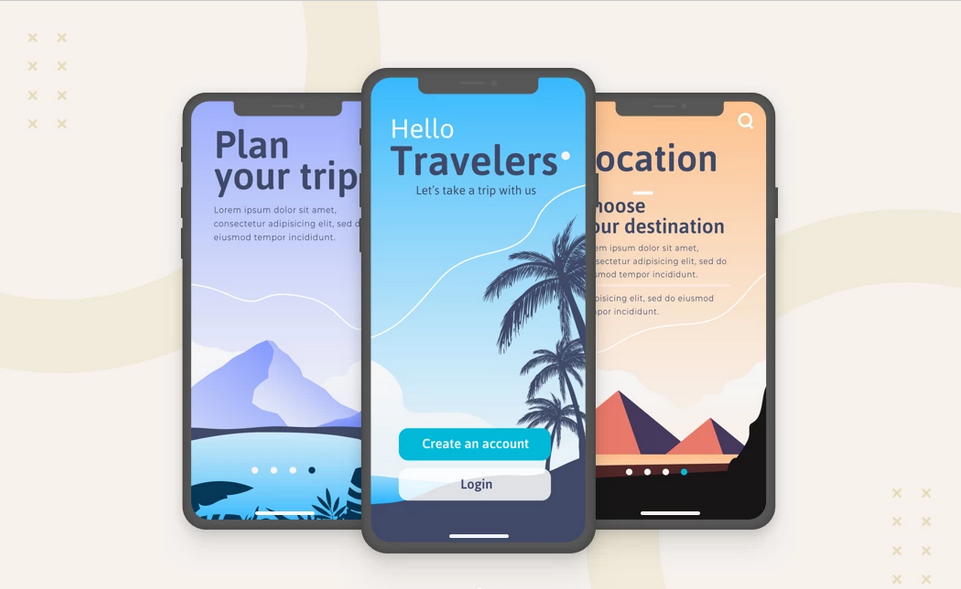
An onboarding review can use one realistic task. Give a new user a blank workspace and observe whether they understand the first action, why it matters and how to undo it. Record where they look, what they ignore and whether they can return after a pause. This is more actionable than a generic statement that onboarding “improves retention.”
4. Data explained at the moment of decision
Data visualization is useful when it helps a person choose, compare or investigate. State the unit, time period, comparison and source close to the chart. Do not rely on color alone to encode a category. Give important values a text or table equivalent so a keyboard or screen-reader user can access the same conclusion.
For a dashboard, review the initial, loading, no-data and filtered states. Ask a reviewer to explain one value without a verbal tour. If they cannot tell whether a number is a count, percentage or currency, the chart needs context. A visually attractive chart may still be unusable when labels wrap or a user increases text size.
5. Passwordless sign-in and recovery-aware flows
Sign-in is more than the first screen. Include device change, lost access, session expiry, account lockout and recovery. A passwordless method may remove one kind of friction while introducing a dependency on a device, provider or recovery channel. Describe the threat model and dependency instead of calling a method universally safer.
These methods are not interchangeable. A passkey uses public-key credentials through mechanisms such as WebAuthn; an email link depends on access to an inbox; a social sign-in depends on another account provider. Name the offered method clearly instead of grouping every option under “passwordless.” After authentication, return the person to the trip, document or purchase they were trying to reach. Include a route for someone who cannot use their usual method, and review that route with the security team.
6. Personalization with control
Personalization can reduce effort when people understand why content is prioritized and can change important preferences. Show a short explanation at the decision point, provide settings that are easy to find and offer a neutral state when the system has insufficient evidence. Never make a recommendation difficult to undo just because the system inferred it.
Test both a confident and an incorrect recommendation. Can a person distinguish a saved preference from a temporary suggestion? Can they reset it without contacting support? A good design preserves agency and makes uncertainty visible rather than presenting an inference as a fact.
7. Accessible motion and responsive interaction
Review motion, focus order, keyboard access, text enlargement and touch alternatives together. A prototype can show the intended relationship between screens, but the implemented product must be checked with a keyboard, screen reader, narrow viewport and reduced-motion setting. Do not use hover as the only way to reveal information or a gesture as the only way to complete a task.
Responsive behavior is also a content decision. Decide what reorders, collapses or remains persistent when the viewport changes. Test long labels, translated strings and zoom before treating a layout as complete. The WCAG 2.2 requirements are a baseline for review, not a substitute for user research.
8. AI-assisted interfaces with visible boundaries
An AI feature should make its boundary legible. Show what the system generated, what it is about to change, which data it will use and how a person can edit, undo or review the result. A confidence signal can help prioritize attention; it is not proof that an output is correct.
Use a small, reversible task for the first prototype. Include an empty result, a partial result, a refusal, a timeout and a user correction. Record the prompt or input, the output version and the person’s final decision when the product needs an audit trail. Avoid copy that implies the model has understood a person’s intent when the system has only produced a guess.
Combine patterns around one useful action
In the travel example, clear writing and resilient states reinforce each other. “Retry save” names an action; the preserved itinerary explains what that action affects; “Itinerary saved” confirms its result. A subtle status change can connect those moments, but it should still be understandable with motion reduced. Adding a playful loading animation would not solve missing content or an unclear retry path.
The same reasoning applies to onboarding. If a traveler only wants to draft a weekend plan, ask which details are needed to start. Destination and dates may belong in the first task; favorite cuisines can wait until the product offers recommendations. A useful recommendation then explains its basis and lets the traveler change it. Three patterns serve one task instead of competing for attention.
Choose the next change by the friction it removes
If people cannot predict an action, improve its label. If they lose work after an interruption, improve recovery. If they understand the task but cannot start, simplify onboarding. If they cannot interpret a result, add the unit, time period or source before redesigning the chart. This order keeps visual novelty from displacing a more urgent usability problem.
Keep a pattern when it helps people complete the task and remains understandable in its less convenient states. Set it aside when the simpler version works as well or when the implementation cost would delay a more valuable fix.
Further reading and sources
- W3C WCAG 2.2 and animation from interactions
- Apple Human Interface Guidelines
- Material 3
- Continue with Pixso’s UI design process, UI design principles and GenUI overview.
FAQ: how to use a trend without copying it
Should every product adopt these patterns?
No. Use a pattern only when it answers a problem in the product. A privacy explanation may be essential in a data-sensitive flow and unnecessary in a local calculator. Record why the pattern is present and when it should be reviewed.
Can a prototype prove a trend works?
A prototype can reveal comprehension, sequence and recovery for the selected task. It cannot prove production performance, accessibility API behavior or long-term retention. Pair prototype evidence with an implementation check and, when appropriate, a measured experiment.
When should a team revisit a UX pattern?
Revisit the selected pattern when the platform, audience or task changes. Compare it with the original problem and retire it if it adds friction without helping users.