Scott
Selecting the right AI model for UI generation depends on what your product team needs to validate next. Early discovery rewards cost-effective structural variation, while downstream delivery requires visual coherence, responsive stability, and detailed state coverage.
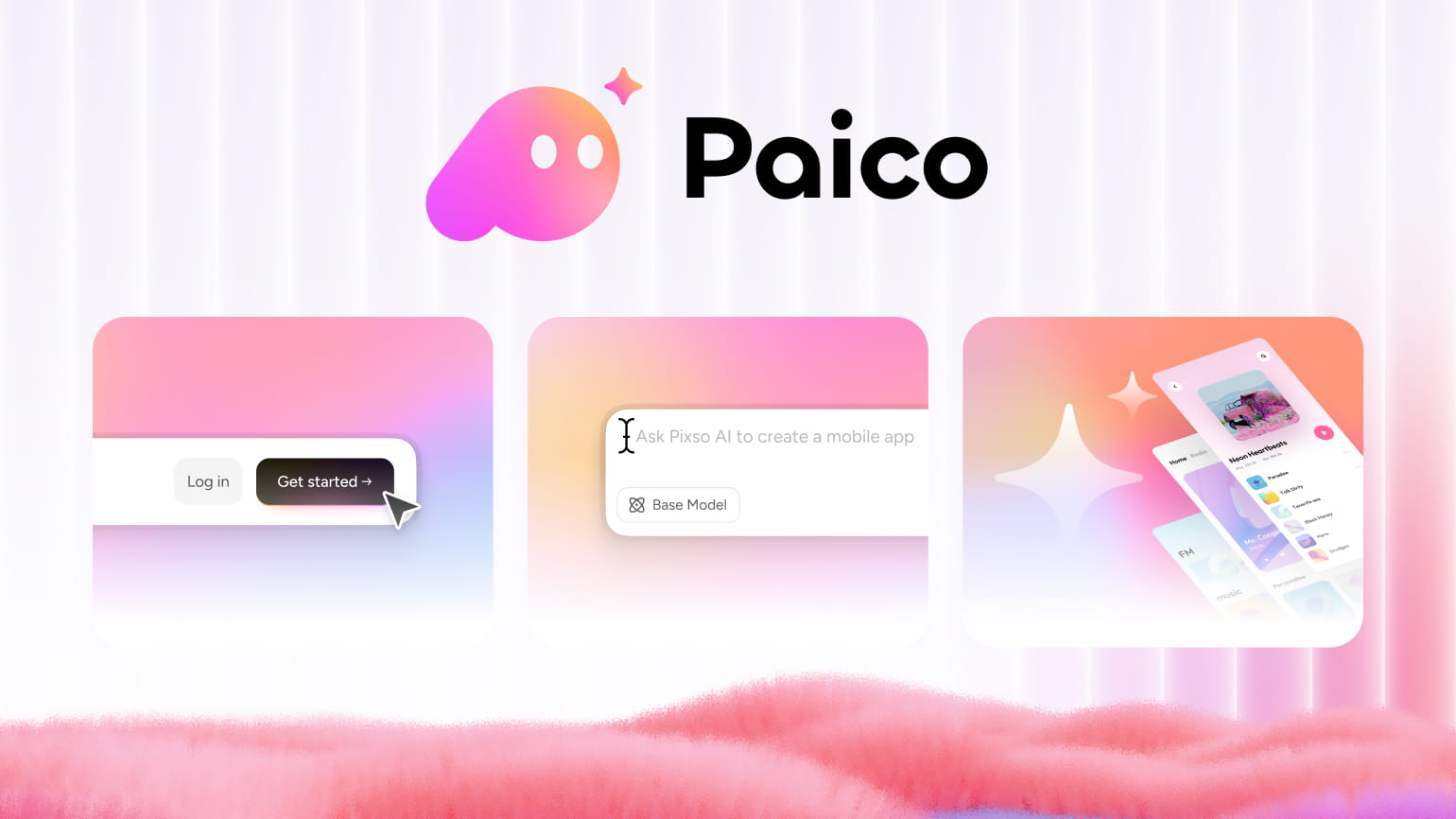
Within Paico AI, designers can choose between Alibaba Cloud's Qwen3.7-Plus and Anthropic's Claude Sonnet 4.6 PRO directly from the in-app Model type selector. Because these two models are positioned for different types of work, understanding their operational tradeoffs helps teams balance generative exploration against their workspace credit budget.
Part 1: Qwen3.7-Plus vs. Claude Sonnet 4.6: The Short Answer
Paico's in-editor labels provide a clear functional breakdown:
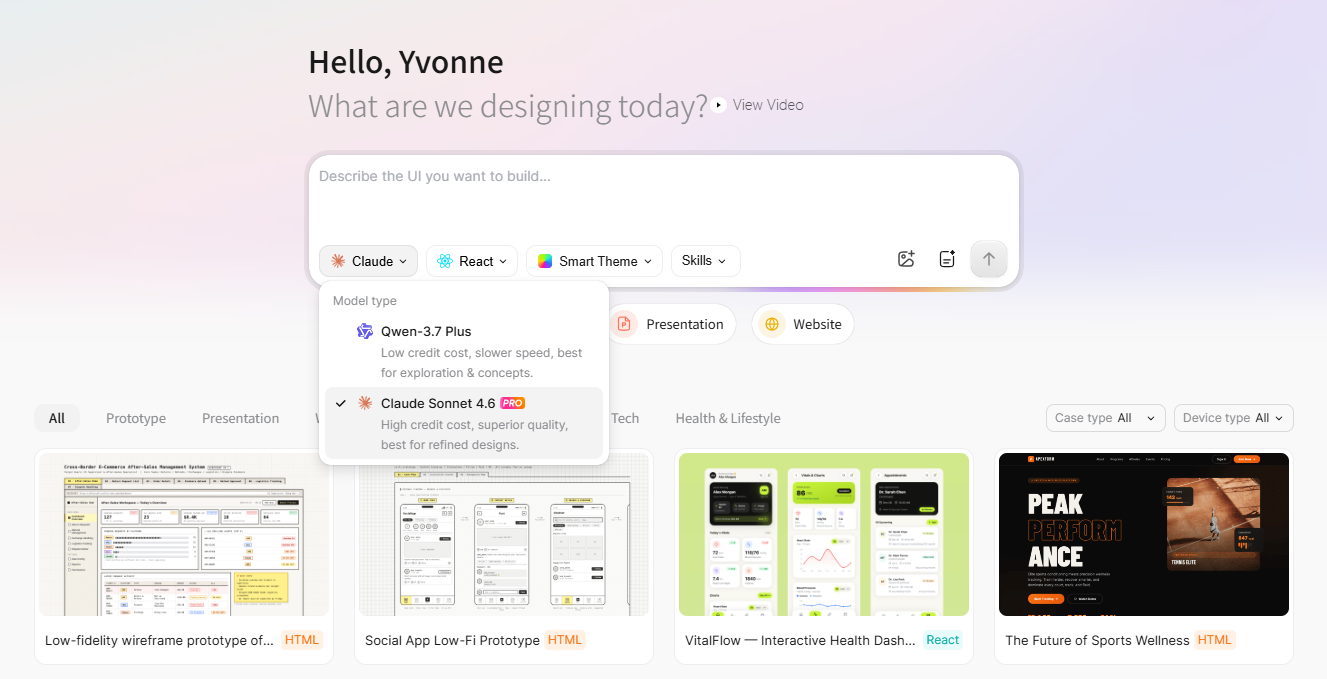
- Choose Qwen3.7-Plus for Breadth and Early Concepts: In Paico's selector, it is labeled as offering "low credit cost, slower speed, best for exploration & concepts". It is well-suited for requirement discovery, low-fidelity wireframes, alternative page structures, and early stakeholder brainstorming where testing multiple hypotheses matters more than pixel perfection.
- Choose Claude Sonnet 4.6 for Depth and Detailed Refinement: In the selector, it is marked with a PRO badge and labeled as offering "high credit cost, superior quality, best for refined designs". It is positioned for dense dashboards, multi-module applications, role-based workflows, and interfaces that require comprehensive state handling.
These descriptions reflect Paico's internal product positioning rather than external benchmark rankings. Treat "cost" strictly as displayed Paico credits, and always evaluate output on the canvas before committing engineering resources.
Part 2: Comparing the Tradeoffs That Affect UI Work
A lower-credit model does not automatically guarantee a cheaper project if it requires excessive manual rework. Conversely, burning premium credits on early exploratory drafts can exhaust team budgets prematurely.
Symmetrical Model Comparison Table
| Evaluation Dimension | Qwen3.7-Plus | Claude Sonnet 4.6 |
| In-App Designation | Low credit cost, best for exploration & concepts | High credit cost, best for refined designs (PRO badge) |
| Credit Profile | Lower credit consumption per generation | Higher credit consumption per generation |
| Response Speed Profile | Slower generation speed (per in-app label) | Standard/faster generation speed (per in-app label) |
| Ideal Project Stage | Early discovery and divergent layout exploration | Convergence, detailed definition, and design review prep |
| Prompt Focus | Testing one controlled structural variable at a time | Comprehensive specifications with detailed rules and states |
| Primary Workflow Risk | Generating multiple drafts without actionable learning | Accepting a polished surface layout before validating business logic |
The practical decision comes down to the effort required to reach a testable design direction. Teams should track credit burn, generation latency, necessary corrections, and unresolved requirements across tasks.
Part 3: Task-Based Selection Framework
Teams do not need to commit to one model for every stage of a project. Route specific tasks using the starting heuristics below, and validate the results within your own domain:
Task Routing Heuristics Matrix
| UI Design Task | Suggested Model | Rationale / Working Hypothesis | Essential Human Verification |
| Explore 3 Landing Page Layouts | Qwen3.7-Plus | Lower credit usage facilitates broad visual comparison | Message hierarchy, value proposition clarity, and brand fit |
| Draft a Low-Fidelity Mobile Flow | Qwen3.7-Plus | Structural breadth matters before fine-tuning components | Step sequencing, tap targets, and missing edge states |
| Compare Sidebar vs. Top Navigation | Qwen3.7-Plus | Evaluates a single architectural variable economically | Menu scalability, category discoverability, and responsive collapse |
| Refine an Enterprise Analytics Console | Claude Sonnet 4.6 | KPI cards, alert banners, and filterable tables interact | Metric definitions, chart suitability, and data priority |
| Define Role-Based Permissions Settings | Claude Sonnet 4.6 | Conditional states and visibility rules need structural coherence | Security compliance, forbidden states, and confirmation modals |
| Prepare a Selected Concept for Review | Claude Sonnet 4.6 | More detailed layout structures may reduce refinement loops | Accessibility contrast, keyboard focus, and engineering feasibility |
Four Diagnostic Questions Before Selecting:
- Is the team exploring multiple alternative directions or converging on a chosen concept?
- Does the interface contain interdependent business rules, permissions, or conditional states?
- Is high visual refinement required for the immediate next review milestone?
- Would a structurally incomplete draft lead to costly engineering confusion?
For exploratory, reversible tasks, begin with Qwen3.7-Plus. When omissions risk obscuring architectural flaws, move to Claude Sonnet 4.6.
Part 4: Step-by-Step: Selecting a Model in Paico AI
Both models share the same operational path inside the Paico workspace:
- Access the Workspace: Sign in to Paico and open your project dashboard.
- Open the Prompt Frame: Click into the input field labeled "Describe the UI you want to build...".
- Open the Model Menu: Click the model dropdown button (displaying the currently active model, such as Claude v or Qwen v) to open the Model type popover.
- Choose Your Model: Select Qwen-3.7 Plus for lower-credit exploration, or Claude Sonnet 4.6 PRO for detailed generation.
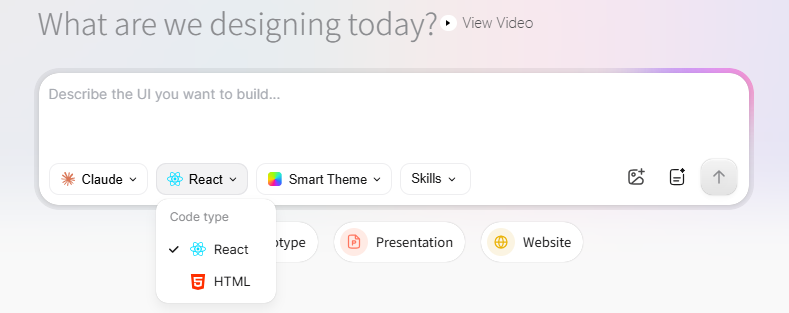
- Set the Code Framework: Choose React for interactive, component-oriented applications, or HTML for static page previews.
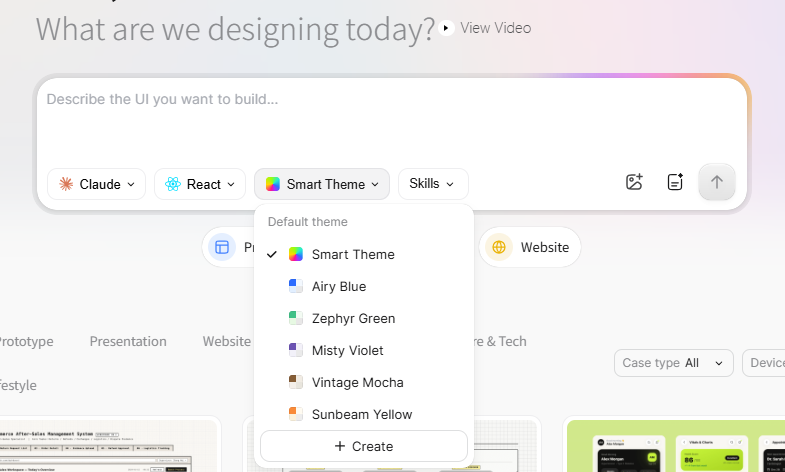
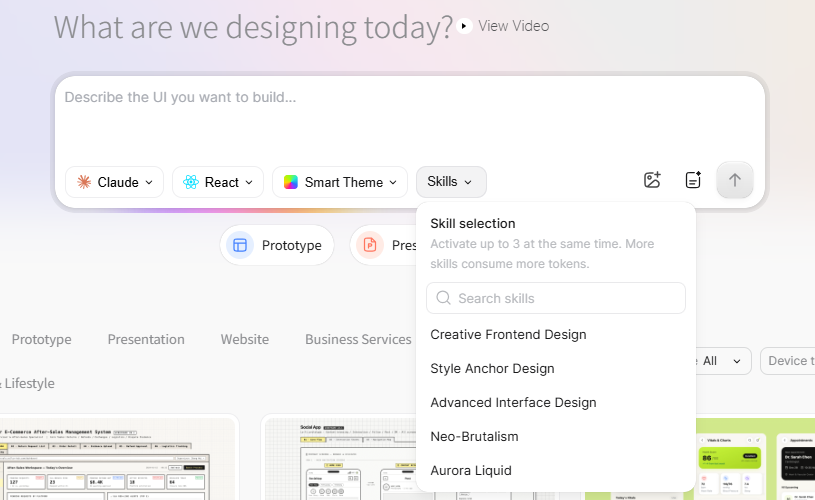
- Configure Theme & Skills: Select Smart Theme to guide color palettes, and open Skills if your interface requires domain-specific patterns.
- Attach Optional Context: Use the adjacent icons to attach an authorized reference image or open the Requirements Plan editor.
- Generate & Preview: Submit the prompt, review the output in the preview canvas, and iterate using conversational follow-up prompts.
Part 5: Prompting Qwen and Claude Differently
Effective AI design tools require clear intent, context, constraints, and output expectations. Adapt your prompt detail to the chosen model:
Prompting Qwen3.7-Plus: Controlled Structural Variation
Establish a stable baseline brief and change only one experimental variable:
"Generate a responsive pricing page for a B2B project collaboration tool. Include three plan tiers, monthly and annual billing toggles, a feature comparison table, customer proof logos, and a primary trial CTA. Use React, high visual contrast, and realistic placeholder copy. This version should test a compact, comparison-first layout."
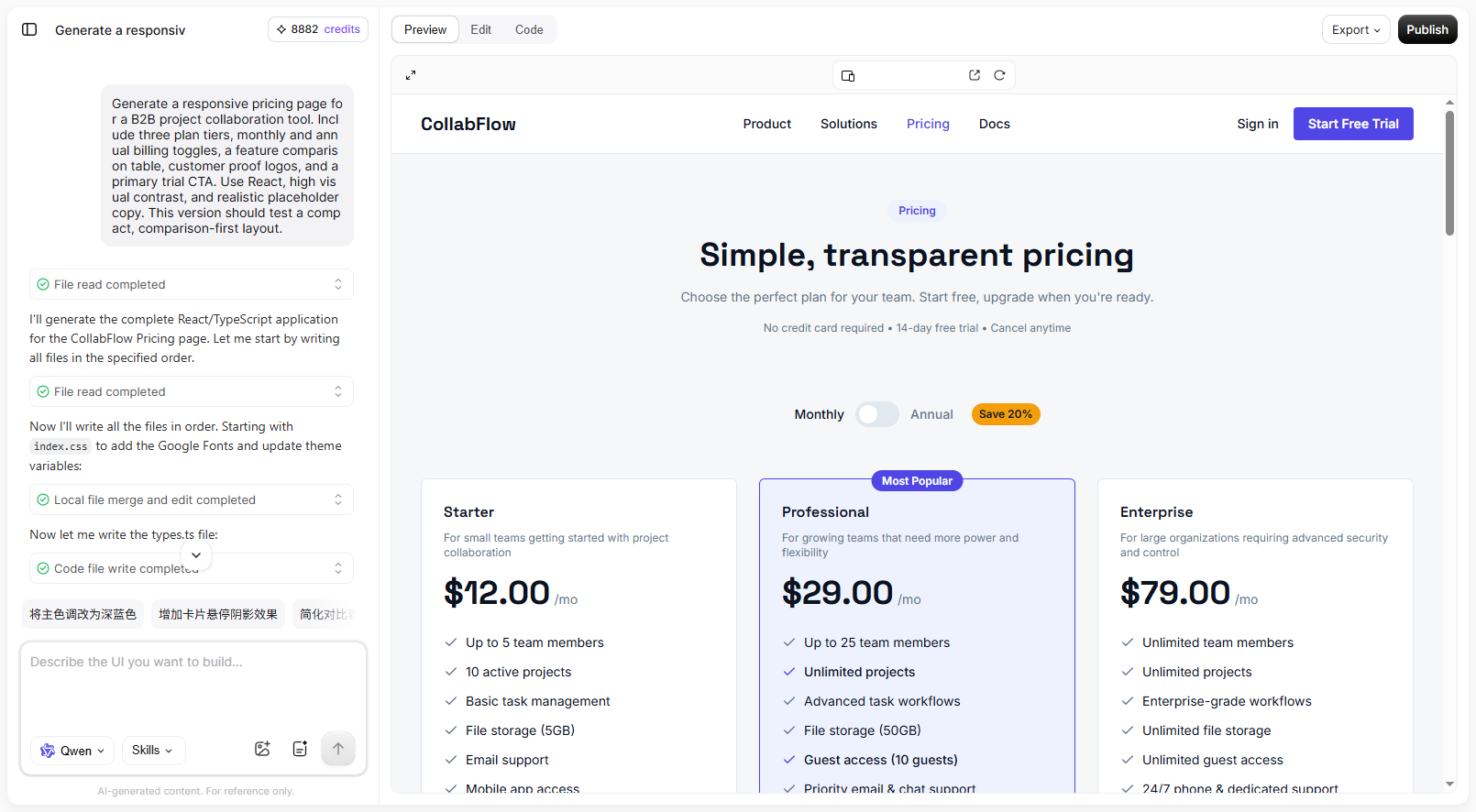
To test an alternative hypothesis, keep the entire brief identical and adjust only the final sentence:
"...This version should test a card-led, recommendation-first layout with progressive disclosure."
Prompting Claude Sonnet 4.6: Multi-Module Detail and States
The Claude prompt should describe relationships and constraints, not simply add more adjectives:
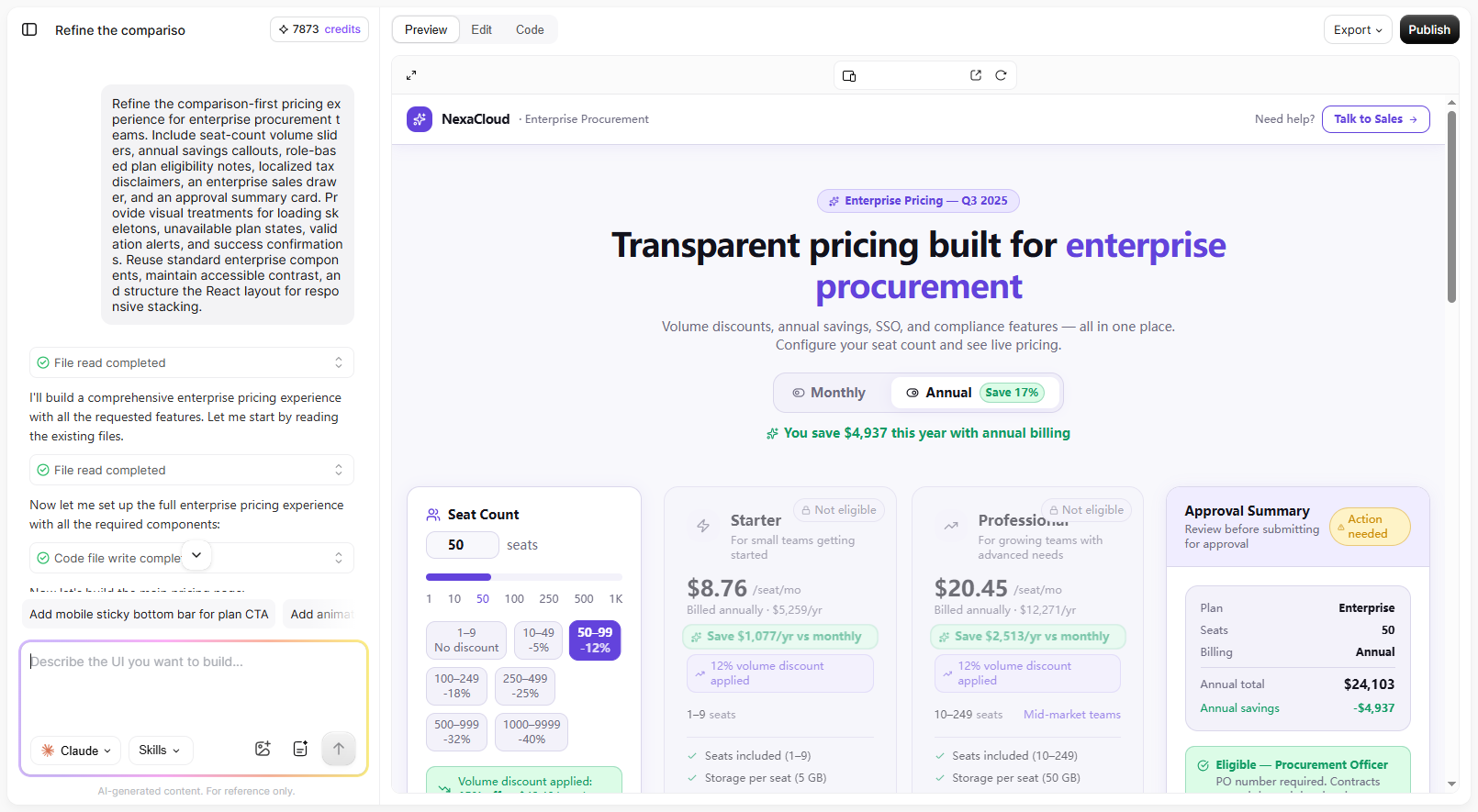
"Refine the comparison-first pricing experience for enterprise procurement teams. Include seat-count volume sliders, annual savings callouts, role-based plan eligibility notes, localized tax disclaimers, an enterprise sales drawer, and an approval summary card. Provide visual treatments for loading skeletons, unavailable plan states, validation alerts, and success confirmations. Reuse standard enterprise components, maintain accessible contrast, and structure the React layout for responsive stacking."
Part 6: Keeping Configuration Constant During Comparison
When evaluating model output, unmanaged workspace settings can invalidate your findings. To ensure an accurate comparison, keep surrounding parameters stable:
- React vs. HTML: Select your framework based on technical workflow rather than perceived visual quality. Choose React when evaluating component hierarchies and stateful elements; choose HTML for static editorial previews.
- Component Libraries & Themes: Paico supports standard component systems including shadcn/ui, Ant Design, Material UI, Arco Design, and TDesign. Maintain the same component library and Smart Theme across both models so that visual differences stem from model layout decisions rather than conflicting styling tokens.
- Requirements Plan: Use Paico's Requirements Plan feature to clarify functional scope, required data columns, and edge states before generating. When both models receive the same structured requirements, comparative evaluation becomes objective.
Part 7: Combining Both Models Across One Product Cycle
Teams do not have to choose one model exclusively. Combining both models leverages their respective strengths:
- Divergent Exploration with Qwen3.7-Plus: Generate three alternative layout architectures from a single brief. Evaluate each option against task clarity, information hierarchy, and responsive feasibility to select a winning direction.
- Convergent Refinement with Claude Sonnet 4.6: Transition the selected architecture to Claude Sonnet 4.6. Re-prompt with detailed state constraints, edge cases, error banners, and modal behaviors.
- Hypothesis-Driven Versioning: Paico saves generated outputs in your history, where version cards let users revisit earlier results. Name iterations by their design hypothesis (e.g., "Variant-A-Sidebar" vs. "Variant-B-TopNav") rather than generic labels.
Part 8: Evaluating Models Beyond the First Screenshot
Evaluating Qwen versus Claude requires looking beyond the initial screenshot to subsequent editing, responsive reflow, and code quality:
- Responsive Viewport Auditing: Toggle between desktop, tablet, and mobile breakpoints. Verify whether data tables collapse gracefully into cards or create unwanted horizontal scroll.
- Interactive State Validation: Test dropdowns, tabs, and modals within Paico's preview to ensure interaction states persist logically.
- Code Mode Inspection: Switch to Code Mode to inspect generated React or HTML scaffolding, CSS variables, and layout properties. Remember that generated code serves as an architectural baseline—engineering teams must review component structure, DOM semantics, accessibility attributes (ARIA), performance, security, and API integrations.
- Downstream Vector Refinement in Pixso: For teams requiring pixel-level vector editing, design system governance, or advanced interactive prototyping, export or sync the concept into Pixso. Always audit imported layers, auto-layout constraints, and typography tokens post-import.
Part 9: Choose a Model for the Next Screen
The practical choice between Qwen3.7-Plus and Claude Sonnet 4.6 in Paico depends on your immediate design objective:
- Use Qwen3.7-Plus when lower-credit exploration enables your team to evaluate multiple layout hypotheses economically.
- Use Claude Sonnet 4.6 PRO when a chosen architecture requires more detailed refinement, multi-state coverage, and structured component definition.
In Paico AI, keep the brief and framework the same when you switch models. Compare the credits spent and the edits still needed on the screen you want to build.