On this page

Scott
A design file can look polished and still be difficult to use. Names such as “Frame 184,” “Group 27,” and “Button Copy” hide intent, slow reviews, and make handoff needlessly fragile. A practical UI component naming convention gives designers and developers a shared map of components, layers, variants, tokens, and states. This guide explains how to build that map, apply it without endless cleanup, migrate existing assets, and use Pixso to support semantic naming, reusable systems, collaborative review, and engineering delivery.
Part 1: Decide what naming must accomplish
Naming is not an exercise in making a layers panel look tidy. It should help people find an asset, predict what it does, understand how it relates to other assets, and communicate about it without opening every frame. A UI component naming convention succeeds when a new teammate can locate the correct button, choose a valid variant, and explain the component to engineering with minimal guidance. For teams that need to keep these decisions close to the work, the Pixso design system workflow provides a shared place to review the related design context.
Start by identifying the decisions that names need to carry. Component names usually describe category and purpose. Variant properties describe controlled differences such as size, emphasis, state, and icon position. Layer names describe semantic parts such as label, leading icon, container, or supporting text. Tokens describe a role in the visual system rather than a raw value.
Do not force every detail into one long string. A name should identify an object; properties, descriptions, documentation, and examples should explain the rest. The strongest layer naming systems are compact because the file structure carries part of the meaning.
Four outcomes to test
- Search returns the intended asset with obvious alternatives.
- Names remain understandable outside the screen where they were created.
- Variants expose valid choices without duplicate components.
Developers can map the design concept to implementation terminology.
Part 2: Create a small naming grammar
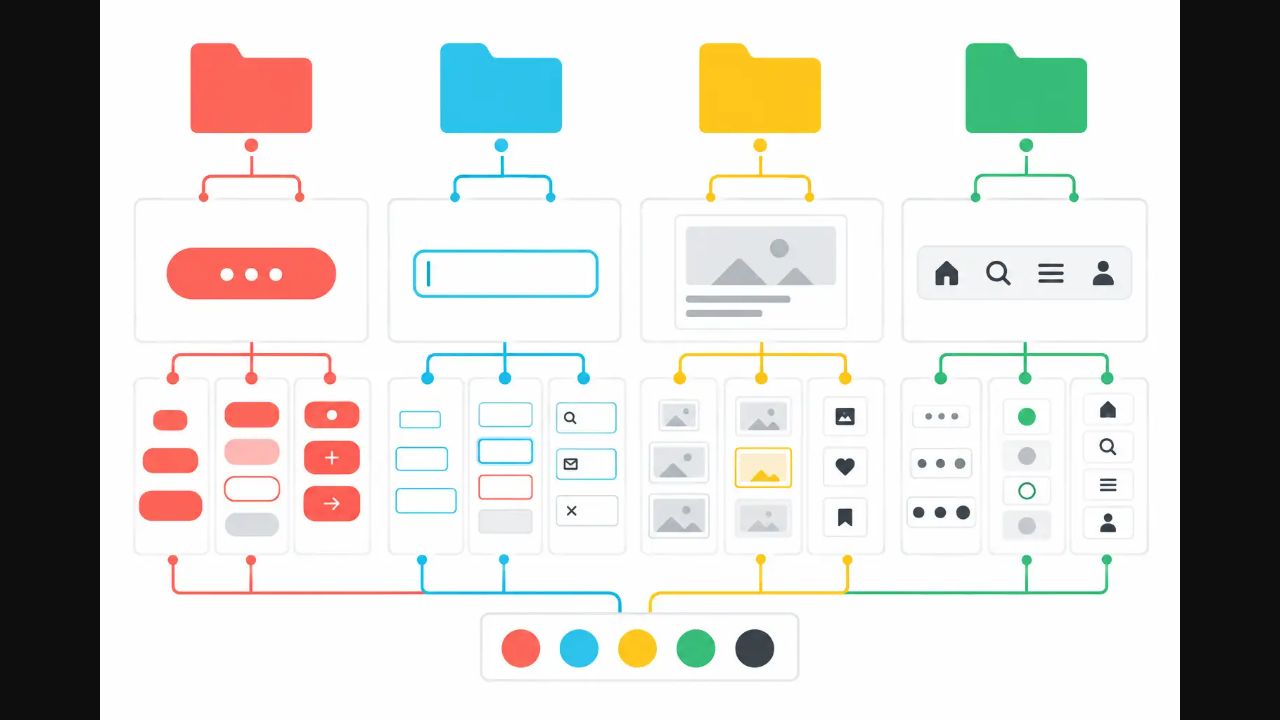
A grammar is a short rule for assembling names consistently. For components, a category-first pattern often works: Category / Component / Subcomponent. Examples include Navigation / Tabs / Item, Input / Select / Option, and Feedback / Alert / Action. Category-first names group related assets in search and menus without requiring a separate prefix for the product or team.
Use nouns for components and semantic layer naming. Reserve property values for variants. Avoid visual names such as “Blue Button” because color may change with theme, accessibility, or brand evolution. “Button / Primary” is better when primary describes hierarchy, but “Button” with a property such as emphasis=primary is more flexible when the system supports component properties.
Choose capitalization, separators, singular or plural nouns, and abbreviations once. The exact style matters less than consistency and searchability. Avoid slashes inside a single concept if the tool uses slashes for hierarchy. Maintain a small glossary for terms that teams commonly confuse, such as dialog versus modal, tab versus segmented control, and toast versus banner.
| Object | Recommended pattern | Example |
|---|---|---|
| Component | Category / Component / Part | Input / Search / Clear action |
| Variant property | property=value | size=medium, state=error |
| Semantic layer | role or content purpose | label, helper text, leading icon |
| Token | domain.role.state | color.text.danger |
| Page or flow | Area / Task / State | Checkout / Payment / Failed |
Test the naming grammar with real search and handoff tasks
A naming rule is only useful if it survives the three moments when a team needs it most: finding an asset, discussing a change, and mapping the design to code. Run a short acceptance test before publishing the convention:
| Task | Pass condition | Failure signal |
|---|---|---|
| Find | A designer finds the intended component and its valid variants using predictable terms | Search returns several near-duplicates or depends on a private nickname |
| Discuss | A reviewer can identify the component, state, and context from a comment | The team must open the file to understand what “Button 2” means |
| Handoff | Engineering can map the role and variant to an implementation concept | Visual color names or screen-specific labels hide behavior |
Run the test on a representative feature, record exceptions, and adjust the grammar once. In Pixso, review the layers, component properties, and handoff view together so the vocabulary is checked where people will actually use it.
Part 3: Name components and variants by meaning
Components should be named for the role they play, not the first place they appear. “Checkout Submit Button” is too specific if the same component is the system’s primary button. “Card 2” is too vague if it represents a plan, article, or product. Name the shared primitive by role, then name a composed pattern by its stable content purpose.
Variant properties should answer predictable questions. What size is it? What emphasis does it have? What state is active? Does it include a leading or trailing icon? Avoid properties such as type=one or version=new; they describe design history rather than intended use. Boolean properties work well for genuinely independent options, while exclusive variants work for choices that cannot coexist.
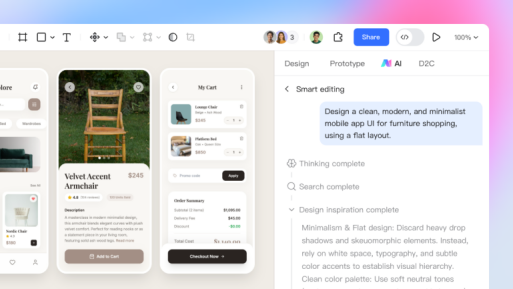
In Pixso, components, styles, variables, and assets can be collected in a reusable design system. A clear UI component naming convention makes that system easier to search and safer to extend. Pixso AI Smart Search can find team or community component assets through natural-language queries, while AI Smart Rename can turn meaningless layer names into business-oriented suggestions. Review the suggestions before committing them to a shared library, especially when product language has precise meanings.
Part 4: Name layers for structure and behavior
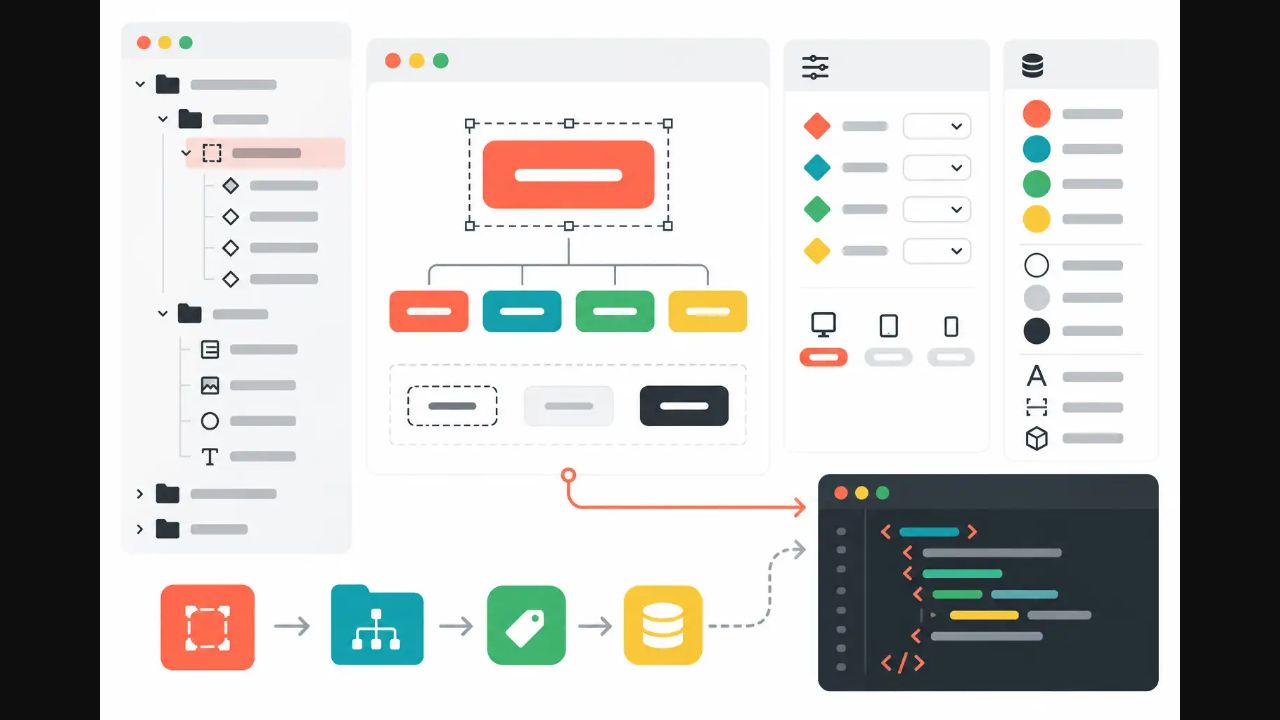
Not every decorative shape needs a long description, but every structural or interactive layer should reveal its purpose. Name containers by layout role, text by content role, icons by action or meaning, and slots by the content they accept. Good layer naming helps designers navigate deep components and helps developers understand what should remain stable when content changes.
Prefer label over Text 14, supporting text over small gray copy, and dismiss action over x icon. A semantic name survives visual change. It also makes discussion more precise: “increase spacing between label and supporting text” is unambiguous, while “move Text 14 down” is not.
Keep names proportional to complexity. A simple icon with two paths may need one meaningful parent name rather than labels for every vector. A complex input component benefits from stable names for container, label, value, prefix, suffix, helper, and message. Avoid naming hidden experiments as if they were supported properties; move explorations outside the published component.
Layer naming rules that scale
- Name by purpose before appearance.
- Use the same term for the same role across components.
- Keep slot and property names aligned with documentation.
- Do not expose internal design history in published names.
- Archive deprecated patterns visibly rather than silently renaming them.
Part 5: Align tokens, assets, and documentation
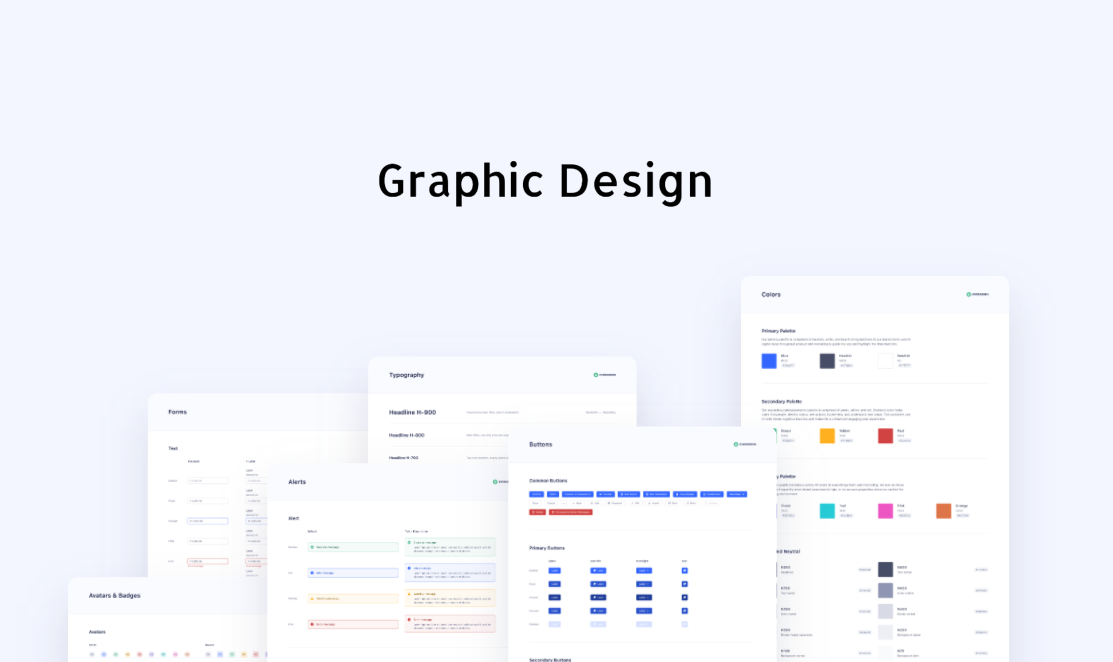
A design system becomes confusing when component names are semantic but token names are raw. Names such as gray-700 and blue-500 describe values, not usage. A layered token model can keep primitive values while exposing semantic roles such as color.text.primary, color.surface.brand, and space.component.inline. This lets themes change without rewriting every component decision.
Asset names should also state content and context. For icons, define a stable concept such as search, download, warning, or external link, then document available styles and sizes. For illustrations, include the subject and state rather than “final-final-3.” Alternative text belongs in product content or implementation documentation when it changes by context; the asset filename alone cannot solve accessibility.
Document when to use a component, when not to use it, what its properties mean, what content it accepts, and which states are required. Pixso keeps components, styles, variables, and assets inside the team’s design workflow, so guidelines can be reviewed beside real examples. Clear system rules also make later AI and engineering work more controllable because suggestions have a consistent vocabulary to follow.
| Weak name | Stronger name | Reason |
|---|---|---|
| Blue / 600 | color.action.primary.default | States intended use rather than a temporary value |
| Card / New | Content / Article card | Describes a stable content role |
| Icon / Arrow2 | Icon / Chevron right | Improves search and communication |
| Frame 88 | supporting text | Explains structural meaning |
| Mobile final | Checkout / Review / Mobile | Separates flow, state, and viewport |
Part 6: Clean and migrate an existing library
Do not rename a mature library in one uncontrolled sweep. First inventory components, usage, owners, duplicates, and dependencies. Identify a small group of high-use assets and map old names to the proposed grammar. Review the map with design and engineering, then test whether search, instances, documentation, and implementation references remain understandable.
Pixso supports batch import of Figma, Sketch, and Axure files, as well as Figma and Sketch component libraries. The stated adaptation rate is above 90%, and most Figma operations can be imported normally. Treat that as a migration accelerator rather than a promise that every team convention or complex component will transfer perfectly. Review imported structure, layer naming, variables, variants, fonts, interactions, and representative screens before publishing the migrated system.
During cleanup, Pixso AI Smart Rename can suggest semantic names for meaningless layers. Apply it to bounded sections, review the output, and adjust terms to the approved glossary. Automated renaming is most useful for reducing mechanical work; library owners still need to protect public component names, deprecation paths, and links to code.
A controlled migration sequence
- Inventory and rank assets by usage and risk.
- Approve the naming grammar and shared glossary.
- Pilot changes on one component family.
- Test instances, search, documentation, and developer mapping.
- Publish a change log and a deprecation window.
- Migrate remaining families in small reviewed batches.
Part 7: Review naming collaboratively in Pixso
A UI component naming convention belongs to the team, so review it through real tasks rather than a vocabulary meeting alone. Ask designers to find a component, create a new variant, assemble a representative screen, and replace a deprecated asset. Ask developers to map several components and properties to implementation. Record terms that cause hesitation or lead to the wrong result.
Pixso supports multiplayer editing and comments from design through prototype presentation. Library owners, product designers, content specialists, and engineers can comment on the exact component or example that exposes a naming problem. Link sharing supports preview, editing, comments, and annotations according to the access provided, keeping decisions visible to the people doing the work.
Use comments to resolve a bounded question, then move the accepted answer into the design system documentation. A comment thread is evidence of a decision, not the lasting rule. Review the naming system on a regular cadence and when the product introduces a new platform, theme, component family, or engineering architecture.

Part 8: Carry meaning into design handoff
Design handoff should preserve the naming system’s intent. For each production component, identify its design name, code counterpart, properties, tokens, states, content constraints, and responsive rules. The design and code names do not have to be identical, but the mapping must be explicit. A translation table is better than forcing one discipline’s terminology onto the other.
Pixso can generate React, Vue, HTML, ArkUI, or Flutter code for download and developer optimization. Semantic layer naming and a coherent component structure can make generated output easier to inspect, but they do not guarantee production architecture. Engineers must still review semantics, accessibility, behavior, performance, state management, and integration with the existing codebase.
Measure the UI component naming convention by operational results. Can people find the correct asset faster? Do duplicate components decrease? Are review comments more precise? Does design handoff require fewer clarification messages? Track a small set of outcomes and revise rules that create more ceremony than clarity.
Final naming audit
- Component names describe stable roles rather than screens or colors.
- Variant properties express valid, mutually understandable choices.
- Layer naming explains structural and interactive purpose.
- Tokens expose semantic roles while preserving primitive values.
- Search terms, documentation, and code mappings use a shared glossary.
- Migration changes have owners, tests, and deprecation guidance.
- Pixso AI suggestions have been reviewed before library publication.
- Design handoff distinguishes generated code from production implementation.
Conclusion
A good UI component naming convention makes a design system easier to search, extend, review, migrate, and implement. Keep the grammar small, name by purpose, use properties for controlled variation, and align layers, tokens, assets, documentation, and code mappings. Pixso can support reusable libraries, AI-assisted search and layer naming, collaborative review, migration, and code-oriented design handoff. The lasting value comes from a shared vocabulary that the team tests through real work and maintains as the product evolves.