Scott
We have all been there at some point. It is 2 AM, the project deadline is looming aggressively, and instead of actually doing creative work, you are manually copying and pasting fifty fake usernames into a mobile mockup. It is tedious, soul-crushing work. When you want to genuinely improve workflow efficiency, relying purely on the default tools out of the box simply does not cut it anymore. You need smart extensions that do the heavy lifting for you. In this guide, I am breaking down a radically better approach to your daily grind. We are going to look at the exact tools you need to stop doing robot work, including a deep dive into Pixso, and ten specific add-ons that will genuinely multiply your output without burning you out.
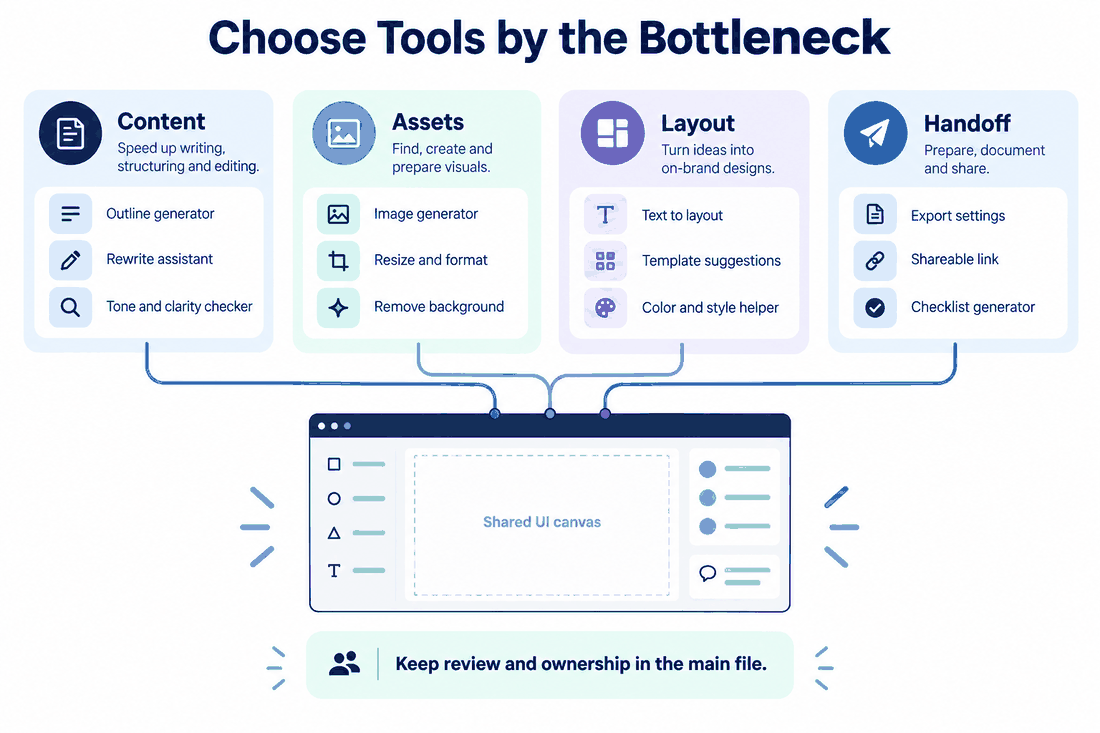
Part 1: The harsh reality of your daily grind
Let's be brutally honest about how most of us spend our days. You probably spend about thirty percent of your time doing actual creative problem-solving. The rest of the time? It is pure administrative pixel-pushing. You jump to a browser tab to find an icon, download it, realize it is a JPG instead of an SVG, convert it, and drag it into your file. That constant context switching completely destroys your focus. When we talk about a broken design workflow, this is exactly what we mean. Teams desperately need full-process automation.
They need a way to batch process hundreds of layers, update text styles instantly, and export assets without clicking the same button forty times. If your current software setup forces you to do repetitive manual labor, you aren't really operating as a creative professional; you are acting as a data entry clerk. To actually improve workflow efficiency, you have to ruthlessly eliminate these repetitive tasks. Every minute you spend resizing a bounding box is a minute you aren't spending on user experience strategy.
Part 2: Why Pixso is the smarter foundational choice
So, how do we actually fix this massive bottleneck? A lot of people try to tape together twenty different third-party apps, but that just creates a bloated, crashing file that eats up all your RAM. This is exactly where Pixso enters the picture. If you haven't checked out Pixso yet, you are seriously missing out on one of the most stable and fluid collaborative platforms available on the market right now.
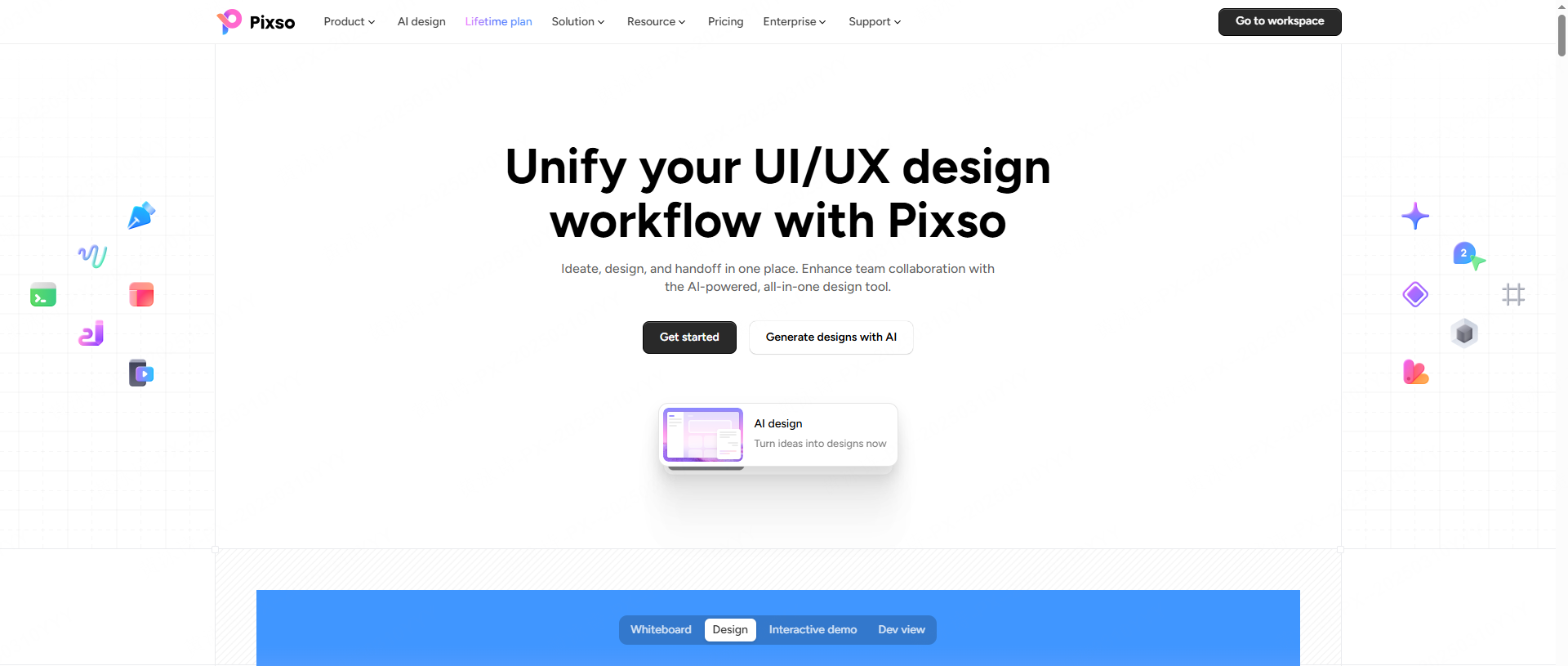
It is a platform that genuinely respects your time. Unlike other tools that charge a massive premium for basic functionality, Pixso offers a completely free, high-quality tier that packs an incredible punch. It requires zero learning curve. If you know how to push pixels in any other major tool, you will feel at home on this canvas within five minutes. But here is why I actually recommend it: the team collaboration loop is entirely seamless. From that very first rough wireframe to leaving feedback comments, managing master components, and syncing directly with your developers, the entire lifecycle happens in one single place.
Pixso also brings professional-grade native capabilities right to the table. We are talking about built-in motion graphics, advanced typography controls, and complex data charts that usually require expensive third-party subscriptions. It just works, it works incredibly fast, and you never have to worry about losing your work because the cloud sync is practically instant.
Part 3: The magic of a built-in Plugin Center
The absolute best part of Pixso, however, is its internal Plugin Center. This isn't a chaotic marketplace filled with broken, outdated add-ons made by developers who abandoned them three years ago. It is a highly curated, deeply integrated ecosystem. Finding a reliable plugin that UI design professionals trust can be a massive headache elsewhere, but Pixso bakes the best ones right into the interface natively.
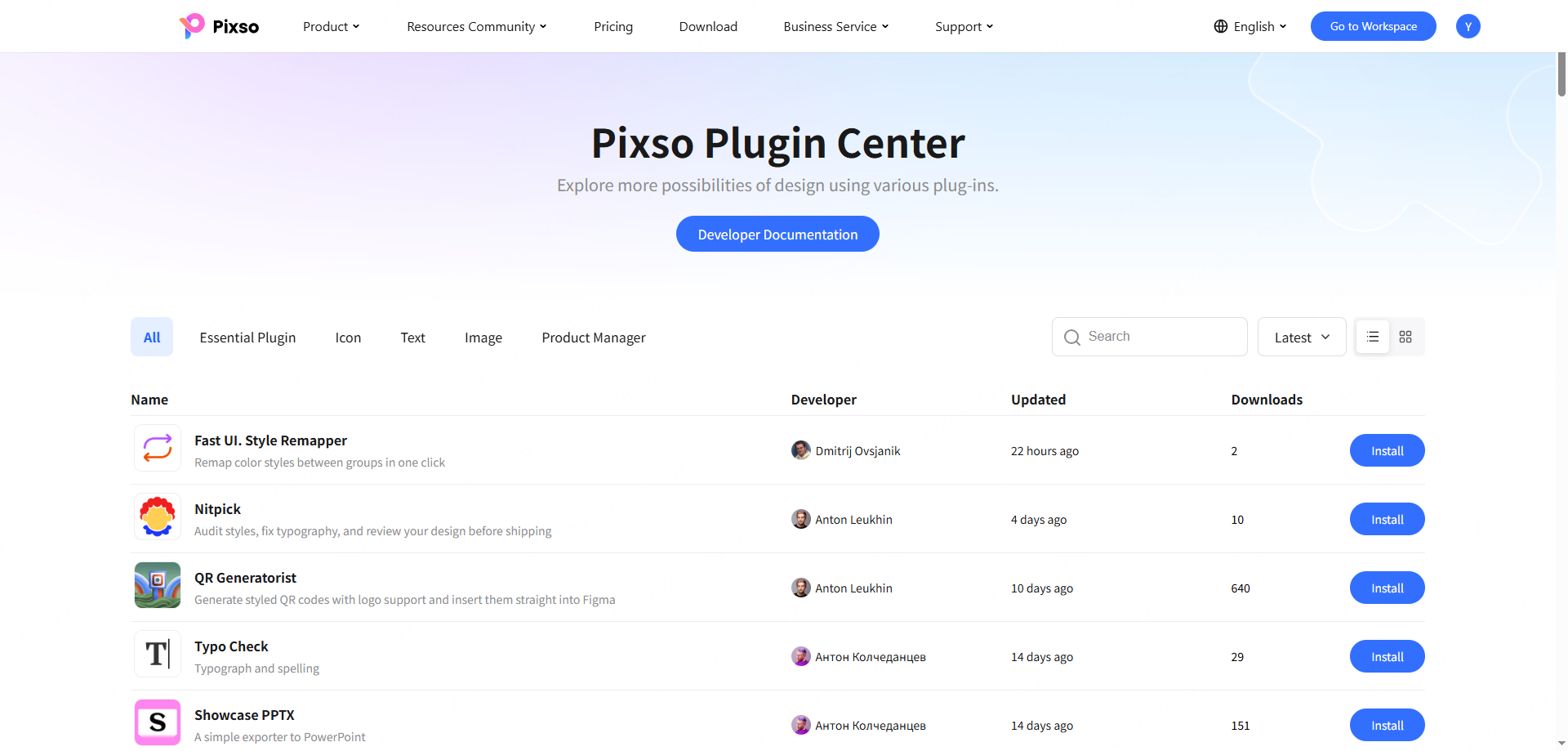
You get a true one-stop asset library. Think about it for a second. High-quality icons, stock photos, custom illustrations, and realistic device mockups are all built-in. You never have to worry about copyright compliance or opening a new browser tab to search for assets. You just open the menu, search, and drop it in. Add to that the deep AI empowerment they have integrated—where artificial intelligence handles copywriting, layout optimization, and even code generation—and you start to see how much time you can claw back. Let’s break down the 10 specific tools inside this ecosystem that cover everything from your first visual draft to the final developer handoff.
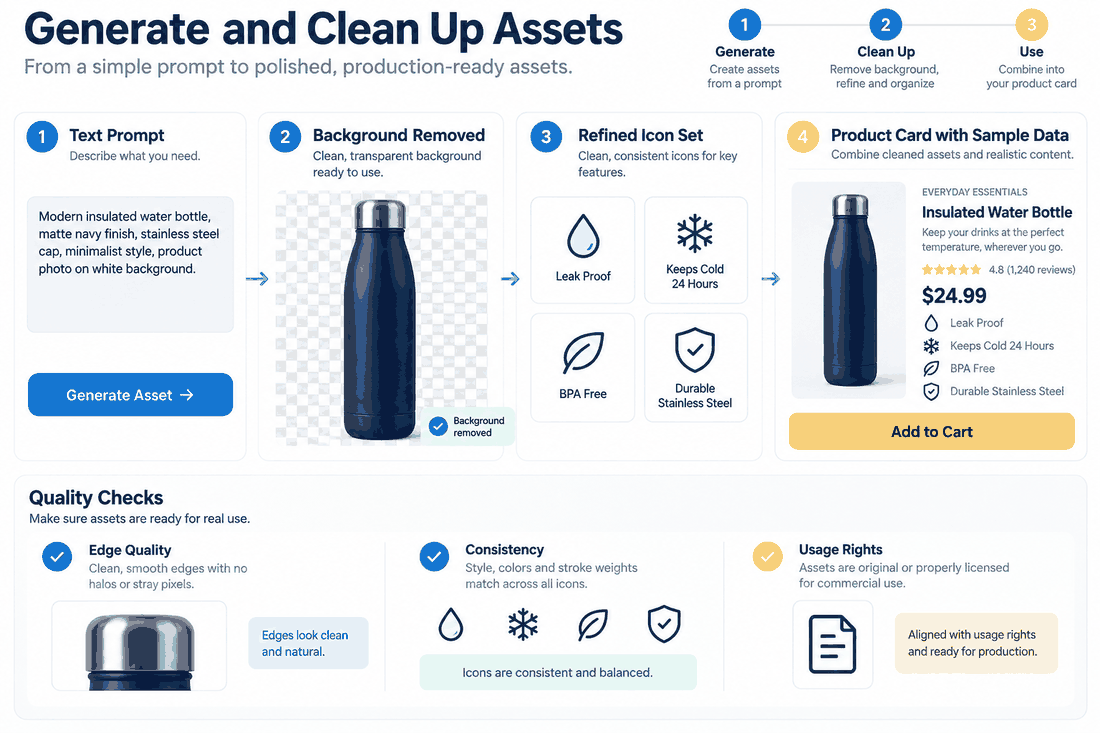
Part 4: Tools to instantly generate content and assets
Nobody likes staring at a blank screen. These first few tools are all about getting assets onto your canvas as fast as humanly possible.
- The One-Click Dummy Data Generator
Nobody went to design school to type "John Doe" and "555-0199" fifty times in a row. This tool allows you to select a massive group of text layers and instantly populate them with realistic names, dates, addresses, and even randomized avatar images. It is the literal definition of full-process automation. You click exactly once, and your messy, empty wireframe suddenly looks like a live database. - Integrated Vector Icon Libraries
Hunting for vector icons ruins your momentum. By using a native plugin that UI design teams rely on daily, you access thousands of scalable vectors instantly. The Pixso internal icon library lets you drag and drop perfectly consistent iconography directly onto the canvas. There are no mismatched line weights, no switching tabs, and absolutely no downloading sketchy zip files from the internet. - Instant AI Background Removal
Have you ever tried to manually mask out a product photo using the pen tool? Dealing with stray hairs or complex edges takes forever. The background remover tool uses native AI to cleanly extract subjects from photos in about two seconds. Whether you are throwing together an e-commerce product grid or a landing page hero section, this saves an unbelievable amount of tedious time.
Part 5: Supercharging your visuals and complex layouts
Once your basic structure is down, you need to make it look incredible. These tools handle the heavy visual lifting to aggressively improve workflow efficiency.
- AI Image Generation
Sometimes you just need a very specific image for a project, and standard stock sites completely fail you. Pixso’s native AI image generation lets you type a text prompt and instantly get a unique, copyright-free image generated right on your artboard. This deep AI empowerment speeds up the visual exploration phase massively, giving you bespoke assets without having to wait three days for an illustrator to get back to you. - Automated Data Charts and Graphs
Building pie charts or line graphs by hand is a miserable experience. You always get the math or the angles slightly wrong. The charts tool lets you paste raw data directly from a spreadsheet and instantly spits out mathematically perfect visualizations. If your specific design workflow involves building financial dashboards or analytics screens, this single tool will save you days of mind-numbing work. - Unsplash and Pexels Integration
For those times you do need real, authentic photography, you need to grab it fast. Having direct access to Unsplash means you can select a placeholder shape, type a keyword like "busy coffee shop," and instantly fill that shape with a high-res photo. This is how you legitimately achieve massive workflow efficiency—by keeping your eyes glued to the canvas and never breaking your concentration. - 3D Device Mockups
Clients and stakeholders often have a hard time visualizing flat screens floating in a gray void. The mockup tool takes your flat artboards and seamlessly wraps them onto photorealistic 3D models of iPhones, MacBooks, or Android devices. It takes about three seconds to execute but makes your presentation look like it took a week to prepare.
Part 6: Quality control, cleanup, and flawless handoff
The final stages of any project are usually a mess of technical checks. A great design workflow must prioritize accuracy so you don't send broken files to your developers.
- Contrast and Accessibility Checker
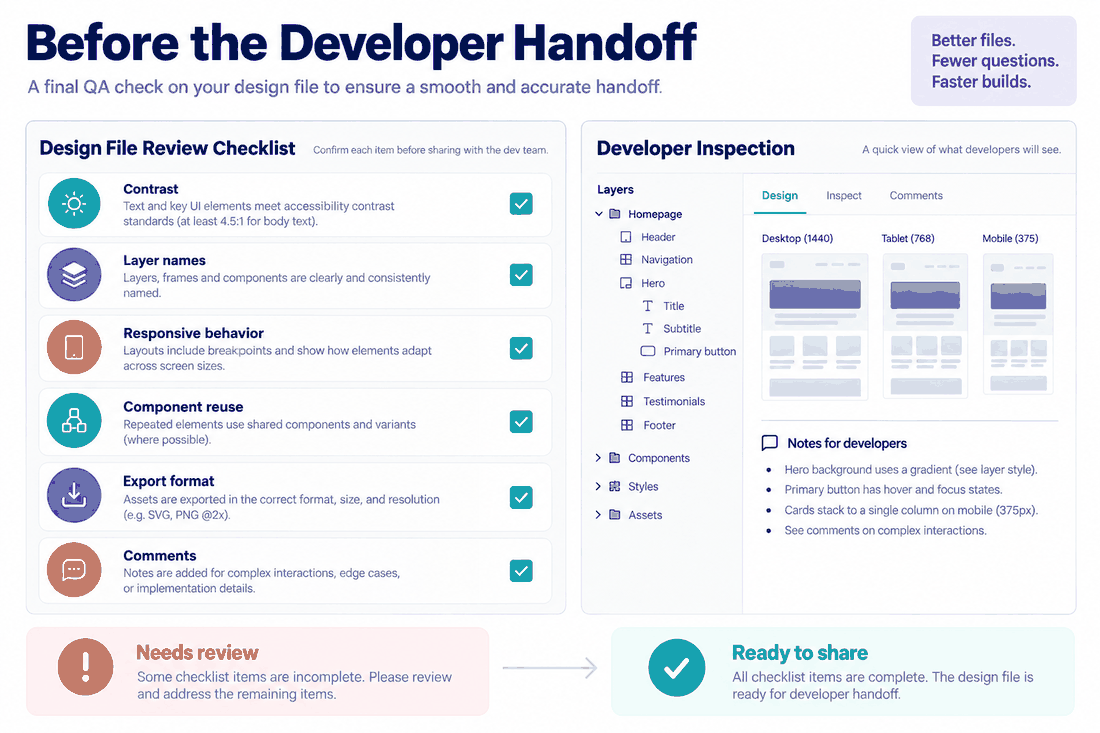
Automated quality compliance is no longer an optional nice-to-have feature; it is mandatory. You cannot afford to ship products that visually impaired people cannot read. This plugin, which UI design experts use, will scan your entire file, check your contrast ratios against strict WCAG standards, and flag any failing colors. A contrast checker assists review; keyboard, semantic, screen-reader, and asset-license checks require separate verification. - Batch Layer Renamer
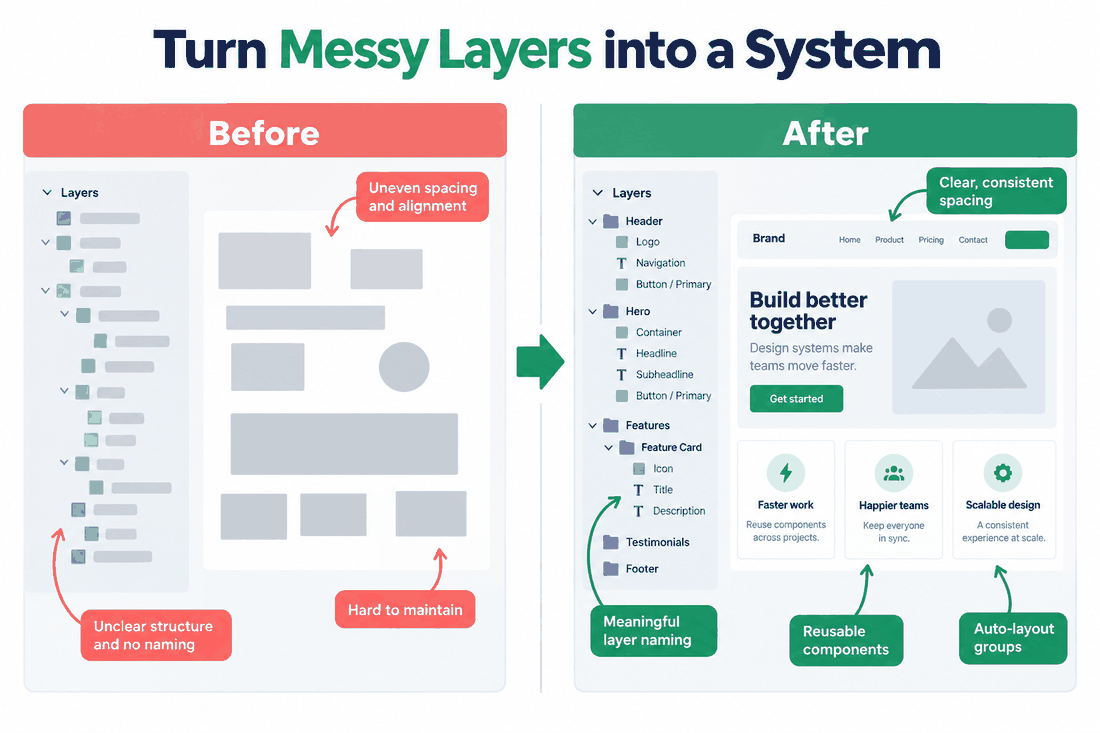
Let's talk about basic file hygiene. Handing a file over to a lead developer with layers named "Rectangle 43 copy 2 final" is just embarrassing. The batch renamer tool lets you select hundreds of messy layers and systematically rename them using variables, numbers, and specific text sequences. This completely wipes out the repetitive labor of file cleanup, leaving you with a pristine, highly professional document. - Direct Code Export
The hardest part of the entire job is usually translating the visual mockup into actual code. A solid process doesn't end with a pretty picture; it ends with a functional shipped product. The code export tool grabs your components, auto-layout rules, and typography, instantly translating them into clean CSS, iOS, or Android code. It creates a flawless team collaboration loop where developers actually get exactly what they need without having to guess your pixel margins.
Conclusion
Reaching peak workflow efficiency isn't about drinking more espresso or grinding through the weekend. It is about aggressively protecting your creative time by automating all the boring, repetitive stuff. By moving to a streamlined, unified platform like Pixso, you stop fighting your clunky software and start actually creating. These ten tools cover literally everything from your initial wireframes right through to the final developer handoff. Stop wasting your precious energy on tasks a computer can do for you. Integrate a UI design plugin workflow today, leverage native AI to handle the heavy lifting, and finally get your evenings back. Your team, your clients, and your sanity will definitely thank you.