On this page
Try Pixso for Free

Scott
Pixso is a collaborative design tool that provides multi-functional creative tools for individual designers and product teams of various sizes.
But creating design files never seemed enough for a user’s brainstorming ability and for an optimized collaborative experience.
Hence, Pixso introduces a new whiteboard feature where users can create whiteboard files and collaborate in real time with their team.
Introducing Pixso Whiteboard for Creative Teams
The Pixso whiteboard feature provides simple-to-use diagramming tools that will aid users and teams to take their product design thinking and project management workflow to the next level.
With the addition of the new feature, users will now be presented with two options to create their files. One is for creating a regular design file and the other will be for creating a new whiteboard file.
Let’s go a bit more in-depth about the features the Pixso whiteboard tool can bring to your workflow:
- Create a whiteboard and invite teammates with the appropriate permissions. Shared-file and editing limits depend on the selected plan.
- The whiteboard user interface offers easy-to-use diagramming tools such as shapes, lines, objects, erasers, etc., making it beginner-friendly.
- You get access to various templates such as mind maps, flowcharts, kanbans, and much more to assist with different projects.
- You can edit comfortably by adding and dragging any elements on the canvas. All your changes will be saved automatically in real time.
- Just like Pixso’s design files, this is completely done online so there is no need to install an app to use it.
- All your Pixso whiteboard designs can be exported as .png, .jpg, .pdf, and .svg.
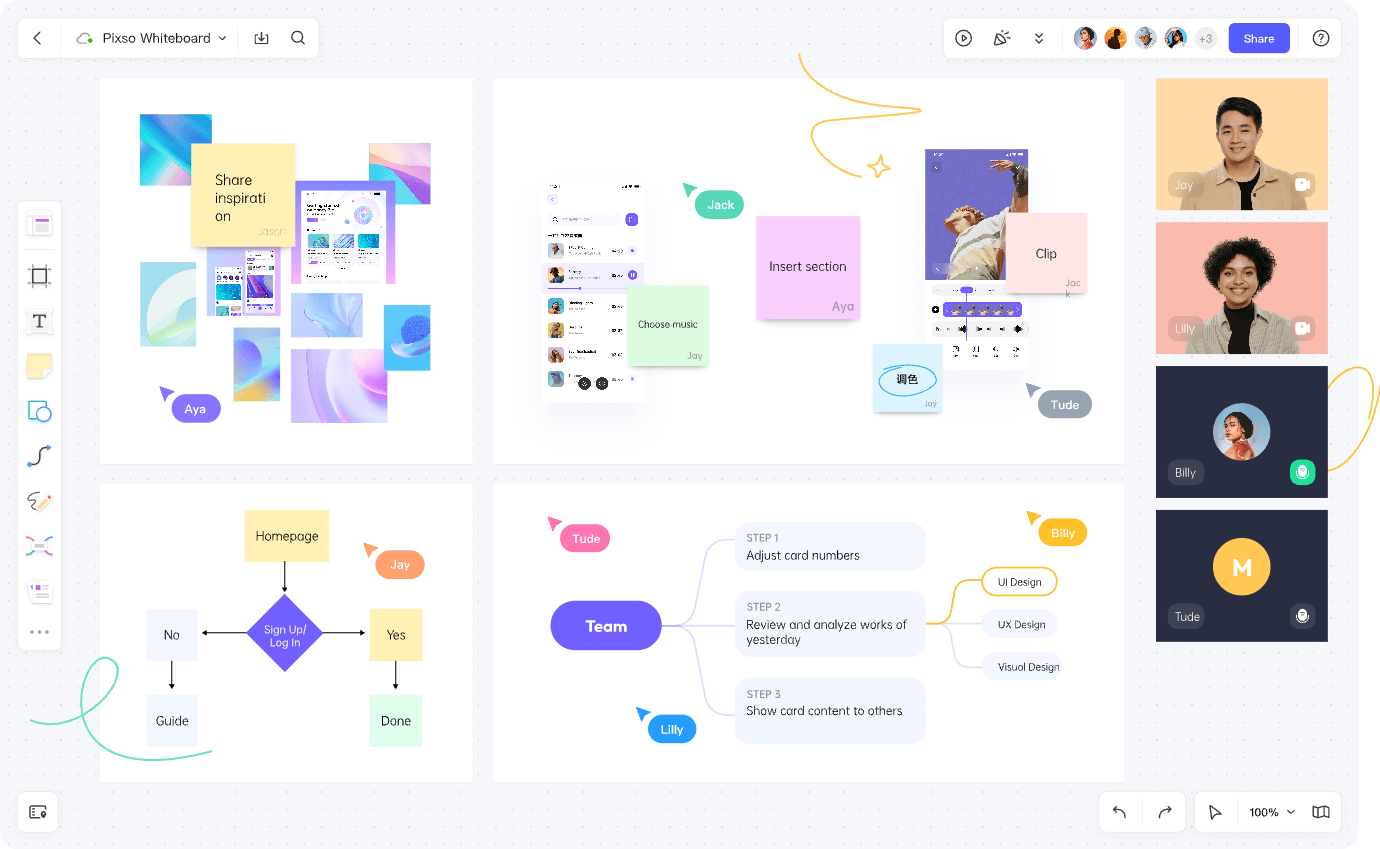
Pixso: A Virtual Heaven for Collaborative Teams
What does the new feature mean for teams? With the Pixso whiteboard tool added to the software, teams can now participate in:
Effective Brainstorming
The whiteboard tool is brought in to encourage every team member’s creative thinking process and allow them to place their ideas on the canvas. The brain can produce a lot of amazing ideas but is not the greatest place to store them. The Pixso whiteboard canvas helps to take down notes and provide a visual representation of creativity through different charts.
Improved Collaboration
Communication is important for teams—whether new or established groups. The whiteboard tool helps every team member to break barriers and voice their opinions on the canvas by allowing real-time collaboration and sharing ideas instantly. As a result, it provides teams with various diagrams and charts that can be used for their company presentations, virtual icebreaking sessions, and online meetings to go as smoothly as possible.
Organized Workflow
Because the whiteboard tool is simple-to-use, teams can easily put down ideas and organize them on the canvas in any way they want. By creating flowcharts, teams can organize complex processes and focus on their most important projects.
Accomplishing Projects from Scratch
With Pixso’s design tools and the Pixso whiteboard feature, teams can now seamlessly work on their projects from early ideas to interface design and developer handoff. Product design and project management teams can manage everything in one browser and do not need to worry about losing precious time or wasting resources.
Final Verdict
The Pixso whiteboard feature adds extra functionality for every creative and collaborative team. The combination of the design tool and whiteboarding feature makes it easy for teams to stay organized and work efficiently towards their business goals.