On this page

Scott
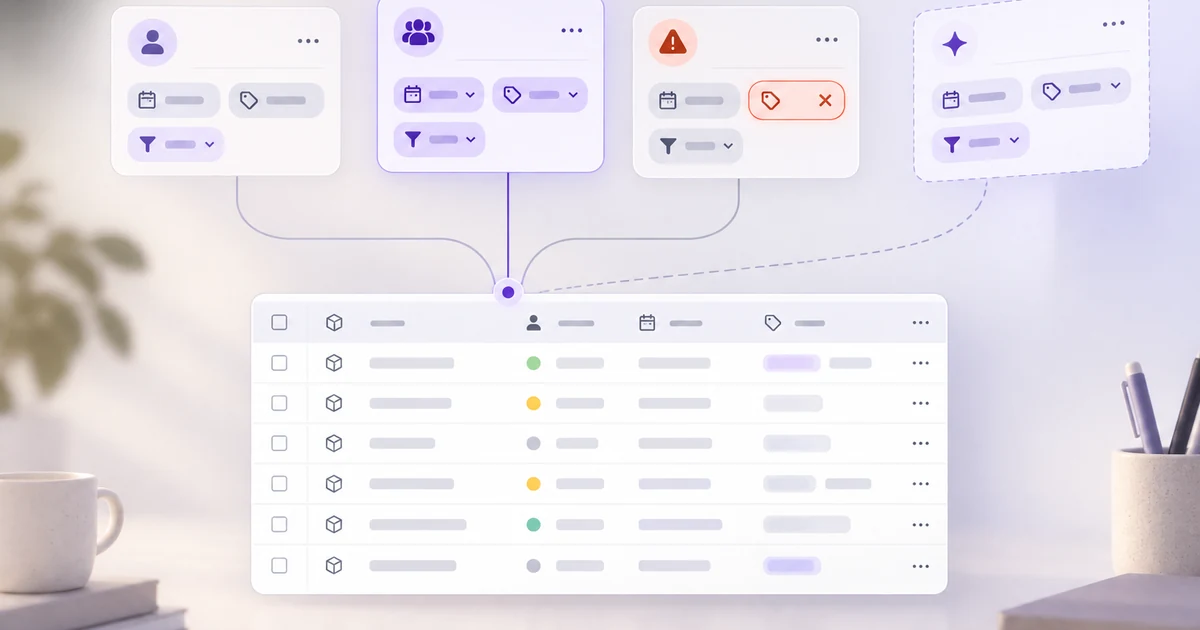
A saved table view should answer three questions before anyone opens its rows: what criteria does it apply, who can change those criteria, and whose records can it actually show? Treat the view as a named configuration of filters, sort order, and visible columns—not as a second copy of the data. When that configuration changes or breaks, tell people what happened instead of quietly showing a different list.
If selecting, applying, and clearing filters is the unsolved part of your interface, start with the filter UI design guide. This article begins one step later: an operations analyst has already filtered an orders table and wants to return to that working view tomorrow, then share a version with teammates without changing what they see by surprise.
Define what the view saves before naming it
Consider an orders table with status, assignee, requested date, value, and customer. Maya filters it to orders marked “Needs review,” assigned to her, requested in the last seven days. She sorts the newest requests first and hides columns she does not use. Before adding “Save view,” decide whether it stores all three parts: filters, sort, and column layout. If it saves only filters, say so at the point of saving; otherwise Maya may assume the table will reopen exactly as she arranged it.
The underlying orders stay in one dataset. Saving a view stores a recipe for displaying them, not a snapshot of today's result rows. Tomorrow's newly matching order can appear in the same view. The name, such as “My review queue,” should describe the task rather than promise a fixed count. Show a compact description—“Needs review · Assigned to me · Last 7 days”—near the active view name so Maya can understand the list without reopening every filter control.
“Assigned to me” is a special case. In a shared view, does me mean Maya, the creator, or the person currently viewing it? Decide explicitly. If the intention is a personal queue for every teammate, evaluate the condition against each viewer and label it accordingly. If Maya needs to hand off her own orders, replace the dynamic condition with her name before sharing. A shared link that silently changes meaning is harder to diagnose than a clearly different result count.
Separate temporary edits from the saved definition
When Maya changes “Last 7 days” to “Last 30 days,” the rows may update immediately, but the stored view need not. The interface should distinguish Viewing a saved configuration from Editing an unsaved variant. Mark the latter with “Unsaved changes” and provide clear choices: update the existing view, save as a new view, or discard the change. Do not turn a personal experiment into a change for the entire team merely because Maya clicked a filter chip.
Make the action names match their consequences. “Update shared view” changes what coworkers will see when they next open it; “Save as personal view” preserves the shared baseline. If a viewer lacks permission to edit a shared definition, they should still be able to try temporary filters, then save a personal copy if the product permits it. Hiding the edit controls entirely can make the view appear broken when a user simply needs a different slice of the data.
The exact permission model belongs to the product, not to a universal pattern. Microsoft's guidance on personal views shows one model in which a view includes columns, sorting, and filters, while sharing and editing depend on permissions. Airtable's view documentation distinguishes collaborative, personal, and locked configurations. These examples help frame the design questions; do not copy another product's access rules into your own without checking the actual data model.
Show ownership and sharing without confusing them with data access
Place an ownership label beside each saved view in the picker: “Personal,” “Team,” or a named owner, according to the product's real rules. A team view should say who can edit its configuration. When Maya shares “Orders needing review” with Leo, show the recipient or team and the permission granted before she confirms. A copied URL is not proof that Leo can open it.
Most importantly, sharing a view definition must not silently grant access to the underlying orders. Leo may have permission to see the view but only a subset of its matching rows, or none at all. Explain that outcome in the interface: “This view is available, but you do not have access to the matching orders” is different from “No orders match these filters.” Never leak hidden customer names or counts in a preview shown to someone without data access.
Default views need a similar boundary. A personal default changes Maya's starting point, while a team default changes everyone's. Put those commands in different places or name their scope explicitly. If the product lets owners lock a shared view, explain whether teammates can still make temporary changes for their own session. Locking the shared recipe should not be mistaken for freezing the data rows.
Handle deleted fields, renamed statuses, and stale links
Saved views outlive schema changes. Suppose an administrator replaces “Needs review” with “Awaiting approval,” or removes the requested-date field. A stored filter may now be invalid. Quietly dropping it can expose a much broader list than Maya expects; silently returning zero rows can make a healthy queue look empty. Detect the broken rule, keep the view name visible, and mark the affected criterion: “Status ‘Needs review’ no longer exists.” Offer a repair path that shows the proposed replacement before applying it.
Distinguish a renamed label from a genuinely deleted value. If the system retains a stable field identifier, a label change can update the displayed name without changing the meaning of the filter. If the underlying field or option was deleted, the user may need to choose a new condition. Record whether the view still loads partially, fails closed, or requires owner action; this is a product decision with security and workflow consequences.
A stale shared link deserves its own state. If a team view was deleted, do not redirect to an unrelated default without explanation. Say that the view is unavailable and provide a route to the orders table or another permitted view. If Maya lacks access after a role change, name that as an access issue rather than calling it a broken filter.
Review the state transitions as a small contract
One attractive picker is not enough. Sketch the moments that change the reader's expectation of the list:
| State | What the user should see |
|---|---|
| Saved and current | View name, scope, active criteria, result count, and the actions allowed to this person. |
| Temporary change | The current rows and “Unsaved changes,” with Update, Save as, and Discard as applicable. |
| Save conflict | A teammate has updated the shared definition; compare the current saved rules with the user's draft before overwriting. |
| Stale criterion | Name the field or option that changed and offer a reviewable repair rather than silently widening the result set. |
| No visible rows | Separate no matching orders from no permission to matching orders and from a failed request. |
| Unavailable view | Say whether the link points to a deleted view or the viewer lost access, then offer a permitted destination. |
Saving a team view can conflict just like editing a data record. If Leo changed the filter while Maya was experimenting, show both definitions and let the authorized editor decide whether to update the shared view or save a personal copy. A generic “Saved” toast after overwriting Leo's work hides the decision the team needed to make.
Prototype the view decisions in Pixso
Build one orders table in Pixso with three related screens: Maya's saved “My review queue,” an unsaved 30-day variant, and the team view with one stale status rule. Use the same orders, labels, and result counts across screens so reviewers can track the change rather than compare unrelated mockups. Draw the view picker as a reusable component with a visible scope label and an active-criteria summary. Connect Update, Save as, Discard, and Review rule to the appropriate destinations.
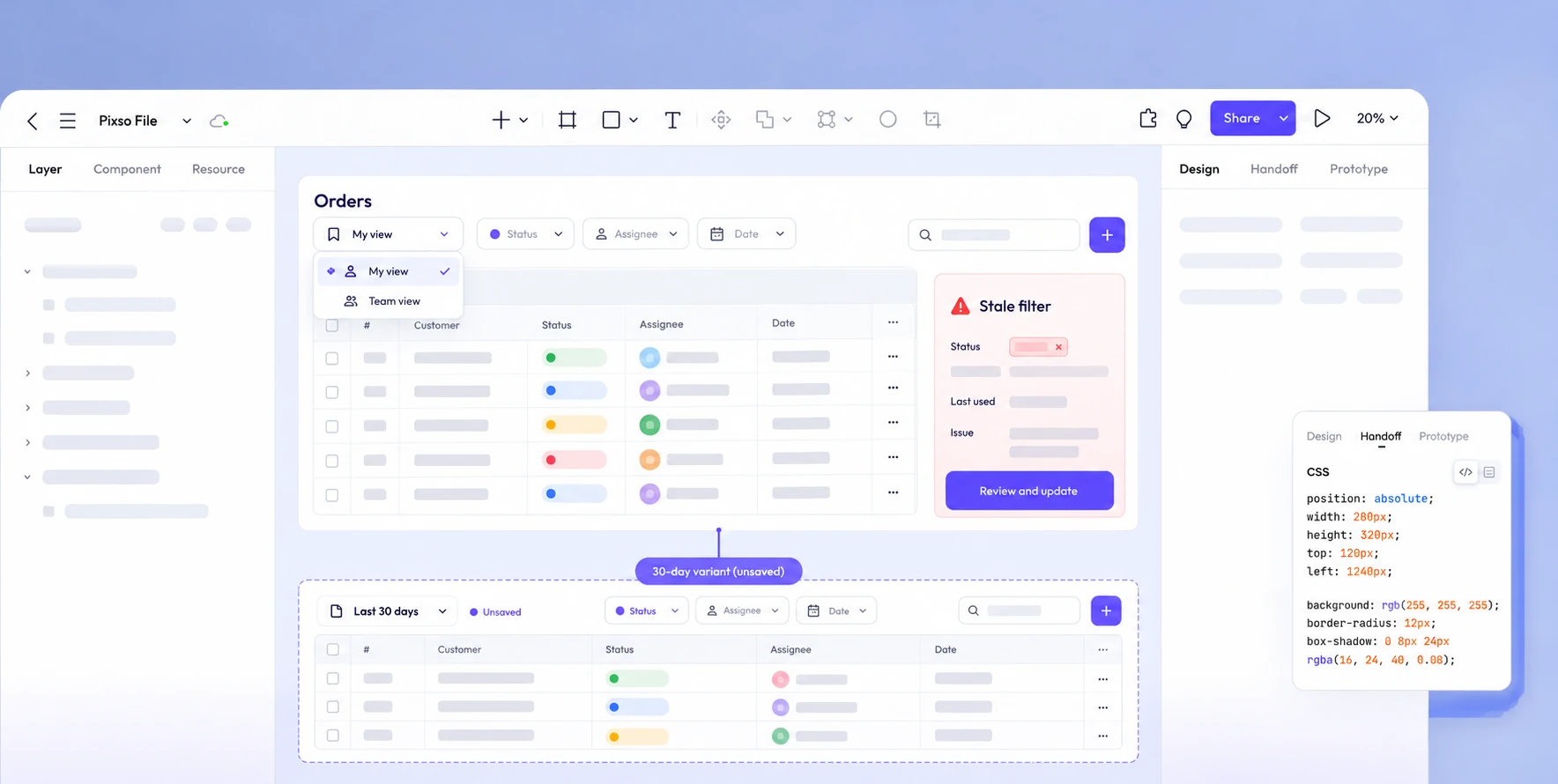
Ask a reviewer to answer concrete questions without explanation: Is the 30-day range already saved for the team? If Leo opens this link, whose “Assigned to me” does it use? What happens after “Needs review” is removed? If the reviewer cannot tell, change the names and state feedback before refining colors. The Pixso prototype is where the team can test this decision flow; it does not itself store the orders or enforce their permissions.
Give developers a short state contract alongside the prototype: which parts of a view are stored, how changes are versioned, which permissions govern the definition and the records separately, how dynamic filters are evaluated, and how stale conditions fail. Open Pixso to map the saved-view flow.
Make the next visit predictable
A useful saved view is a dependable route back to a task. Maya should know what was stored, what changed temporarily, who can edit the shared recipe, and why a result list differs from yesterday's. Design the return visit—not only the first Save click—and the view becomes a tool the team can trust rather than a convenient label above a surprising table.