Scott
An approval flow should tell a team what is waiting, who can decide, and what will happen after approval. Put the current status next to the work, show the reviewer’s scope, and make the handoff package explicit. Teams designing these states together can use an UX design collaboration workflow to review the same prototype and agree on acceptance criteria before a status changes.

Define states around decisions, not decoration
Start with the smallest state model that answers the team’s questions: Draft, In review, Changes requested, Approved, and Ready for development. Each state needs an owner, an allowed next action, and a reason it can be reopened. Avoid a green “approved” badge when accessibility, content, or responsive states are still missing.
- Draft: the owner is still assembling the experience.
- In review: reviewers can comment against a named scope and version.
- Changes requested: unresolved issues remain visible and assigned.
- Approved: the decision is recorded with the criteria that were met.
- Ready for development: specs, assets, components, and edge states are available.
Give every state one owner and one next action
| State | Owner | Allowed next action |
|---|---|---|
| Draft | Designer | Request review with a named scope |
| In review | Reviewer | Approve or return a blocking issue |
| Changes requested | Designer | Resolve the issue and resubmit the same scope |
| Approved | Approver | Release the handoff package or reopen with a reason |
| Ready for development | Designer and developer | Confirm the authoritative frame and implementation notes |
If an owner cannot take the listed action, the item is not ready for that state. This small matrix also gives support and engineering a shared answer when a status appears to be stuck.
Make review requests actionable
A review request should include the task to perform, the screens in scope, the decision deadline, and the evidence expected from the reviewer. “Please take a look” creates a vague queue. “Verify that a new customer can recover from an expired invite on desktop and mobile” gives the reviewer a reproducible job.
Show comments in the same context as the screen. Let reviewers distinguish a blocking issue from a suggestion, and show which version the note refers to. When the designer replies, keep the original concern visible and mark the resolution with the changed frame or component.
Protect the approval decision
Before changing the status, summarize the decision in plain language: what was accepted, what was deferred, and who owns the next step. If a reviewer cannot approve, explain the missing criterion instead of resetting the work to an unexplained “needs changes” state.
- Show the scope and version next to the approval control.
- List blocking issues separately from optional suggestions.
- Require a reason when a decision is reversed.
- Keep the decision history available to the next person.
Show how a rejected review recovers
Suppose the reviewer rejects a checkout flow because the keyboard focus disappears after an error. Keep the item in Changes requested, link the comment to the failing frame, and assign the designer a concrete check: focus the email field, submit an invalid value, and confirm that focus and the error message remain visible. After the fix, resubmit the same scope with the new result attached. The reviewer can approve the resolved criterion without guessing whether unrelated screens changed.
Make the handoff package inspectable
Approval is not the same as handoff. Attach the final prototype path, component references, copy, responsive states, and known limitations. A developer should be able to tell which frame is authoritative without opening every previous revision. In Pixso, connect the approved screens, comments, and component details in one file so the handoff follows the decision rather than a separate screenshot folder.
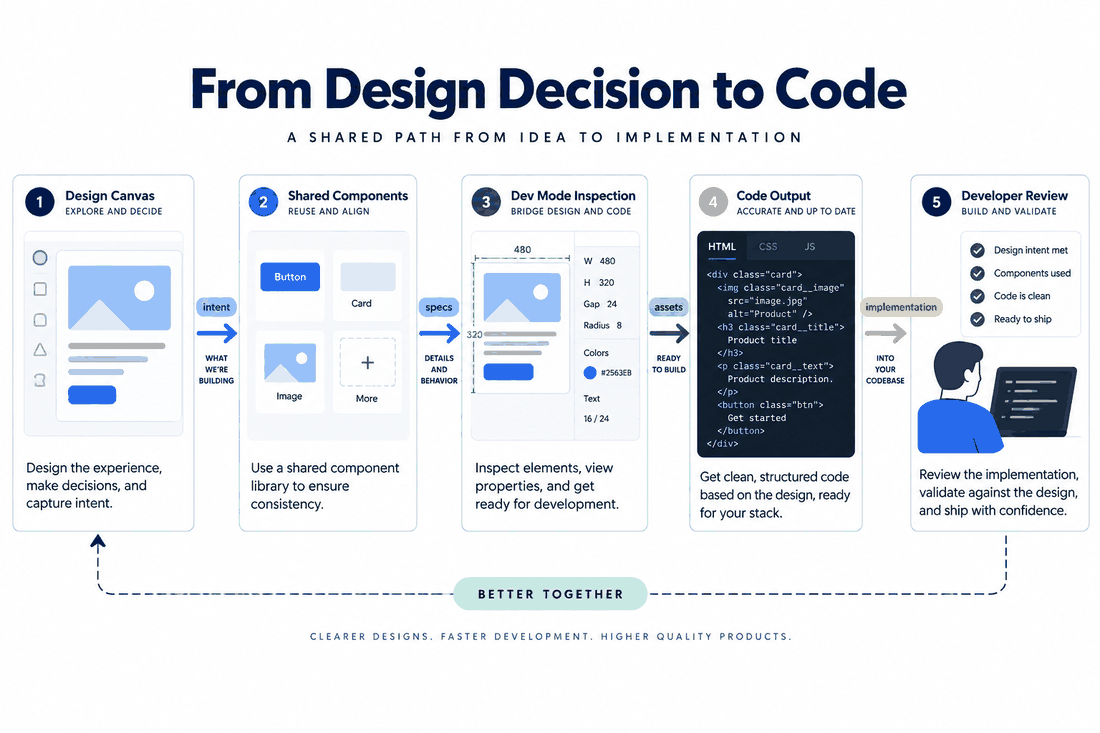
After release, record whether the delivered behavior matched the approval criteria. That feedback improves the next workflow and stops “approved” from becoming a decorative label with no operational meaning.