Scott
When user flows, UI files and development notes live in separate tools, the team needs a clear way to connect them. A shared workspace can reduce the effort of finding the current design and its discussion. This article looks at where that approach helps and what to consider before changing tools.
Part 1. The real cost of "Tool Ping-Pong"
We’ve all been there. A product manager spends three days mapping out a brilliant user journey and writing the core PRD. They drop the link in Slack. But when the design team actually sits down to work, the context immediately gets lost in translation. Designers end up having to manually recreate those user flows or constantly toggle between a text doc and their design canvas just to understand the baseline requirements.
When you treat planning and execution as two completely isolated phases living in two completely different platforms, you aren't just paying for software; you’re paying for silos. Information fragmentation means critical assets get buried in chat threads, version histories inevitably clash, and the original strategic "why" gets diluted before the devs even write a line of code. Teams end up paying hefty enterprise fees for an endless web of design collaboration tools while losing hours every week to tool ping-pong. This is an unsustainable way to ship software, which is exactly why product leaders are actively hunting for viable miro alternatives to consolidate their operations.
Part 2. Enter Pixso: The anti-franken-stack
If you want to solve this collaboration crisis, you have to fix the environment where the collaboration happens. That’s why forward-thinking product teams are moving their entire operational base over to Pixso. Instead of patching together different apps, Pixso acts as a comprehensive collaborative workspace that merges the chaotic, sticky-note phase directly with high-fidelity, pixel-perfect UI execution.
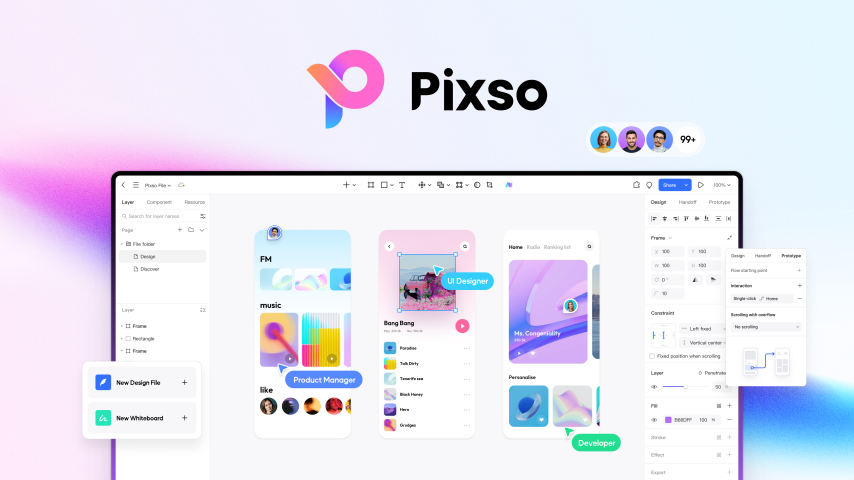
If your org is currently evaluating Miro alternatives, Pixso offers a solution that doesn't just replace your digital whiteboarding sessions; it effectively replaces your entire fragmented stack. Standing out heavily among modern figma alternatives, Pixso natively blends professional-grade UI/UX design features with advanced whiteboarding capabilities. You aren't paying for separate ecosystems anymore. Your team gets a single environment that covers whiteboard logic, interface design, interactive prototyping, and seamless developer handoff. Even for bootstrapped startups searching for a reliable free whiteboard tool to map out their MVP, Pixso delivers massive upfront value without locking you behind artificial paywalls when it’s time to scale.
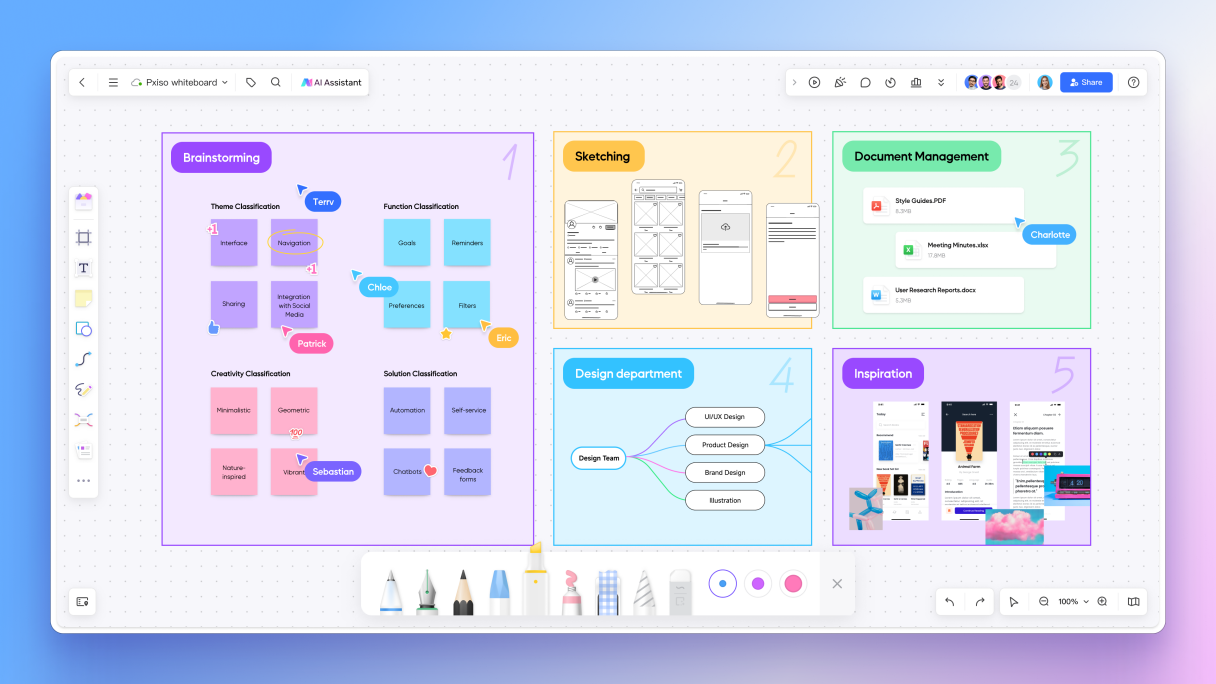
Part 3. Bridging the gap: from brainstorm to pixel-perfect UI
The biggest architectural flaw of the traditional product workflow is the massive chasm between planning and designing. In Pixso, that gap literally doesn't exist. It’s a true full-cycle integration. PMs can effortlessly map out complex architecture, draw low-fidelity wireframes, and draft their PRDs using the built-in Pixso Whiteboard. Because the platform operates as one unified collaborative workspace, moving to the next phase is completely frictionless.
Designers don't need to import SVGs, export messy PDFs, or try to mentally translate abstract sticky notes into another application. They simply open the exact same file and start crafting high-fidelity screens right next to the PM’s logic flow. This seamless transition is exactly why Pixso dominates discussions around modern miro alternatives. You permanently kill the context switch. The journey from a raw idea to a developer-ready prototype happens in one continuous, unbroken chain. When the PRD lives literally inches away from the UI artboard, the strategic vision never gets lost.
Part 4. No-BS teamwork for remote teams
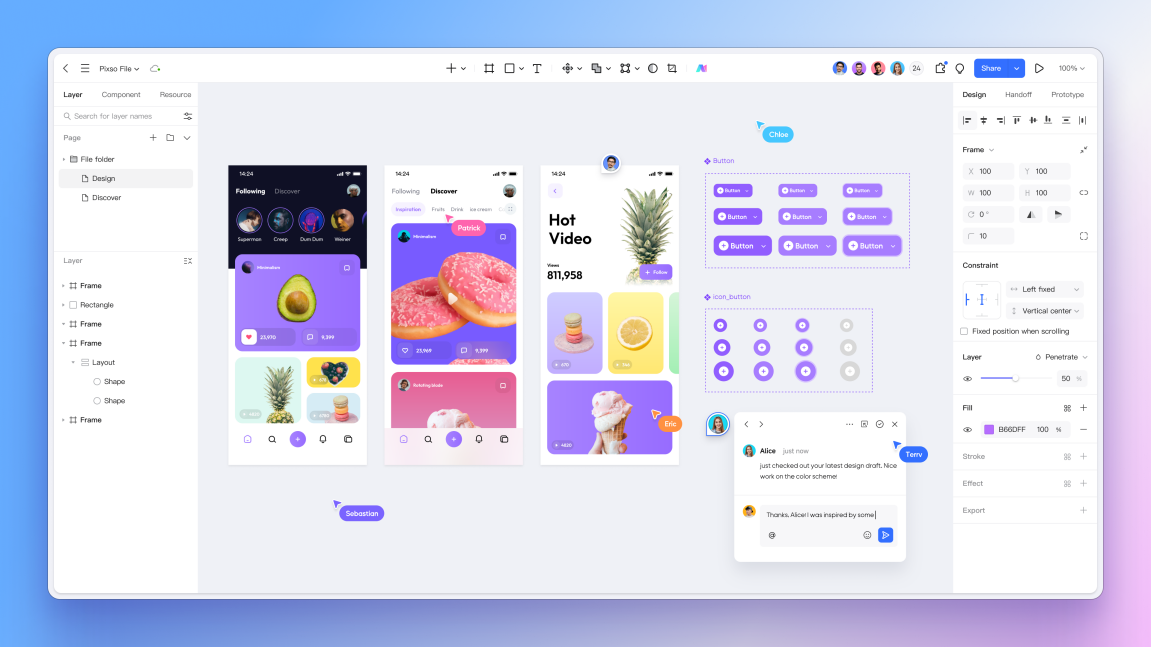
Hybrid and remote work models demand absolute, uncompromised synchronization. But when your devs, designers, and marketers are all logging into fundamentally different apps, keeping everyone aligned feels like herding cats. Pixso tears down these operational walls by letting all cross-functional roles operate on the exact same canvas simultaneously.
Imagine running a design review where stakeholders don't have to take screenshots and mark them up in a separate app. Instead, they drop precise, context-rich comments right on the UI artboards or the adjacent whiteboard logic. The online review process becomes instantly synced. Plus, with enterprise-grade permission settings, you control exactly who gets to move pixels and who just gets to view and comment. It’s easily one of the most secure and effective design collaboration tools on the market. Real-time synergy like this instantly resolves communication bottlenecks. It proves that genuine cross-functional collaboration isn't about throwing more alignment meetings on the calendar; it’s about maintaining a shared, real-time context.
Part 5. Ending the "Final_v4_FINAL" nightmare
"Hey, where’s the latest version of the checkout flow?" That one simple question wastes an absurd amount of time. When you run a standard miro whiteboard alongside an isolated UI editor, asset management usually devolves into a nightmare of conflicting file names. Pixso fixes this deeply rooted industry headache by acting as your team's centralized information hub.
Everything your team builds lives in one secure, easily accessible place. Your complex design systems, standardized UI component libraries, and brand guidelines are shared globally across the entire platform. Whether a UX researcher is sketching a wireframe or a senior designer is tweaking an interactive button, they are pulling from the exact same asset pool. This unified approach stops version chaos dead in its tracks. Embedded context ensures that anyone opening the file instantly understands the reasoning behind every design decision. If your team is exhausted by disorganized files, looking into integrated figma alternatives like Pixso is the smartest step you can take toward total asset clarity.
Part 6. Shrinking your budget while multiplying output
Let’s talk about the financial reality of 2026. Subscribing to multiple premium SaaS platforms blows a massive hole in your software budget. By adopting a unified tool, you drastically slash those redundant seat licenses. Plenty of lean teams spend days scouring Google for a decent free whiteboard tool just to cut immediate costs, but they usually end up sacrificing vital features and outgrowing the app in a month. Pixso gives you enterprise-grade, high-performance capabilities without the ridiculous financial bloat, acting as one of the most cost-effective miro alternatives available.
But it goes beyond just saving thousands in annual fees. A unified platform dramatically lowers the learning curve for new hires. Onboarding a new product designer to one intuitive platform is infinitely faster than training them on three different proprietary systems.
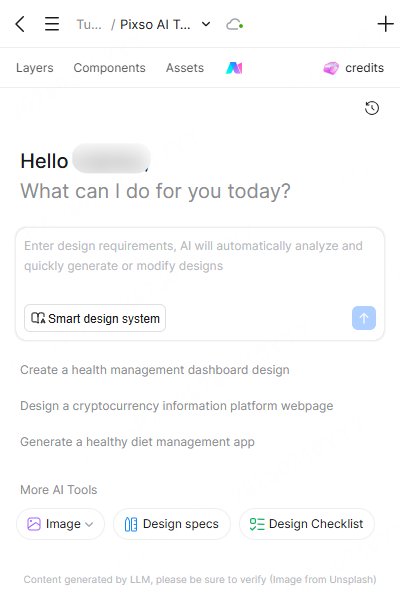
On top of that, Pixso’s native AI features act like a massive shot of adrenaline for your creative process. We aren't just talking about basic spellcheck. Pixso AI can handle intelligent layout adjustments, automate wireframe generation, and process text and design assets instantly. It takes the tedious, repetitive manual labor out of the equation. You get superior cross-functional collaboration, AI-driven efficiency, and best of all, a single, predictable monthly bill.
Part 7. The workflow of the future is unified
Switching your entire team over to a new software ecosystem might sound like a headache initially, but the long-term payoff is massive. Consolidating tools can give a team more time for design work, but the effect depends on the workflow, adoption and how the team measures results.
For years, the tech industry categorized apps far too rigidly. We were told that one app is strictly for thinking and another app is strictly for drawing. But modern product development isn't linear; it’s incredibly fluid. When you commit to a comprehensive collaborative workspace, you acknowledge that thinking, writing, and designing are overlapping processes.
A product discussion may lead to a wireframe, then a detailed component and a developer handoff. Keeping those materials together can make the decisions behind a screen easier to find. The team still needs to identify the current version and resolve open questions.
Conclusion
A shared workspace is useful when your team repeatedly loses context between planning, design and handoff. Pixso brings those activities together. Before switching, consider the files, integrations and habits your team would need to move; an existing two-tool setup may still fit your work.