Scott
Tree testing checks whether people can find a resource in a text-only navigation hierarchy. It is useful when the decision is about category names and placement, before icons, page layouts, and menu behavior complicate the picture. A successful final selection is only part of the evidence: someone may reach the right place after several wrong turns.
Consider an employee help center with a page about the employer contributing alongside an employee's charitable gift. Does that belong under People, Benefits, or Policies? A tree test can show where employees look. It cannot, by itself, explain every choice or prove that the finished help center is usable.
Give the test a complete, bounded tree
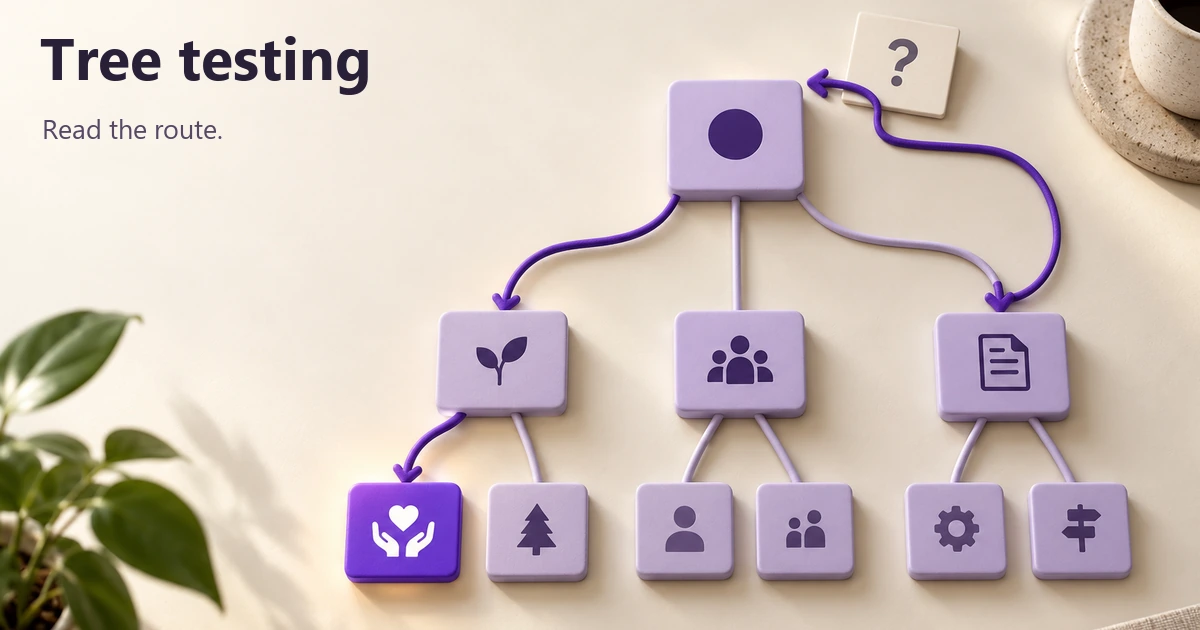
The participant sees expandable text categories and chooses the location where they expect the answer. In card sorting, people group content items; in tree testing, they look for an item within a hierarchy you have already supplied. In NN/g's tree-testing guide, Page Laubheimer describes using an intranet charitable-giving task to investigate HR category names. The task mattered because it exposed a classification question, not because it was necessarily a frequent activity.
The following is a hypothetical, compact employee help center, not the tree or results from that project. Each indentation is one level; the lowest items represent destinations. Keep the same labels throughout setup and analysis.
- Employee help
- People
- Benefits
- Health coverage
- Donation matching
- Time off
- Leave balances
- Request leave
- Benefits
- Policies
- Conduct
- Conflicts of interest
- Giving and volunteering
- Volunteer leave rules
- Eligible organizations
- Conduct
- Tools and access
- Accounts
- Reset sign-in details
- Devices
- Request equipment
- Accounts
- People
A real study needs the relevant competing branches, not just the correct route. Removing Policies would make the giving task easier while avoiding the very ambiguity being investigated. If you deliberately test only Benefits, your conclusion starts there; it cannot tell you whether employees would find Benefits from the homepage.
Optimal's tree-building guidance distinguishes whole-site and section-level tests. Choose that boundary explicitly. For this exercise, search is outside the test: employees browse the hierarchy. That restriction does not mean the live help center should lose its search function.
Decide what counts as an answer before collecting results
Confirm the intended content with its owner. Here, Donation matching explains whether the employer contributes and how the program works. Eligible organizations lists groups eligible for volunteering activities; it does not answer the contribution question. That distinction makes it a plausible but insufficient destination, rather than an alternative success invented after seeing the results.
Mark every genuinely acceptable destination before the study. If two routes lead to the same useful content, both may qualify. Record their full paths, because identical leaf labels under different parents are different navigation choices. A category containing the answer somewhere below it is not automatically equivalent to the answer page.
Check whether your test setup allows a parent node to be selected. Some systems accept only leaves, even when the real category has its own useful landing page. If Benefits itself answers the question, forcing people to choose a child would misrepresent the site. Model the landing-page content explicitly where appropriate, document the extra test-only level, or choose a method that supports the actual structure. Do not classify a reasonable answer as failure merely because the model cannot express it.
Write the employee's need, not the menu label
“Find Donation matching under Benefits” supplies both the answer and its route. Even “Find donation matching” lets someone match words without understanding the hierarchy. Optimal's task-writing guidance recommends natural scenarios without repeating the tree's answer labels. Keep the goal clear without adding an elaborate personal story.
Prepare the contribution task alongside tasks that exercise other parts of the same help center. The destination column below belongs in the research setup, not in the instructions shown to participants.
| Question being tested | Participant instruction | Accepted destination in this example |
|---|---|---|
| Employer contribution | You gave money to a local food charity. You want to find out whether your employer will contribute too. Where would you look? | People → Benefits → Donation matching |
| Time for volunteering | You want to help at a community event during your normal working hours. Where would you check whether the company allows this? | Policies → Giving and volunteering → Volunteer leave rules |
| Work device | Your work computer is no longer usable. Where would you go to ask for a replacement? | Tools and access → Devices → Request equipment |
These destinations depend on the content definitions, not on what sounds convenient to score. If a task could reasonably ask for several different things, refine it before launch. For example, “Get help with giving” might mean donating money, volunteering time, or finding an approved organization. Results from that wording would mix several intentions.
Pilot the task and the selection behavior
Try the setup with representative employees before scaling the study. Ask what they understood the contribution task to mean, without explaining the intended branch. Also check that they understand how to choose a final answer, go back, and stop when they cannot find one. A pilot can reveal a confusing instruction rather than a confusing menu.
Keep administration staff who already know the organization of HR content distinguishable from employees encountering it occasionally. Record relevant familiarity instead of treating all participants as interchangeable. Spread tasks across the stated scope, vary their order when appropriate, and avoid repeatedly teaching the route to Donation matching through near-identical tasks.
Read first choice, backtracking, and destination separately
Suppose an illustrative attempt begins at Policies, opens Giving and volunteering, then returns to Employee help. It continues through People and Benefits and ends at Donation matching. This is an invented route for interpretation, not an observed research result. The destination is accepted, but the route is indirect.
| Evidence | What the route shows | What remains uncertain |
|---|---|---|
| First choice | Policies was selected before People. | Whether People seemed irrelevant, Policies seemed promising, or something else guided the choice. |
| Backtracking | The participant left Giving and volunteering and returned to the root. | Which label or missing option prompted the reversal. |
| Final destination | Donation matching was selected. | Whether the actual page would answer the question and enable the employee's next action. |
First-choice results help locate the initial branch decision. Distinguish selecting People first from visiting People eventually: the latter can include recovery from a wrong branch. If most difficulty happens after Benefits is opened, renaming the top-level category may address the wrong level.
Path results distinguish direct and indirect routes from their outcomes. A person can go directly to an incorrect destination, or backtrack and still fail. Directness therefore does not equal success. Retain the full sequence rather than compressing both kinds of failure into one red mark.
The Destinations view described by Optimal shows where people finished relative to the accepted answers. For this help center, inspect whether incorrect choices cluster at Eligible organizations or are scattered across unrelated pages. Those patterns call for different follow-up questions. Preserve abandoned attempts separately; a missing final answer is not a chosen destination.
If you report rates, keep the task, tree version, participant group, and denominator beside them. Explain how abandoned or excluded attempts were treated. Do not combine a known correct destination with an unverified shortcut just to improve a success rate. One task's result is not a score for the whole help center.
Use a detour to form a question, not declare a cause
The illustrative route suggests investigating how employees distinguish benefits from volunteering policies. It does not establish that People is a bad label. Someone might expect all company rules under Policies, misunderstand what the company contributes, or simply explore. In a moderated follow-up, ask “What were you expecting to find there?” rather than “Was People confusing?”
Compare the contribution task with the volunteering task. If both begin under Policies, the labels may be collapsing two different needs. If employees distinguish them but stop at Eligible organizations, investigate the lower-level wording and actual content. The appropriate change could be a category label, a content location, or a useful second route—not necessarily a shorter menu.
A small qualitative study can identify an issue worth revisiting; it cannot establish its population frequency. Do not turn a few detours into a universal failure rate or claim a small difference between variants is decisive. Time is also contextual: a slower successful attempt may involve deliberate reading, while a fast wrong answer may reflect a strong but mistaken expectation.
Compare one defined revision in Pixso
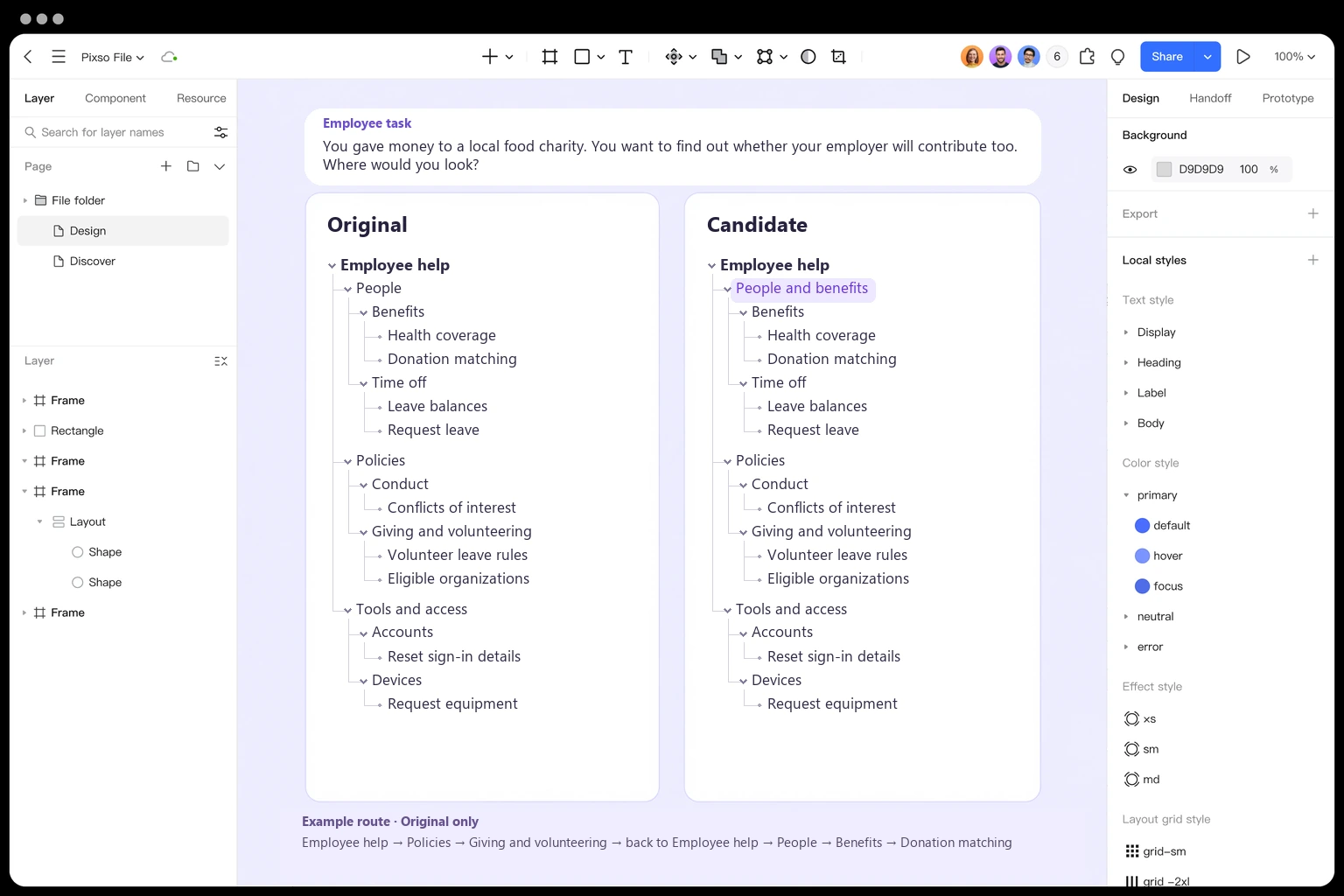
Make the next hypothesis specific. One candidate could rename People to People and benefits while leaving every child and competing branch unchanged. The question becomes whether the broader label better signals the contribution page—not whether an entirely redesigned menu is “better.” Moving Donation matching at the same time would make a result harder to attribute to wording.
In Pixso, draw the original hierarchy and the candidate side by side using text, shapes, and lines. Put the participant task above them and attach the illustrative route to the original only. Label that route as an example; for real research, use a de-identified attempt reference that points back to the study record. Highlight the single changed label, keeping all other tree content consistent. Pixso's UI design and annotation tools support this design-review artifact; the test data comes from the research process, not built-in tree-testing analytics.
Map and refine your navigation tree in Pixso →
Test the candidate with the same task and acceptance rules. For a clean comparison of first encounters, use separate, comparable groups rather than having everyone repeat the task on the second tree after learning the destination. Keep other study conditions consistent. Examine the volunteering and device tasks too, so a change intended to help one route does not conceal problems elsewhere.
Take the revised hierarchy back into the interface
After choosing a direction, put the labels into the actual navigation layout and test the employee's task again. A mega menu may expose several levels at once; a narrow-screen menu may reveal them one at a time. Search, page content, and interaction behavior can change the experience. A tree result does not settle those questions.
Use the structured usability-testing workflow when the question becomes whether employees can use the finished interface and act on the contribution information. Keep the tree result narrower: which hierarchy was tested, where people went, what was changed, and what still needs checking. The useful outcome is a defensible navigation decision, not a green success number detached from its route.
Turn tree-test answers into navigation decisions
A tree test is useful when the task, route, and success rule are explicit. Give participants one realistic destination, record the first path they choose, and separate direct success from a lucky final guess. The result should tell the team which label or branch needs work.
| Signal | Interpretation | Next design move |
|---|---|---|
| Direct success | Label and branch are discoverable. | Keep the wording and test a second task. |
| Indirect success | Destination is findable but route is unclear. | Compare sibling labels and parent grouping. |
| Backtrack | Participants lose confidence. | Rewrite the branch before adding another level. |
| Failure | Route or vocabulary is missing. | Test a new label with the same task. |
Map the proposed tree in Pixso, link the task path to the relevant frame, and keep the evidence next to the label change for review.