Scott
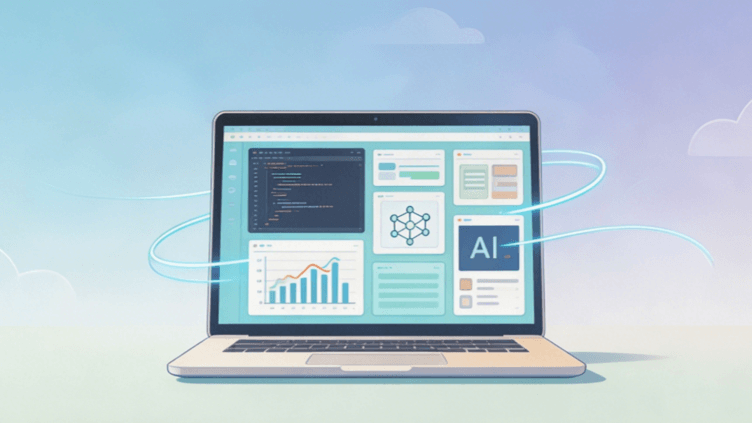
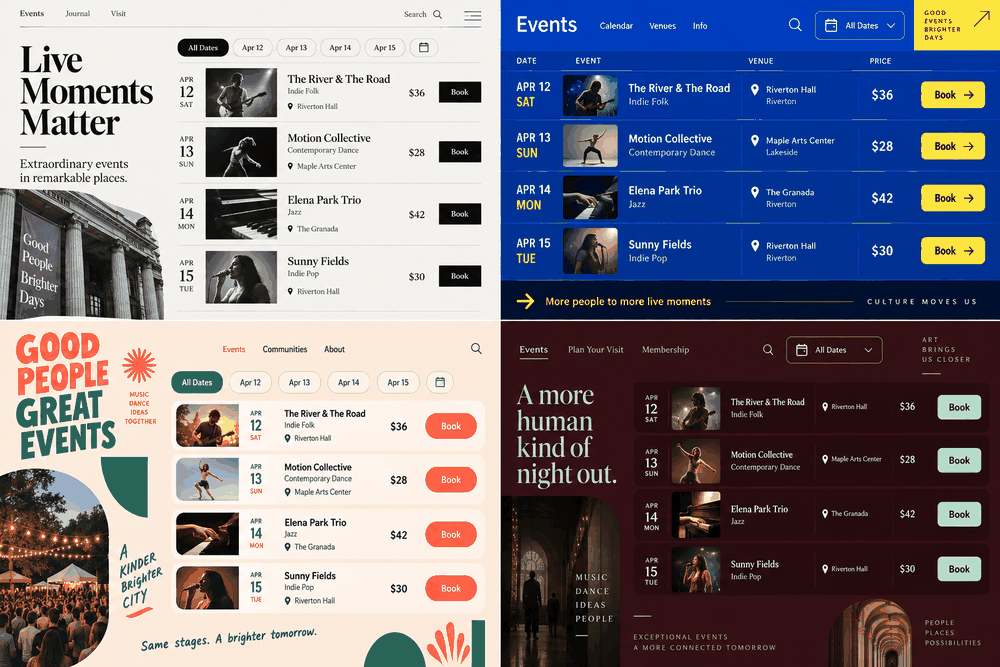
The design world is currently caught in a fascinating yet frustrating paradox. On one hand, we have access to the most powerful ai ui design tools in history, capable of churning out layouts in seconds. On the other hand, we are witnessing the "Great Flattening." If you look at Dribbble or recent SaaS launches, you’ll notice a haunting sense of déjà vu. The same rounded corners, the same pastel gradients, and the same generic hero sections are everywhere. This is the "Sameness" problem—a byproduct of using an ai ui generator without a strategic framework.
The goal isn't to reject automation, but to master it. To produce creative ui design that actually converts and stands out, designers must shift from being "pixel pushers" to "creative directors" of their AI counterparts. The following guide explores how to break free from the generic mold and ensure your ai website design remains as unique as your brand.
Part 1. Solving the paradox: Why Pixso is the bridge to original design
Efficiency should never come at the cost of soul. Many designers fear that an ai ui generator will eventually replace the need for original design, but the reality is more nuanced. Tools are only as creative as the constraints you give them. This is where Pixso enters the frame as a game-changer for modern workflows.
Unlike standalone AI bots that spit out static images, Pixso integrates AI directly into a professional-grade collaborative canvas. It doesn't just give you a picture of a UI; it provides a starting point for a professional ai ui design that you can actually edit, scale, and ship.
Why Pixso stands out in the era of AI:
- Integrated AI Canvas: Stop jumping between a browser-based generator and your design tool. Pixso allows you to generate icons, copy, and UI components directly where you work.
- High-Fidelity Output: While other ai design tools focus on "pretty pictures," Pixso focuses on functional layers and components that follow UI logic.
- Real-time Collaboration: Unique design is often the result of human feedback. Pixso allows teams to iterate on AI-generated drafts instantly.
By putting the power of an ai ui generator inside a robust design environment, Pixso ensures that the AI serves the designer, not the other way around. It provides the speed of automation with the surgical precision of a professional UI kit.
Part 2. Precise prompt control: Moving beyond "Modern & Clean"
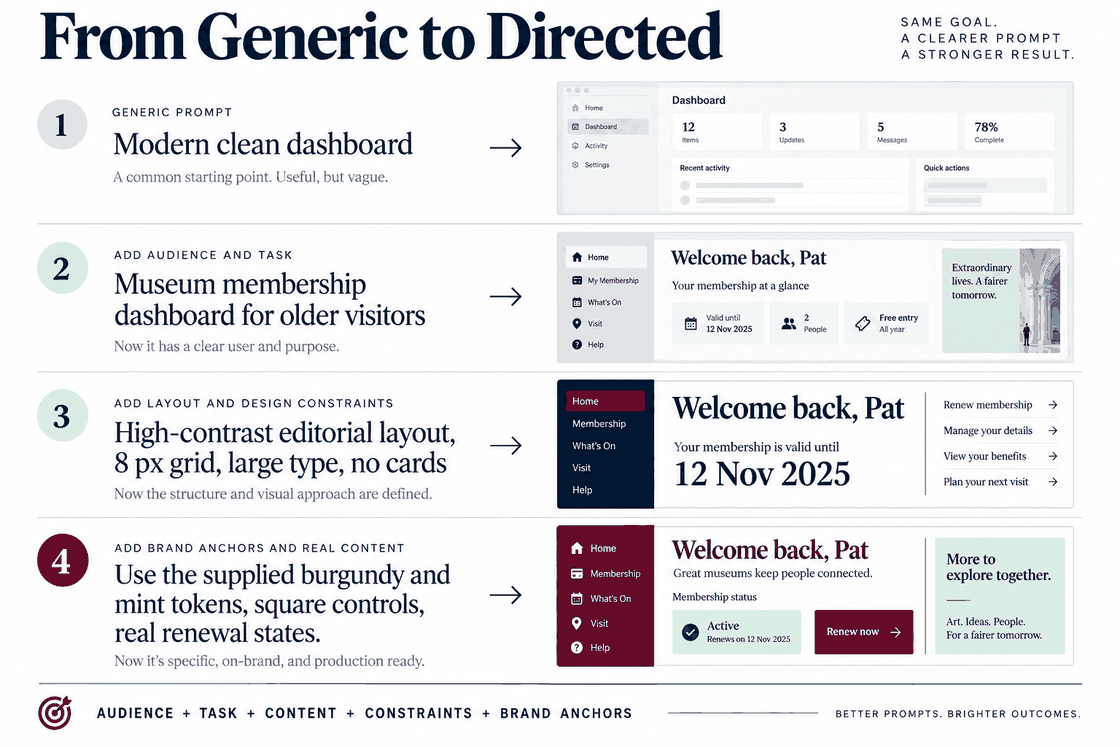
The primary reason for the "sameness" in AI website design is the use of lazy, generic prompts. If you ask an AI for a "modern fintech landing page," it will give you the average of every fintech page it has ever seen. The result? Total mediocrity.
To achieve unique designs, you must implement a structured, standardized approach to prompting. This is about "Precise Command Control." Instead of vague adjectives, use a framework that defines what the AI cannot do.
- Structure your prompts: Define the layout (e.g., F-pattern vs. Z-pattern), the specific content hierarchy, and the technical constraints.
- Set Style Boundaries: Explicitly mention the aesthetic you want to avoid. For example: "Generate a brutalist UI for a music app. Avoid soft shadows, avoid rounded corners, and do not use pastel blue."
- Source Logic: Provide the AI with structural references. By using Pixso’s built-in AI assistant, you can refine generated results by adding layers of descriptive detail that move away from "standard" templates.
By moving to a structured prompt system, you stop being a passive user of ai design tools and start acting like a lead architect. You are no longer asking the AI to "design a page"; you are commanding it to execute a specific vision.
Part 3. Locking in brand identity: The 5 pillars of visual anchoring
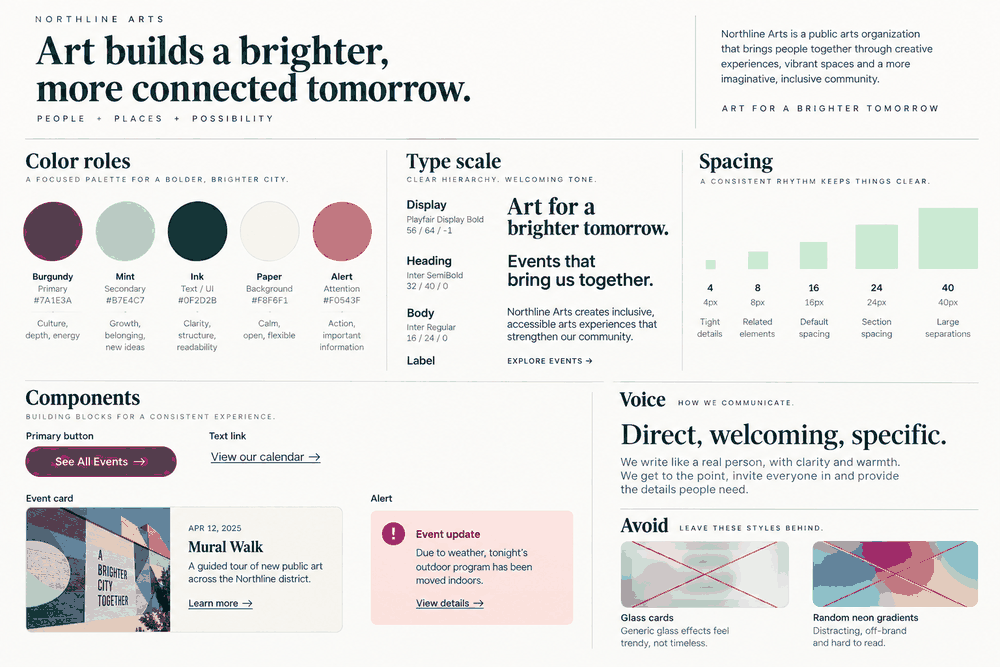
If you let an ai ui generator make all the choices, it will default to the most "mathematically probable" colors and fonts. To ensure original design, you must "anchor" the AI to your specific brand DNA. You do this by establishing five categories of differentiated design anchors before the AI even starts.
The 5 Essential Brand Anchors:
- Exclusive Color Palettes: Don’t just say "blue." Use specific hex codes and define their usage ratios (e.g., 60-30-10 rule).
- Custom Typography: Force the design to use your brand’s specific font pairings rather than the AI's favorite (usually Inter or Roboto).
- Signature Iconography: Use Pixso’s AI icon generator to create a custom set of icons that share a unique stroke weight and style, rather than using public libraries.
- Grid Systems: Define a non-standard grid. Maybe your brand uses a 10-column layout or a specific asymmetric spacing rule.
- Unique Component Logic: Specify how buttons or cards should behave—perhaps they have 0px border-radii or specific glassmorphism effects.
When you feed these anchors into your workflow, the AI UI design becomes a reflection of your brand rather than a reflection of the AI’s training data. Pixso allows you to save these as local styles, ensuring that every time you call upon AI, it pulls from a pre-defined "safe zone" of brand assets.
Part 4. The design system shield: Preventing the overuse of public material
One of the biggest contributors to the "sameness" problem is the overuse of the same open-source component libraries. When thousands of designers use the same ai design tools to pull from the same public "Material Design" or "Tailwind" buckets, the internet starts to look like one giant template.
The solution is to "Lock the AI" within your Design System Management (DSM). Pixso’s DSM is particularly effective here. By using private tokens and custom component libraries, you can force the AI to call upon your team’s unique assets.
- Private Tokens: Instead of generic "Primary Color," use tokens that are unique to your product’s personality.
- Component Overrides: When the AI generates a layout in Pixso, you can quickly swap out generic buttons with your "Master Components" from the DSM.
- Constraint Logic: Ensure that the AI-generated content follows the spacing and padding rules defined in your Pixso library.
This "Tool-Integrated Transformation" means you spend less time fixing "hallucinated" designs and more time refining the creative ui design. You are essentially creating a "walled garden" where the AI can be as fast as it wants, but it must use your bricks to build the house.
Part 5. Redefining the workflow: Human-AI division of labor
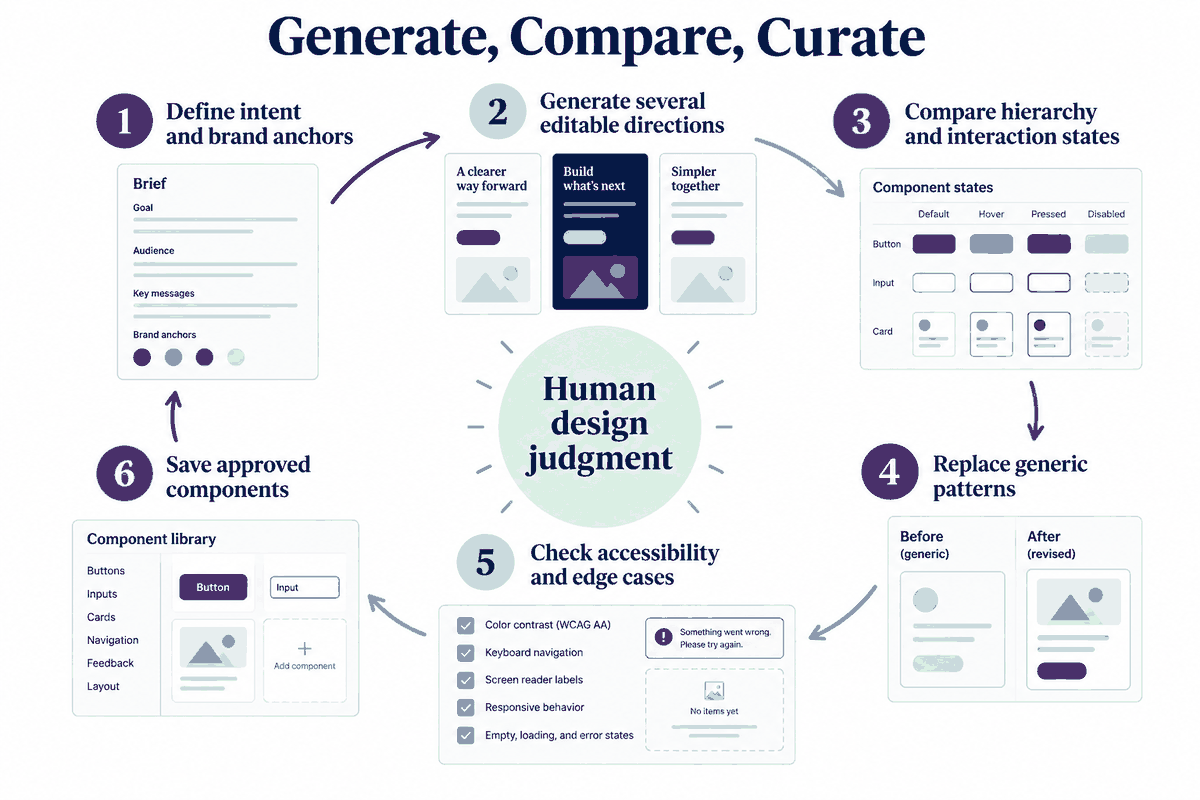
The most successful teams in the future won't be the ones that use the most AI; they will be the ones that have the best "Human-AI Division of Labor." The "sameness" problem occurs when designers allow the AI to do 100% of the work. For truly creative ui design, the split should look like this:
| Task Category | AI's Role (Execution) | Designer's Role (Strategy) |
| Ideation | Generating 20 variations of a hero section. | Selecting the one that aligns with user psychology. |
| Asset Creation | Generating 50 unique icons or background patterns. | Curating and refining them for visual consistency. |
| Layout | Mapping out a basic responsive grid. | Breaking the grid for "visual delight" and branding. |
| Iteration | Batch-applying color changes or text updates. | Reviewing accessibility and emotional impact. |
In Pixso, this workflow is seamless. You can generate a batch of ideas, use the "multi-edit" features to tweak them all at once, and then step in to add those "human touches"—the micro-interactions, the clever copy, and the unexpected layout shifts—that an ai website design simply cannot conceive on its own. This ensures you are never delivering a "total AI" file, but rather a human-curated masterpiece.
Part 6. Industry-specific customization: Breaking the generic framework
Generic ai design tools are trained on the "average" of the web. This means they often fail to understand the specific nuances of different industries. A medical app should not feel like a social media app, yet AI often gives them the same "bubbly" look.
To combat this, you must apply vertical industry constraints. Whether you are working on a high-stakes financial dashboard or a luxury e-commerce site, your design needs to adapt to the specific "visual language" of that sector.
- Financial/Security: Focus on high-density data, sharp corners, and "stable" colors. Force the AI to prioritize information hierarchy over "trendy" whitespace.
- Luxury/Fashion: Direct the AI toward high-contrast typography, large-scale imagery, and unconventional navigation patterns.
- Medical/Healthcare: Use the AI to generate clean, high-legibility interfaces that prioritize accessibility and WCAG compliance.
Pixso enables teams to create "Industry Standard Templates" within their internal libraries. By combining these industry-specific constraints with an AI UI generator, you ensure that the output is not just a pretty interface, but a functional tool that respects the expectations of its specific user base. This level of customization is what separates a professional designer from an amateur using a chatbot.
Conclusion
The "sameness" problem is not a flaw of the technology; it is a flaw in how we use it. By implementing precise prompt control, anchoring your designs to a robust design system in Pixso, and maintaining a clear division of labor between human and machine, you can harness the power of ai ui design without losing your creative edge. The goal is to use these ai design tools to handle the repetitive, mundane aspects of our craft, freeing us to focus on what truly matters: solving user problems and creating unique designs that resonate. In the end, the most original design will always be the one where human intuition and AI efficiency meet in perfect balance.