On this page

Scott
Pixso Whiteboard is a collaborative workspace designed for creative teams to conduct real time brainstorming, concept mapping, and visual curation. For product designers and creative leads, an online whiteboard serves as a lightweight, infinite canvas for gathering references and structuring visual ideas.
Anyone with a workspace link can enter the canvas to explore design directions, map user journeys, run design critiques, and synthesize inspiration in real time or asynchronously.
This guide breaks down how to build an effective inspiration board using Pixso to streamline your design research and maximize your creative output.

1. Create a Dedicated Inspiration Board
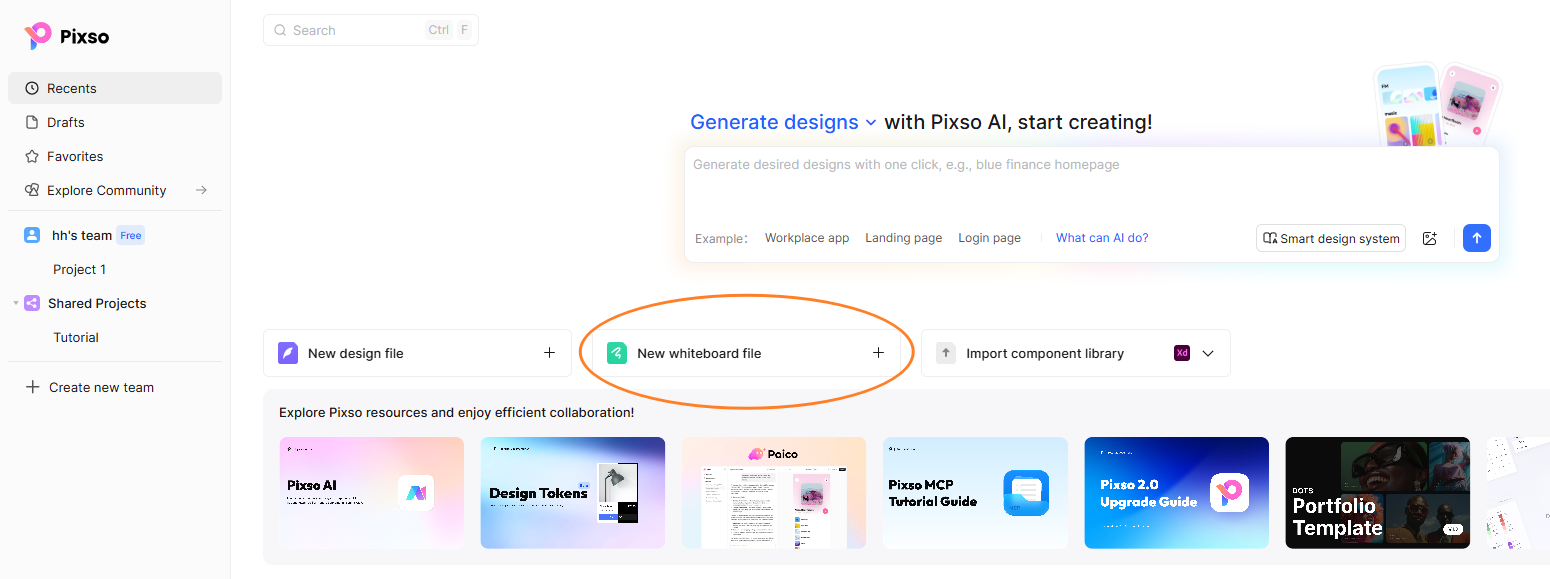
Log in to the Pixso workspace and create a new board file to serve as your central visual repository. You can customize granular viewing and editing permissions based on your project requirements, ensuring that internal teams or external clients have the appropriate access level from day one.
👉 Click here to sign up and launch Pixso for free
2. Curate Images and Design Assets
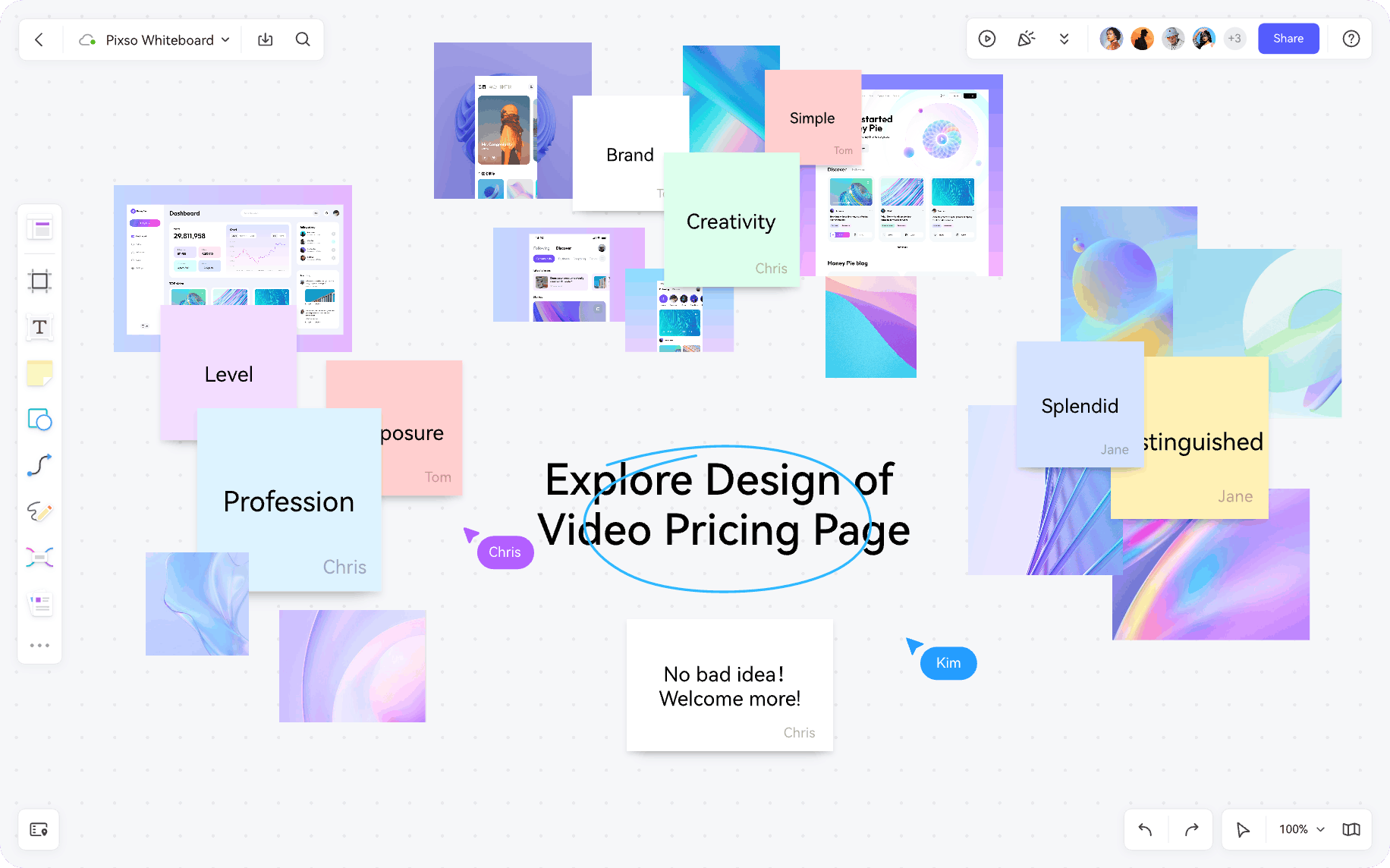
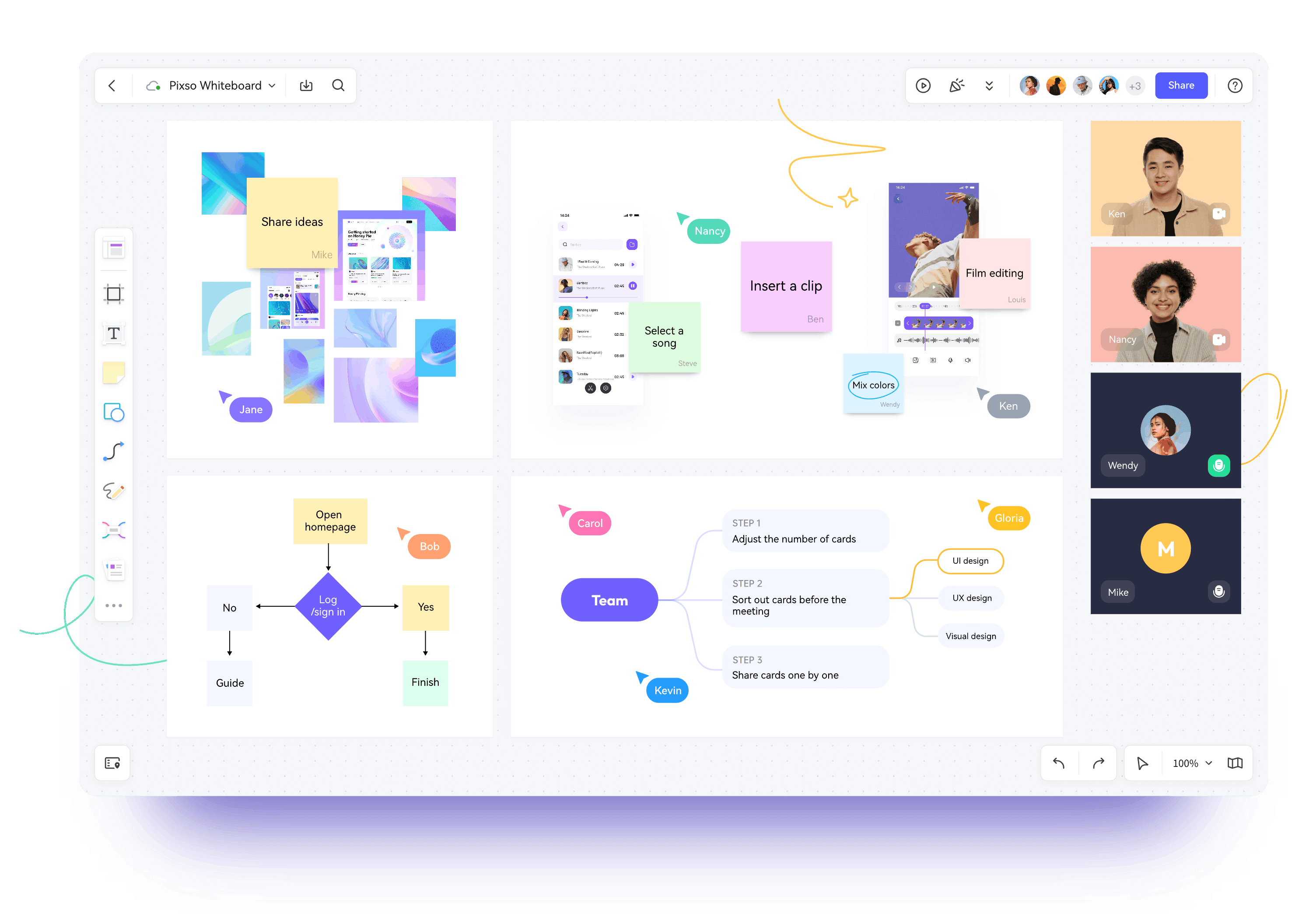
On Pixso Whiteboard, you can drag and drop visual references, interface screenshots, brand assets, and photography directly onto the infinite canvas. You can also import local design files in batches.
The platform provides an extensive set of creative curation tools, including shapes, sticky notes, connectors, and tags, enabling designers to organize scattered visual ideas into structured thematic clusters.
3. Build Dynamic Mind Maps and Concept Flows
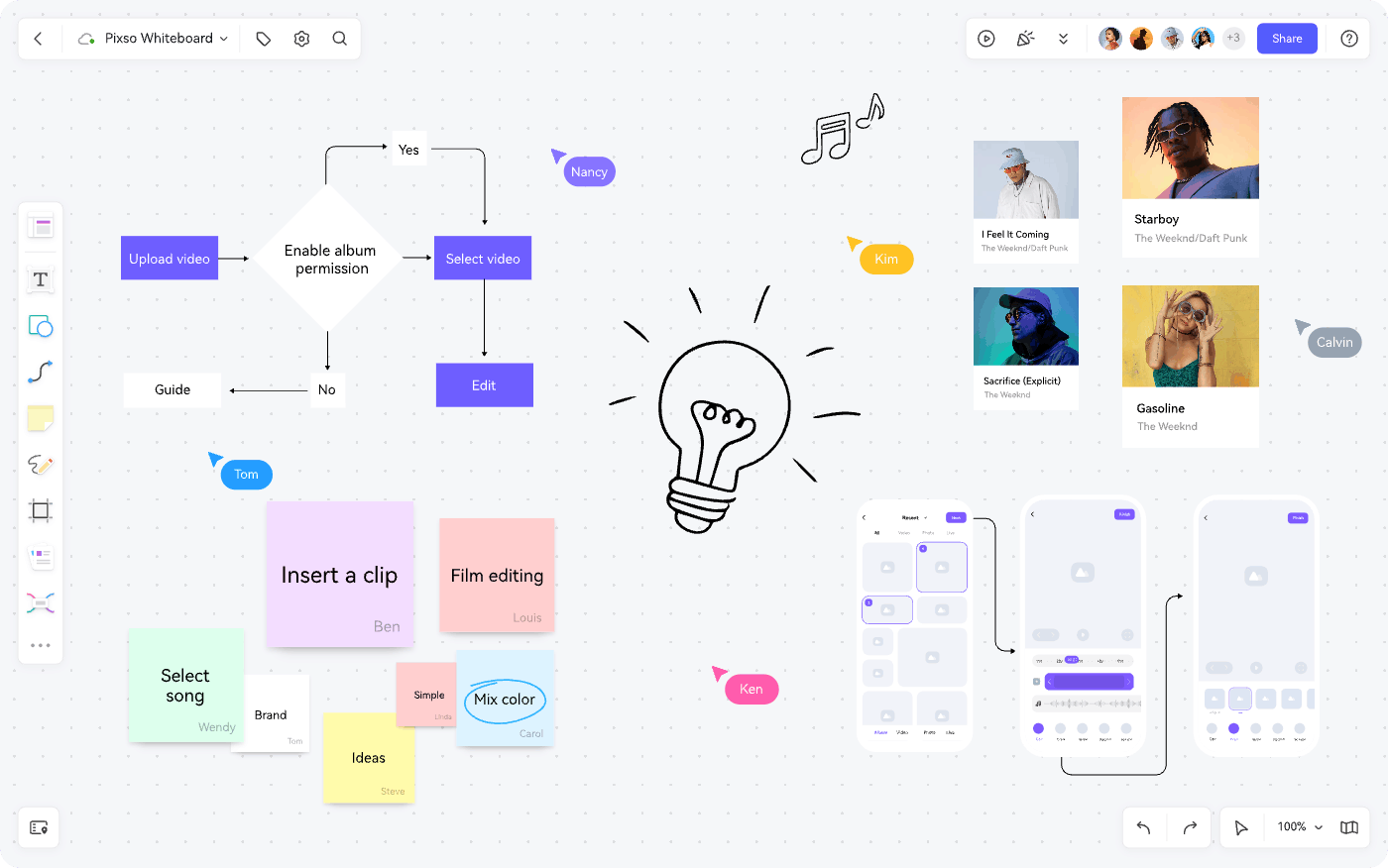
Designers can utilize integrated shape and typography tools to construct mind maps and concept diagrams. Use customizable connection lines to illustrate structural relationships and logic flows between different references, then add text notes for contextual explanations. This keeps your research organized, legible, and easy for cross functional partners to navigate.
4. Run Interactive Team Brainstorming
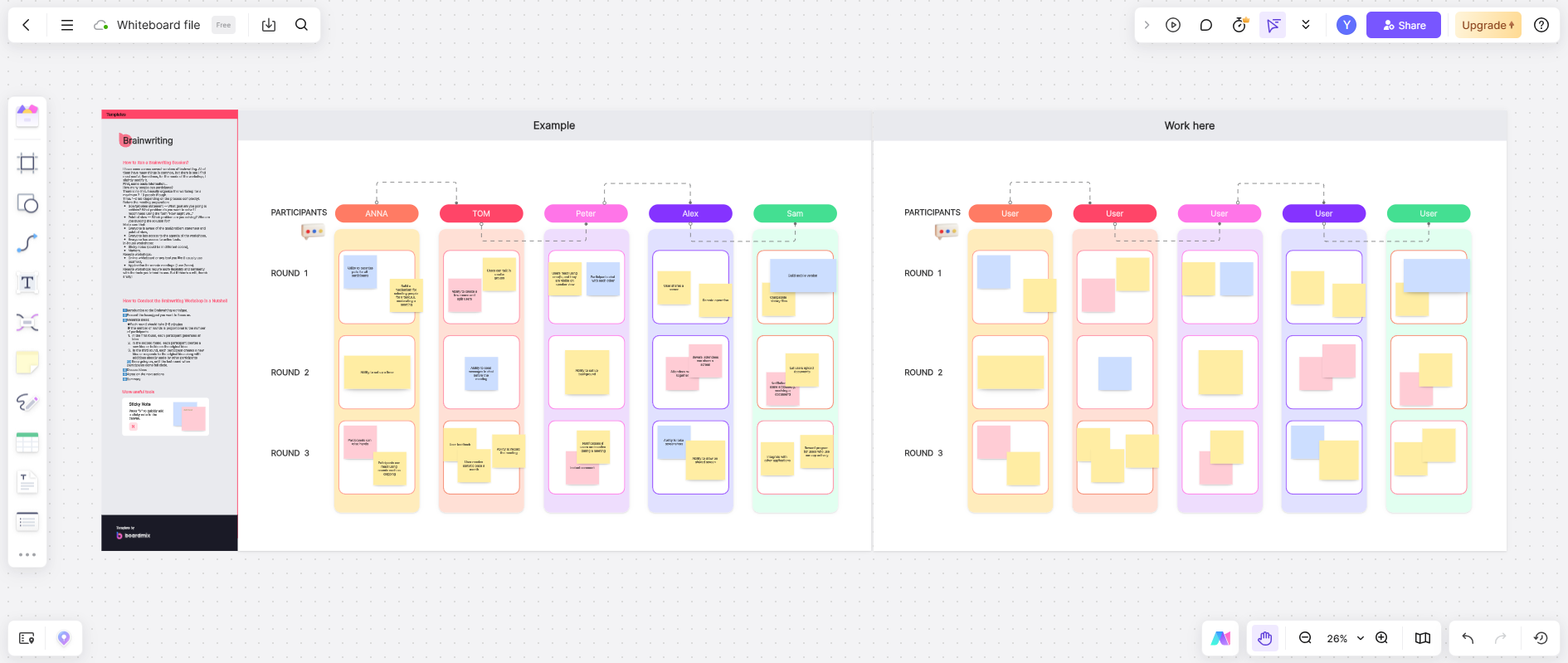
Pixso Whiteboard functions as a collaborative brainstorming hub for modern product teams. You can set up dedicated breakout frames for individual team members, using digital stickers, colored sticky notes, and custom shapes to record real time feedback. Live multiplayer cursors allow everyone to see team ideas emerge simultaneously on the canvas.
Before inviting the team, plan a collaborative brainstorming session with a clear question, a time limit, and a method for choosing which ideas to develop.
5. Gather Live URLs and Market Benchmarks
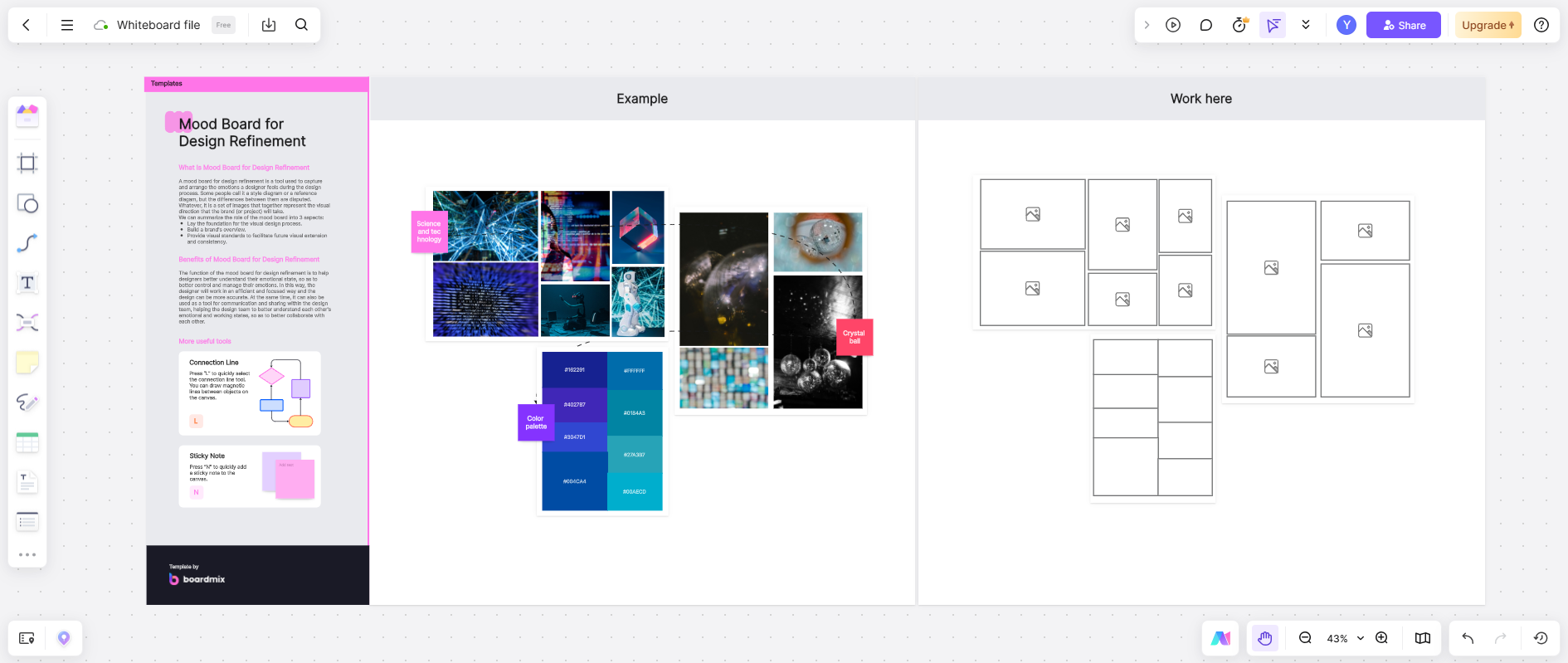
Paste live web links, research documentation, and interactive references directly onto the canvas. Embedding clickable web resources keeps important benchmarks visible throughout the entire design lifecycle, ensuring that the team remains aligned on product standards and competitive insights.
6. Collaborate and Synthesize Across Departments
As a cloud-native whiteboard tool, Pixso makes cross-functional alignment simple. Share a single link to invite product managers, frontend engineers, and UX researchers into co-creation sessions. Team members can leave contextual comments, vote on visual directions, and provide immediate feedback directly within the canvas.
7. Export and Share Design Rationale
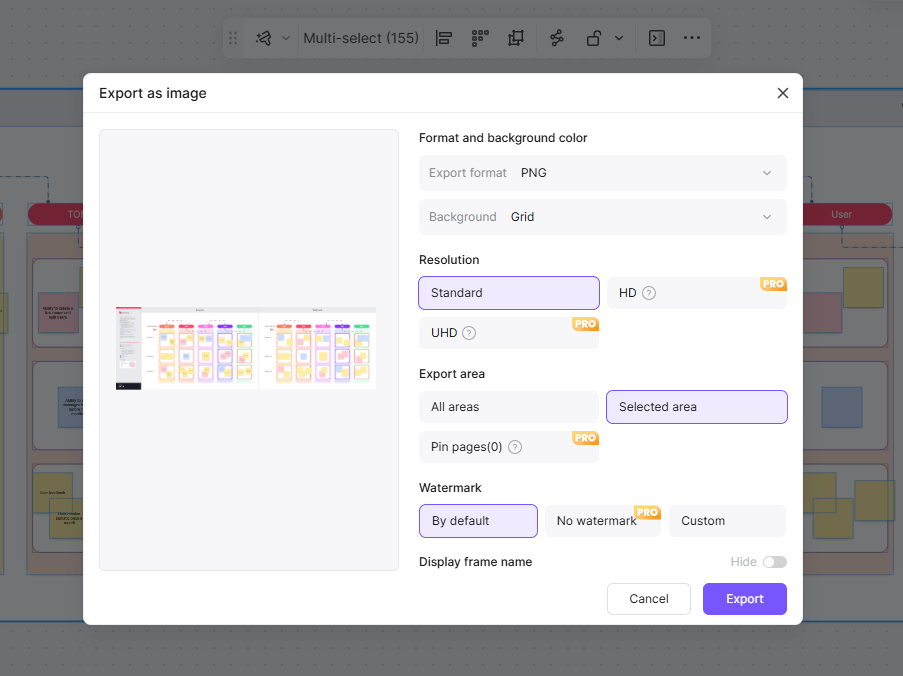
Once your visual curation is complete, export your canvas into high resolution PNG, JPG, or PDF formats with customizable resolution settings.
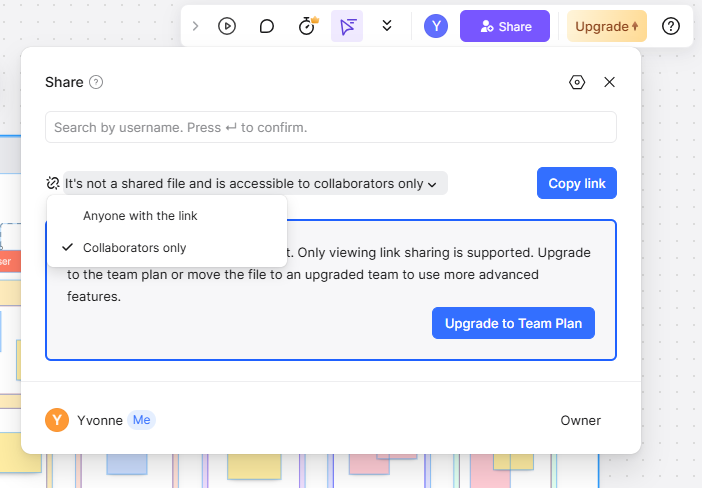
Click the share button in the top navigation bar to generate an instant access link, allowing you to present your design rationale and mood boards to executive stakeholders with ease.
FAQ
Q1. What is the primary difference between an inspiration board and a traditional mood board?
A traditional mood board focuses primarily on establishing aesthetic tone through colors, textures, and typography. An inspiration board is broader and more functional, incorporating competitive product UI patterns, user interaction flows, live web links, and structural notes alongside visual aesthetics to guide product decision making.
Q2. How does an online whiteboard improve creative velocity compared to static curation platforms?
Unlike static bookmarking tools, an online collaborative whiteboard allows designers to spatially arrange assets, draw relational diagrams, annotate design patterns, and gather live stakeholder feedback in a single infinite canvas, accelerating the transition from raw research to actionable UI wireframes.
Q3. Can assets organized on an inspiration board be moved directly into production design files?
Yes. Because pixso whiteboard is natively integrated into the broader Pixso design ecosystem, designers can copy curated vector graphics, wireframe sketches, and visual components directly into primary UI files without format conversion or fidelity loss.
Q4. How do distributed teams conduct asynchronous inspiration reviews on a digital canvas?
Distributed teams can organize the canvas into clearly labeled sections, assign specific review tasks via contextual mentions, and use emoji stickers or voting widgets to prioritize design directions across different time zones without requiring synchronous meetings.
Summary
Pixso Whiteboard provides a flexible visual environment where designers can curate, structure, and distribute creative ideas effortlessly. By connecting early visual discovery with real time team collaboration, the platform helps teams transform raw concepts into refined digital experiences with speed and clarity.
👉 Start boosting your creative output with Pixso Whiteboard for free today!