Scott
Modern product teams no longer work in isolated silos. Developing a successful digital product requires continuous communication between designers, product managers, developers, and executive stakeholders. To bridge the gap, organizations rely on collaborative workspaces that bring remote teams together on a single canvas. When evaluating figjam vs miro, design and product teams often struggle to find the right balance between visual flexibility and complex product planning. This showdown compares Miro and FigJam alongside Pixso Whiteboard. We will analyze their collaboration features, template libraries, AI integrations, and security controls to help you choose the ideal system for your team.
Part 1. Quick Comparison: How They Stand at a Glance
Selecting an online whiteboard tool requires looking at more than just basic drawing shapes. You need to consider how your brainstorming space connects to your final design files, how the canvas performs under heavy multi-user loads, and how securely your data is managed.
Here is a high-level comparison of Miro, FigJam, and Pixso Whiteboard across the most critical operational areas for B2B teams:
| Comparison Metric | Miro Whiteboard | FigJam Whiteboard | Pixso Whiteboard |
| Primary Design Integration | Loose integration via external plugins | Tight integration with Figma editor | Native, bi-directional sync with Pixso & Figma |
| Real-Time Performance | High stability; can lag on extremely massive boards | Excellent, responsive performance on web | Canvas performance should be tested with representative files, devices, and users |
| AI Creativity Tools | General text and mind map generation | General sticky note grouping and summaries | Advanced template generation, vector clean-up, and reviews |
| Enterprise Deployment | Public cloud SaaS only | Public cloud SaaS only | Cloud SaaS and secure on-premises private hosting |
| Pricing Transparency | High cost; complex multi-tier enterprise rates | Separate subscription from main Figma editor seats | Highly cost-effective; generous free tier |
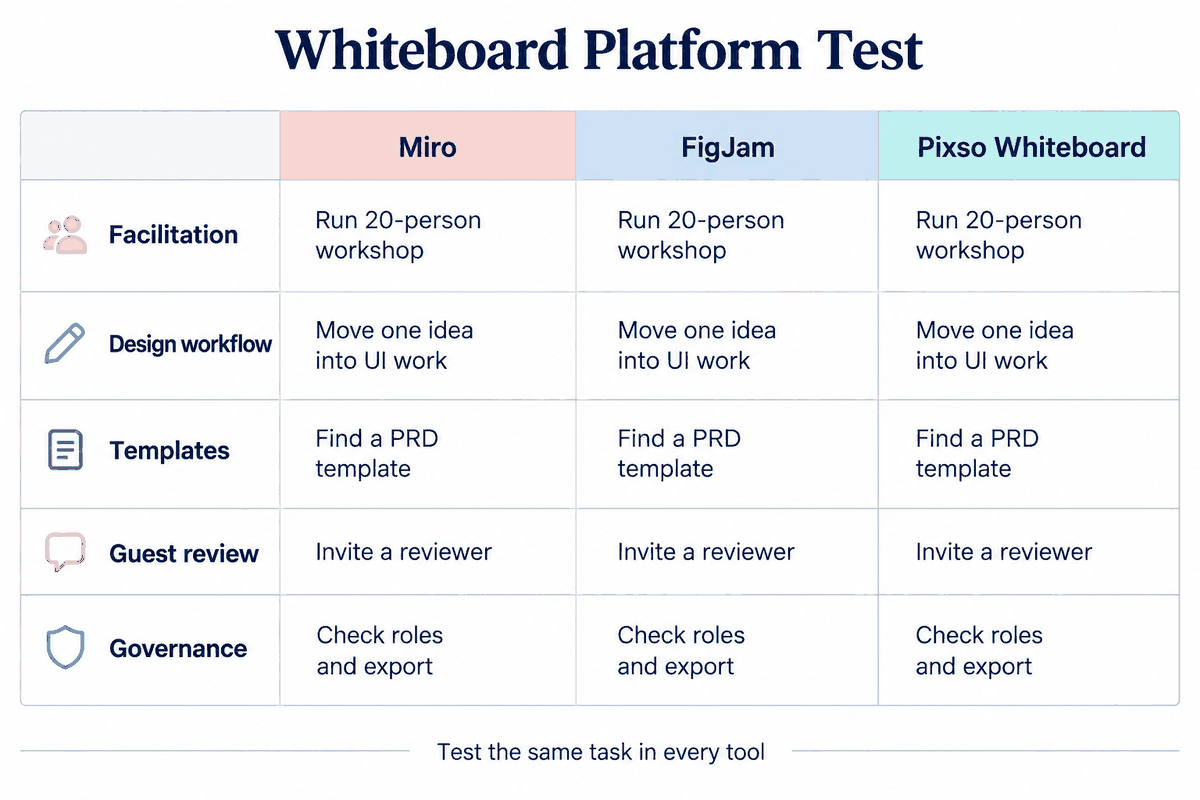
Part 2. Introducing Pixso Whiteboard: The Designer-Native Collaboration Hub
While Miro excels in general business strategy and FigJam is built specifically for Figma users, Pixso Whiteboard serves as a comprehensive, highly accessible collaborative ecosystem. It is designed to remove the friction of jumping between different design environments, acting as a natural bridge between early brainstorming sessions and final vector layouts.
How Pixso’s Native Design Ecosystem Works:
To understand the efficiency of this pipeline, look at how easily design elements travel through a typical project lifecycle:
- The Brainstorming Phase: Your team meets on the infinite whiteboard canvas to dump ideas, drop sticky notes, and build rough mind maps of the user journey.
- The Wireframing Phase: Instead of switching to a new program, designers draw low-fidelity mockups right next to the brainstorm notes using standard vector shapes.
- The High-Fidelity Phase: Because the whiteboard is natively connected to the Pixso design editor, you can copy these exact layouts and move them onto your design canvas. Every vector path, component state, and design variable is preserved.
- The Feedback Phase: When it is time to review the UI, developers and product managers can leave feedback directly on the whiteboard, closing the communication loop without tedious exports.
Native Design Ecosystem Integration
The biggest challenge of using a standard free whiteboard tool is the transition phase. Typically, once a team finishes mapping out a user flow, the designers must manually recreate those shapes as actual UI elements in their vector design editor. Pixso Whiteboard eliminates this repetitive work through native, bi-directional design ecosystem integration.
You can copy and paste vector components, brand color variables, and typography styles directly between your whiteboard and the Pixso editor. Low-fidelity sketches and wireframes can be quickly converted into high-fidelity mockups without losing layer hierarchies or vector path data. What's more, it offers excellent compatibility with competitor design files, making it easy to import existing resources and keep your entire design system synchronized in real time.
AI Creativity and Workflow Automation
Brainstorming sessions often result in a chaotic wall of text. Pixso Whiteboard introduces advanced AI features to clean up your canvas and automate repetitive organization tasks. By entering simple prompts into the Pixso AI assistant, you can generate structured mind maps, create strategic frameworks, and draft user journey flows in seconds.
If your team places dozens of feedback cards on the canvas during a review, Pixso AI can instantly organize sticky notes by sentiment or category, transforming chaotic feedback into structured, actionable items. It can also clean up hand-drawn vector sketches and assist with automated design reviews, drastically reducing administrative work for design leads.
Cost-Effectiveness and Localization Support
For growing agencies and budget-conscious B2B teams, managing escalating SaaS subscription fees is a major challenge. Most comparisons of figjam vs miro focus strictly on how expensive both platforms can get, as they require separate, costly seats for non-designers.
Pixso Whiteboard provides a highly cost-effective alternative. It offers a free plan for light use, subject to plan and seat limits. The paid plans are transparent and highly competitive, ensuring that your organization only pays for the exact resources it uses. Additionally, the platform is backed by comprehensive English tutorials, localized templates, and highly responsive support teams to ensure your onboarding process remains smooth.

Part 3. Real-Time Collaboration and Performance: Canvas Battle
To find the right online whiteboard tool, we must assess how the engine handles real-time multiplayer coordination under heavy stress. During large workshops or remote design sprints, having a lag-free canvas is vital to maintaining team momentum.
Every modern online whiteboard tool must offer stable real-time collaboration, but they achieve this in different ways:
- Miro Whiteboard: The miro whiteboard has long been considered the industry benchmark for general business brainstorming. Within the miro whiteboard, users can access an expansive set of features, including built-in timer widgets, private voting sessions, and structured presentation modes. Setting up a custom board on the miro whiteboard is easy, but as the canvas grows to hold thousands of sticky notes, high-definition images, and nested frames, users with older hardware may experience performance lag. We will analyze figjam along with Miro to see how this compares.
- FigJam Whiteboard: Using the figjam whiteboard gives design teams a very playful, web-native experience. The core strength of the figjam whiteboard is its focus on casual, interactive elements like cursor chats, stickers, audio huddles, and quick timers. Historically, figjam was designed to serve as a companion tool to Figma, making it highly popular for quick design sprints. While the figjam whiteboard is convenient, its integrations are primarily useful for teams that are already fully committed to the Figma ecosystem.
- Pixso Whiteboard: Pixso matches the playful collaboration of FigJam and the scale of Miro by utilizing a highly optimized rendering engine. Test the canvas with your expected number of concurrent users, representative assets, and the devices your team uses. It supports live audio, screen sharing, and interactive voting widgets, and is optimized to run smoothly on tablets and mobile viewports, allowing team members to join brainstorming sessions from any device.
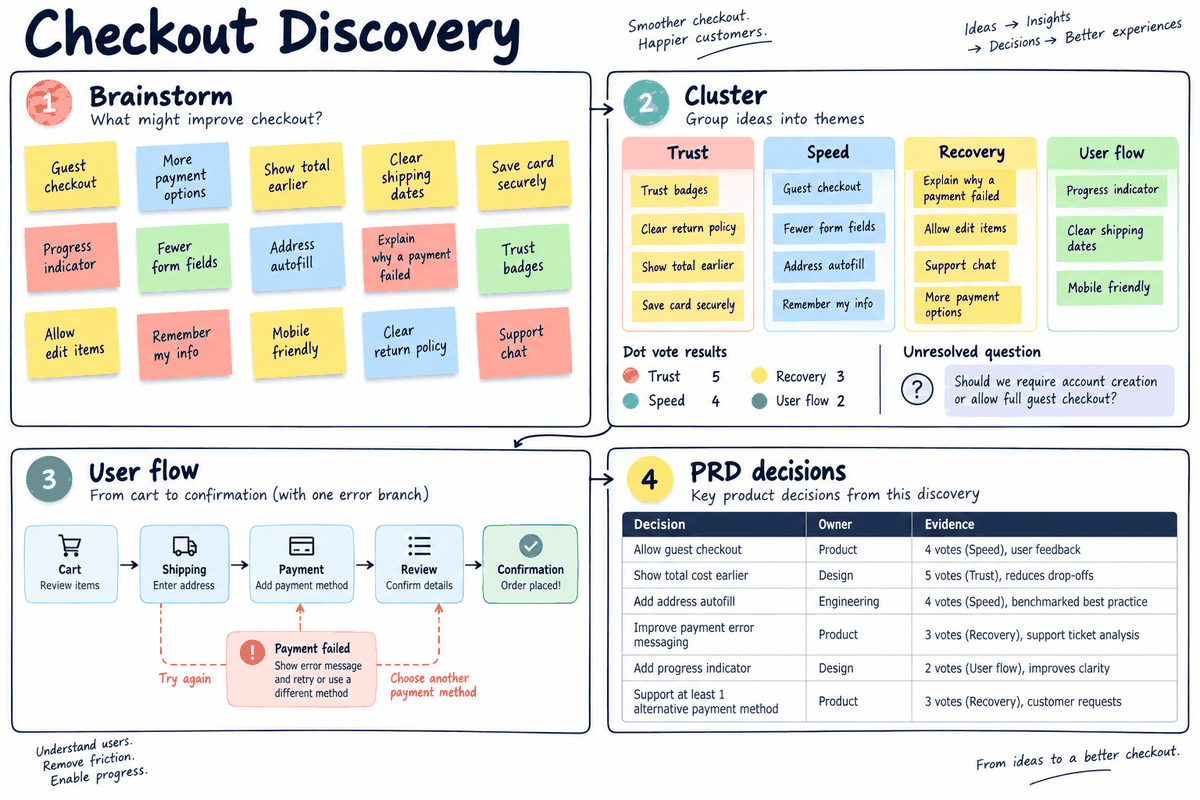
Part 4. Scenario-Based Templates: From Agile to Strategic Planning
If you are looking for a capable free whiteboard tool to jumpstart your projects, choosing a free whiteboard tool should not mean settling for a blank, unguided canvas. Pre-built templates give teams the structure they need to run productive meetings immediately.
Miro's Framework Library
Because Miro is built for general enterprise business teams, its template library is incredibly vast. It includes frameworks for complex system architecture, OKR tracking, SWOT analysis, and highly detailed software mapping. This makes it an ideal fit for business consultants and enterprise agile coaches who need structured data visualization rather than design-focused wireframes, making Miro the standard choice for complex systems engineering.
FigJam's Playful System
FigJam’s templates focus heavily on product design workflows, team retrospectives, weekly planning, and interactive icebreakers. Because figjam is deeply connected to Figma, the visual style is casual, colorful, and highly approachable. It is perfect for modern product teams that want to get a project moving quickly without getting bogged down in complex enterprise documentation.
Pixso's Comprehensive Scenarios
Pixso Whiteboard combines the best of both worlds by offering a comprehensive template library tailored for product, design, agile, and strategic planning. Whether you need to run a Scrum retrospective, map out a complex user journey, plan a product roadmap, or execute a corporate SWOT analysis, Pixso provides ready-to-use frameworks. These templates are fully customizable, allowing your team to save and share custom templates to build internal, repeatable operational playbooks.
Part 5. Third-Party Integrations and Workflow Automation
A collaborative workspace is only as strong as the ecosystem of tools it connects to. If your team has to manually copy data from your whiteboard into your project management software, your workflow remains broken.
- Miro's Extensive Directory: Miro stands out for its massive third-party integration directory. It connects with enterprise mainstays like Jira, Confluence, Trello, Azure DevOps, Slack, Microsoft Teams, and cloud storage providers like Google Drive and Box, making Miro incredibly powerful for enterprise agile teams that rely on a highly complex technical stack.
- FigJam's Focused Integrations: While figjam excels at simple, fast brainstorming, its integrations are primarily focused on design-adjacent systems like Asana, Jira, and Slack. It does not connect as easily with broader enterprise management systems, making it less useful for non-design business departments.
- Pixso's Strategic Connections: Pixso Whiteboard is engineered to connect smoothly with modern B2B tool stacks. It integrates with major project management platforms, communication tools, and repository managers like Jira and GitLab. This ensures that when a product manager maps out a feature flow on the whiteboard, those steps can be directly linked to active development tickets and design mockups, ensuring that code and design remain synchronized.
Part 6. Enterprise-Grade Security, Compliance, and Deployment Options
The standard figjam vs miro comparison completely ignores one of the most critical requirements for enterprise B2B teams: hosting flexibility. For organizations in highly regulated sectors like finance, government, and healthcare, using public cloud servers to store unreleased product designs is simply not an option.
SSO and Granular Permissions
All three platforms offer standard enterprise security features, including Single Sign-On (SSO) integrations (such as SAML 2.0, OIDC, and LDAP) and fine-grained access permissions. This allows your IT department to centrally manage employee onboarding, offboarding, and project access rights in real time.
Compliance Standards
Miro and FigJam meet top-tier security compliance certifications, including SOC 2 Type II, HIPAA, and GDPR. However, because both platforms are hosted entirely on their own public cloud networks, they are not suitable for organizations with strict local data residency requirements or those operating on air-gapped networks.
On-Premises and Private Cloud Deployment
This is where Pixso Whiteboard stands out. Unlike figjam, which charges developers for extra seats and forces you to host your files on public servers, Pixso supports secure private cloud and on-premises deployments. This allows your organization to host the entire collaboration platform on your own local servers or secure virtual private networks. Define who manages system logs, database backups, network traffic, and access controls. Assess the deployment against your applicable security and compliance requirements.
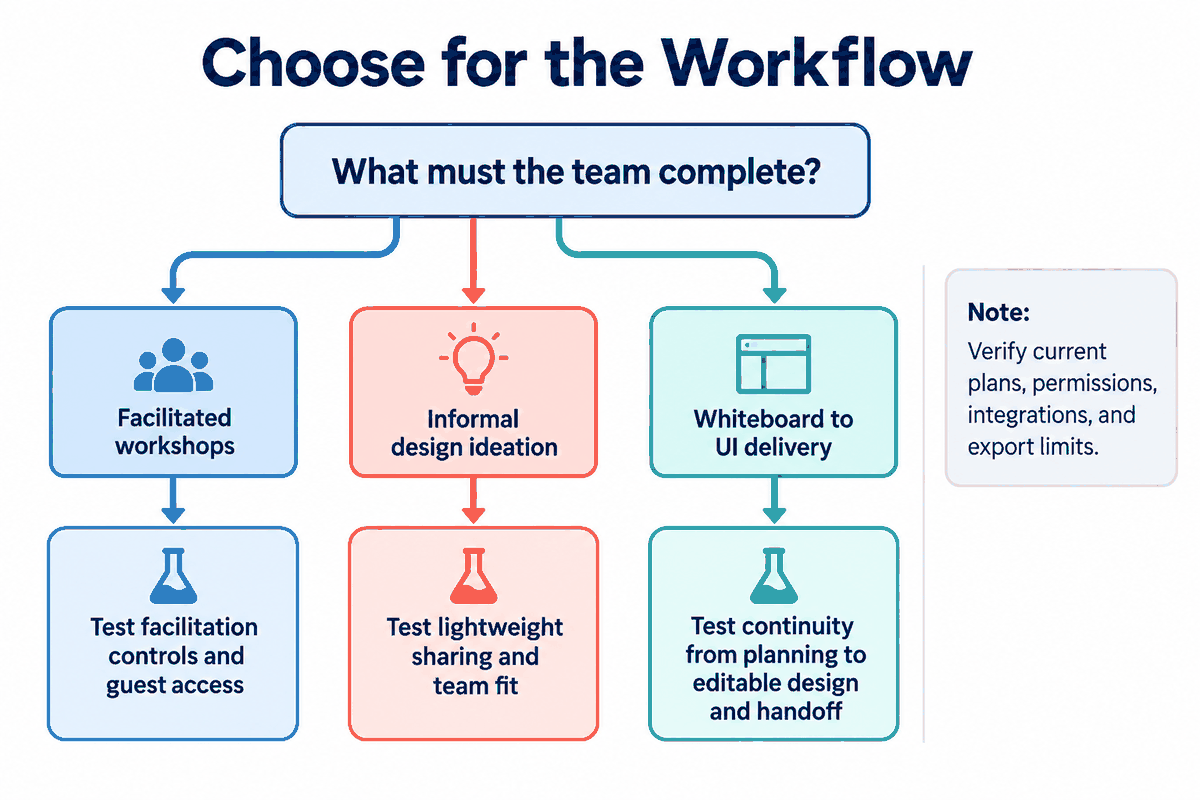
Part 7. The Final Verdict: Which Platform Fits Your Team?
For budget-conscious startups, a free whiteboard tool must offer more than just a basic drawing tool; it needs to be highly scalable. Choosing the right workspace depends entirely on your team's specific goals, workflow, and budget.
When to Choose Miro:
You should choose Miro if your primary goal is to map out highly complex, enterprise-wide business strategies, manage large-scale agile portfolio planning, or connect with a massive library of legacy enterprise applications.
When to Choose FigJam:
You should choose figjam if your entire workflow is already built on the Figma platform, and your primary need is a casual, lightweight space for design critiques, team retrospectives, and quick visual brain-dumps.
When to Choose Pixso Whiteboard:
You should choose Pixso Whiteboard if you want a high-performance, cost-effective collaborative tool that links your early brainstorming sessions directly with your final UI designs. It is the perfect choice for teams that need a highly capable free whiteboard tool with transparent enterprise pricing, and the ability to deploy on private servers to meet strict security and compliance standards.
Conclusion
The traditional boundary between early-stage brainstorming and final high-fidelity design is quickly disappearing. By adopting a modern, collaborative workspace, your team can streamline its product development lifecycle, reduce software license costs, and keep all stakeholders aligned on a single canvas. Pixso Whiteboard delivers a powerful, budget-friendly alternative to the status quo, offering the ideal balance of design integration, performance, and enterprise-grade security. Whether you are looking for a highly capable free whiteboard tool to jumpstart a side project or a secure, self-hosted platform for an enterprise team, Pixso provides a scalable workspace designed to elevate your design pipeline. Try Pixso Whiteboard today and optimize your team's collaborative workflow.