
Scott
In modern software development, accelerating front-end delivery while maintaining clean architecture is essential for cross-functional teams. While prototyping platforms pioneered the ability to convert wireframes into interactive mockups, engineering workflows often require structured, editable code to build upon. Paico AI helps streamline this transition by converting UI mockups and sketches into functional, structured React component code. For teams focused on velocity, Paico functions as a front-end accelerator that bridges visual ideation and practical development.
Treat generated code as a draft with evidence
AI-generated UI code can speed up exploration, but a scaffold is not a production implementation. Review the generated structure against the original task, component boundaries, keyboard behavior, content states, and data assumptions. Keep a trace from the wireframe to the component decision so the team can change the design without accepting opaque code. The safest workflow uses AI for a first pass and a designer–developer review for every behavior that affects users.
- Structure: does the component hierarchy match the design intent?
- Accessibility: test labels, focus order, contrast, and keyboard use.
- States: cover loading, empty, error, permission, and long content.
- Handoff: record what was generated, reviewed, changed, and still unknown.
Explore generative UI-to-code workflows on Paico AI
1. Navigating Modern UI-to-Code and Prototyping Tools
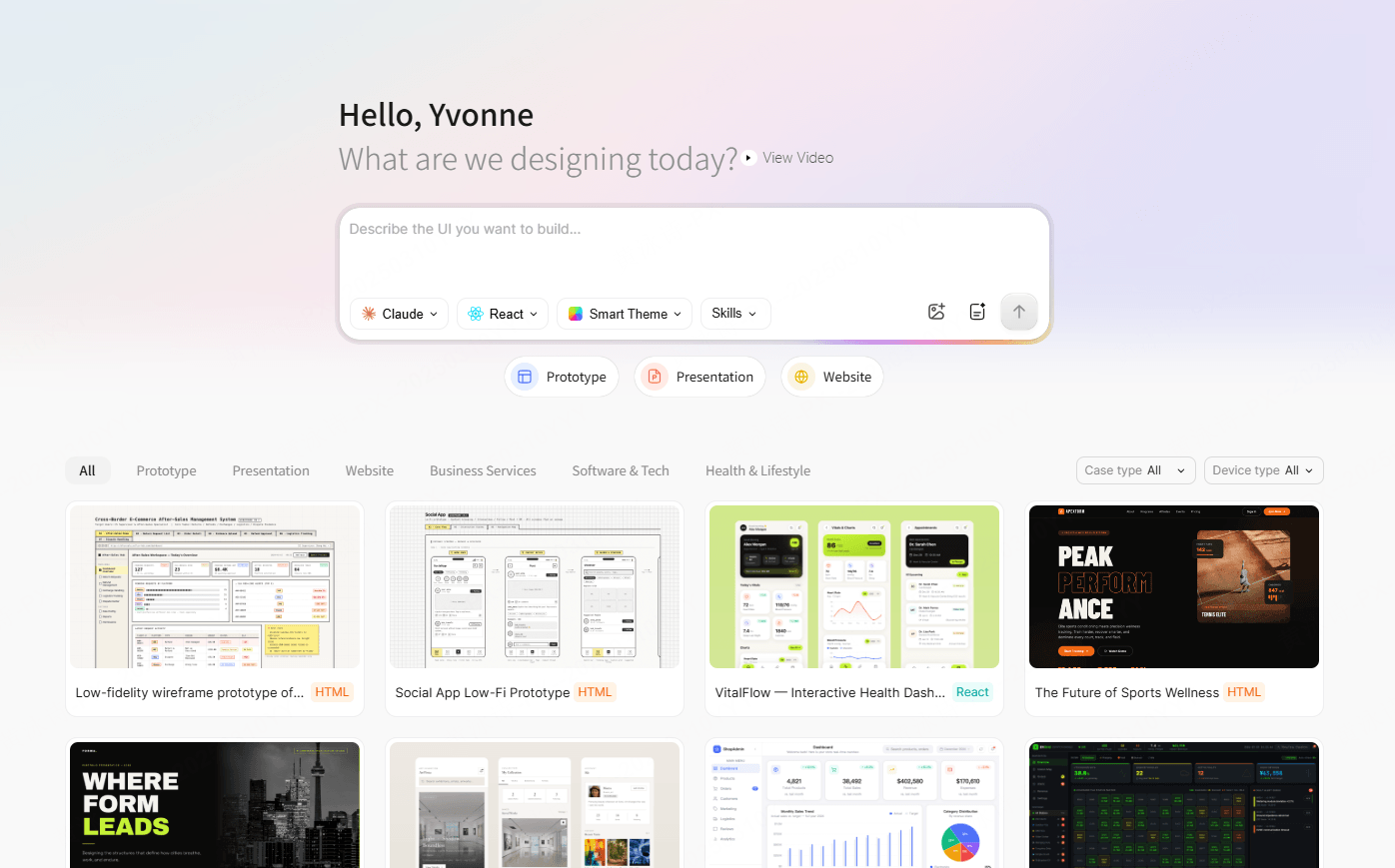
Interface design workflows are shifting from static vector drawings to component-driven design systems. Traditional product cycles typically involved sketching ideas on paper, manually recreating them in design software, and handing them over to engineers to rebuild from scratch. Modern generative tools aim to reduce manual translation overhead during these early development stages.
1.1 Prototyping Strengths of Uizard
Uizard established itself as an accessible platform for rapid wireframing and interactive prototyping. It provides robust multi-user collaboration, wireframe/screenshot scanning, and single-component React/CSS inspection. However, teams looking to export full front-end component packages rather than inspecting individual elements often require dedicated UI-to-code platforms.
1.2 The Code-First Approach of Paico
Paico approaches generative interface creation from a code-centric perspective. When you upload a layout draft or screenshot, Paico analyzes the visual structure and maps it into modular React/HTML component hierarchies with responsive styling. The resulting output serves as an editable, structured starting point for frontend engineers.
1.3 Key Differences Overview
| Evaluation Dimension | Uizard (Prototyping & Handoff) | Paico (UI-to-Code Workflow) |
| Rapid prototyping, user flows, and wireframe scanning | Generative front-end code scaffolds from UI images | |
| Input Formats | Wireframe sketches, screenshots, prompt-based generation | Wireframe sketches, UI mockup images (PNG/JPEG/JPG) |
| Code Output Scope | Single-component React / CSS handoff & inspection | Exportable React / HTML component package |
| Collaboration & Review | Real-time multi-user editing, comments, and shareable links | Code preview, design adjustment, and code export |
| Interactive Prototyping | Built-in click-through flows and interactive state previews | Front-end code preview with responsive container views |
| Best Suited For | Product managers and UX designers validating early concepts | Developers and teams seeking a fast React layout baseline |
2. How Paico Streamlines the Front-End Drafting Workflow
Paico assists teams in converting static ideas into workable code structures by focusing on component modularity and layout hierarchy.
2.1 Visual Translation: From UI Drafts to Structured Mockups
Uploading clear wireframes or high-contrast UI sketches enables Paico’s vision models to identify structural boundaries, suggest standardized spacing, and generate cohesive typography and container hierarchies.
2.2 Component Hierarchy and Layout Scaffolding
Frontend engineering relies on reusable components. Paico identifies common interface patterns, such as navigation headers, form groups, data tables, and card lists, and organizes them into modular JSX structures. This provides developers with an intuitive starting layout that reflects standard layout conventions.
2.3 Exportable React and HTML Foundations
Paico offers dedicated code-viewing and export capabilities. Frontend engineers receive a clean code foundation with structured JSX and styling, which can be reviewed, refined, and integrated into existing project architectures and state management systems.
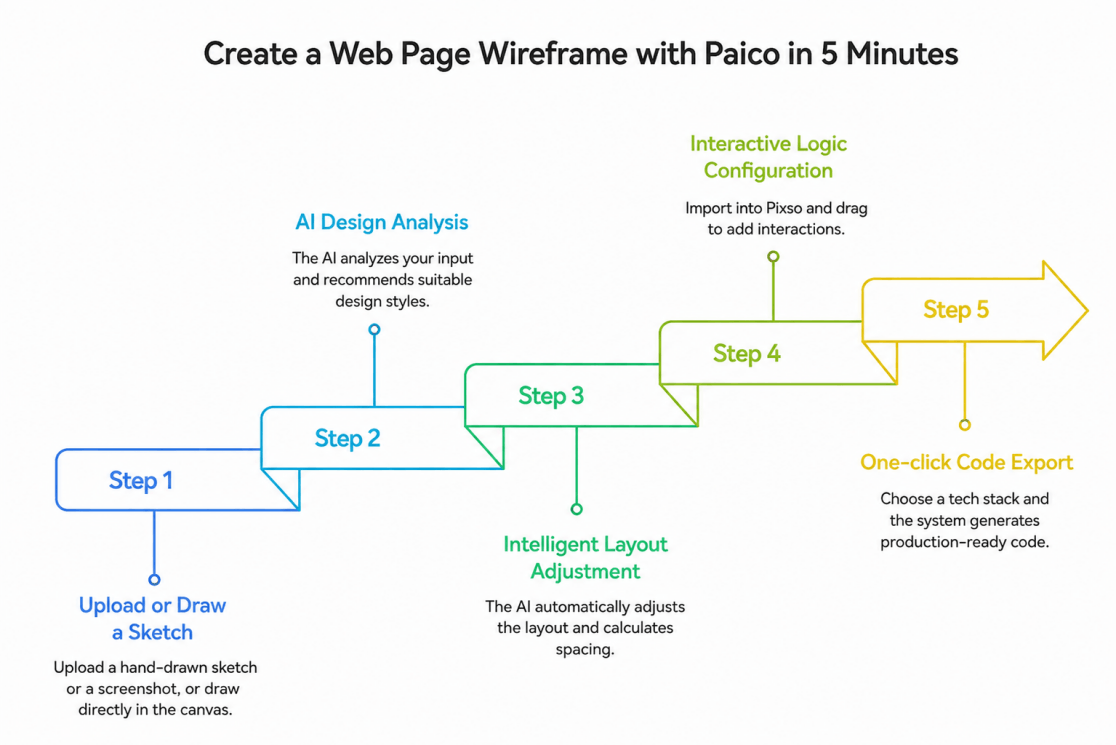
3. Step-by-Step Workflow: From UI Wireframe to React Scaffold with Paico
To see how Paico assists in interface drafting, consider generating a standard authentication screen:
Step 1: Prepare and Upload Your Wireframe
Prepare a clear wireframe sketch, screenshot, or digital layout (saved as PNG, JPEG, or JPG), and upload it to the Paico generation workspace.
Step 2: Configure Layout Preferences
Select your target visual style or framework preferences to guide how the AI structures container styling and visual themes.
Step 3: Refine Components and Visual Details
Use prompt adjustments to refine layout spacing, modify placeholder text, or adjust component arrangements within the workspace editor.
Step 4: Preview Responsive Containers
Inspect how layout containers adjust across common viewport widths to ensure elements wrap and align logically.
Step 5: Export and Integrate React Code
Download the structured React component files. From there, your engineering team can review the code, hook up state management, connect APIs, and incorporate the component into your test suites.
4. Feature Analysis: Choosing Between Prototyping and Code-Generation Workflows
Understanding tool capabilities helps product and engineering teams select the right software for their specific project phase.
4.1 Export Scope: Interactive Demos vs. Component Packages
Uizard excels at rapid visual prototyping and team commentary, providing component-level code inspection for design handoff. In contrast, Paico focuses on generating modular, exportable React components that serve as a direct coding foundation for engineers.
4.2 Responsive Layout Adaptations
Paico applies standard CSS flexbox and grid conventions to generated containers, providing a functional responsive baseline that frontend developers can extend with custom media queries or framework breakpoints.
4.3 Efficiency in Engineering Sprints
By providing an immediate code foundation from visual assets, Paico helps reduce the time developers spend writing repetitive boilerplate layout markup during early sprint spikes.
5. Selecting the Right Tool for Your Team’s Workflow
Different stages of product development benefit from specialized tooling:
- Choose Uizard when: You need rapid wireframing and interactive click-through presentations for people who do not write code.
- Choose Paico when: Your primary goal is to turn UI wireframes or screenshot mockups into modular React/HTML code scaffolding to jumpstart engineering implementation.
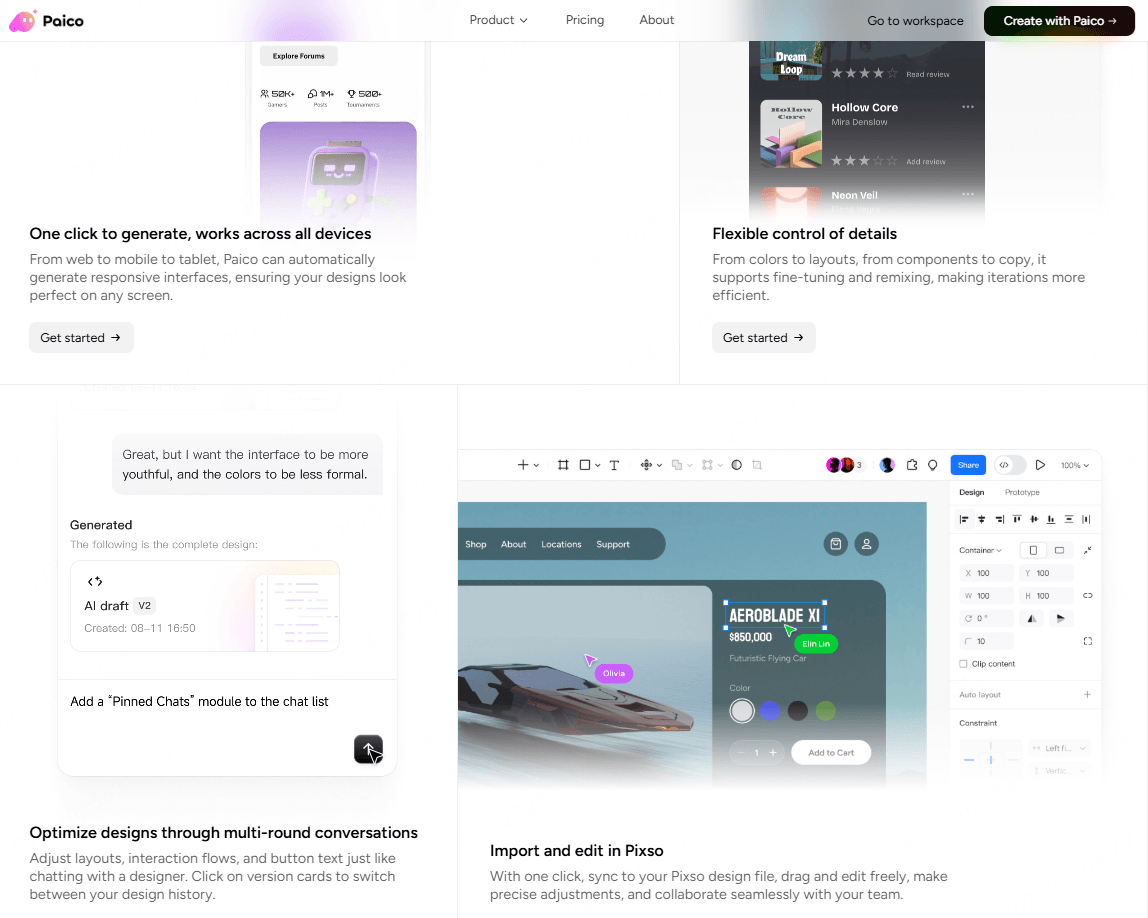
- Integrate with Vector Tools (like Pixso): For teams managing comprehensive, multi-platform design systems with shared design tokens and team libraries, vector platforms like Pixso provide end-to-end design governance alongside rapid code-generation workflows.
Frequently Asked Questions (FAQ)
Q1. Can code generated by Paico be deployed directly to production?
No, not without standard engineering review. Paico generates functional React/HTML front-end component scaffolds. Before deploying to production, engineering teams should conduct code reviews, integrate routing and state management, connect secure APIs and authentication, handle edge cases, and run automated testing.
Q2. Will the AI accurately interpret rough or hand-drawn sketches?
Paico’s vision models interpret high-contrast, well-organized wireframes most effectively. While rough sketches can be processed, cleaner drawings with legible text labels and distinct component boundaries consistently yield more accurate layout hierarchies.
Q3. Does Paico replace UI/UX designers or frontend engineers?
No. Paico serves as a workflow accelerator. It automates initial layout drafting and boilerplate code generation, allowing designers to focus on user research and design systems, and enabling engineers to concentrate on business logic, performance, accessibility, and security.
Summary
Generative UI tools offer valuable speed advantages in modern software development. While prototyping tools like Uizard excel at collaborative wireframing and user flow validation, Paico AI provides a dedicated bridge to front-end development by converting UI wireframes into modular React component scaffolding.
Start generating functional React component scaffolds with Paico AI


![[Detailed Review] UI VS UX](https://pixso.net/assets/media/core-of-ui-ux-19d28f0203322729.webp)


