Scott
Creating digital products across different time zones has completely changed how we work. In the past, remote design collaboration meant sending static files back and forth, leading to endless version control nightmares. Today, a successful remote team demands fluid, simultaneous workflows where ideas merge instantly. Real time collaboration is no longer a luxury; it is the absolute standard for survival in the competitive creative industry. In this comprehensive guide, we will explore the core strategies and advanced tools required to streamline your daily workflow. We will dive deep into multiplayer environments and specific features like observation mode, demonstrating exactly how modern platforms like Pixso are bridging the physical distance to keep digital creators intimately connected.
Part 1: The modern challenges of distributed creativity
When a remote team attempts to build complex user interfaces, they usually hit a massive wall of fragmented tools. The friction of bouncing between a brainstorming whiteboard, a separate UI drafting application, a third-party prototyping service, and a distinct developer handoff portal creates severe operational silos. This fragmentation destroys productivity and makes remote design collaboration incredibly frustrating.
Furthermore, high-concurrency environments in older software frequently result in file conflicts, painful lag, or accidentally overriding a colleague's hard work. Add in cross-timezone constraints where one designer is sleeping while an engineer is starting their day, and the need for clear, transparent progress tracking becomes painfully obvious. What product creators desperately need is a unified environment that actively alleviates this digital isolation. A truly effective workspace must foster a profound sense of presence and team cohesion through shared creative spaces, robust knowledge retention, and transparent communication protocols. Without these elements, distributed workers quickly feel disconnected from the core product vision.
Part 2: Why Pixso is the ultimate multiplayer solution
To effectively solve these exact pain points, Pixso has emerged as an absolute powerhouse for remote design collaboration. Unlike legacy desktop software, Pixso is an entirely cloud-native, all-in-one platform. It effortlessly combines advanced UI design, interactive prototyping, contextual reviews, developer handoff, and whiteboarding into a single, unified workspace. This completely eliminates the dangerous tool silos that plague modern agencies.
Evaluate Pixso’s real-time collaboration with the files, network conditions, and participants expected in your workflow. This means your agency benefits from incredibly low-latency, conflict-free, high-concurrency editing natively across all desktop and browser platforms. Test concurrent editing with a representative group before a large review session.
Security is also a top priority. Pixso integrates uncompromising enterprise-grade security controls. It features highly granular permission settings, encrypted data storage, private deployment options, and detailed audit logs. This ensures your intellectual property remains strictly protected during any external design collaboration session. Additionally, Pixso brings incredible AI-intelligent empowerment directly to the digital canvas. With integrated AI-assisted drafting, automated layout generation, intelligent meeting summaries, and instant text translation, your staff can drastically boost their workflow efficiency while maintaining focus on pure creative problem-solving.
Part 3: Thriving in a high-concurrency multiplayer environment
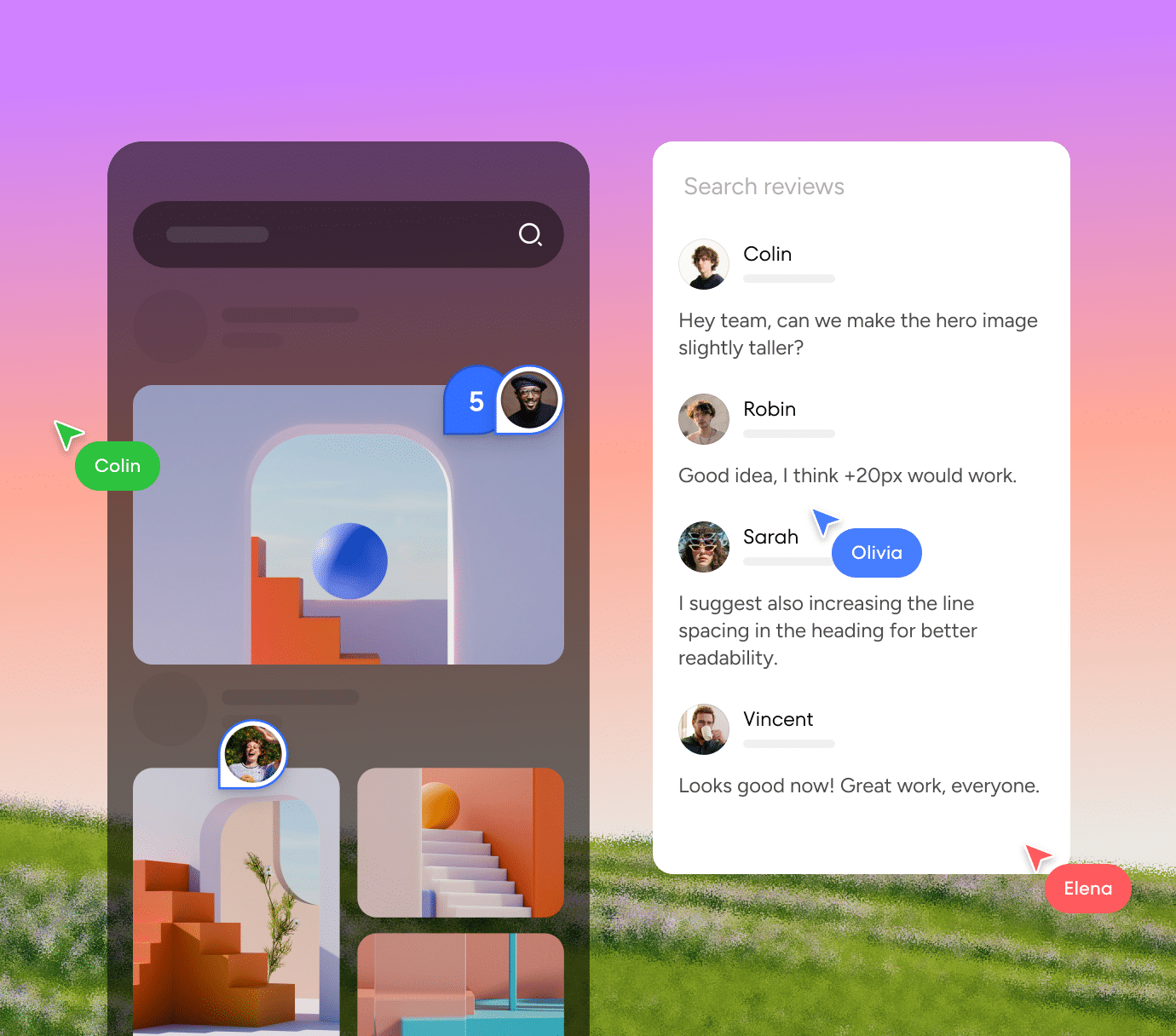
The absolute magic of modern digital product creation lies entirely in the multiplayer experience. When you log into a Pixso file, you instantly see the colored cursors of your colleagues flying across the screen, each labeled with their respective names. This multiplayer functionality is vital for building a genuine sense of presence. It effectively cures the lonely isolation that often plagues a remote team, transforming a solitary drafting session into a vibrant, high-energy co-creative workshop.
In this multiplayer setup, real time collaboration happens organically. You can literally watch a UX researcher adjust the padding of a wireframe while a senior UI artist simultaneously applies high-fidelity color styles and typography to the exact same screen component. Shared editing can reduce file handoffs, but teams should test how the canvas responds under their expected collaboration load. This represents the absolute pinnacle of effective remote design collaboration, where complex ideas iterate at the pure speed of thought, fundamentally transforming how distributed colleagues interact and build digital assets together.
Explore the features for real-time UI design collaboration when deciding how your team will edit shared screens and collect feedback in one workspace.
Part 4: Contextual reviews and cross-timezone workflows
We must acknowledge that not all design collaboration happens synchronously on a live video call. For global organizations, cross-timezone asynchronous work is the standard operating procedure. Pixso excels spectacularly in this area by offering highly precise contextual reviews. Instead of taking awkward screenshots, pasting them into a separate messaging app, and trying to explain which button needs adjusting, reviewers can leave their feedback directly on the actual canvas.
Using the intuitive Comments tool, product managers and stakeholders can drop a visual pin directly onto a specific navigation bar or layout section. You can utilize @mentions to immediately notify a specific designer via email or notification, creating clean, easily readable threaded discussions right where the actual design work lives. This drastically shortens the feedback cycle and eliminates communication errors. To fully support this async workflow, Pixso continuously maintains a robust, automatic version history. This allows a remote team to track overall project progress transparently without pinging each other for status updates. Whether an engineer is reviewing code in Tokyo or an art director is leaving visual feedback in New York, the entire project history is flawlessly preserved, ensuring no critical feedback is ever lost in translation.
For reviews that happen across time zones, use the guide to run asynchronous design critiques and define how decisions will be recorded after feedback arrives.
Part 5: Step-by-step: leveraging observation mode for live reviews
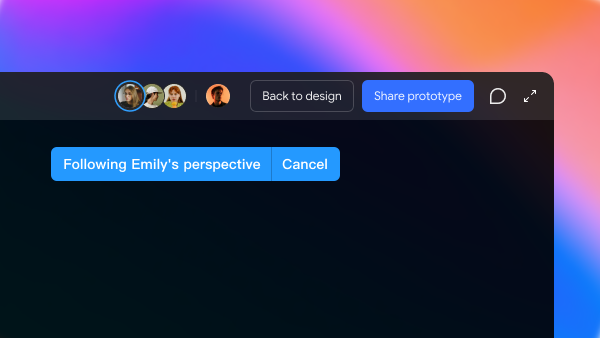
One of the most powerful and frequently utilized tools for remote design collaboration is observation mode. When you are presenting a massive, complex user flow to a client over a standard video call, constantly asking people to zoom in on specific artboards or scroll down a page is incredibly frustrating and unprofessional. Pixso’s observation mode solves this exact dilemma by letting every single participant view the sprawling canvas through your exact camera lens. Here is exactly how to run a flawless live design presentation using this specific feature.
Step 1: Securely invite your audience
Begin by generating a secure Pixso project link and sending it to your stakeholders. You can set the permissions to "View Only" to prevent accidental edits during your pitch. As people join the file, their circular profile avatars will immediately appear in the top right corner of your multiplayer workspace.
Step 2: Initiate observation mode
To take control of the room, you can click on your own avatar in the top right corner and select the spotlight feature, or simply ask your team to click directly on your specific avatar. The moment they click your profile picture, their screen instantly locks onto your specific viewport.
Step 3: Guide the visual journey
As you pan smoothly across the infinite canvas, zoom deeply into specific micro-interactions, or click through different interactive prototype frames, everyone currently in observation mode will see exactly what you see. Their screens are perfectly synchronized with your movements in real time, ensuring that nobody is looking at the wrong screen when you are explaining a critical user journey.
Step 4: Combine with live canvas comments
While guiding them in observation mode, actively encourage your remote team to use the keyboard shortcut key "C" to drop live comments directly onto the canvas as you speak. This brilliant technique seamlessly blends live, verbal real time collaboration with heavily documented, written feedback, keeping the meeting incredibly focused and completely eliminating the need for someone to take separate meeting minutes.
Part 6: Bridging the final gap: design to development handoff
The final, and often the most intensely stressful phase of any design collaboration process, is the developer handoff. A beautifully crafted, pixel-perfect interface is fundamentally useless to a business if it cannot be translated accurately and efficiently into actual frontend code. Pixso completely eliminates this dreaded delivery gap by offering a seamless design-to-development workflow directly within the exact same multiplayer environment.
When the visual layout is finally approved by the stakeholders, your development team does not need to log into a separate, third-party export tool or download massive ZIP files of compressed images. They simply open the exact same Pixso link and toggle the interface into Developer Mode. In this specific view, Pixso automatically generates incredibly precise layout specs, exact spacing constraints, typography rules, and production-ready code snippets in various languages like CSS, iOS Swift, and Android XML.
Furthermore, with intuitive one-click asset slicing, front-end engineers can instantly export SVGs, PNGs, or WebP files in whatever resolution they specifically require. Because the entire remote team is continually working from the absolute single source of truth, the final coded software matches the original creative vision with absolute perfection. The powerful combination of highly secure asset sharing, dynamic code generation, and automated specification mapping ensures that your real time collaboration extends flawlessly through the entire software development lifecycle.
Before handing a file over, agree how to manage design versions and iterations so everyone can identify the design that was approved for implementation.
Conclusion
Mastering remote design collaboration is ultimately the defining factor between a disjointed, frustrated group of workers and a highly productive, unified product squad. By fully embracing comprehensive, modern workspaces like Pixso, a remote team can easily bypass traditional communication barriers and technical silos. Advanced features like low-latency multiplayer canvases, precise contextual comments, and the highly effective observation mode ensure that physical distance never hinders true creative innovation. When your organization finally experiences genuine real time collaboration without the burden of lag or disconnected software suites, the overall speed, accuracy, and quality of your digital products will drastically and permanently improve.
A remote review needs a decision record
Real-time collaboration is useful only when the team knows what must be decided. Before the call, put the target screen, open questions, and evidence in the same Pixso file. During the review, assign one person to capture the decision and one to keep the prototype state unchanged.
- Prepare one review slice: show the task, the expected outcome, and the states that are still uncertain.
- Review in sequence: observe the flow, ask one question at a time, and mark an unresolved point instead of silently changing the design.
- Record the decision: write the chosen option, owner, due date, and link to the frame or component.
- Close asynchronously: post the decision summary and invite only the people who need to check the result.
| Moment | Evidence to keep | Remote-team risk reduced |
|---|---|---|
| Before review | Task, target user, open question, prototype link | People arrive with different assumptions |
| During review | Observed issue, frame, comment owner | Feedback is detached from the screen |
| After review | Decision, owner, date, status | Async work repeats a closed discussion |
Use the same record for a later handoff. A shared file is not a decision by itself: the useful artifact is the combination of a visible state, a named owner, and a next action.