On this page

Scott
Physical design studios filled with foam boards, sticky notes, and localized desktop software are quickly becoming history. Today, distributed product teams build, critique, and ship digital products across continents without ever meeting in a physical room. Dedicated team collaboration tools have evolved to fix these exact cracks, moving the entire creative lifecycle directly into browser-based environments. This shift lets product managers, UI/UX designers, and front-end engineers execute user interface design online without hitting constant operational friction. By connecting ideation, UI creation, prototyping, and code generation within a single cloud workspace, modern platforms are giving every remote team a unified workspace.
Part 1: Ending the Fragmented Tool Stack with Integrated Cloud Workflows
For years, building a complex online user interface used to require jumping between four separate apps. Product managers drafted requirements in static text documents. Designers sketched initial wireframes on isolated whiteboards, jumped into desktop apps like Sketch or Adobe XD for high-fidelity frames, and then pasted screens into third-party tools like InVision or Zeplin for developer handoff.
That multi-tool approach came with a steep hidden cost. Files fell out of sync, feedback got buried in chat threads, and developers spent hours chasing down missing assets.
| Workflow Stage | Traditional Disconnected Tool Stack | Unified Cloud Workflow (Pixso Single-Platform Loop) |
| Early Ideation & Strategy | Standalone whiteboard apps + disconnected doc files | Integrated whiteboard with built-in PRD & flowcharts |
| UI Design & Visuals | Local desktop applications (Sketch / Adobe XD) | Real-time multi-user browser editor |
| Interactive Prototyping | Third-party preview links with static image uploads | Native interactive prototyping & offline playback |
| Developer Delivery | Separate inspect plugins requiring manual redlining | Embedded Dev View with direct multi-framework code |
Next-generation platforms eliminate this friction by creating an all-in-one cloud loop. Pixso stands out here as an all-in-one product design collaboration and engineering delivery platform. It brings the entire process—design creation, design systems, feedback reviews, and developer handoff—under one roof.
How an All-in-One Canvas Streamlines Upstream Work
- Integrated Whiteboard Workspace: Product teams can draft PRDs, map user flows, and lead ideation sessions on built-in whiteboard tables before touching a single UI element.
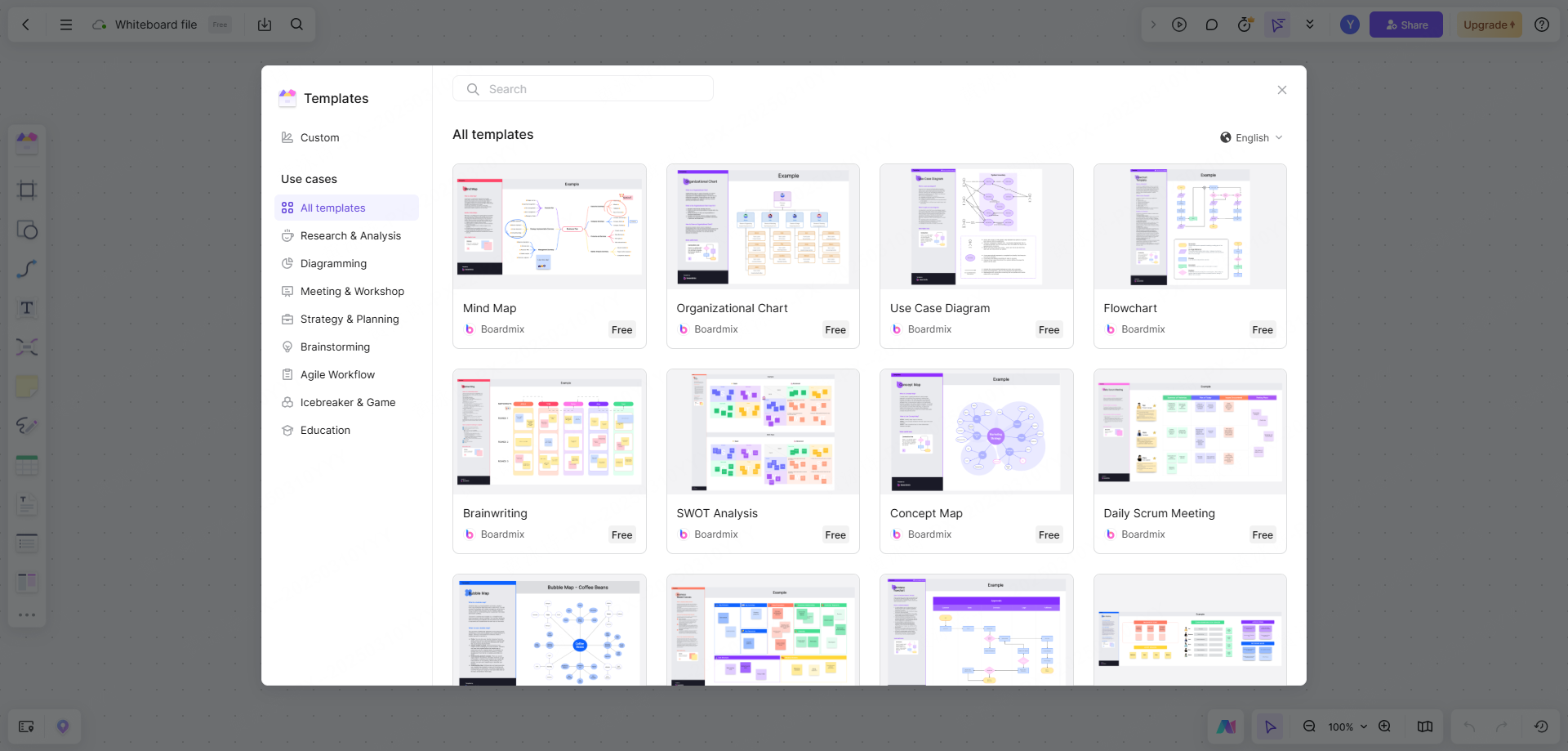
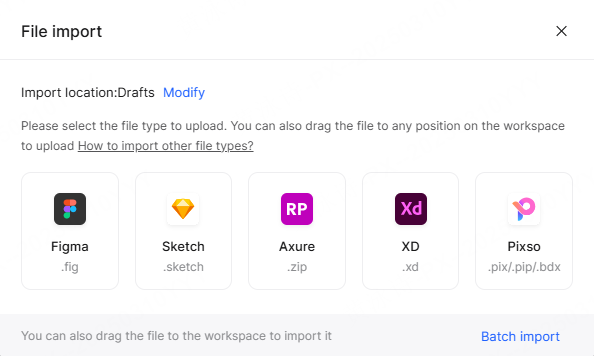
- Friction-Free Migration: Switching platforms usually causes headaches, but Pixso supports batch importing Figma, Sketch, and Axure files along with Figma and Sketch component libraries with over 90% compatibility.
- Zero Context Loss: Unifying product specs with actual design canvases reduces context switching for any remote team handling multiple products.
Moving everything to a single cloud hub elevates how distributed squads manage user interface design online from day one.
Part 2: Solving Asynchronous and Low-Latency Collaboration Challenges
Distance makes simple alignment tricky. When engineers work in Europe, designers in Asia, and product leads in North America, waiting on live video calls for minor visual sign-offs slows sprint velocity to a crawl. This balance is why specialized team collaboration tools must handle sync and async work equally well.
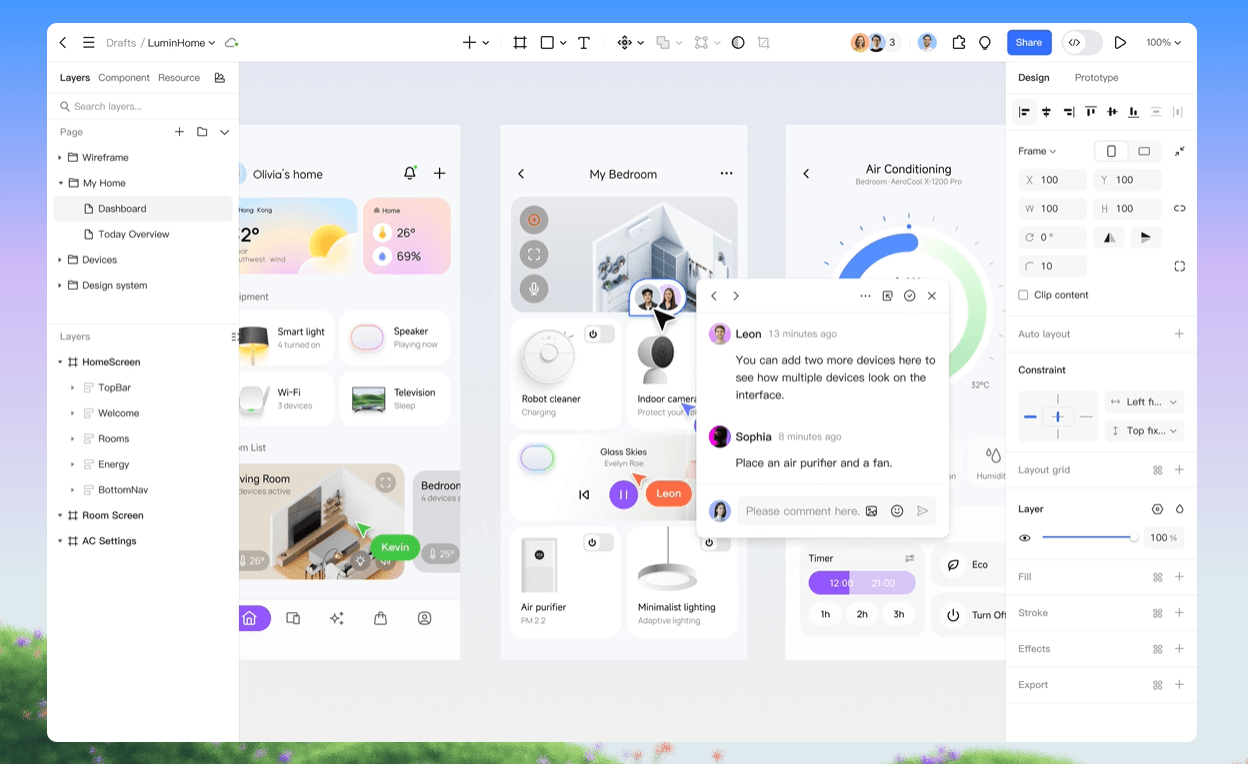
When teams iterate on an online user interface across continents, real-time co-editing allows team members to work on the exact same frame simultaneously. Features like observation mode let team members follow a presenter’s cursor live during sprint demos, providing an in-person feel during remote calls.
Async workflows require reliable tracking features so work can progress while others sleep:
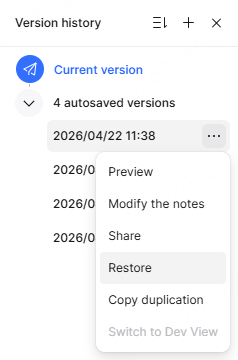
- Version History & Restore Points: Team members can audit visual edits, trace layout changes, or revert to earlier iterations without losing work.
- Contextual Canvas Comments: Teammates pin comments directly to specific layers or components instead of sending vague screenshots over chat apps.
- Offline Prototype Presentations: Pitching a high-fidelity prototype over video calls can lag over poor connections. Pixso solves this with an offline presentation mode, letting team members present interactive prototypes smoothly even with weak or missing internet connections.
Keeping a remote team synced during rapid design cycles takes more than just live chat. It requires a shared canvas that stays fast, responsive, and clear across every timezone.
Part 3: Leveraging Embedded AI to Accelerate Ideation and Layout
AI has moved past simple image generation into core design production. Instead of replacing human creativity, embedded AI tools take over repetitive manual tasks, giving designers more time to focus on core user logic and product strategy.
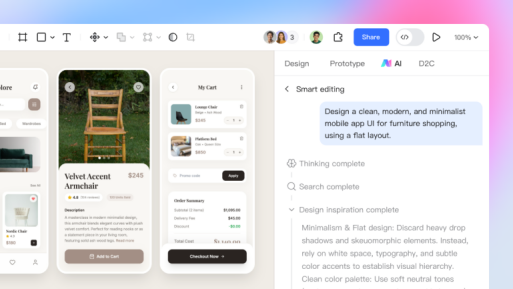
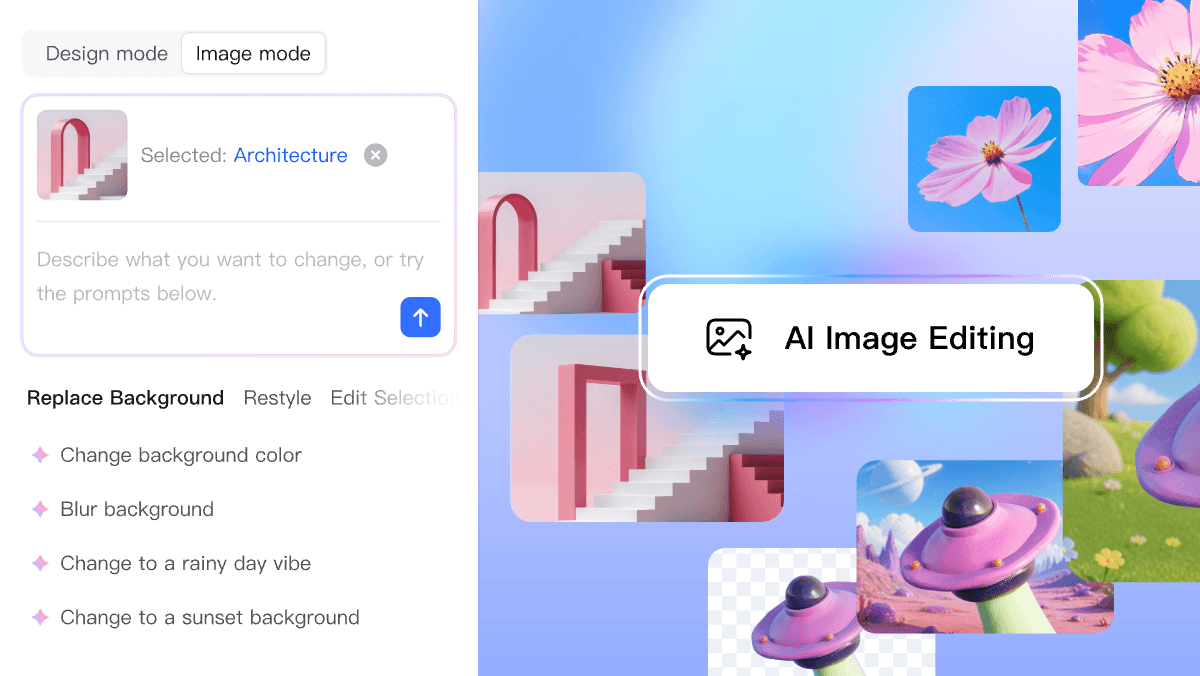
Inside the canvas, modern assistants change how modern teams carry out user interface design online by cutting manual labor. Pixso AI works directly inside the Pixso editor as an all-in-one assistant, covering ideation, visual edits, asset discovery, design rules, and text polishing.
| Pixso AI Feature | How It Functions on the Canvas | Practical Value for Design Teams |
| Smart Natural-Language Editing | Generates or updates UI layouts using simple text prompts | Fast-tracks early visual validation and mockups |
| Smart Auto-Layout | Calculates padding and responsive constraints instantly | Cuts time spent manually adjusting pixel alignment |
| AI Layer Renaming | Converts generic layer names into clear business terms | Keeps canvas structures clean for engineering handoff |
| AI Design Specs & Checklists | Auto-generates review checklists based on page category | Improves UI consistency and accessibility compliance |
| Image & Text Utilities | Removes backgrounds, upscales images, translates text | Replaces multiple plugin utilities with native tools |
Need to validate a layout idea fast? The text-to-design feature generates editable UI drafts from a single sentence prompt, letting teams preview concepts instantly.
Working with localized copy across international markets is simple too. The embedded AI translates text directly on the canvas, polishes headline copy, summarizes long paragraphs, and auto-completes sample body text. For visual updates, single-click background removal and image resolution upscaling keep asset workflows inside the editor, eliminating constant roundtrips to external photo editing software.
Maintaining a cohesive online user interface takes constant vigilance. Automated AI design checkers scan pages against established rules, ensuring accessibility standards and component guidelines are met before passing work to developers.
Part 4: Standardizing Design Systems and Enterprise Security Across Distributed Teams
As digital products grow, visual drift becomes a constant battle. One squad tweaks a primary button color, another edits line-heights on mobile headers, and suddenly the product looks fragmented.
Centralizing components, styles, variables, and design tokens into cloud-hosted design systems creates a single source of truth. When a component changes in the central library, updates roll out across every connected file in seconds. Maintaining clear, reusable assets keeps brand standards intact across every feature team.
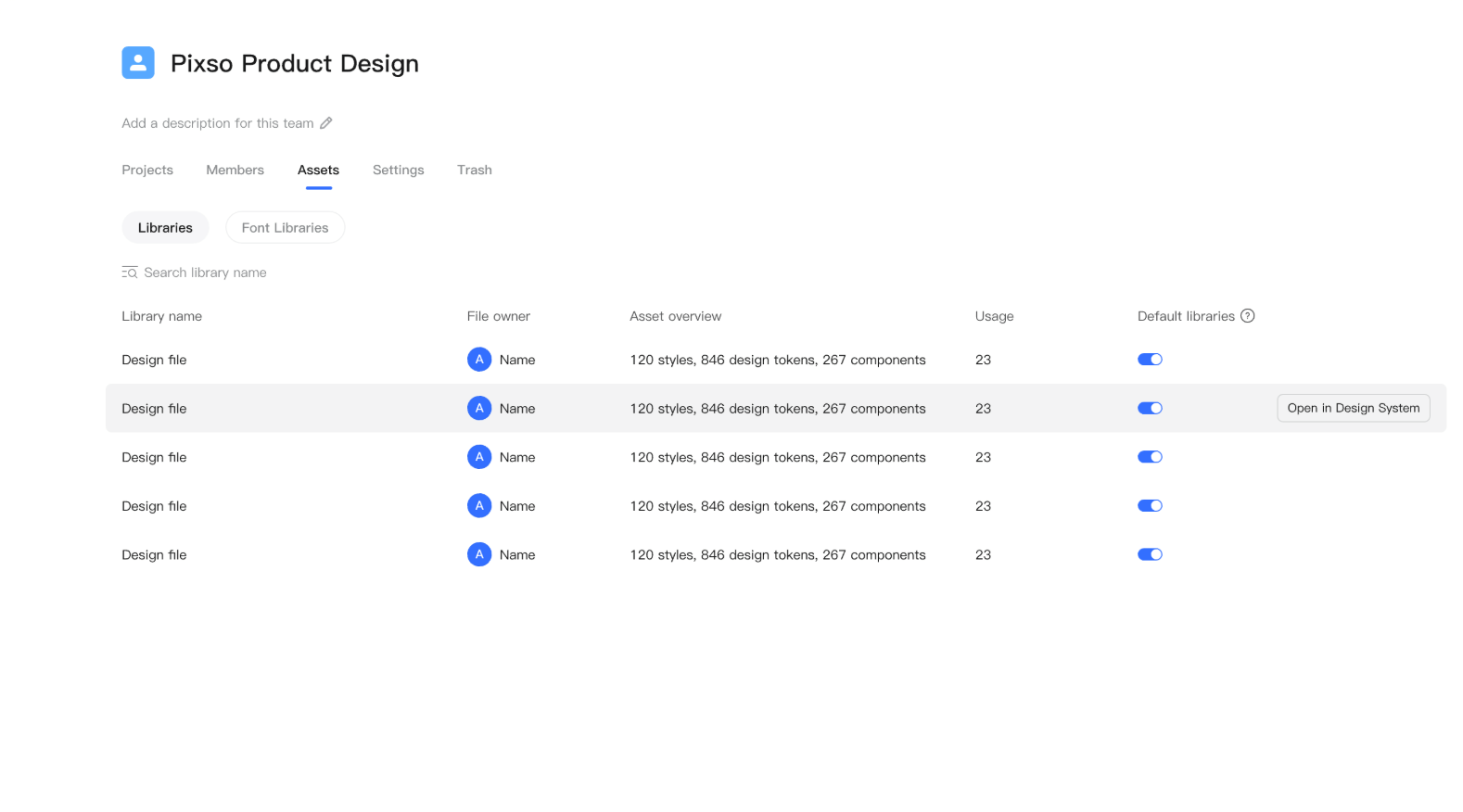
Beyond visual consistency, governing an enterprise-grade online user interface requires strict token management and enterprise security controls. Protecting intellectual property across a global remote team means having full control over file access and data storage:
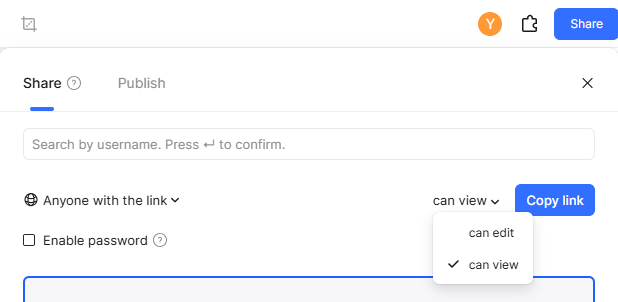
- Granular Permission Controls: Set explicit view, edit, or comment permissions across workspace, project, or file levels.
- Link Security & Watermarking: Limit external share links with password protection.
- Hybrid Security Deployment: Organizations dealing with strict compliance rules can choose between secure public cloud hosting or local private cloud deployment to satisfy international GDPR standards.
Having enterprise security baked directly into the design platform gives legal and IT departments full control without slowing down creative execution.
Part 5: Streamlining the Bridge from Canvas to Production Code
The transition from design to engineering is traditionally where momentum drops. Handing off static specs leads to back-and-forth messages over margins, padding rules, and missing export assets.
Modern platforms close this gap by building developer tools directly into the design canvas. Switching to integrated team collaboration tools eliminates the back-and-forth email chains by giving developers live read-only access to inspect components, copy tokens, and grab ready-to-use production code snippets.
| Delivery Feature | Old Manual Handoff Method | Pixso Integrated Engineering Handoff |
| Multi-Framework Code Export | Copying CSS specs manually from static mockups | Instant code generation for React, Vue, HTML, Flutter |
| Change Tracking | Reading manual change logs or messaging designers | Visual update markers highlight modified UI elements |
| Asset Extraction | Slicing and zipping image assets manually | Direct asset downloads in SVG, PNG, and WebP formats |
| Cross-Timezone Handoff | Schedule live handoff meetings across conflicting hours | Asynchronous Dev View inspection with inline markup |
Inside Pixso's dedicated Dev View, engineers click any UI component to view CSS metrics and grab clean code generated in React, Vue, HTML, ArkUI, or Flutter. Downloadable visual assets are always accessible, and automatic change markers highlight exactly what changed since the last review.
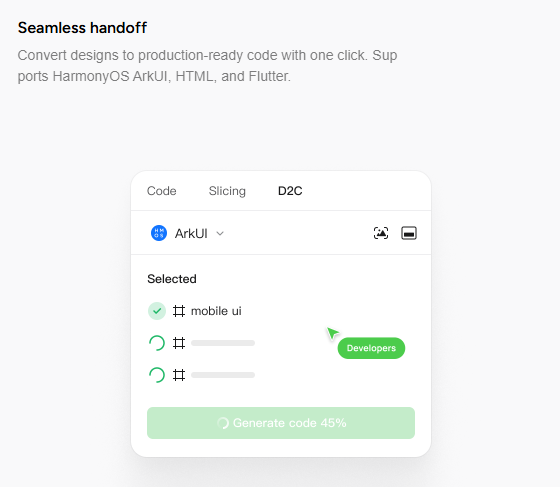
Because the speed of user interface design online depends heavily on how developers receive assets, giving engineers direct access to production-ready code cuts handoff friction and speeds up overall launch times.
Conclusion
The way product teams create digital experiences has changed forever. Moving beyond static artboards, modern user interface design online has moved past basic pixel placement into connected, AI-assisted cloud environments. Integrated platforms like Pixso demonstrate how combining whiteboard ideation, intuitive UI editors, centralized design systems, and automated developer handoffs into a single workspace solves key collaboration pain points. By removing workflow friction and bridging the gap between design and production code, modern platforms are empowering every remote team to launch better products faster.