Scott
UI design QA is the final check that the interface communicates the intended behavior, not a cosmetic pass after the work is “done.” Review the primary task, alternate states, realistic content, responsive behavior, accessibility, and handoff evidence before engineering builds from assumptions. This 24-point checklist gives a team a repeatable review without turning QA into an endless approval queue.
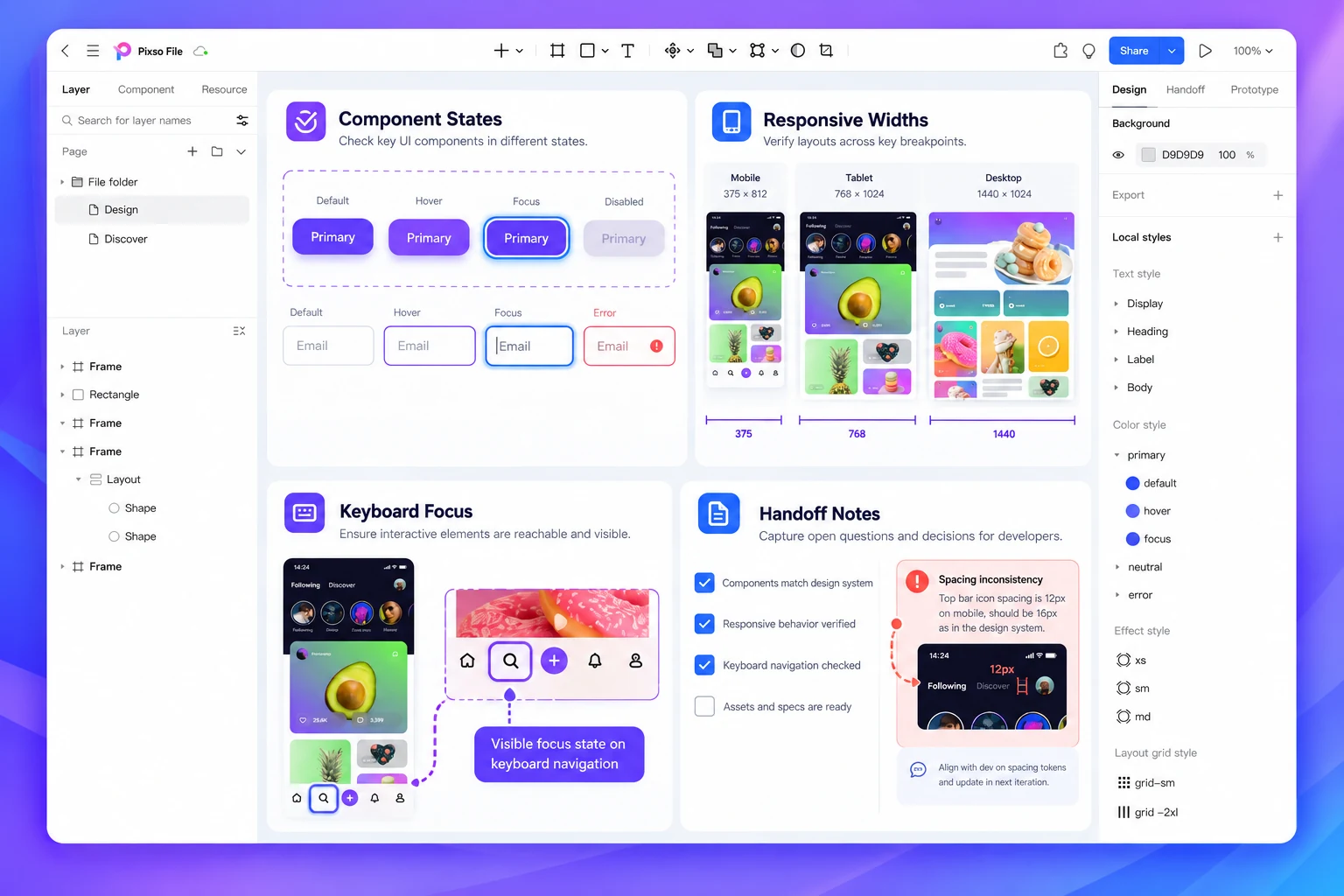
Run the interaction checks in a Pixso interactive prototyping workflow so reviewers can follow the same path, leave a decision-linked comment, and see which issues are blocking the handoff. A checklist is useful when each failed item has an owner and a next action.
How to use this UI design QA checklist
Review one representative task from entry to completion, then inspect the component or screen family for reusable issues. Mark each item as pass, fix, or accepted risk. Do not hide unresolved behavior behind a general “looks good” note.
| Status | Meaning | Next step |
|---|---|---|
| Pass | The design answers the check with visible evidence | Keep the evidence in the handoff record |
| Fix | The issue can mislead users or create implementation rework | Assign an owner and verify the updated state |
| Accepted risk | The team consciously defers a bounded issue | Record scope, owner, and review point |
1. Task and information architecture checks
- The primary user and task are named on the review brief.
- The entry point makes the next action understandable.
- Labels match the product’s terminology and do not rely on internal jargon.
- The hierarchy makes the primary action visually and semantically distinct.
- Users can tell where they are and how to return without losing progress.
If a reviewer cannot explain the task after a short walkthrough, fix the structure before adjusting spacing or color.
2. State and interaction checks
- Loading behavior prevents duplicate actions and explains what is pending.
- Empty states distinguish first use, no results, and unavailable data.
- Validation messages identify the field and the action needed to continue.
- Errors explain whether retrying is safe and preserve recoverable input.
- Success states confirm what changed and expose the next useful action.
- Disabled controls explain why they are unavailable or offer an alternative.
- Focus, hover, pressed, selected, and keyboard states are represented where relevant.
Connect the main task and its alternate paths in the prototype. A static frame cannot prove that the state transition is understandable.
3. Content and visual consistency checks
- Realistic content length has been tested instead of placeholder text alone.
- Dates, numbers, units, and names follow the product’s formatting rules.
- Headings, labels, helper text, and error copy use one editorial vocabulary.
- Icons have a consistent meaning and accessible label where needed.
- Components use the approved design-system styles and documented variants.
Check the longest likely label and the shortest meaningful label. Content is part of the layout; changing it after handoff can change the interface.
4. Responsive and accessibility checks
- The primary task works at the smallest supported viewport.
- Containers, tables, and long text reflow without clipping or accidental horizontal scroll.
- Text remains readable at the largest supported size.
- Contrast and non-color cues communicate state and hierarchy.
- Touch targets, focus order, and keyboard reachability are defined.
- Motion, transitions, and reduced-motion behavior are intentional.
Do not treat an accessibility issue as a separate compliance phase. If the user cannot reach, read, or recover from a control, the core design is incomplete.
5. Handoff evidence checks
- Engineering can identify the source component, state, asset, and behavior for the reviewed screen.
Attach the decisions that cannot be inferred from pixels: permission rules, content constraints, responsive breakpoints, analytics events, and recovery behavior. Keep generated suggestions or exploratory variants clearly separate from approved implementation guidance.
Run a focused review instead of a giant approval meeting
Invite the people who can answer the open questions: product for scope and policy, design for interaction and system consistency, engineering for feasibility, and accessibility expertise for critical barriers. Review the highest-risk path first, record decisions while context is visible, and assign follow-up verification rather than collecting comments with no owner.
A Pixso prototype can hold the frames, interactions, design-system references, and review notes together. Use that shared context to reduce repeated explanations, not to replace product ownership or implementation testing.
FAQ
Is UI design QA the same as usability testing?
No. QA checks whether the design consistently expresses the intended behavior and constraints. Usability testing observes real or representative users completing tasks. They inform each other but answer different questions.
Should every issue block handoff?
Only issues that can change the primary task, user rights, safety, accessibility, data handling, or implementation behavior should block the affected scope. Record bounded visual polish as a separate follow-up.
When should the checklist run?
Run a lightweight check during design review and the full checklist before handoff. Repeat it when a shared component, policy, content model, or critical flow changes.
Conclusion
A strong UI design QA checklist makes quality observable: the task is clear, states are recoverable, content fits, the layout adapts, accessibility is intentional, and handoff evidence has an owner. Use the 24 checks to focus the review, then verify the highest-risk behavior in a working build after implementation.