Scott
A useful UX competitive analysis compares how different products help someone complete the same task. Start with a decision your team needs to make, follow that task under comparable conditions, and record what each interface makes clear or difficult. The result should be a design recommendation with a reason behind it, rather than a collection of attractive screenshots.
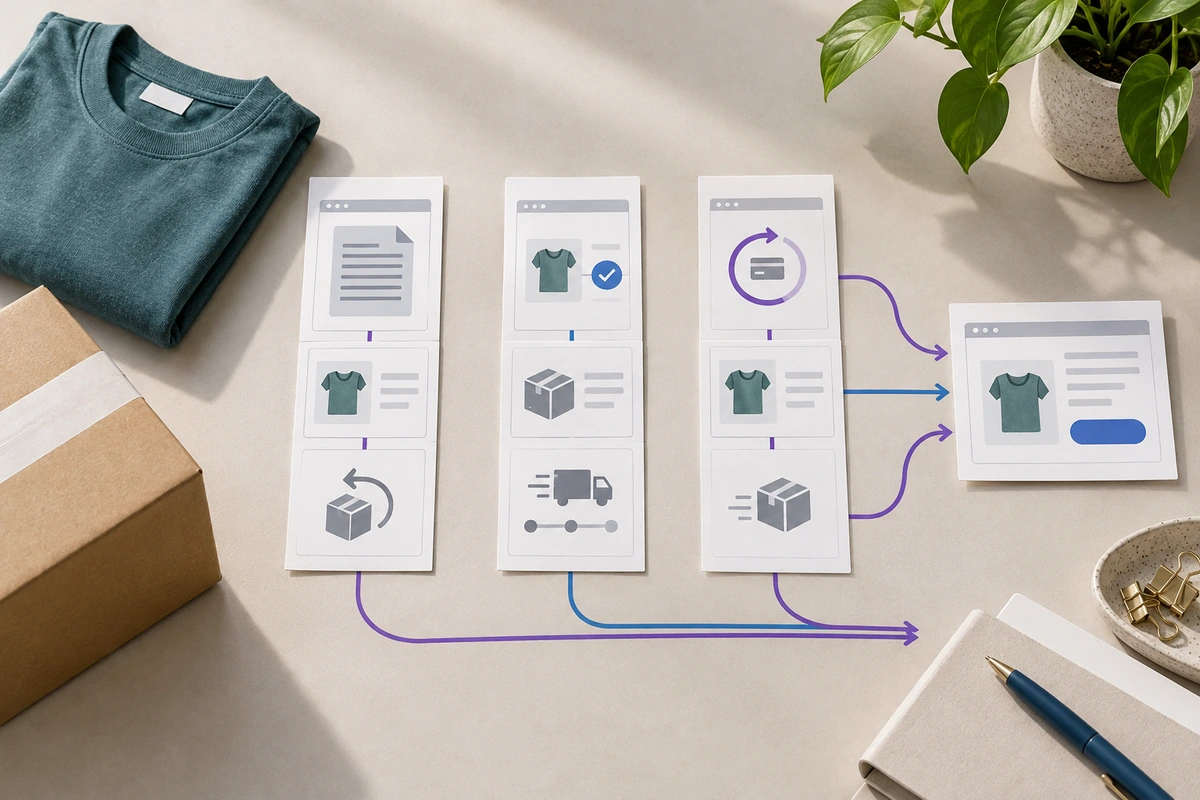
For example, an online shop might need to improve its returns flow. The important question is whether customers can understand eligibility, choose the right item, and find out what happens next. In Pixso’s UX design workspace, you can keep the compared flows beside the proposed screens and discuss the specific changes with your team.
Start with a decision, not a list of competitors
“Understand the competition” is too broad to guide a useful review. “Decide where to explain return eligibility before a customer submits a request” gives the team something concrete to investigate. It also makes it easier to stop: a comparison of search, loyalty programs, and homepage animation would not answer that question.
Write down the customer’s starting situation. In this example, someone bought two shirts, kept one, and wants to return the other because the size is wrong. They have an order confirmation, are using a phone, and want to know whether they will receive a refund or store credit. Use this same situation across the products you examine.
Define the outcome before opening the first site. A successful design must let the customer identify the eligible item, understand any stated cost, see the expected refund route, and recognize whether a return has actually been requested. Completing more screens is not the goal. Reaching a clear, appropriate outcome is.
Choose comparisons that can teach you something
Include products with a comparable task and audience, then add an adjacent example if it solves a particularly relevant part of the journey. A rental service might explain item condition well, while a retailer might make refund timing easier to understand. These examples can inform a decision without being direct commercial competitors.
Keep the scope small enough to inspect the actual interaction. Three flows that you can follow carefully are more useful than twelve homepages collected in a hurry. Include your current experience in the same review, so its strengths and constraints are visible rather than assumed.
Match the conditions that could change the result: device, signed-in state, region, order status, and item eligibility. Record when access stops you. If a site reveals its return options only after a real purchase, an unavailable screen remains unknown; it should not receive a low usability score simply because you could not reach it.
A competitor’s public policy can help explain its interface, but the policy is not a design requirement for your shop. Fees, return windows, and refund methods need your own product and operations owners. Borrowing another company’s wording could promise a service your team does not provide.
Separate expert review from testing with users
Nielsen Norman Group distinguishes competitive reviews from competitive usability testing. In a review, a practitioner examines interfaces and identifies likely strengths or problems. In a test, people attempt tasks and their behavior supplies evidence. Both can inform design, but they answer different questions.
During a review, you can establish that a refund explanation appears only after item selection. You cannot establish that customers usually miss it without observing customers or having other relevant evidence. Write the observation first, then the concern it raises. This keeps a reasonable design judgment from turning into an invented finding.
When testing, give people a goal without the interface’s labels. “You want to send back the shirt that does not fit and find out how you would receive your money” is more useful than “Open Returns and choose Refund.” If someone tries several products, vary the order so familiarity with the task does not consistently favor the last experience.
Record the whole task, including the point of commitment
Capture the steps that change the customer’s understanding, rather than every mouse movement. For the returns task, those moments are finding the entry, identifying the order, selecting the item, understanding eligibility, choosing a resolution, and submitting the request. The confirmation matters too: a customer needs to distinguish a saved draft from a return that has been accepted.
Keep each observation next to the screen and the conditions under which it appeared. A short record can read: “On the item-selection screen, the return deadline appears below the item name. The refund method is not shown until the following screen.” Add a source URL, capture date, and any necessary account context to your working file.
The following fictional comparison illustrates how to turn those observations into useful design questions.
| Approach | What the customer sees | Question for our design |
|---|---|---|
| Policy first | A full returns policy before the customer identifies an order | Can we explain the essential conditions without making the customer interpret rules for items they do not own? |
| Item first | Eligible and ineligible items with a reason beside each one | Can the customer understand an unavailable choice before investing time in the request? |
| Resolution first | Refund or exchange options before the customer sees the relevant conditions | Does choosing a resolution too early create expectations that a later screen must reverse? |
The comparison does not need an overall winner. The item-first approach may make eligibility clear while giving a weak explanation of refund timing. Preserve both observations. A single star rating would hide the design opportunity.
Explain the mechanism behind a difference
“This flow is cleaner” is a preference. “The unavailable item has a reason beside it, so the customer does not need to open the policy to understand this choice” describes how the design may help. A useful interpretation names the information, its location, and the decision it supports.
Count steps only when the steps mean the same thing. A short flow can hide important terms; a longer one can spread a simple decision across unnecessary pages. Instead, examine whether each transition introduces relevant information, asks for a decision, or merely repeats what is already known.
Look for the cost of the design as well as its benefit. Showing every policy detail beside each item may make a large order difficult to scan. Hiding all detail behind a link may make an exception surprising. A practical compromise is a short eligibility statement beside the item with a route to the full conditions.
When several products use the same pattern, treat that as a pattern worth examining, not proof that it works. They may share the same convention, constraint, or unresolved problem. Your users and your task still determine whether it is appropriate.
Turn the comparison into a screen you can review
For the shop example, propose an item-selection screen with three pieces of information kept together: the purchased item, its eligibility, and the next available action. Place the explanation of refund timing before the final submission. Keep the final action explicit, such as “Submit return request,” rather than “Continue.”
Build the current and proposed sequences side by side in Pixso. Keep the same order and item names in both so a reviewer can focus on the changed information. Add a short note beside the eligibility row explaining the design decision: the reason appears before selection, and the full policy remains available without replacing the item context.
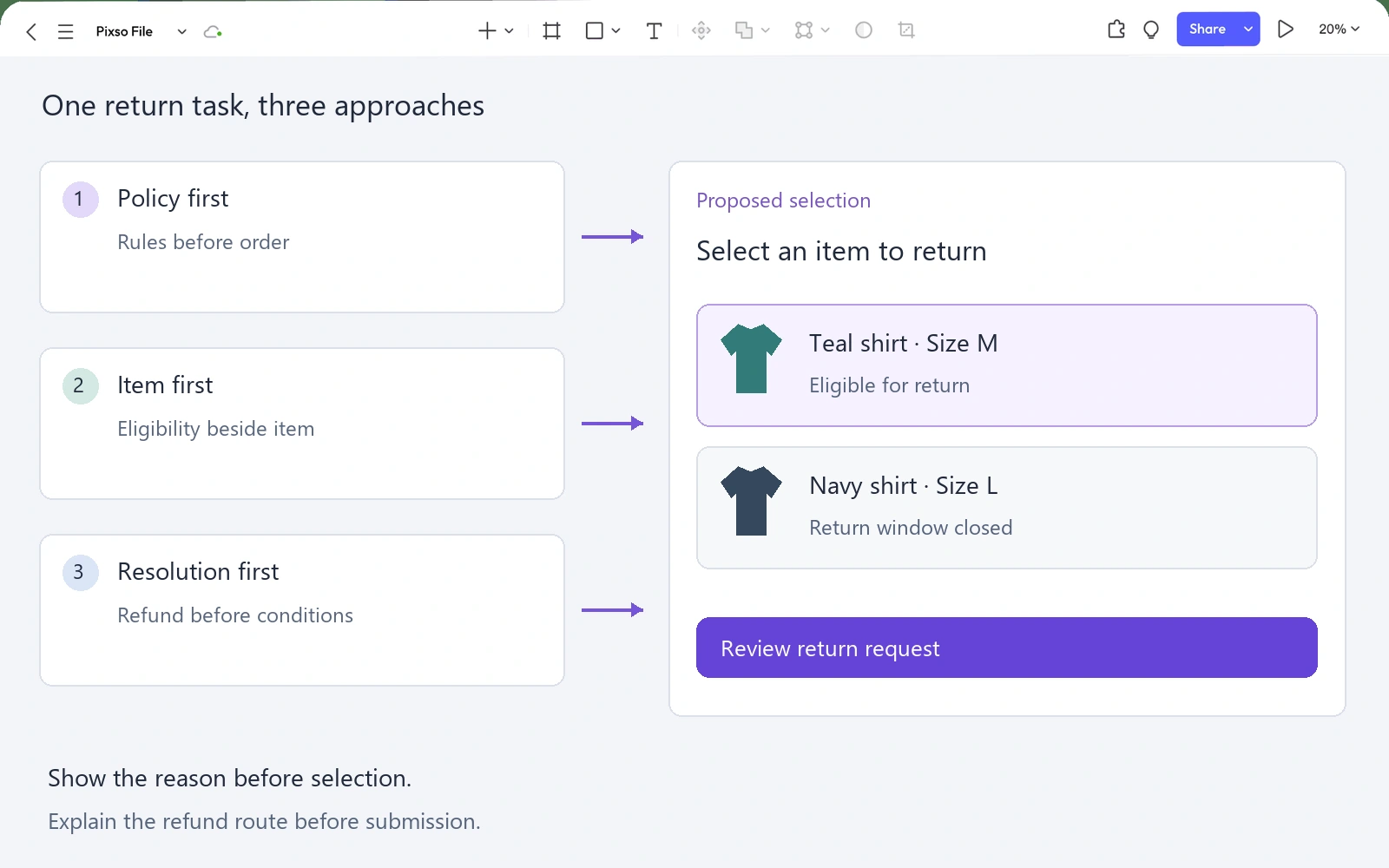
Connect the proposed screens into a prototype if the question concerns sequence or commitment. Ask a reviewer to return one item, explain the available resolution, and identify when the request becomes final. If the question is purely whether the eligibility explanation is visible, a focused screen review may be sufficient before building more interactions.
Use what you learn to refine the recommendation. If people understand eligibility but remain unsure about refund timing, do not redesign the item list again. Move attention to the explanation they need before submission. The research synthesis guide explains how to connect observed behavior to a specific design decision.
Share a recommendation that the team can act on
A useful final recommendation is specific: “Show the reason an item is ineligible beside that item, and show the refund route before submission.” Follow it with the strongest observation, the proposed screen, and the remaining product question. In this case, operations must confirm the wording of the refund timeline before the design is implemented.
Keep the detailed captures available for anyone who wants to inspect them, but lead the discussion with the decision. The team should leave knowing which change to explore, what it is expected to help, and what evidence would make that recommendation stronger or weaker.
Competitive analysis earns its place in a design process when it changes a decision. Start with one task, compare the moments that matter, and use the result to build a clearer experience of your own.