On this page

Scott
A strong UX portfolio case study shows a decision someone else can follow: what needed to change, what you contributed, which options you considered, and what the available evidence says about the result. Start with that thread. Screens, research notes and prototypes earn their place when they help explain it.
You can prepare the work in a UX design workspace with editable screens and prototype review, then present the selected evidence in your portfolio. The case study is the explanation of the work; the design file is supporting material, not a substitute for that explanation.
Choose a project with a decision to explain
Pick a project where you can show a meaningful change, even if it covers only one part of a product. A focused case about choosing a pickup location can be more informative than a complete app with unexplained screens. Select work that demonstrates the role you want: research synthesis, interaction design, visual systems or a combination you actually performed.
Nielsen Norman Group's portfolio guidance recommends showing the problem, your contribution and the reasoning behind the work, alongside the visual output. Your selection should make those aspects easy to see.
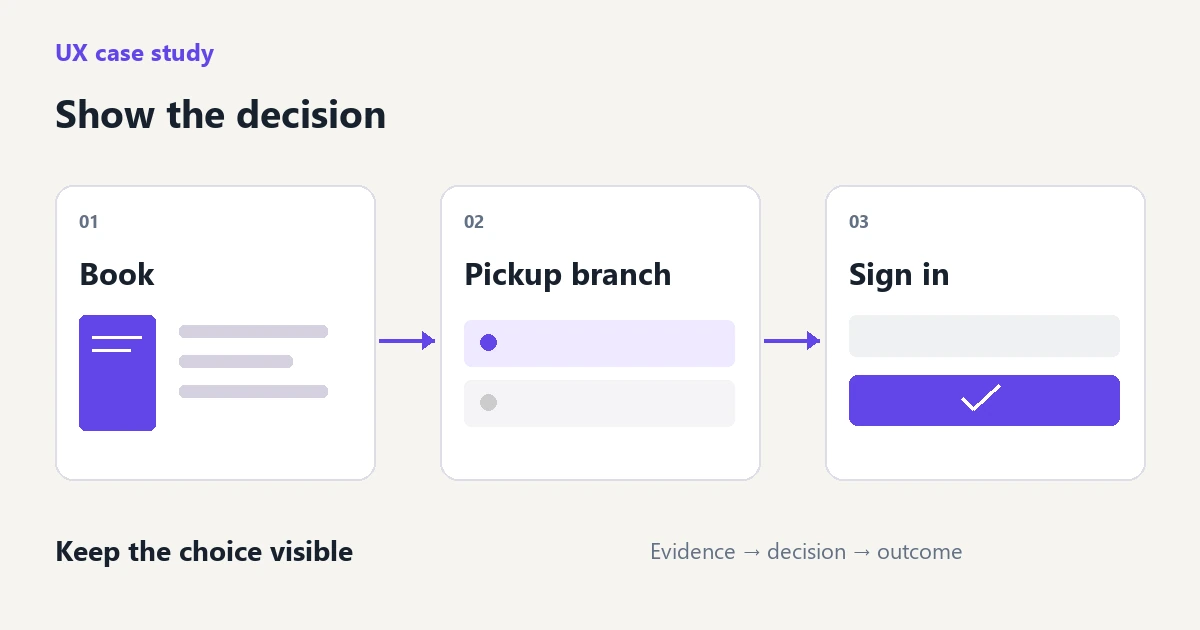
For the example below, imagine a self-directed library reservation project. Readers can reserve a book online and collect it at a branch. The design question is whether the pickup branch should be chosen before or after the reader signs in. This is an illustrative project, with no claimed customer research or launch results.
That question gives the case a boundary. It does not need a complete account settings redesign, a new brand identity or a tour of every library screen. Include those only if they affected the reservation decision.
Write an opening that explains the work immediately
Put the project, problem and your responsibility close together. A reviewer should not have to scroll through a large device mockup to learn whether you designed the interaction or only the illustration. For the library concept, an opening could read:
I designed a mobile book-reservation flow that makes the pickup branch visible before sign-in. The concept keeps the selected book and branch in view throughout the reservation. I created the wireframes, compared two interaction directions and built the prototype; this was a self-directed project, not a commissioned library service.
Follow with a short scope line: mobile web, an existing catalogue, one book at a time. If you worked in a team, name your contribution precisely. “I designed the branch-selection screens; a researcher planned the interviews” tells readers more than “We followed a user-centered process.” Include project duration only when it adds useful context.
Give the problem an observable starting point. In this example, the original concept asks for sign-in before showing branch availability. A reader therefore cannot see the pickup location before making that commitment. That is a condition visible in the design. Whether it causes abandonment remains a question until you have relevant evidence.
Select evidence that explains why the design changed
Build the middle of the case around two or three important decisions. For each one, show the input, the alternative, your choice and its consequence. A large gallery of artifacts makes the project look busy; a small connected set makes your judgment understandable.
| Material you have | What the reader needs from it |
|---|---|
| Early reservation wireframe | The point at which the branch is missing and the decision becomes unclear. |
| Two revised layouts | Why choosing a branch before sign-in was preferred, and what it adds to the screen. |
| Prototype sequence | Whether the selected book and branch remain understandable through sign-in and confirmation. |
| Review or test notes | The actual observation that led to a revision, with enough context to judge its limits. |
If no research was conducted, do not add a persona and invented interview quotations to make the process look complete. State the design assumption: readers need to know where collection will happen before they sign in. Then show how you designed around it and what a later study would need to check.
When research does exist, choose the observation that changed the design. Explain the task and setting behind it. A quote without context may be memorable but may not justify the chosen solution. Keep personal information and confidential material out of the public version.
Explain one trade-off in enough detail
Consider two versions of the library flow. Version A keeps the book page short and asks readers to sign in before selecting a branch. Version B shows a compact branch selector on the book page and carries that selection into sign-in.
Version B gives the reader more useful information earlier, but it also lengthens the book page. The response is not simply to label B “more intuitive.” Show the actual compromise: keep the book title, availability and selected branch together; show additional branch details only when the reader opens the selector.
An effective explanation could be: “I moved branch selection before sign-in so the reservation action names the intended pickup location. To keep the book page compact, the default view shows the selected branch and availability; the full address appears inside the branch selector.”
Then acknowledge the consequence that needs further design. If availability changes during sign-in, the reader needs an updated message and another branch choice. This detail shows that the decision was considered as an interaction, not just a more attractive arrangement of fields.
Give each image a clear job
Use an overview to establish the flow, a close crop to reveal the decision, and a before-and-after pair only when there is a real comparison to make. Keep their scale consistent. A tiny “before” beside a polished full-width “after” hides the difference instead of explaining it.
A caption should add information that is not already obvious in the image. “Branch selector” identifies a component. “The selected branch stays beside the reservation action, so readers can confirm where they will collect the book” explains the design. If the image contains a lot of text, repeat the essential point in normal page text so it remains readable on a phone.
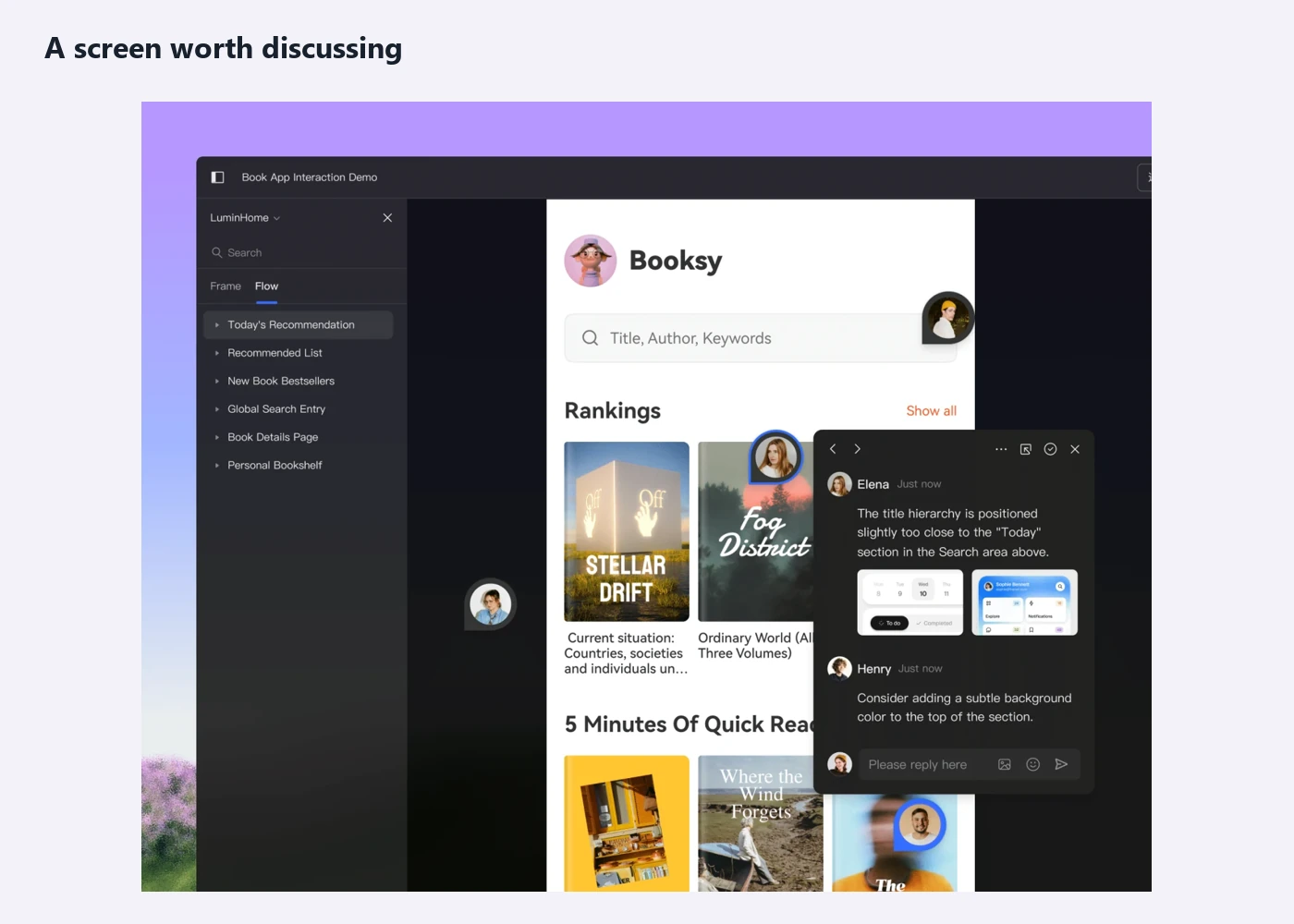
In Pixso, editable frames can hold the alternatives, and comments can keep feedback attached to a location in the design. A prototype can demonstrate the route from book details to confirmation. Choose a few of these materials for the published case; do not send the reviewer into an unorganized working file to discover the story.
Describe the outcome your evidence actually supports
Separate a delivered design, a research observation and a business result. They answer different questions. The library concept can demonstrate that the branch is visible before sign-in and that the prototype includes a change-of-availability route. It cannot demonstrate increased reservations without a launched product and suitable measurement.
If you have usability-session evidence, describe the task, participants and what happened. Avoid converting a handful of observed successes into a universal percentage claim. If you have production metrics, explain the period and what else changed; the redesign may not be the only cause.
For an unlaunched project, a credible ending is specific: “The final prototype covers book selection, branch choice, sign-in and reservation confirmation. It also includes a branch-unavailable state. The next research question is whether readers understand that selecting a branch has not yet reserved the book.” This tells the reader what is finished and where your knowledge ends.
Make the finished case easy to scan and discuss
Use headings that communicate decisions: “Show the branch before sign-in” is more useful than a series of labels such as “Ideation,” “Iteration” and “Final UI.” A reviewer who reads only the opening, headings and captions should still understand the project's central change.
Keep deeper detail available without putting every artifact into the main story. A prototype link can show the interaction; a short appendix can hold additional research material. For confidential work, agree on what may be disclosed and use an authorized anonymized version where needed. A password alone does not grant permission to publish.
End with what you would carry into the next project: a decision you would repeat, a compromise you would revisit or an unanswered question. In the library case, that might be testing how readers interpret temporary availability before adding more branches. The value of the portfolio is that another person can understand your reasoning and have a useful conversation about it.