On this page

Scott
Getting timely client feedback on digital product designs used to involve friction. For years, designers had to export static PDF decks, record video walkthroughs, or ask clients to download heavy desktop software just to view a prototype. Modern web technology has completely rewritten this experience. By rendering interactive canvases directly inside the browser, product teams can present and share user interface design online without forcing stakeholders to install software, sign up for accounts, or manage local files. Where traditional user interface design tools created technical barriers between creators and reviewers, browser-native applications let anyone review live interactive prototypes with a single click.
Part 1: The Evolution of Cloud Prototyping: What is a Web App in Modern Design?
To understand this shift, it helps to answer a foundational question: what is a web app in the context of digital product creation? Unlike static websites that simply display read-only content, a web app is an interactive software application hosted on remote cloud servers that runs entirely inside a standard web browser interface. By utilizing modern rendering engines like WebAssembly and WebGL, running complex vector software inside a web app eliminates OS compatibility barriers between Windows, macOS, and mobile devices.
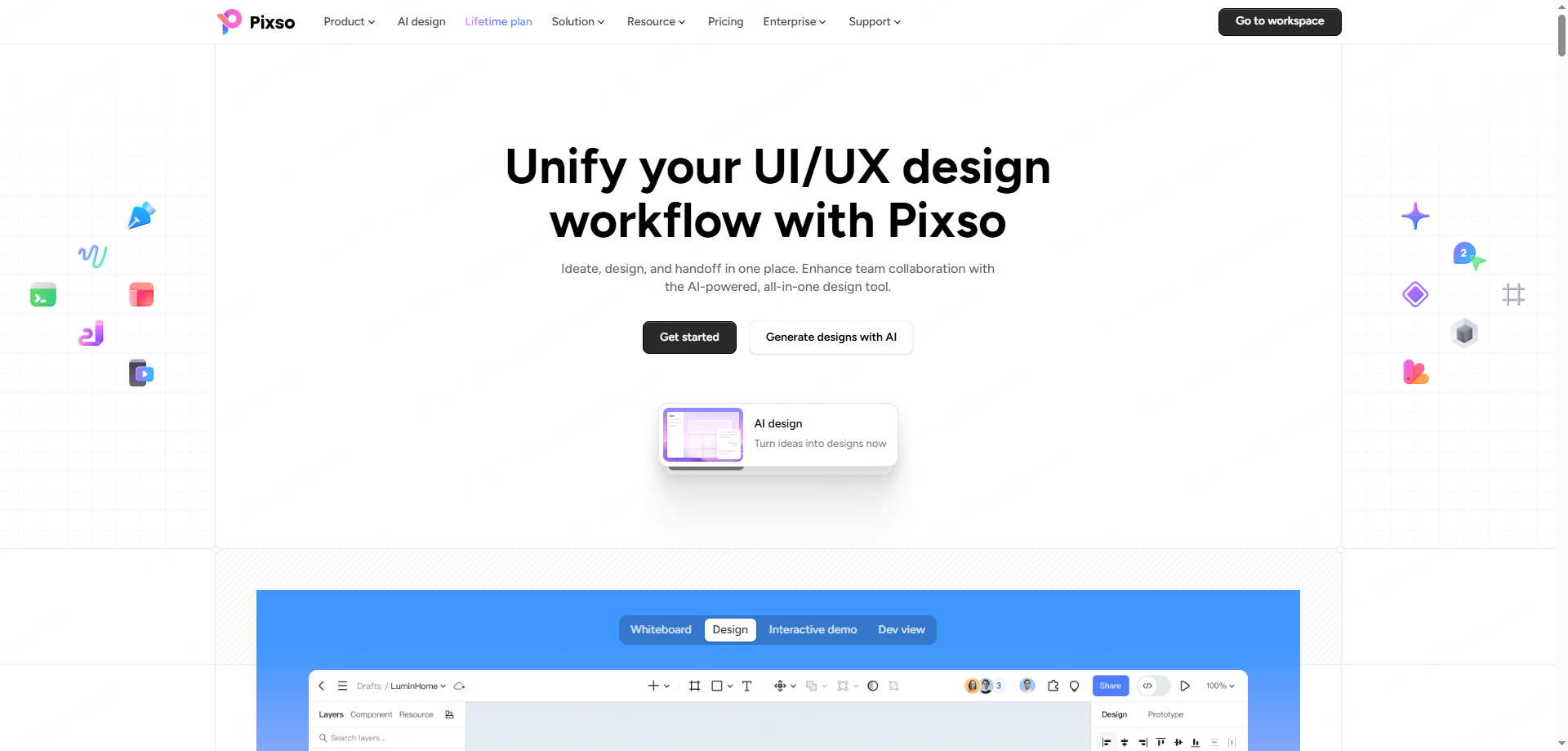
The transition toward web-based design tools has fundamentally reduced software friction for design agencies and product teams worldwide. Leading this revolution is Pixso, a professional product design collaboration and engineering delivery platform engineered to manage the entire product lifecycle from early ideation to vector design, interactive prototyping, design system management, and developer handoff.
Why Browser-Native Workspaces Outperform Legacy Desktop Software
- Zero Client Onboarding: External clients, stakeholders, and executives open interactive designs immediately in any browser without installing desktop software or registering account credentials.
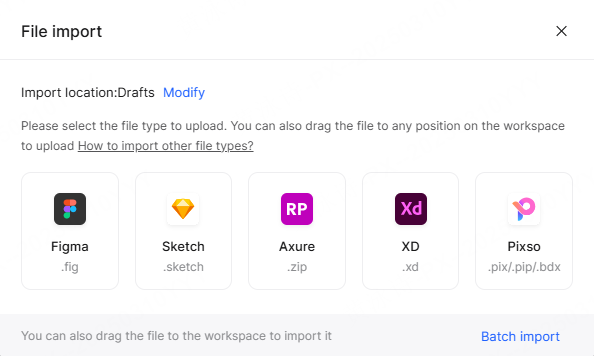
Instant Legacy Asset Migration: Teams transitioning from desktop software can batch import Figma, Sketch, and Axure files alongside Figma and Sketch component libraries with compatibility that varies by file and requires verification.
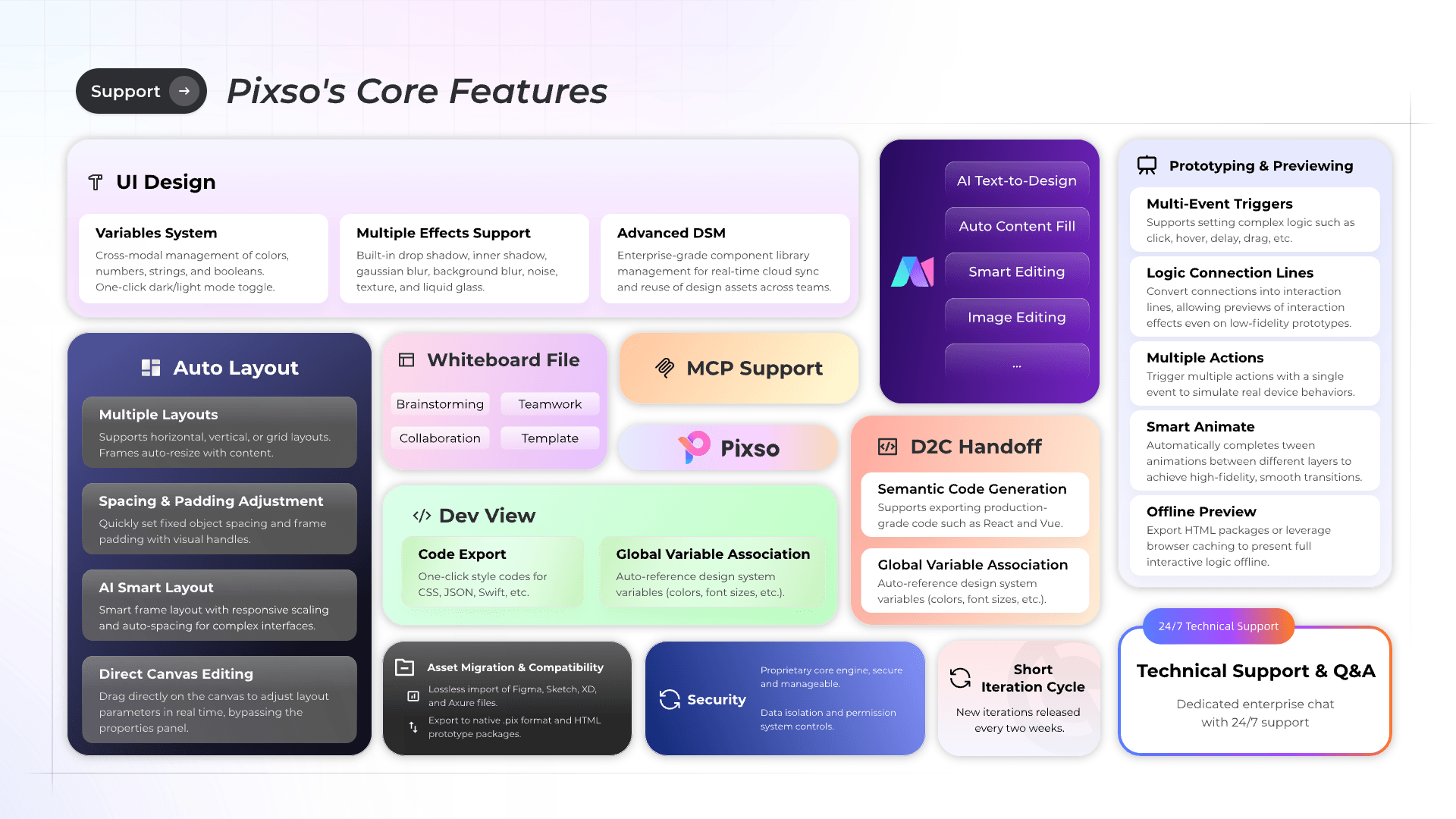
- Unified Workspace Architecture: Instead of using separate applications for wireframing, UI drawing, and presentation reviews, the entire creative sequence takes place within a single URL.
By allowing users to open, review, and comment on interactive prototypes in a browser window, executing user interface design online no longer requires local installation or complex IT approvals.
Part 2: Streamlining Client Reviews with Isolated Prototype Links and Anonymous Feedback
One of the biggest pain points during stakeholder reviews is keeping draft work private. Designers often work on multiple iterations, draft artboards, and confidential component variations within the same working file. Sharing a raw design canvas with a client can cause confusion, visual noise, and accidental edits.
Modern cloud tools solve this by providing isolated prototype preview links. A designer generates a dedicated presentation link that displays only the final interactive user flow while hiding underlying layer stacks, draft pages, and scratchpads. When designers update their frames on the working canvas, changes sync automatically to the shared preview link without requiring a new URL to be resent to stakeholders.
Comparing Client Review Workflows: Traditional Files vs. Cloud Sharing
- Software Requirements: Traditional PDF exports or desktop tools require manual file transfers or client app downloads. Cloud sharing requires zero installation and opens instantly in any browser.
- Working Draft Privacy: Traditional raw files expose messy artboards and background scratchpads. Isolated preview links display clean, interactive flows while keeping draft layers completely private.
- Version Synchronization: Manual file exports force designers to re-send PDF decks after every edit. Cloud preview links update automatically on the same URL whenever changes are saved.
- Feedback Collection: Static files result in disconnected email threads or vague chat messages. Isolated web previews enable pinned canvas comments tied directly to specific UI components.
When clients receive a share link and ask what a web app is, the answer is simple: it is a live browser page where they can click buttons, test flows, and leave feedback without downloading anything. Legacy user interface design tools forced stakeholders to create account credentials before leaving comments, adding friction to approval workflows.
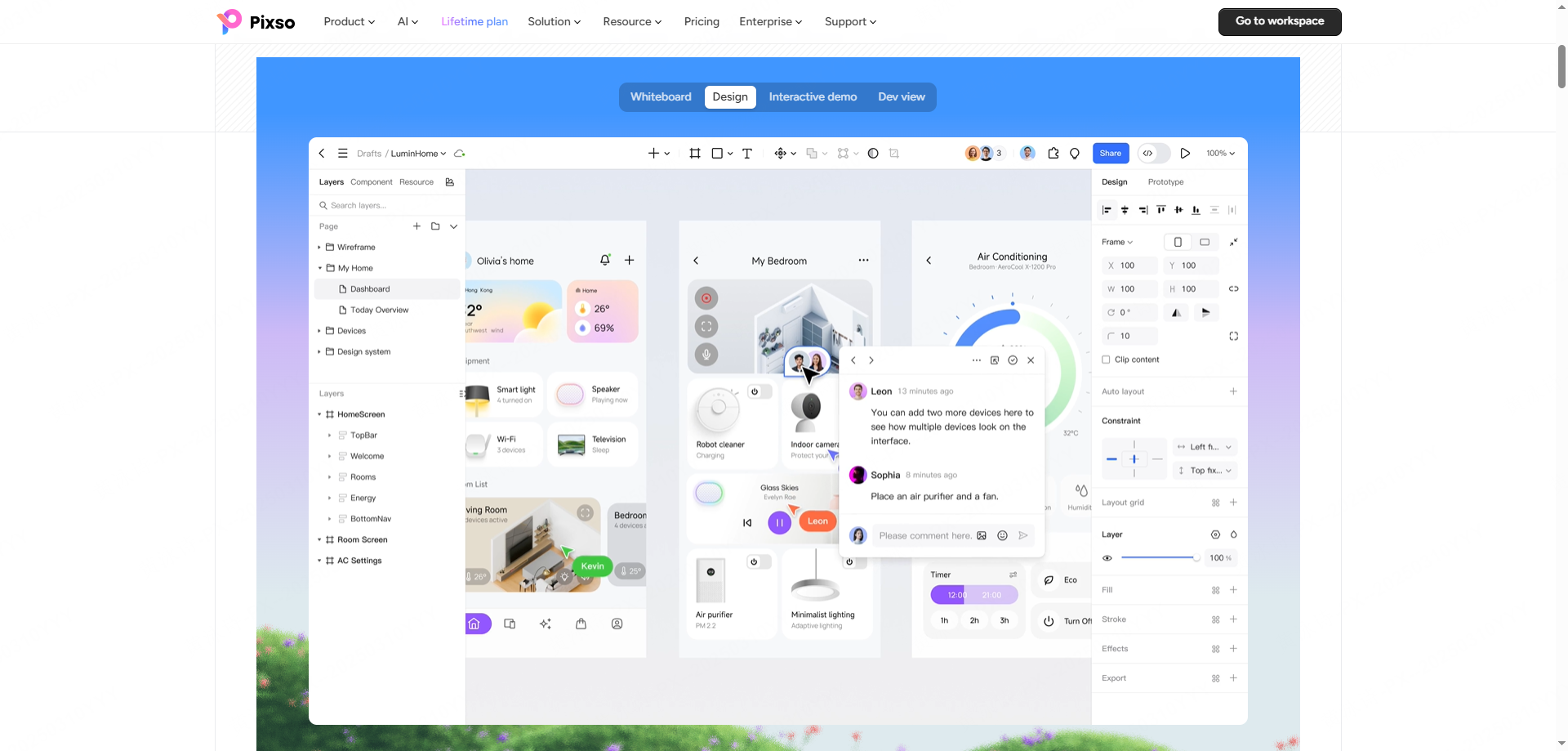
Pixso addresses this with an anonymous online annotation system. External reviewers can leave pinned comments directly on specific buttons, banners, or form fields without logging in or signing up. These feedback pins automatically bind to underlying canvas layers, giving designers clear, contextual revision notes. Combining isolated link sharing with real-time collaboration tools gives teams live feedback while keeping early drafts secure.
Part 3: All-in-One Asset Bundling and AI-Assisted Ideation
Presenting a digital product involves more than showing isolated UI screens. Stakeholders need to review user research, product requirement documents (PRDs), flowcharts, and interactive prototypes together. Sharing disconnected links across chat threads leads to lost context and confused clients.
Browser-native environments allow teams to bundle these materials into a single URL. Pixso whiteboards come equipped with built-in templates for brainstorming, flowchart mapping, and PRD documentation. Designers can link a PRD table directly to UI screens and interactive prototypes within one shareable workspace.
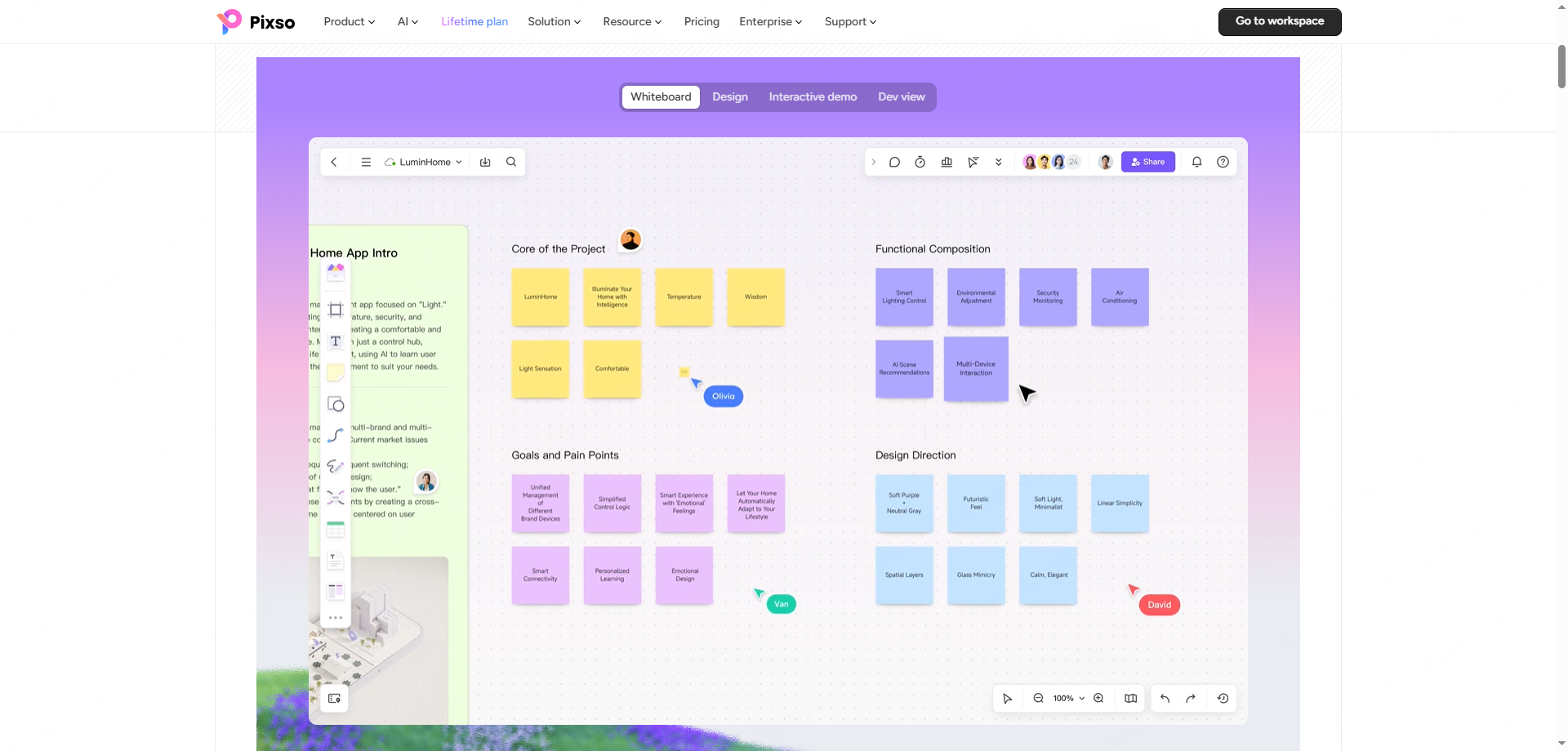
High-performance web-based design tools now run complex canvas interactions smoothly, but modern product development also demands visual speed. Integrating native artificial intelligence into the editing canvas transforms how quickly teams validate early product concepts.
Practical Value of Embedded AI Features
- Text-to-Design Generation: Input a single sentence prompt to generate editable UI component layouts and page drafts instantly, allowing teams to validate ideas during live client calls.
- Smart Layer Renaming: Automatically convert messy, unorganized layer stacks into clean, semantic business terms, keeping canvas trees organized for client handoffs.
- One-Click Image Utilities: Remove background pixels with a single click and upscale graphic resolutions directly on the canvas without leaving the editor.
- Automated Specs and Checklists: Generate design review checklists tailored to specific screen types to ensure accessibility standards are met before client walkthroughs.
- In-Place Multi-Language Processing: Translate canvas text across multiple languages, rewrite headlines, and polish body copy directly inside design frames for localized client demos.
Pixso AI functions as a complete assistant embedded inside the editor. Designers can generate editable layout drafts using natural language prompts, remove image backgrounds with a single click, upscale graphic resolutions, and translate canvas copy across languages for localized client demos.
Collaborating on user interface design online becomes significantly faster when AI assists with layer organization, layer renaming, and design checklist generation. Modern real-time collaboration tools bring product managers, designers, and engineers together on a single canvas, while native AI features speed up iteration between client reviews.
Furthermore, internet connections during live client presentations can be spotty or unreliable. Pixso provides an offline presentation mode within its prototype previewer, ensuring crisp, zero-lag prototype playback even over weak or disconnected networks during critical client pitches.
Part 4: Enterprise Security, Private Deployment, and Data Governance
Providing efficient design collaboration requires strict control over enterprise file sharing and data assets. Pixso balances team collaboration with enterprise-grade security and governance through native security controls and flexible deployment methods:
- Various Deployment Methods: Supports single-node and clustered deployment, providing intranet, private cloud, and public cloud options to keep data secure within the enterprise environment.
- Upgraded Data Protection & Core Encryption: Protects core data with encryption and requires enterprise account login to ensure assets are stored in safe locations.
- Permission Management & Controls: Delivers granular permission management, member management, and centralized control over enterprise resource libraries and team assets.
- Member Activity Log & Data Dashboard: Offers full administrative oversight with member activity logs, asset handover capabilities, and data dashboards.
- System Customization & Integration: Supports customized connections with enterprise systems, such as R&D management systems and DevOps platforms, alongside exclusive domain options.
- Agile & Controlled Link Handoff: Allows smooth collaboration through single-link handoffs for developers, on-canvas real-time comments, and dedicated Dev view controls.
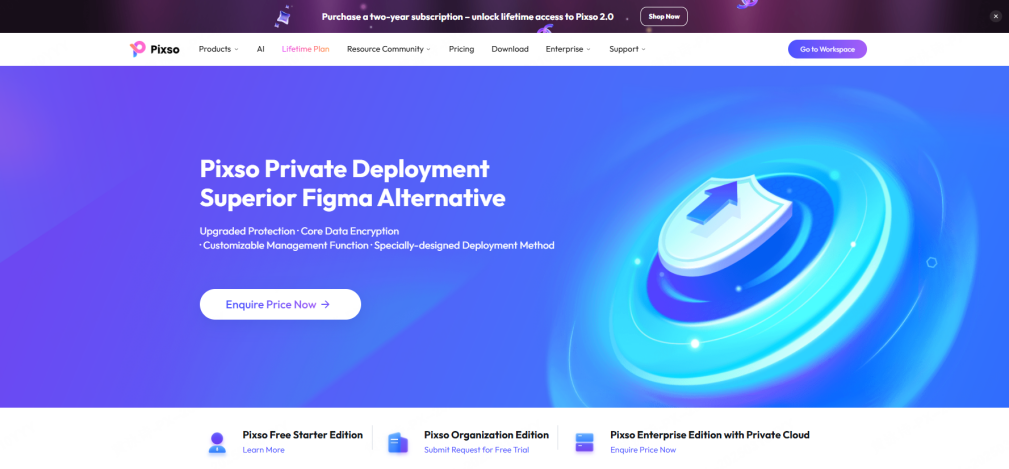
Enterprise Security & Deployment Comparison Highlights
- Data Sovereignty: While public SaaS platforms store data externally, Pixso Private Deployment allows hosting enterprise data on private servers, corporate clouds, or internal intranets.
- Enterprise Management Capabilities: Provides built-in organizational features, including asset handover, member activity logs, shared team resource libraries, and exclusive domain configurations.
- Figma Alternative for Enterprise: Positioned as a self-hosted Figma alternative, offering customized private deployment and single-node or clustered infrastructure options.
Part 5: From Interactive Review to Production-Ready Code Handover
Presenting designs online is only half the battle; those approved designs must eventually be built by engineering teams. Traditional design workflows required designers to manually annotate dimensions, export redlines, and export visual assets into third-party inspect tools.
By delivering the entire workflow within a single web app, modern browser platforms bridge the gap between design and development without requiring extra third-party handoff software.
Breakdown of Engineering Handover Features
- Multi-Framework Code Generation: Engineers inspect canvas elements and copy production-ready code snippets generated directly in React, Vue, HTML, ArkUI, and Flutter.
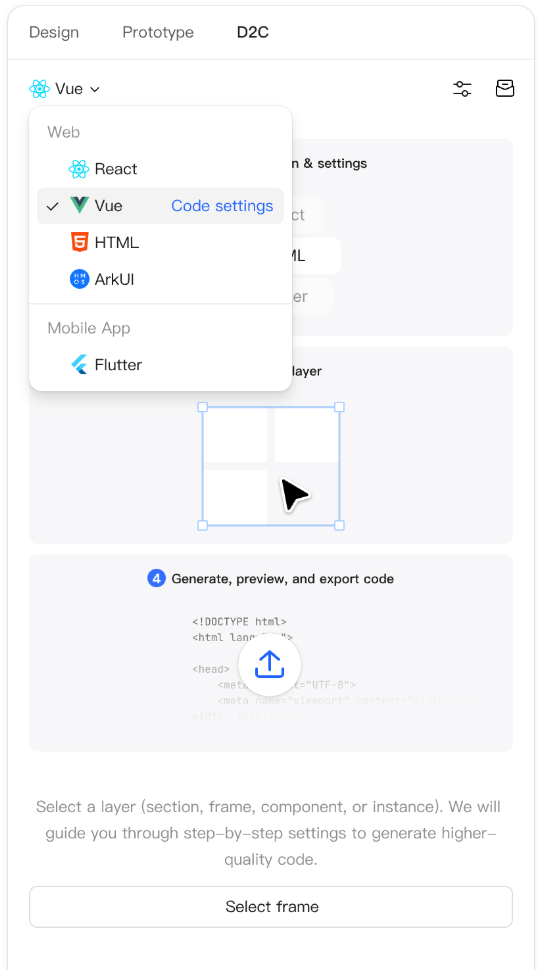
- One-Click Asset Extraction: Developers download visual assets directly from the inspect panel in scalable formats, including SVG, PNG, and WebP graphics.
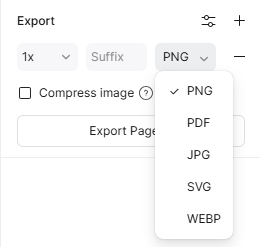
- Automated Design Update Tracking: Visual change tags highlight updated components on the canvas, showing developers exactly what changed since the last sign-off.
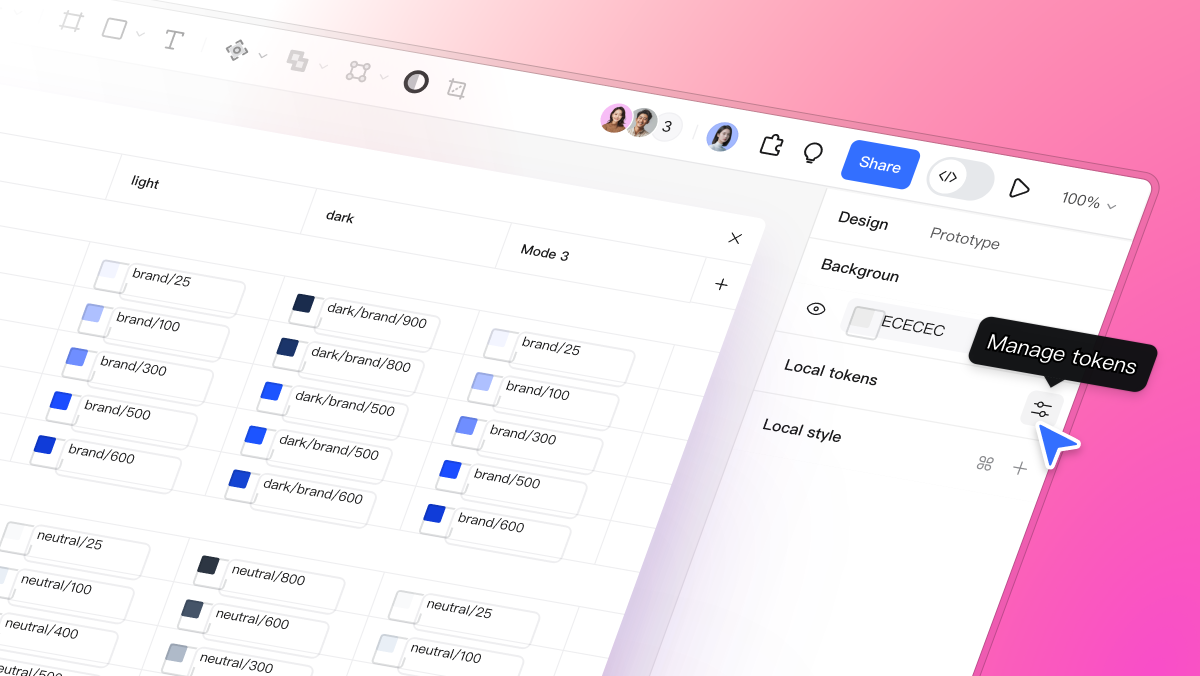
- Centralized Design System Governance: UI components, styles, variables, and design tokens are stored in centralized cloud libraries, ensuring code implementations match visual specs.
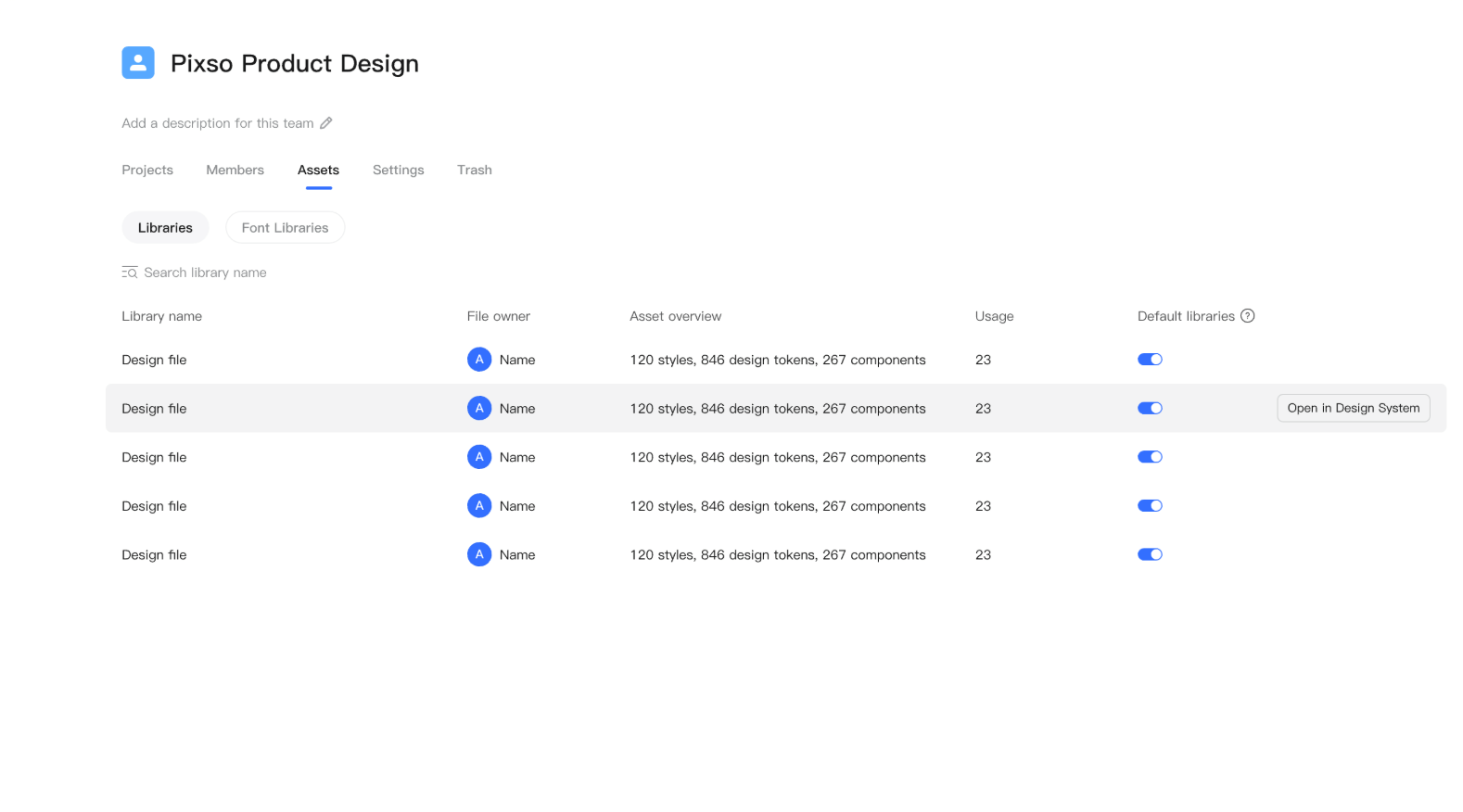
Adopting web-based design tools ensures that visual updates sync automatically across design systems and developer inspect views. In Pixso’s dedicated Dev View, developers inspect component properties, review layout margins, and copy production-ready code without asking designers to manually generate redline spec sheets.
Crucially, design tokens, components, styles, and variables are stored in centralized team libraries. When updates occur, visual change tags highlight modified elements on the canvas, ensuring developers build exactly what was approved during client reviews.
Conclusion
Zero-install cloud technology has transformed how digital product teams present, critique, and hand off software designs. Utilizing a browser-native web app turns client reviews into a frictionless experience, removing the need for software downloads, account sign-ups, or manual file exports. Platforms like Pixso lead this transformation by combining whiteboards, vector UI design, generative AI, secure link governance, and developer code generation into a single shareable link. The ability to present user interface design online without software installs empowers design teams to collect instant feedback, protect their creative assets, and ship high-quality products faster than ever before.
What a browser-based UI design workflow must support
Online access is useful only when the team can open the right file, review the current version, leave contextual feedback, inspect the approved screens, and understand permissions.
Test the experience with a designer, client, and developer account. Check loading, comments, file access, asset inspection, and the recovery path before calling a workflow ready for production.