On this page

Scott
Digital product development has outgrown localized desktop software. Fragmented toolchains that separate whiteboarding, vector drawing, interactive prototyping, and developer handoff inevitably create version conflict and communication lag. Today, modern product teams require browser-native solutions that connect every phase of creation into a single continuous workspace. The emergence of ai powered design platforms has fundamentally accelerated execution, shifting focus from manual pixel-pushing to high-level system architecture and user logic. This article examines how modern cloud platforms are revolutionizing how product teams approach user interface design online today, providing a practical evaluation for organizations looking to modernize their design stack.
Part 1: Beyond Desktop Software: Pixso and All-in-One Cloud Workflows
For years, design teams relied on legacy desktop apps like Sketch or Adobe XD. While these tools offered solid vector drawing tools, they lacked native cloud collaboration. Sharing files meant emailing heavy attachments or exporting static files into third-party handoff tools like Zeplin or InVision. This fragmented workflow caused broken asset links, missing fonts, and endless version confusion.
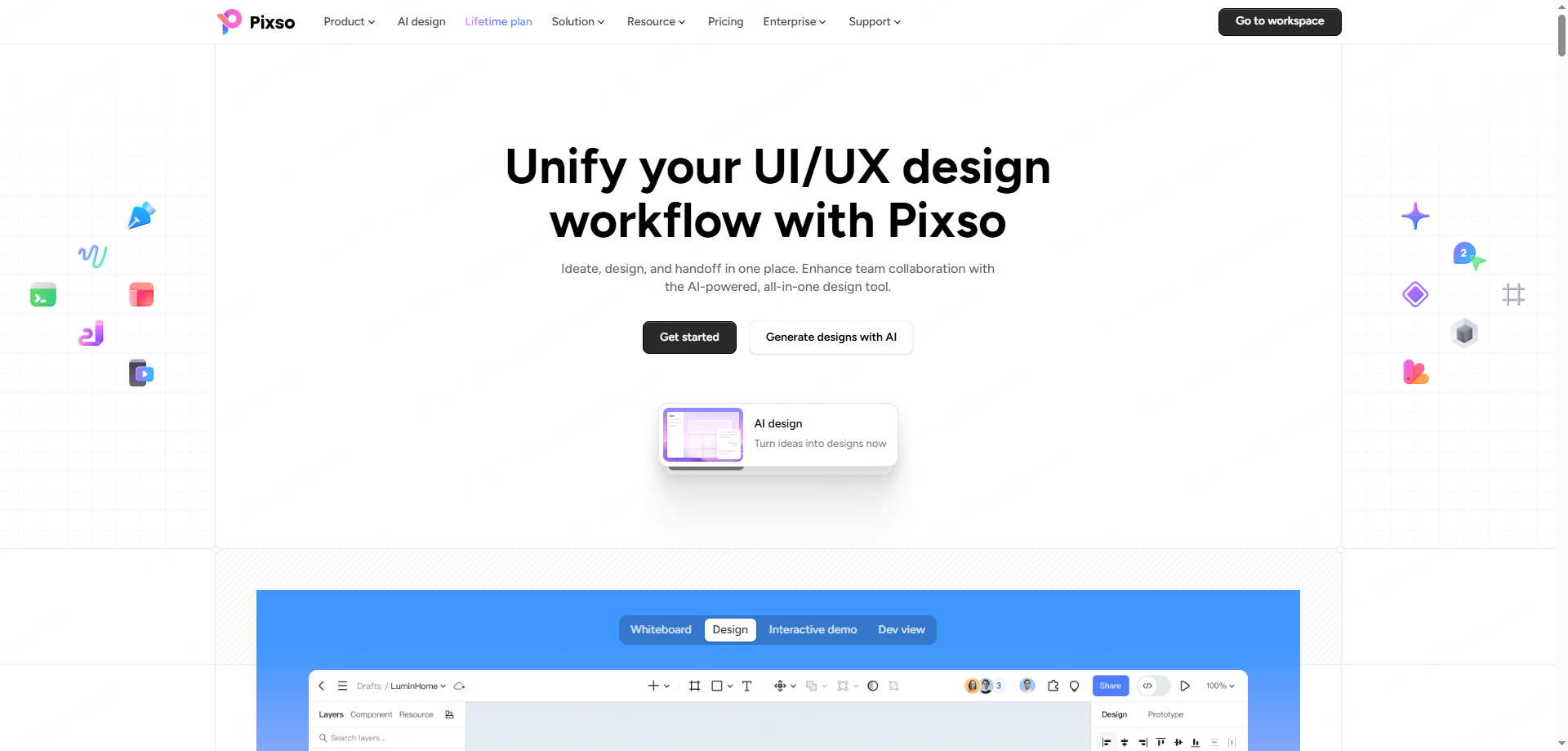
Modern design environments eliminate these bottlenecks by hosting the entire product lifecycle within a single browser URL. Leading this shift is Pixso, a professional product design collaboration and engineering delivery platform that covers everything from early ideation and UI creation to design systems, collaborative reviews, and code delivery.
Key Advantages of an Integrated Cloud Workspace
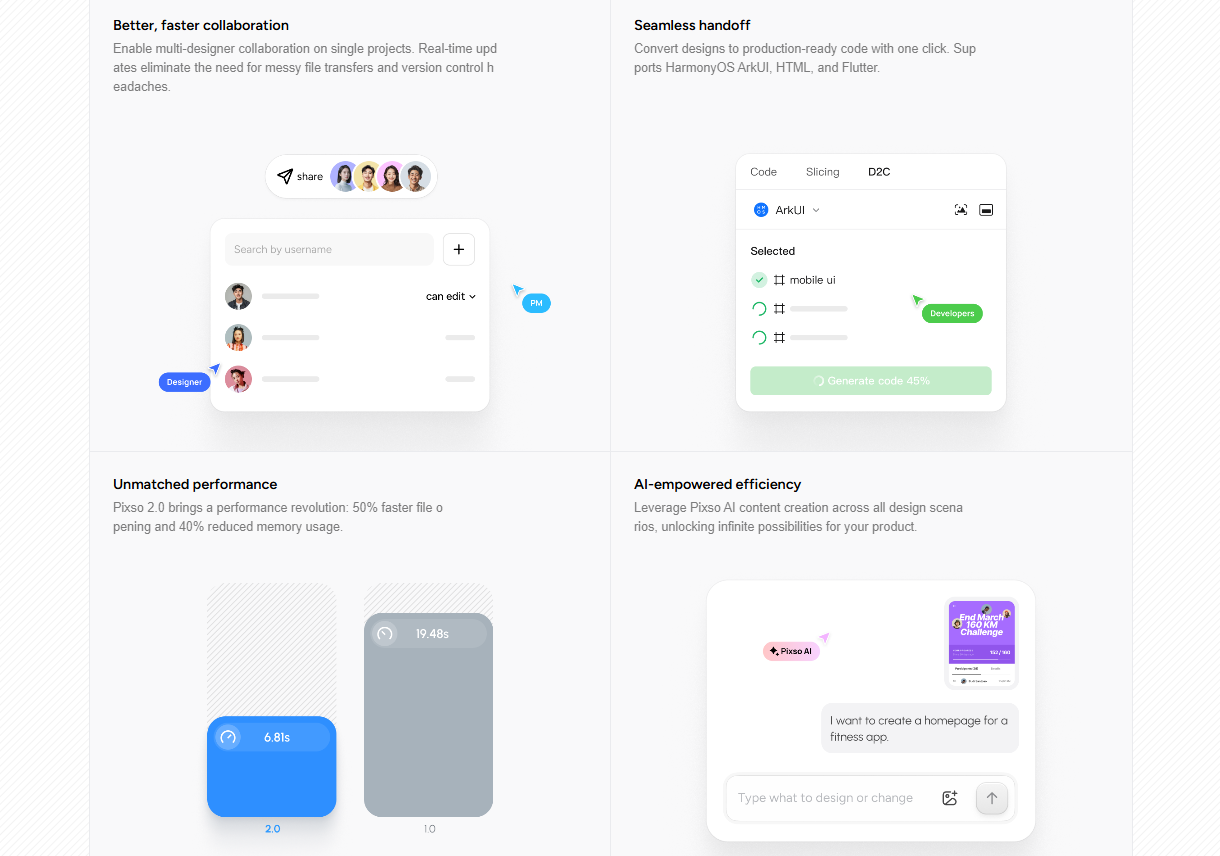
- Single Canvas Lifecycle: Teams map out PRD documentation, build user flowcharts, sketch vector interfaces, run prototype tests, and hand off clean code without switching tools or exporting files.
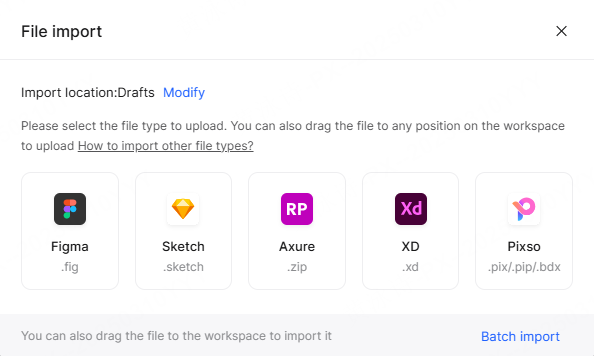
- Seamless Legacy Migration: Transitioning away from legacy software is easy. Pixso supports batch importing Figma, Sketch, and Axure files along with Figma and Sketch component libraries with compatibility that varies by file and requires verification.
- Zero Vendor Lock-In: Organizations retain complete ownership of their digital assets with flexible file exports, preventing teams from being locked into a single proprietary cloud ecosystem.
Selecting a modern online design tool that unifies early product strategy with production-ready design eliminates tool-switching friction, elevating how organizations manage user interface design online from start to finish.
Part 2: Architectural Limits of Legacy Competitors vs Modern Platforms
Understanding the current market requires looking at where traditional tools fall short. Legacy tools were built for solo desktop work, while newer cloud tools often fragment features across separate paid modules or lack private deployment options required by enterprise security teams.
| Platform | Core Architectural Focus | Major Operational Boundaries | Enterprise Deployment & Security |
| Sketch / Adobe XD | Desktop vector drawing | Weak real-time collaboration; Adobe XD development is frozen | No on-premise private deployment |
| Figma | Public cloud collaboration | Whiteboards and UI files are separate; high security tier pricing | Public cloud only; no on-premise private deployment option |
| Axure | Complex logic prototyping | Weak native vector UI tools and modern real-time cloud design system controls | Complex maintenance; steep learning curve for general design teams |
| InVision | Static prototype presentation | No native vector UI drawing capabilities; relies entirely on external app uploads | Deprecated platform; requires pairing with third-party vector tools |
| Pixso | Unified cloud UI, whiteboard, prototyping, and engineering delivery platform | Complete native tool integration inside a single platform ecosystem | Public cloud + On-Premises private deployment for GDPR/HIPAA compliance |
When comparing an AI-powered UI design tool with a traditional design workflow, the productivity gap is immediately clear. Legacy tools force designers to rebuild assets across different apps at each phase of development.
A thorough comparison of the best creative design tools reveals clear differences in architecture. While Figma revolutionized public cloud collaboration, its whiteboard and UI editing environments remain separated across distinct file types, and its lack of private on-premises deployment blocks compliance-heavy industries. Axure excels at complex interactive logic but struggles with native UI vector tools and real-time team collaboration. InVision, meanwhile, acts merely as a presentation layer without native design capabilities, forcing teams back into multi-tool stacks.
Pixso fills these critical gaps by combining native vector UI editing, integrated whiteboards with built-in PRD templates, interactive prototyping, and flexible On-Premise private deployment options within a single platform.
Part 3: Generative Automation: Transforming Speed with Native AI
Artificial intelligence inside creative software has progressed beyond novelty background generators. Today, native AI tools handle repetitive layout adjustments, layer organizing, and copy creation, letting designers focus on high-value user experience strategy.
Why relying on a single online design tool with built-in whiteboards outperforms fragmented software becomes obvious when generative AI is embedded directly into the editor. Pixso AI functions as an integrated design assistant built into the core editing canvas, covering every phase from early visual generation to asset management and design system checks.
Practical Applications of Embedded Canvas AI
- Text-to-Design Generation: Input a brief text description to instantly generate editable UI component layouts and page drafts, allowing teams to validate ideas fast.
- Smart Layout & Semantic Renaming: Auto-apply responsive constraints across selected frames while automatically renaming messy layer trees into clean, semantic business terms.
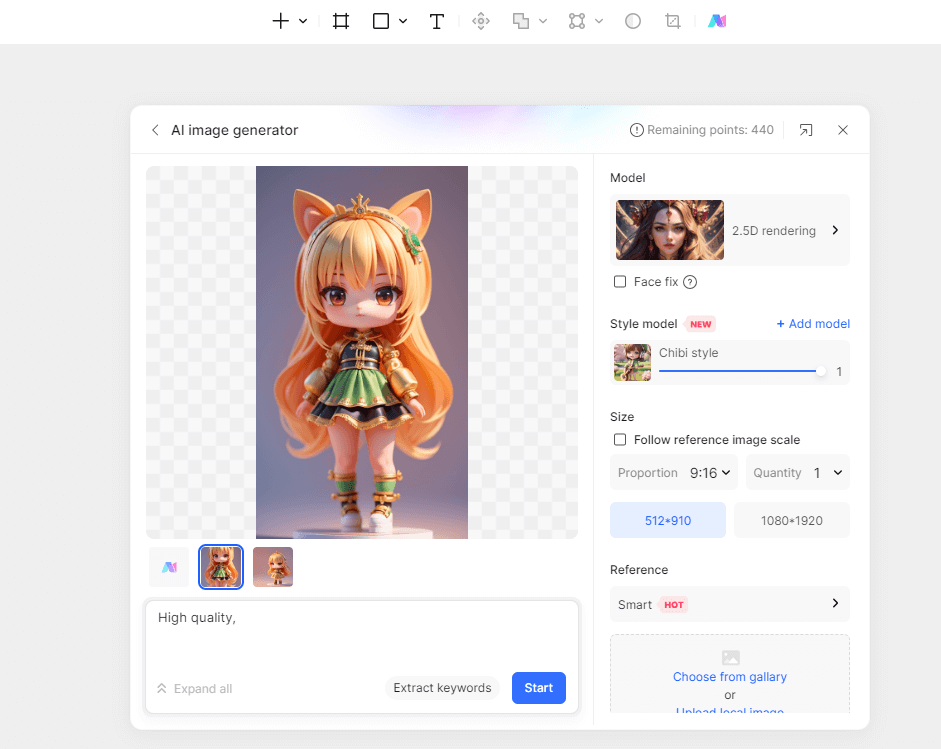
- Integrated Asset & Image Editing: Generate original visual assets from prompts, perform one-click background removals, and upscale image resolution directly on the canvas.
- Automated Design System & Review Checklists: Generate tailored design token systems based on primary brand colors and automatically build visual review checklists for specific screen types.
- Intelligent Text Utilities: Translate canvas text across multiple languages, rewrite headlines, summarize long copy, and polish microcopy directly inside your design frames.
| AI Feature | Native Canvas Functionality | Impact on Design Velocity |
| Generative Text-to-Design | Converts text prompts into editable UI layouts | Rapidly validates early product concepts |
| Smart Auto-Layout | Automatically calculates padding and responsiveness | Eliminates manual frame and margin adjustments |
| Layer Semantic Renaming | Auto-renames raw layers into clear business terms | Keeps design trees developer-ready |
| Automated Design Checklists | Generates accessibility and spec review checklists | Reduces manual QA errors before engineering handoff |
| Multi-Language Text Processing | Translates, rewrites, and summarizes copy in-place | Speeds up global product localization testing |
The core advantage of an AI-powered UI design tool over a traditional design workflow is how quickly ideas turn into editable layouts. Scaling user interface design online requires embedded intelligent capabilities that take over manual, tedious layout tasks.
By incorporating AI-powered generative workflows into everyday practice, design teams can shorten sprint cycles without sacrificing visual quality or precision.
Part 4: Enterprise Security, Data Sovereignty, and System Governance
As design teams expand across distributed locations, managing design consistency and enterprise security becomes a top priority. Without centralized governance, global teams risk visual drift, component duplication, and security leaks.
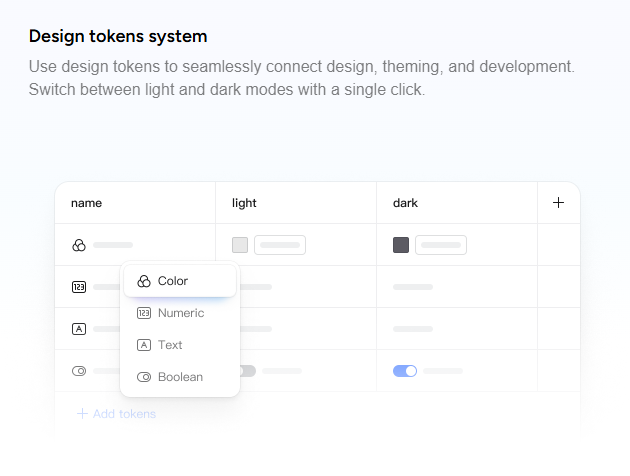
Centralizing components, styles, variables, and design tokens into cloud design systems ensures a single source of truth across all product squads. Updates to core design tokens propagate across connected files instantly, eliminating manual visual fixes.
In any best creative design tools comparison, enterprise security and deployment options play a decisive role. Financial institutions, healthcare providers, and government agencies face strict data sovereignty mandates like GDPR and HIPAA. Cloud-only tools like Figma cannot accommodate organizations that prohibit third-party public cloud hosting for core intellectual property.
| Governance Category | Traditional Cloud-Only Constraints | Pixso Enterprise Solution |
| Hosting Architecture | Locked to public multi-tenant cloud servers | On-premise private server or private cloud deployment |
| Compliance Alignment | Standard public cloud certifications only | Meets strict GDPR, HIPAA, and banking data rules |
| Access Control & Security | Basic link sharing controls | Timed link expiration, passcodes, and watermarks |
| Design System Synchronization | Manual component library updates across files | Global token and variable sync across all projects |
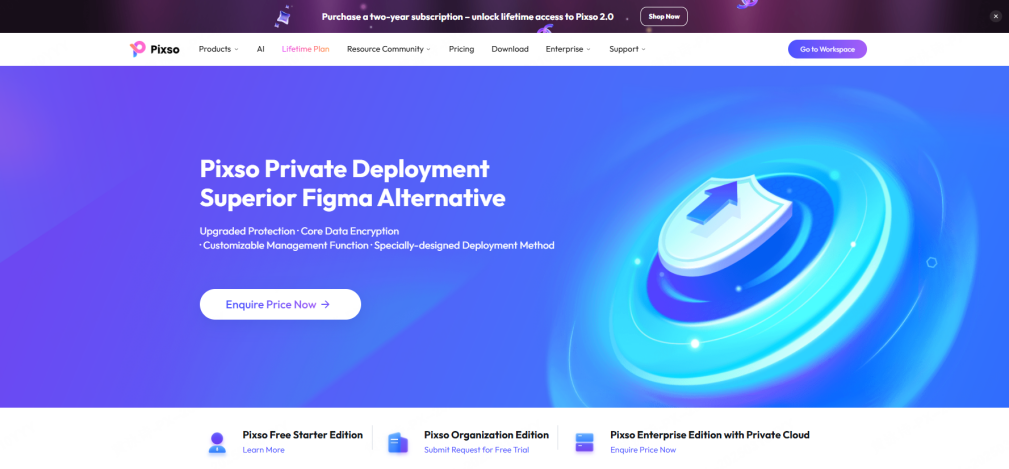
Evaluating an online design tool for enterprise use requires looking at data sovereignty alongside vector features. Pixso addresses this enterprise requirement by offering both public cloud and private deployment options.
Combined with granular role permissions, custom link expiration dates, visitor download blocks, and automatic canvas watermarks, enterprise teams get complete security over their design assets. Discovering how modern ai powered design platforms handle design token governance gives enterprise organizations full confidence in their digital infrastructure.
Part 5: Frictionless Developer Delivery and Transparent Cost Models
The true measure of a design platform is how efficiently its outputs turn into functional code. Traditional handoff processes required designers to manually create redlines, export image slices, and write detailed specs for front-end developers.
Modern platforms eliminate this friction by turning the design canvas into a live, inspectable environment for engineering teams.
| Delivery Dimension | Traditional Manual Handoff | Pixso Automated Developer Delivery |
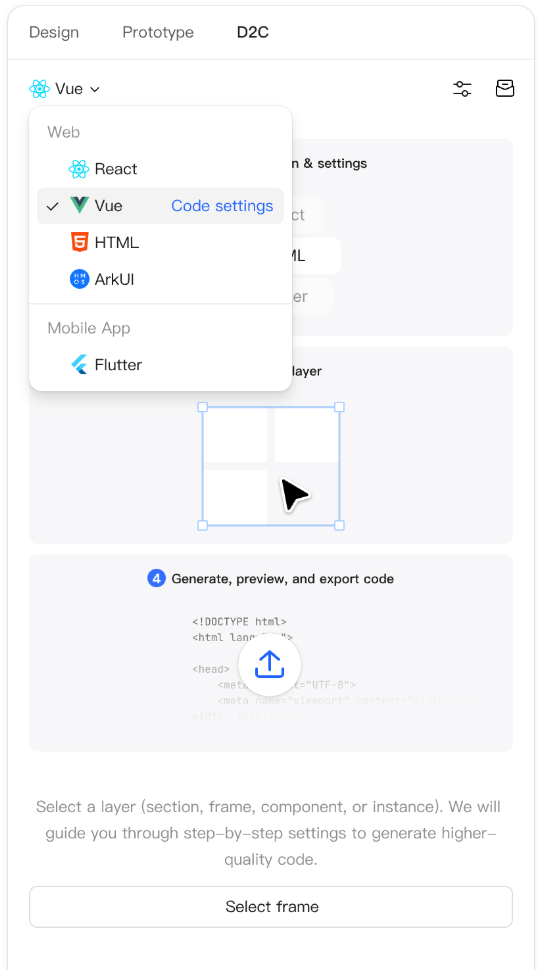
| Code Generation | Manual CSS inspection or third-party redline plugins | Direct code output for React, Vue, HTML, Flutter |
| Asset Exporting | Manual export and zip file transfers | One-click asset extraction in SVG, PNG, and WebP |
| Visual Update Tracking | Comparing static screenshots or reading message threads | Automated visual markers highlight updated components |
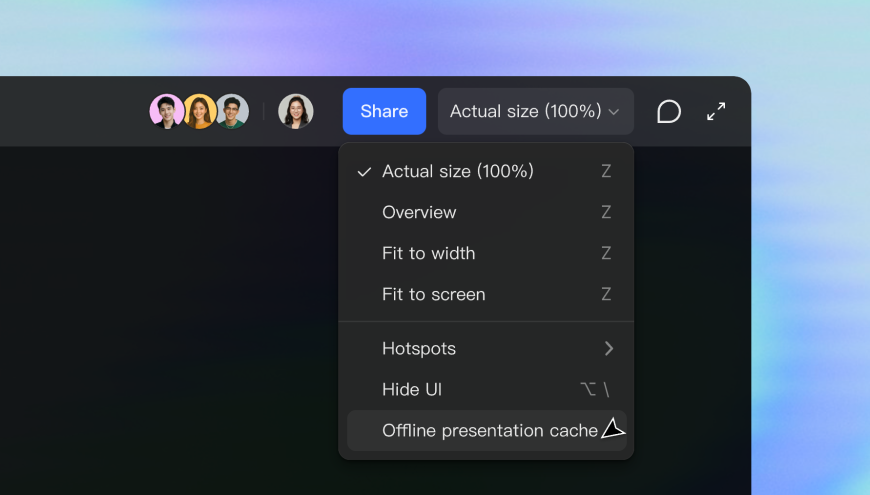
| Interactive Testing | External third-party preview links with lag | Native prototype playback with offline support |
Inside Pixso’s Dev View, engineers inspect component padding, view auto-layout properties, and generate production-ready code in React, Vue, HTML, ArkUI, and Flutter with a single click. When designers modify layouts, visual update markers show developers exactly what changed since the last build.
Furthermore, during live client reviews, internet connections can be unreliable. Pixso solves this by offering an offline presentation mode for prototypes, guaranteeing smooth, lag-free playback even without an active network connection.
Summarizing this best creative design tools comparison comes down to long-term scalability and cost predictability. Many platforms split core features across tier plans or add heavy surcharges for AI capabilities and enterprise security.
Pixso delivers a transparent pricing model without tier fragmentation, ensuring teams get whiteboards, UI design tools, native AI utilities, and developer handoff capabilities without unexpected costs. Because efficiency in online user interface design relies heavily on seamless code delivery, having an integrated platform keeps development moving fast.
Conclusion
The digital design landscape has changed permanently. Modern product development requires tools that unify ideation, visual design, system governance, and engineering delivery into a single cloud environment. As demonstrated in this evaluation, the standard for user interface design online has moved far beyond desktop applications. Platforms like Pixso lead this transformation by combining native vector UI editing, integrated whiteboards, native AI automation, and flexible On-Premise enterprise deployment options. By eliminating tool fragmentation, protecting data sovereignty, and speeding up developer handoffs, modern design platforms give product teams everything they need to build digital products efficiently.
How to compare online UI design platforms
Compare the complete path from idea to delivery: whiteboard or brief, interface screens, reusable components, prototype behavior, review permissions, and developer handoff. A platform is only useful when its parts work for the same project.
Validate the workflow with a representative file and a real review group. See the Pixso UI design workspace, then check the separate online whiteboard and design system workflows.