Scott
A delete confirmation is useful only when it helps someone predict what will disappear and what can be restored. For a personal draft with a reliable trash folder, an immediate action followed by Undo may be less disruptive. Deleting a shared project that contains other people's work calls for a review step that names the project, affected content, and recovery path. This guide designs both cases for one fictional design-team workspace, then shows how to review the flow in Pixso's prototyping workspace.
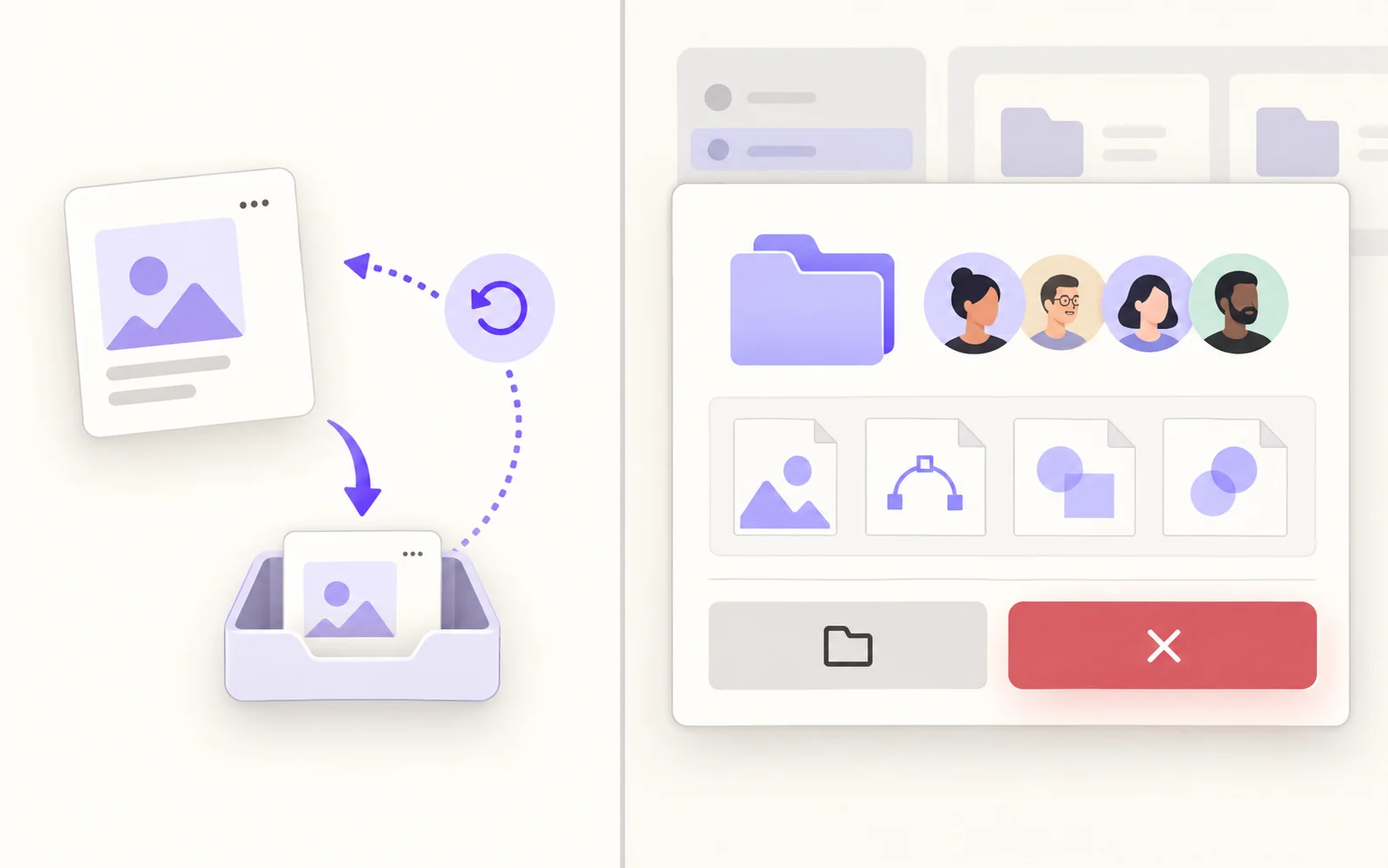
Start with the object, not the red button
In the example workspace, Maya has two items named “Autumn launch”: a private draft board and a shared project containing six design files. The same label cannot carry the same deletion behavior. The draft belongs only to Maya and moves to a recoverable trash area; the shared project is used by eight teammates and its deletion removes their ordinary access. Before drawing a dialog, specify which item the action targets, what related items it includes, and who else will notice.
Write the operation contract in plain terms: “Move the private draft to Trash for 30 days” and “Delete the shared project and its six files; project members lose access.” The 30-day period is a rule of this fictional example, not a Pixso retention promise. If the actual product has no recoverable trash area, do not put Undo in the design simply because it looks familiar.
The most important distinction is between visibility and authorization. A warning tells people about consequences; it does not grant permission to delete. The existing permission UX guide addresses who can perform the action. Here the owner already has permission; the question is how the interface helps that owner make an informed choice.
Choose Undo, confirmation, or a review step by consequence
Use the least disruptive pattern that still prevents a costly mistake. A reversible action can often complete immediately and offer a persistent-enough Undo route. A hard-to-reverse action needs the consequence visible before commitment. Adding a modal to every small action trains people to dismiss it without reading.
| Action in this workspace | Reasonable pattern | What must be true |
|---|---|---|
| Move a private draft to recoverable Trash | Immediate action with Undo and a visible Trash route | Undo restores the same draft; the retention rule is real and discoverable. |
| Remove a shared project member | Preview who loses access, then confirm | The owner can see whether the person's access is inherited elsewhere. |
| Permanently delete a shared project | Review exact scope, then explicitly commit | The interface lists affected files and explains whether restoration is possible. |
Do not treat typed-name confirmation as a universal safety rule. It may be warranted when many people or files are affected and no recovery exists, but it also adds effort and can be completed mechanically. For the shared project, start with an exact-scope review and a clearly labeled final action. Add typed confirmation only if product risk and testing justify it. For the private draft, the undo path should be easy to find after the action, not hidden behind a one-second toast.
Write copy that answers what, who, and what next
“Are you sure?” makes the user do the reasoning. The shared-project dialog should instead say “Delete the shared project ‘Autumn launch’?” and explain “Its six design files will no longer be available to eight project members.” If the system can restore it for a defined period, say who can restore it and where. If deletion is permanent, use that exact word only when the backend really has no recovery route. The final button can read “Delete project”; the safe button can read “Keep project.”
Show the project name, ownership context, number of affected files, and member impact together. Counts must come from current data and be refreshed if the project changes while the dialog is open. A count that is stale at the moment of deletion is worse than no count. Where a project has a very large number of files, a count and a link to the scope may be more usable than dumping a long list into the modal.
Use visual severity with restraint. Reserve the strong destructive color for the final action and consequence cue, not every line in the dialog. Keep the safe option visually available. Color alone cannot communicate the distinction; both buttons need explicit verbs.
Design the result, including an uncertain result
A good flow does not end when someone presses Delete. For the private draft, show that it moved to Trash, offer Undo, and leave a stable way to find Trash after the temporary message disappears. If Undo succeeds, restore the draft to its prior place and confirm that it is available again. If the draft has changed meanwhile, explain the conflict rather than silently replacing a newer copy.
For the shared project, prevent duplicate submissions while the request is pending. On success, route the owner to a sensible parent view, remove the deleted project from ordinary navigation, and tell affected members what happened through the product's actual notification policy. If the request fails, keep the project and the dialog context so the owner can decide whether to retry. A network timeout is ambiguous: the deletion may have succeeded despite the missing response. Check the current project state or request status before offering another destructive submission.
Specify what happens to an open file in another teammate's tab. It may become read-only, close, or show a removal notice depending on the product architecture. The design should say which one is intended. Do not promise that collaborators receive an email or that all local copies vanish unless those behaviors are part of the real service contract.
Keep the confirmation understandable without a mouse
A modal must have a visible title, a readable consequence, reachable actions, a clear focus indicator, and a predictable path back. The W3C modal-dialog pattern notes that focus may start on the least destructive action when the final step is hard to undo. Its alert-dialog pattern includes action-confirmation prompts and describes labeling the dialog and its message. These patterns are implementation guidance, not proof that any screenshot is accessible.
Check what Escape and the close button mean: both should dismiss the pending decision, not perform the deletion. When the dialog closes, focus normally returns to its trigger; if that trigger no longer exists after a successful action, move focus to a logical destination such as the project list heading. For a pending network request, announce the state without trapping someone in an inert interface indefinitely.
Prototype both paths in Pixso before handoff
Place the private-draft and shared-project flows side by side in Pixso. In one path, connect the draft's Delete action to a moved-to-Trash state, an Undo action, and a restored state. In the other, connect the project's Delete action to a scope-review dialog, pending state, success destination, and error recovery. Use one project name and consistent file/member counts throughout; a pretty dialog is not enough if its next state contradicts the warning.
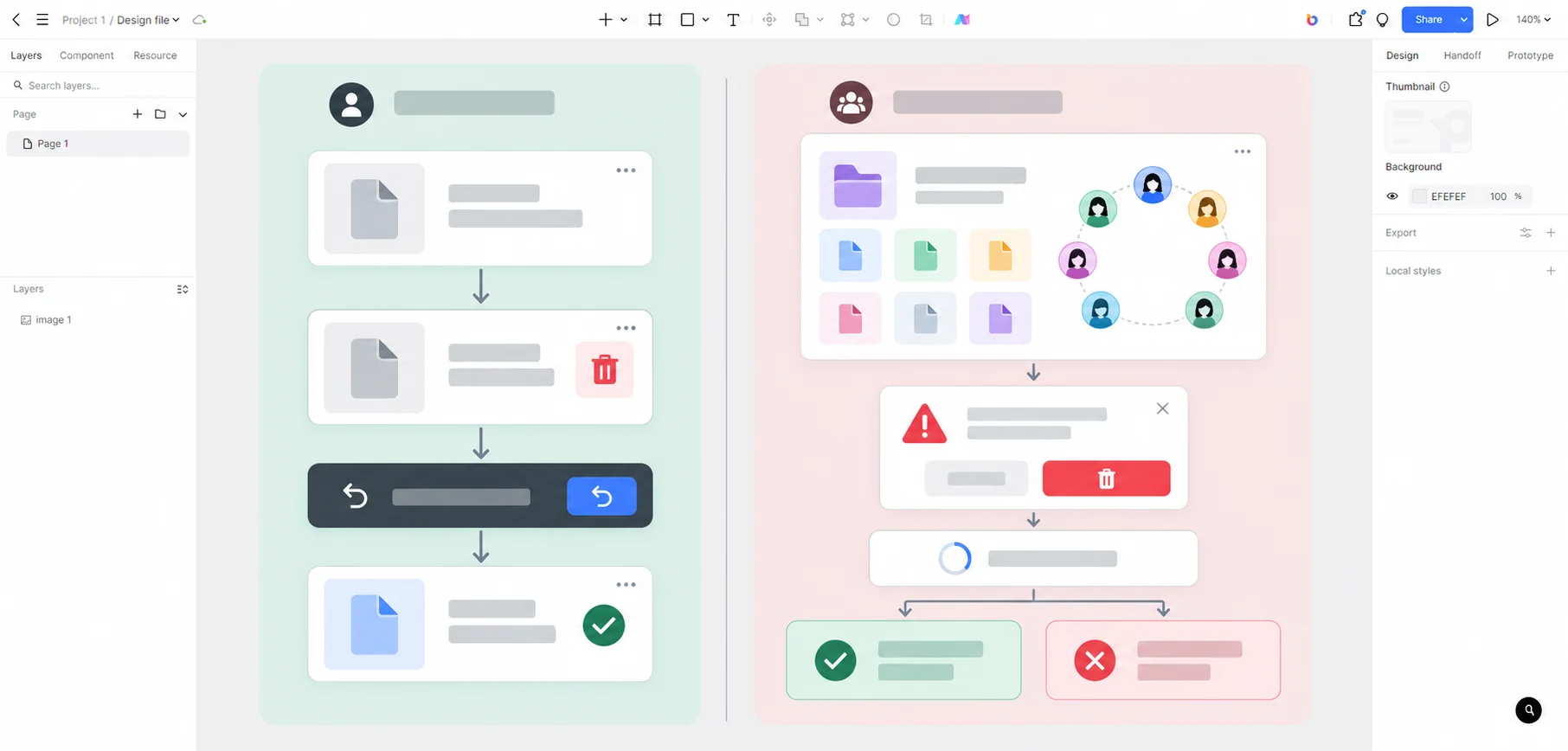
Ask a reviewer to answer three questions from the prototype: “Which Autumn launch item am I deleting?”, “Who loses access?”, and “What can I do if this was a mistake?” If any answer requires guessing, revise the object label, consequence, or recovery state. Share the flow with developers together with the real retention, authorization, notification, and request-status rules. Pixso can help the team draw and review the interaction; it does not execute a production deletion or guarantee the backend's recovery policy. Open Pixso to review the two flows.