Scott
In daily design work, many product designers face similar frustrations: shifting requirements, endless screen revisions, and hours wasted on tedious tasks like building basic layouts, organizing components, and tweaking pixel details. Traditionally, design tools served merely as digital drawing boards where output depended entirely on manual step by step construction.
As artificial intelligence integrates deeper into the design workflow, design software is evolving. Moving beyond basic image generation or copy assistance, AI can now comprehend design contexts, participate in screen creation, and optimize visual layouts intelligently.
The recent introduction of figma ai agents has drawn significant industry attention. Unlike simple image generators, figma ai agents focus on working directly within design context, helping users generate UI layouts, refine content, and explore creative concepts. This shift demonstrates that the core competitive focus for figma ai tools is evolving from simply generating pages to understanding user intent and seamlessly fitting into real world product design.
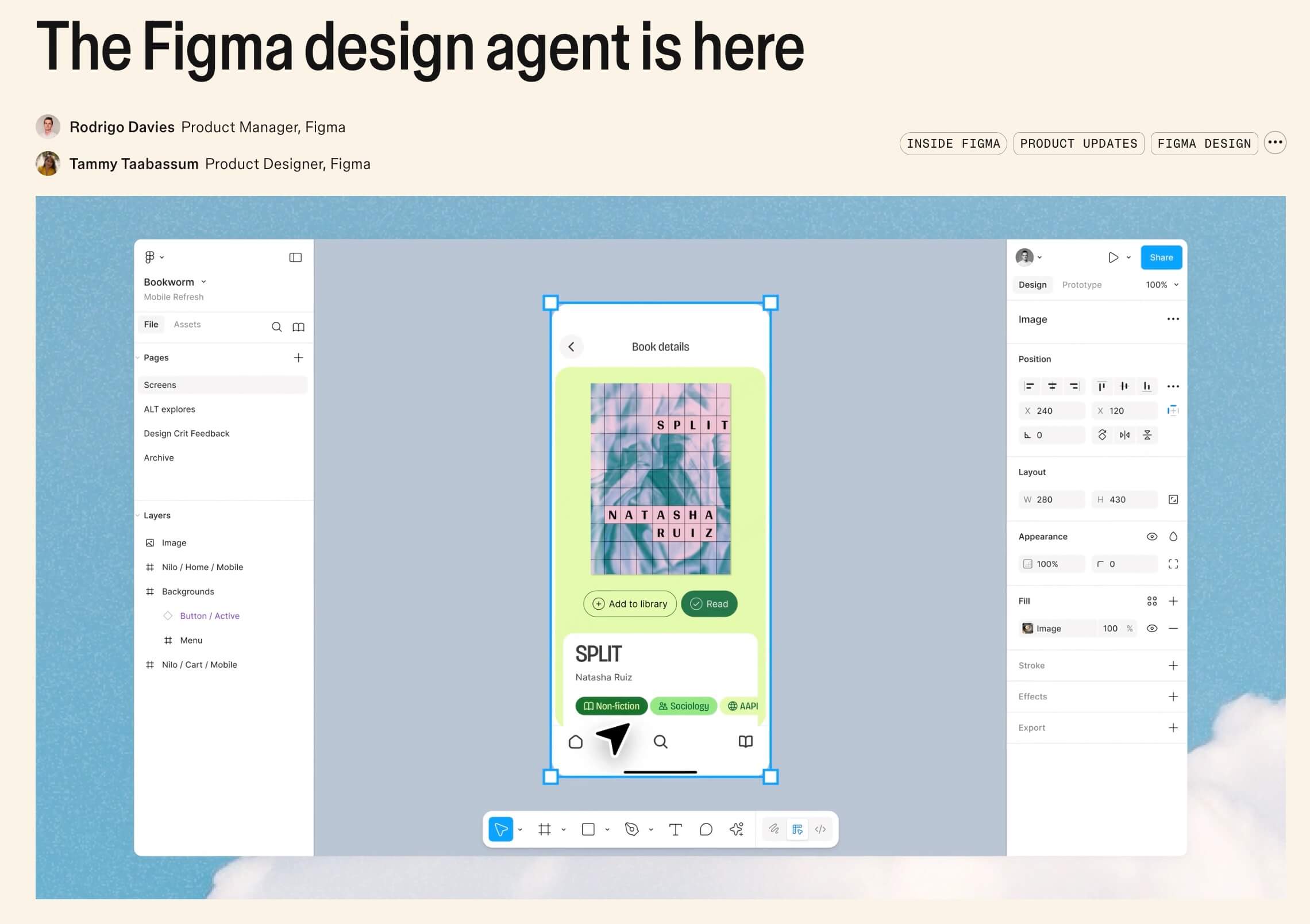
Part 1. What is Figma AI Agent? AI Design Tools Enter the Intelligent Collaboration Era
The launch of figma ai agents marks a new era of intelligent co creation in ui design ai. Rather than acting as a passive chatbot giving advice in a sidebar, it operates as an active co designer living directly on the canvas. By understanding team design systems deeply, it executes pixel level tasks in real production files, handling repetitive work so product teams can focus on creative strategy and user experience decisions.
- Canvas level execution: AI gains direct editing rights on the canvas, creating layers, adjusting padding, and applying styles with human precision to translate text prompts into editable vector designs directly.
- Customized team training: Teams can train the AI on custom brand rules, ensuring strict adherence to unique grid structures, spacing rules, and layer naming conventions.
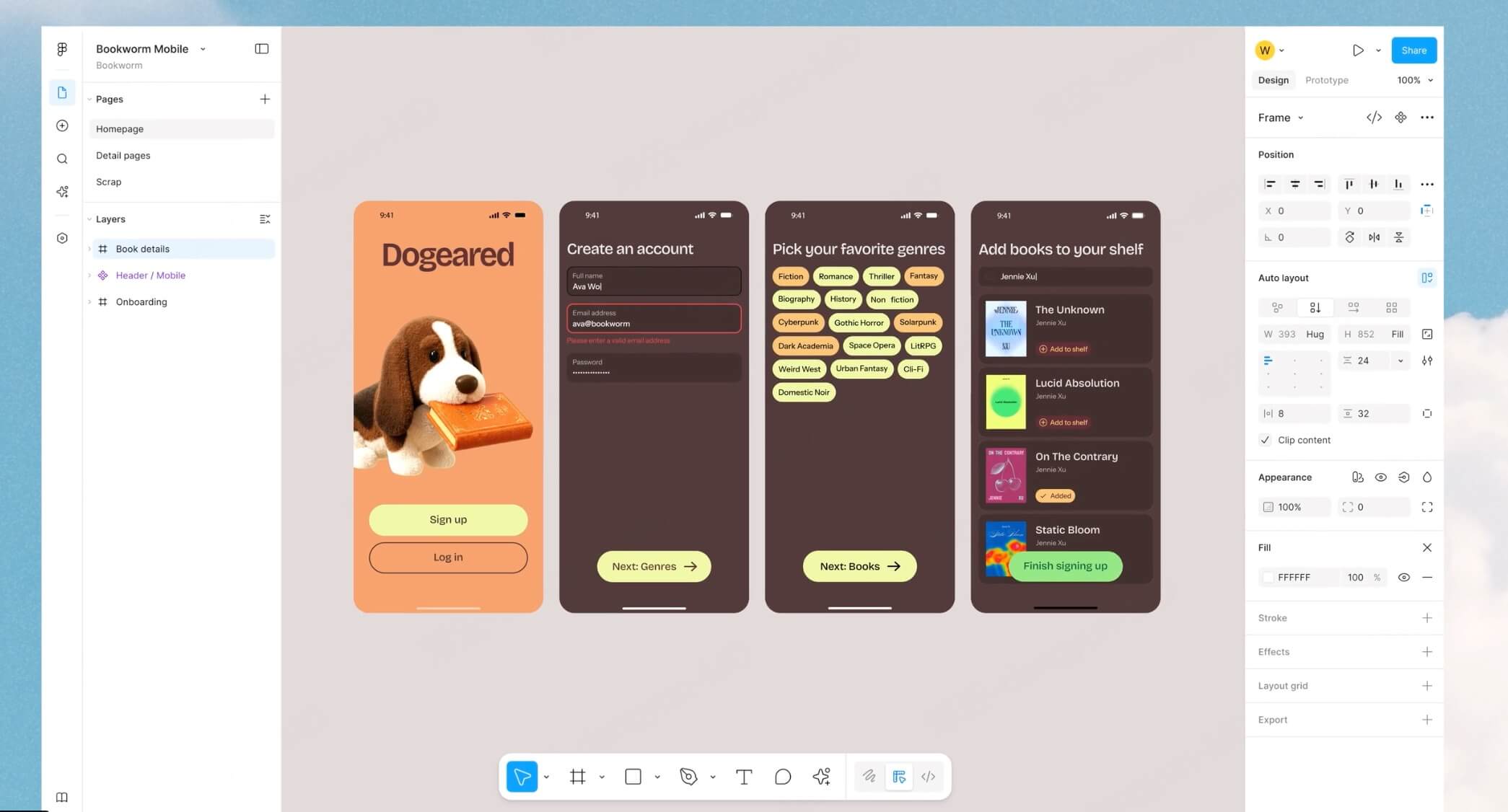
- Seamless design system compatibility: Figma ai tools recognize and leverage existing component libraries and style guides, automatically binding design variables to ensure every generated screen meets brand standards.
- Automated repetitive task execution: For tedious manual work, AI handles multilanguage layout adjustments, global component updates, and real data population in seconds.
- Native editable outputs: Outputs structured, clean vector files with full Auto Layout compliance, allowing human designers to jump in and refine details without friction.
Part 2. Emerging Trends in AI Design Tools: Moving from Generating Pages to Understanding Design Needs
Driven by advancements in figma ai agents, design tools are entering a new mature phase. Early ai for ui/ux design focused purely on generation where a user typed a prompt and received a visual layout. However, in enterprise product development, simply generating a page is not enough. A mature ui design ai tool must understand business scenarios, user navigation paths, design systems, component structures, and team collaboration workflows. For example, an ecommerce dashboard, an enterprise SaaS portal, and a data analytics console each demand distinct information hierarchies and interaction models.
Future design platforms must evolve from visual generators into intelligent design assistants that aid product decisions. This is why more enterprises are turning to figma ai tools and complementary AI design software to boost efficiency while maintaining cross product visual consistency.
Part 3. Pixso AI: An Intelligent Design Assistant for Modern Product Teams
While canvas level operations in figma ai agents are powerful, localized teams often face network latency, server access issues, and language barriers. Pixso AI provides a practical alternative tailored specifically for modern localized product workflows. Deeply embedded into the Pixso canvas, Pixso AI offers seamless localization, flexible design system adaptation, and powerful design to code capabilities, creating an out of the box AI design environment that accelerates product delivery.
Rooted in the Pixso canvas with native adaptation: Pixso AI is not a third party plugin bolted onto the workspace; it is natively integrated into the Pixso canvas. Tailored for local designer habits, typography rules, and fast server responses, Pixso AI delivers a fluid, responsive design workflow.
One-click UI kit generation with multi-style switching: Instead of tweaking individual screens, Pixso AI generates complete editable UI kits at once. It produces diverse visual themes tailored to different business contexts, enabling team designers to explore options and batch swap design themes instantly.
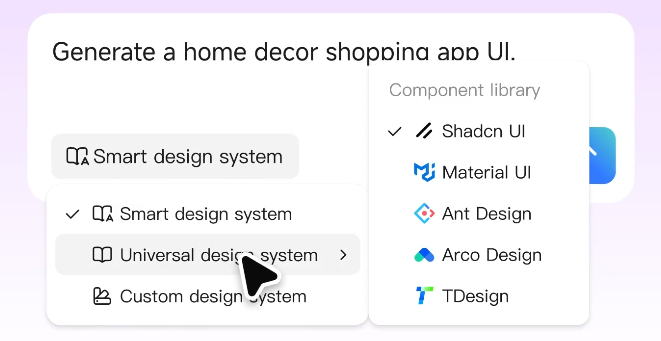
Flexible design system adaptation across three modes: Pixso AI offers three design system integration modes. It can automatically generate consistent styling using AI algorithms, apply popular enterprise design guidelines out of the box, or bind to your team’s custom design system so generated screens prioritize proprietary brand assets.
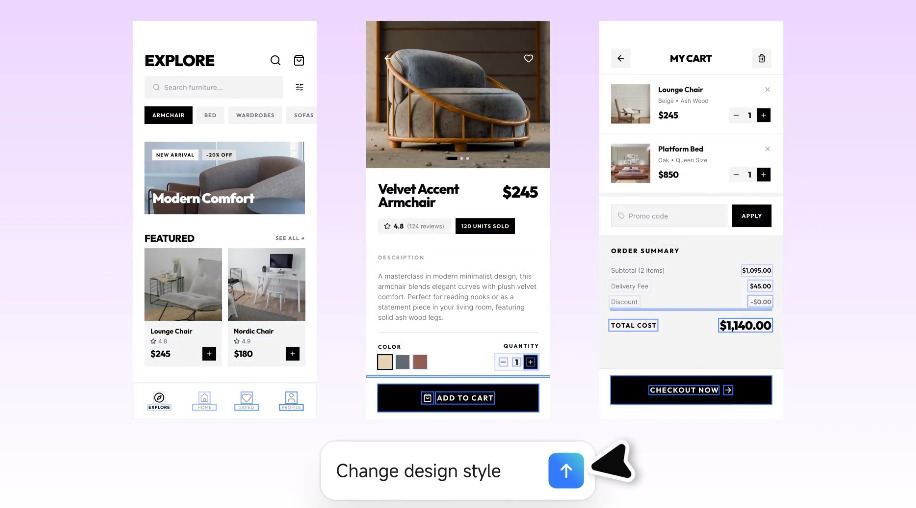
Deep assistance for high-frequency scenarios: Pixso AI targets common revision pain points with automated helper tools. It supports batch element editing, automatic local and global variable generation, smart background removal, and asset pairing. It also summarizes feedback comments automatically and executes batch data population to complete tedious chores in one click.
Seamless design to code integration: This forms a core advantage alongside figma ai agents. By integrating natively with Pixso design to code capabilities, AI-generated UI layouts translate into production-ready frontend code in one click. Supporting HTML, CSS, Flutter, and HarmonyOS ArkUI, it provides a smooth bridge from AI creativity to developer handoff.
Part 4. Core Capabilities of Pixso AI: From AI Generated UI to End to End Design Collaboration
The core value of Pixso AI is that it is not merely an isolated visual generator, but an invisible pipeline connecting product, design, review, and engineering workflows. It embeds ai for ui/ux design into fast, agile team production.
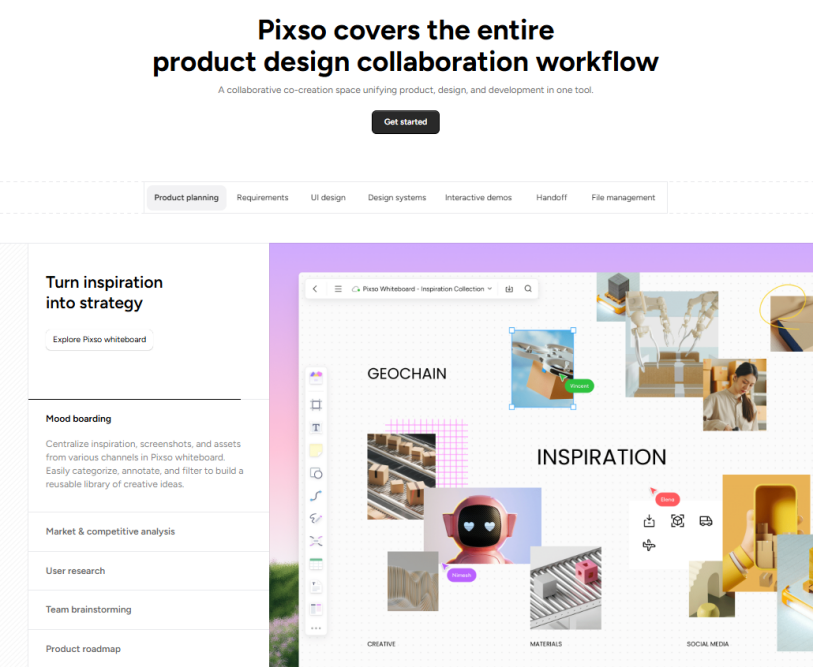
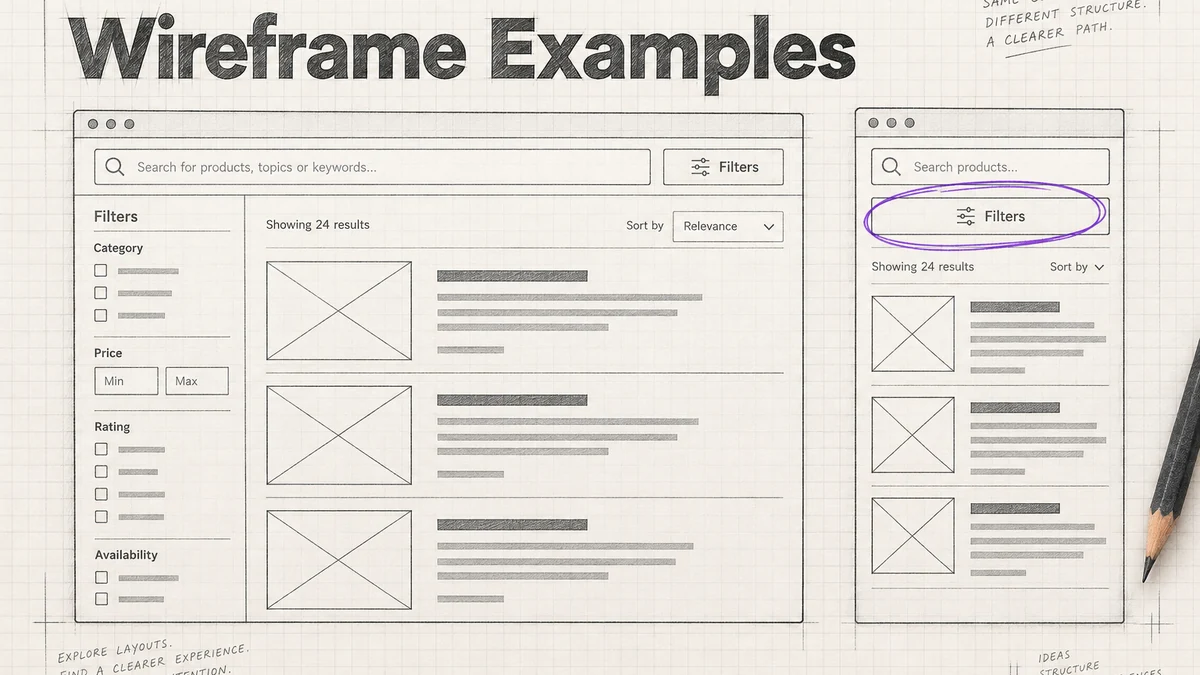
Product brainstorming stage: In early project stages, Pixso AI converts text logic or PRDs on whiteboards into full UI wireframes. Product managers can visualize concepts in seconds, cutting upfront communication friction.
Design asset extraction stage: Pixso AI can reverse extract UI elements into unified design system guidelines while enforcing corporate asset usage. This ensures consistent brand output across all team members using AI assistance.
Daily product iteration stage: During rapid iterations, designers, copywriters, and marketers can invoke AI on the same canvas to polish UX copy, remove image backgrounds, or populate realistic data, completing revisions seamlessly.
Team review and feedback stage: Pixso AI bridges the gap between feedback and execution. It reads all comment threads on the Pixso canvas, summarizes revision requests, and executes design updates directly onto mockups to close the feedback loop.
Developer handoff stage: The final milestone of design collaboration is developer delivery. Once high fidelity UI screens are ready, developers can extract production compliant code like HTML CSS, Flutter, or HarmonyOS ArkUI right on the canvas without extra plugins, passing efficiency gains down the development stream.
Part 5. Future Trends in AI Design Tools: The Acceleration of Intelligent Design Platforms
Looking at figma ai agents and the broader evolution of design platforms, an industry trend is clear: software is evolving from basic drawing tools into intelligent design platforms. Future design platforms must generate pages rapidly while uniting design, team collaboration, and frontend engineering workflows. For product teams, native language experience, team collaboration habits, data security, and localized support are just as vital as raw AI capabilities. Therefore, platforms that combine advanced ui design ai features with actual production workflows represent the future of digital tool selection. If you are looking for an AI assistant to enhance your design workflow, Pixso AI delivers powerful AI generated UI, smart design assistance, and real time collaboration capabilities to eliminate tedious work and elevate team productivity. Sign up for Pixso AI today and let AI transform your UI design workflow!
FAQs about Figma AI Agents and AI Design Tools
Q1. What is the main difference between figma ai agents and traditional plugin tools?
Traditional plugins usually perform isolated tasks inside popup modal windows. In contrast, figma ai agents operate directly on the canvas with full contextual awareness. They understand team design systems, manipulate vector layers natively, apply design variables, and automate complex tasks without breaking your overall design workflow.
Q2. How do figma ai tools ensure brand consistency across enterprise design workflows?
Modern figma ai tools integrate directly with existing design systems and component libraries. By binding automatically to team color tokens, spacing variables, and typography rules, ai for ui/ux design ensures that newly generated screens strictly follow established brand guidelines and design specifications.
Q3. Can Pixso AI convert AI generated UI designs into production ready code?
Yes. Pixso AI features native design to code integration. Once an AI-generated UI mockup is finalized on the canvas, software developers can extract production-compliant frontend code such as HTML, CSS, Flutter, or HarmonyOS ArkUI in one click, bridging the gap between visual design and developer handoff.
Q4. Will ui design ai replace human product designers in the future?
No. While ui design ai automates tedious tasks like layer organization, component swapping, and layout adjustments, it serves as an intelligent assistant rather than a replacement. Human designers remain essential for creative direction, user empathy, strategic product decisions, and overall visual quality control.