On this page

Scott
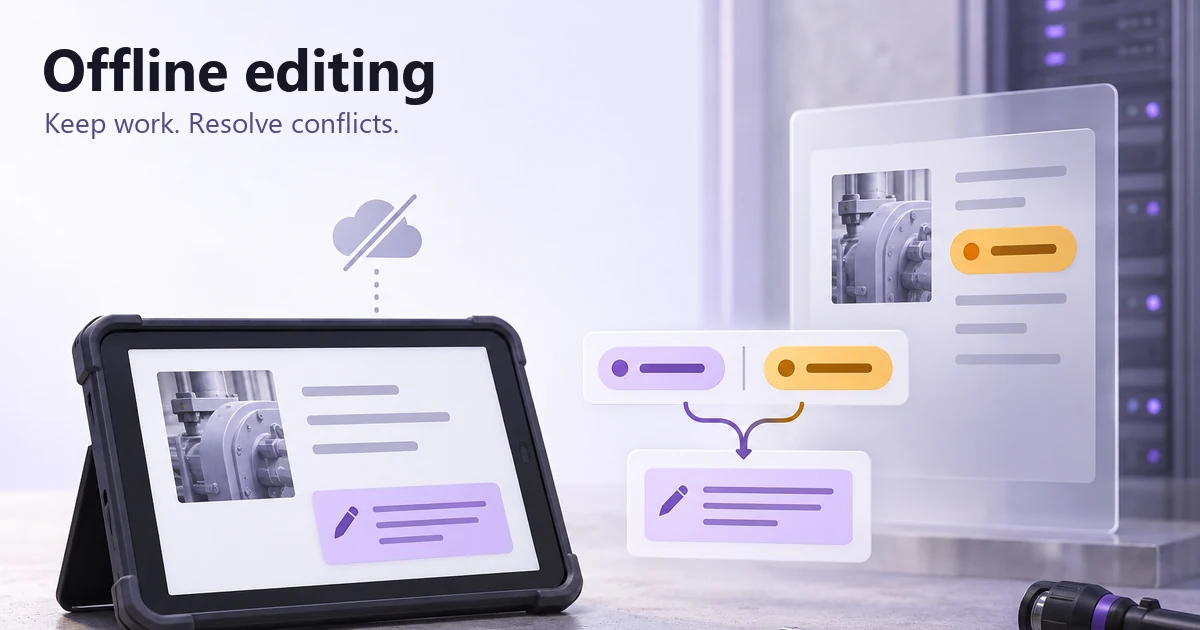
“Saved” should tell someone whether their work can survive closing the page, whether the server has accepted it, and whether teammates can see the same version. Those are different promises. An offline-capable editor needs to distinguish local changes, locally stored work, pending synchronization, confirmed synchronization, and changes that need a decision.
Consider a maintenance app used in a building with patchy reception. A technician changes an inspection note and raises its priority. Meanwhile, a coordinator updates the same record from the office. The design problem is not simply showing an offline banner: it is protecting both people's work and making the next action understandable when the technician reconnects.
Make each save message a precise promise
Agree with engineering on what the application can confirm before writing its status labels. An edit held in memory is not a durable local save. A queued request is not a successful server write. An accepted write does not prove that every collaborator has already received it.
| State | What is known | Useful message and action |
|---|---|---|
| Changed in the current view | The application has the edit in memory; persistence is not confirmed. | “Unsaved changes.” Once the local write begins, show “Saving on this device…” Keep the record open until storage succeeds or show a recoverable failure. |
| Stored on this device | The application has confirmed its supported local-storage step. | “Saved on this device. Not sent yet.” Explain whether closing and reopening is supported. |
| Waiting to sync | The local edit is queued; the server has not acknowledged it. | “1 change waiting to sync.” Keep editing only where the implementation can preserve subsequent changes. |
| Server confirmed | The server confirmed that the intended revision was successfully stored, not merely received or queued for processing. | “Synced at 09:42.” Use this for the current edit only when no newer local revision is pending; an earlier acknowledgement cannot confirm a newer edit. |
| Version conflict | The server record has changed, and applying the queued edit requires a decision about the affected values. | “This record changed while you were offline.” Offer a comparison while preserving the unsynced edit. |
Use these as definitions, not a requirement to display five badges at once. Most of the time, one quiet status beside the record name is enough. Escalate its prominence when a person needs to act or could lose work. A persistent problem should not disappear with a toast.
“Saved on this device” is still not a promise of indefinite recovery. Private browsing, storage policies, account changes, and the application's own implementation may limit what survives. Explain a relevant limitation at the point where it affects the person's next action; do not hide it behind a reassuring green check.
Treat connectivity as a clue, not proof of a save
A network indicator cannot confirm that your service accepted a record. A device may be connected to a network while the service is unreachable. MDN also warns that the browser's online signal is unreliable. Use it to inform the interface, then base save confirmation on the outcome of the actual operation.
Keep network status and record status separate. “Connection restored” can coexist with “2 changes waiting to sync.” If the queue still contains the technician's priority change, replacing both messages with “All saved” would hide unfinished work.
When the connection drops, keep readable content and existing input in place. Disable only actions that genuinely cannot work safely. A locally supported note edit may remain available while sending a notification or assigning a work order requires the server. Explain that distinction beside the unavailable action rather than turning the whole screen into an error.
Make pending work visible without exposing implementation noise
The technician needs to know which record is pending, not how many network retries have occurred. Put the status beside the edited record and provide a compact queue view only if work can span several records. A count should name its unit: “3 records waiting” is different from “3 field changes waiting.”
Design the queue's behavior with the team. If a person changes the same note twice before reconnecting, can the application safely send only its latest value, or must it preserve an ordered history? If a second action depends on creating the record first, do not imply that either can be replayed independently. The UI should reflect the supported model without making the person reason about transport details.
Use a clear local timestamp when it helps someone identify their work, but do not use the latest visible time as a universal winner between versions. Device clocks, delayed requests, and server ordering can make that inference wrong. Labels such as “Your unsynced edit” and “Current server version” communicate the relevant relationship more directly.
Show what happens on reconnection
Reconnection should not briefly show the old server value over the person's pending edit. Preserve the local working view while the application checks and sends changes. If the service accepts the write, replace the pending state with confirmation for that version. If a newer local edit was made during the request, that newer edit must still appear as pending.
A useful review scenario is a note changed twice: revision A is sent, then the person types revision B before A is acknowledged. Ask the developer to demonstrate which revision the acknowledgement refers to. The message must not claim B is synced simply because A succeeded.
When an uncertain response follows a submission, avoid encouraging another action that could create a duplicate. The team needs a way to reconcile the original operation's outcome. Design the visible waiting or recovery state around that mechanism. For the inspection example, “Checking whether this update was received” is more accurate than an immediate instruction to submit the inspection again.
Compare the affected change, not two unexplained records
Not every concurrent update needs a modal. If different independent fields can be combined safely under the product's rules, the application may merge them and communicate the result. If both people changed the same field, or one change invalidates another, show the affected fields and ask for the decision the system cannot make safely.
In the inspection example, the last synced record had “Low” priority and an empty note. The technician changed the priority to “Urgent” and added the leak note; the coordinator changed the priority to “Normal” and left the note untouched. Both people changed the priority, but only the technician changed the note. Show the local and current server values together, identify the record, and explain what choosing each will do. If permitted and available, add the relevant actor or change time. Never expose information the person is no longer allowed to see.
| Field | Your unsynced edit | Current server version | Decision |
|---|---|---|---|
| Priority | Urgent | Normal | Review which priority should apply; show the chosen value before confirming. |
| Inspection note | Leak visible beneath the inlet valve. | Empty; unchanged from the last synced version. | Preserve the note if it can be added independently; do not discard it because priority needs review. |
A comparison is useful only if the consequences are clear. “Keep mine” is too vague when it replaces several fields. Prefer a decision scoped to the affected field, such as “Use Urgent for priority.” Keep unrelated local changes intact. Where the product supports a combined value or manual edit, make that option explicit instead of forcing a false either-or choice.
The record may change again while the comparison is open. The engineering contract must account for that. Conditional requests can help prevent lost updates in an HTTP implementation. The design consequence is straightforward: a rejected stale decision should reopen an updated comparison while preserving the person's proposed resolution, not silently overwrite the newer record.
Separate conflicts from storage, access, and validation failures
Do not send every failed sync into the same conflict screen. Each cause changes what the person can safely do. If local persistence failed, there may be no recoverable draft after closing. If validation failed, show the field that needs correction. If access changed, a retry cannot restore authorization.
- Local storage failed: keep the current input visible, explain what has not been saved, and offer an approved recovery path if the product supports one.
- Authentication expired: explain that sign-in is needed to continue; preserve the edit through that transition only where the implementation and policy allow it.
- Permission removed: stop unauthorized writes and restrict any recovery or export to actions the person still has permission to perform.
- Record deleted: explain the missing destination. Restoring the record or creating a new one is a separate, permission-dependent decision, not an automatic retry.
- Validation changed: retain unaffected fields and show the current rule beside the field that must change.
The copy and controls must follow these distinctions. “Export your draft” may be appropriate for a record owner in one product, but unsafe for a removed collaborator in another. Work with the security and product owners on the permitted recovery path before including it in the design.
Keep updates understandable with a keyboard and screen reader
Place status text near the record it describes and pair any icon or color with words. A spinner alone does not say whether the application is writing locally, contacting the server, or waiting for a response.
Routine save updates should not pull focus out of the field someone is editing. Use an appropriate programmatic status message and avoid announcing every keystroke or retry. W3C's status-message guidance distinguishes an update that can be conveyed without moving focus from an interaction that changes context. If a conflict dialog is necessary, define how focus enters it and where it returns when the person finishes or cancels.
Keep the same recovery path available on narrow screens. A side-by-side comparison can become a clearly labeled vertical pair, with the field name repeated before each value. Do not rely on a horizontal position, red-green coding, or a hover-only explanation to distinguish local and server versions.
Review the inspection record in Pixso
Build three states of the same inspection record in a Pixso file: a locally saved note waiting to sync, the priority conflict comparison, and the record after the chosen priority is accepted. Keep the record name, note, and field labels consistent. The change between frames should be the save state and the decision the person makes.
Connect the relevant screens in a prototype and ask a teammate to continue the inspection after the connection returns. Can they tell whether the note is on the server, identify the conflicting priority, and resolve that field without discarding the note? Annotate the distinction between a server acknowledgement and a new local edit for the handoff. The design-to-code handoff guide provides a broader structure for recording those implementation decisions.
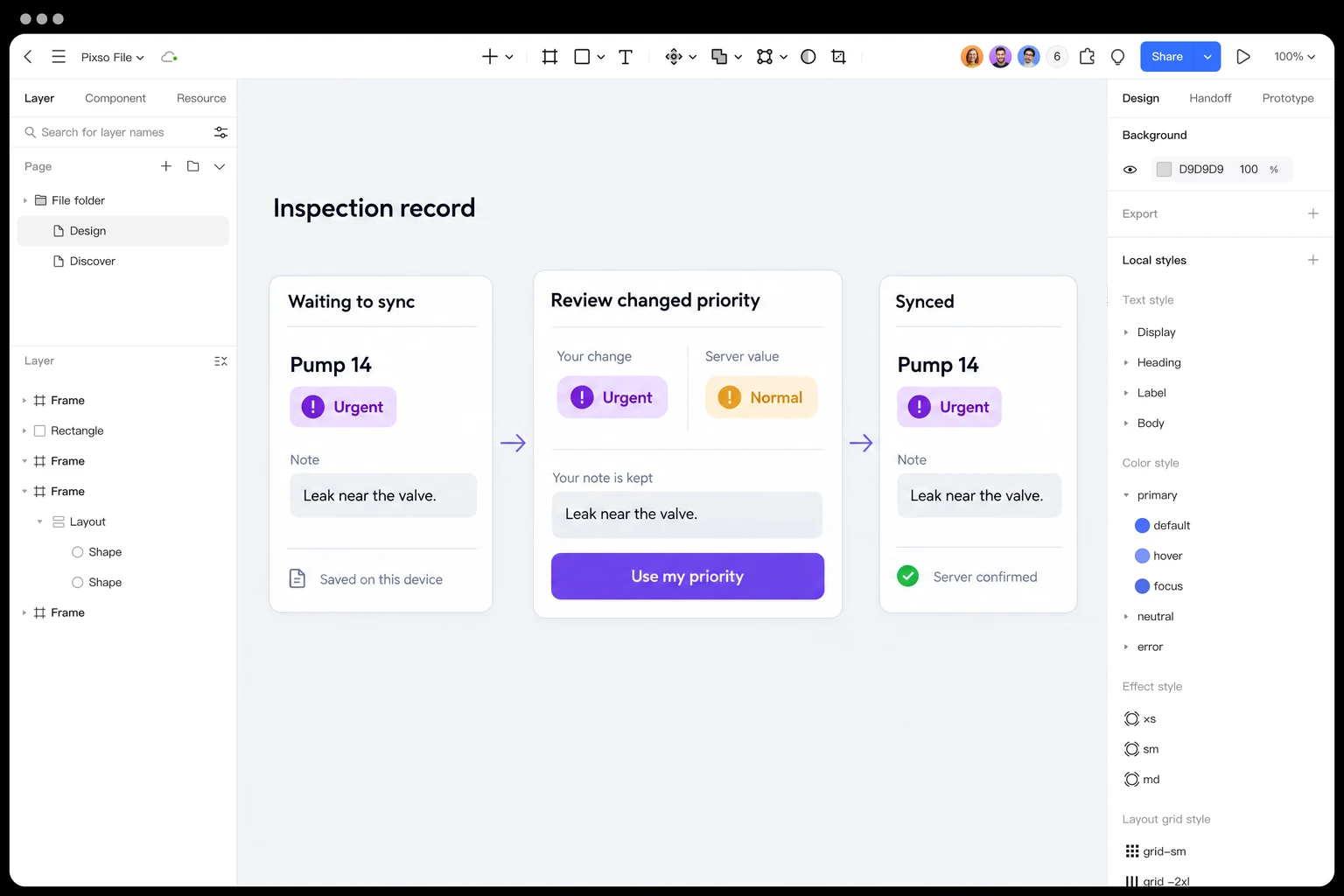
Design and review a sync-conflict flow in Pixso →
Test the transitions that could hide or lose work
Test changes in state, not just isolated screenshots. For the inspection record, the most revealing sequence is editing offline, reconnecting, receiving a conflict, and then discovering that the server changed again before resolution. The proposed priority and original note should remain understandable throughout.
Also try closing and reopening after a confirmed local save, failing the local-storage step, changing a field during an in-flight request, letting authentication expire, and removing access before reconnection. Test only the reopening guarantees the application claims to support. Record whether input survives, which version each message refers to, and whether every offered action remains authorized.
The successful result is not simply an empty queue. The technician should be able to identify the accepted priority, find their inspection note, and know whether any work is still waiting. If the interface cannot answer those three questions, refine the status and recovery behavior before polishing its animation.
Separate saved, syncing, and conflict states
Offline editing becomes understandable when the interface distinguishes local safety from server confirmation. “Saved on this device” is useful feedback, but it must not look like a completed team sync. Give the user a clear next action for a conflict instead of silently picking a winner.
| State | Promise | Required action |
|---|---|---|
| Saved locally | This device has the latest draft. | Show when sync will retry. |
| Syncing | The draft is being sent. | Keep edits available and prevent duplicate submits. |
| Conflict | Two versions changed. | Compare, keep one, or create a merged copy. |
| Synced | The team can see the update. | Show the server timestamp. |
Use Pixso prototypes to connect each state and test the recovery path with a slow or interrupted network assumption.