Scott
A range slider is useful when people want to explore a bounded value or interval. It becomes frustrating when they need an exact number, cannot tell which handle they are moving, or see the results change before they finish. Pair the slider with clearly labeled values, define its limits and steps, and provide a precise alternative to dragging.
Consider an equipment-rental site with prices from $20 to $200 per day. A shopper wants options between $40 and $120. That small interaction involves two values, a relationship between them, and a decision about when the results change. You can work through those decisions in Pixso’s UI design workspace before handing the control to development.
Use a slider for exploration, not every numeric question
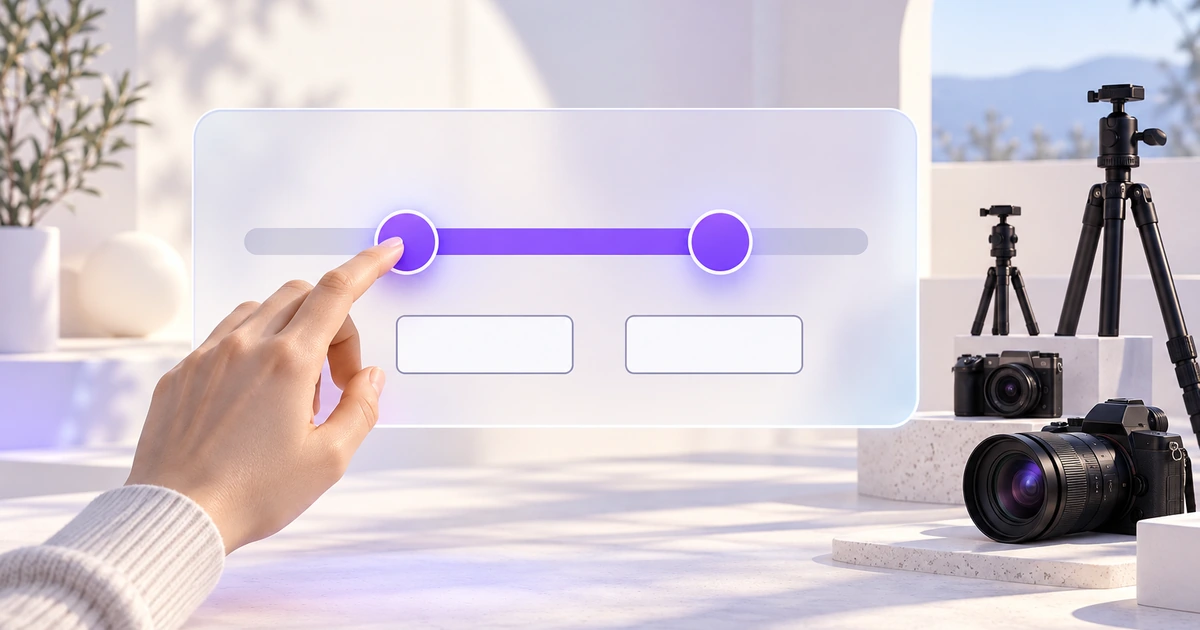
A slider communicates position within a range. It suits adjustments where the relationship matters: quiet to loud, a shorter to longer duration, or a narrower to wider price band. It is less helpful when someone arrives knowing an exact amount and must struggle to land on it.
For the rental example, the slider helps someone explore affordability while the Minimum and Maximum fields support a known budget. Neither should be a decorative copy of the other. Editing a field updates the corresponding handle, and moving a handle updates its field.
Use a single handle when the task sets one value, such as a maximum daily price. Use two only when both endpoints matter. If almost everyone means “up to $120,” an unnecessary lower handle adds work and can accidentally hide cheap options.
A handful of meaningful choices may be clearer as buttons or radio options. “Small, Medium, Large” is a set of categories, not automatically a continuous scale. A number field or stepper may suit an exact quantity better. Choose the control by the decision people make, not by the space available in the filter panel.
Define the range and precision before styling the track
The rental control starts at $20 and ends at $200 per day. Show the unit with the label or values so nobody interprets the amount as a weekly rental price or a refundable deposit. The selected interval is $40–$120; the full possible interval is $20–$200. Those are different pieces of information.
For this example, the permitted step is one dollar, and both fields accept whole dollars. This is a product choice, not a universal slider rule. A control for fractional measurements needs a different precision. Do not silently round an entered value simply because the visual track uses coarse tick marks.
Keep the bounds stable during one editing interaction. If dragging the maximum to $120 immediately changes the track’s upper bound to $120, the same physical position suddenly means something different. A shopper trying to widen the search then has no obvious way back to $200.
When bounds genuinely change—for example, after switching equipment category—explain any adjustment. If the new category starts at $60, show the revised minimum and tell the shopper why. Do not leave $40 in a field while the applied search actually begins at $60.
Use a linear scale unless a different scale solves a clear problem. With a linear $20–$200 range, equal distances mean equal price changes. A nonlinear scale can make a broad range easier to explore, but evenly spaced labels must not imply equal increments when that is untrue.
Give each handle a stable job
The lower handle means Minimum daily price; the upper handle means Maximum daily price. Their names should not switch just because the handles come close together. For this filter, the lower value cannot exceed the upper value, and dragging one handle stops at the other.
That rule still leaves an important case: both values can equal $80. Decide whether that means rentals priced exactly at $80 or whether a minimum interval is required. For this example, an equal pair is valid and means exactly $80. The field labels remain useful even when the handles visually overlap.
The W3C multi-thumb slider pattern describes separate focusable thumbs, value-dependent bounds and a stable tab order. The design should preserve those identities instead of turning the pair into one unlabeled draggable shape.
Show keyboard focus on the active handle without relying only on the selected track color. When handles overlap, someone must still be able to reach and identify each one. Do not solve the visual collision by removing one from keyboard navigation.
Make typed values a reliable alternative
Place Minimum and Maximum fields below the track in the same left-to-right reading order. Keep their labels visible after entry. A placeholder showing “40” does not explain whether that is a starting value, an example or the current minimum.
Suppose the shopper changes Minimum from $40 to $140 while Maximum remains $120. Preserve the entered value and show “Minimum must be $120 or less.” Do not silently swap the values: the shopper may be halfway through changing both fields. The track can retain the last valid pair until the entry becomes valid; the message must make clear that the new range has not been applied.
If the field is empty while being edited, allow that intermediate state. Validate at an appropriate commitment point, such as leaving the field or choosing Apply. Immediately replacing an empty field with $20 makes ordinary editing unnecessarily difficult.
Keep the recovery local. After changing Maximum to $160, the pair $140–$160 becomes valid and the error clears. There is no need to reset the other filters or send the shopper back to the beginning of the search.
Decide when the selected range affects results
The rental site uses an explicit Apply button. While the drawer is open, $40–$120 is a draft selection. The underlying list still reflects the previously applied range until the shopper chooses Apply. Cancel restores that applied range rather than saving the unfinished edit.
An immediate-update design can also work, but it needs a clear response during adjustment. Avoid sending an expensive request for every tiny pointer movement if that makes the list flicker or lag. The product and engineering team should decide whether results update after release, after a pause, or through another deliberate behavior.
After Apply, show the selected price range near the results. If nothing matches, retain the range and offer a relevant way to widen it. A failed request is different from a successful search with zero matches; do not suggest raising the budget to fix a network problem.
The broader filter UI design guide covers applied filters and selection logic. The slider’s responsibility is narrower: make the numeric interval understandable and editable before it joins those other criteria.
Design for keyboard, touch and narrow screens
The W3C slider pattern describes arrow-key adjustments and Home/End movement to allowed limits. It also cautions that touch-based assistive technology needs real-device testing. A visually draggable handle alone is not an accessible implementation.
Keep a comfortable interaction area around the handle even if its visible circle is small. Do not place the exact-value fields so close to the track that tapping a field can move a handle. On a phone, check the component while the numeric keyboard is open, with a longer translated label and with both values near the same end.
A value bubble can help during dragging, but it should not cover the finger’s target or become the only place the selected value appears. Persistent fields continue to communicate the range after the bubble disappears. Likewise, an endpoint label must not be cropped just because a handle reaches the end of the track.
Build the same rental filter in Pixso
Create a rental-results frame and an open filter panel. Build the price control with a track, selected interval, two handles and two labeled fields. Use reusable components for the field appearances and Auto Layout for the surrounding label, control and message stack.
Keep three versions beside one another: the valid $40–$120 draft; the invalid typed pair $140–$120; and the corrected $140–$160 range. A separate applied-results frame should repeat the same interval in its filter summary. These concrete values expose disagreements that generic “Min” and “Max” placeholders would hide.
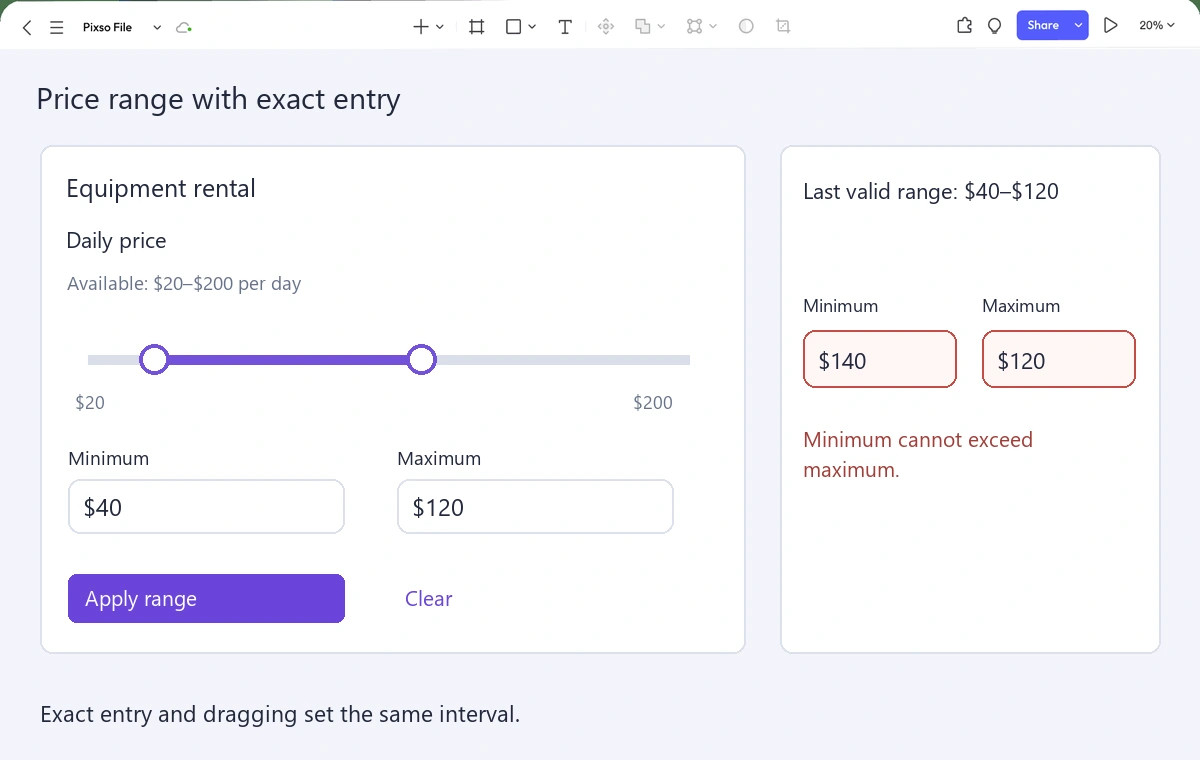
Connect Apply and Cancel to their intended destinations in a prototype. Ask a teammate to find rentals costing no more than $120, then change the minimum to $140 and recover. Notice whether they understand the message and whether they know which range currently affects the results.
Document the bounds, permitted precision, equal-value rule and update timing beside the component. The prototype communicates those decisions; the implemented slider still needs keyboard, touch and assistive-technology testing. A good range control makes exploration easy without taking precise control away from the person using it.
![[Full Guide] Tags UI Design](https://pixso.net/assets/editorial/20261007/tags-ui/hero-en-d9655843ddcdfd38.webp)