Scott
Conducting an effective design review used to mean scheduling long meeting calls, exporting static PDF decks, and chasing down feedback scattered across chat apps and email threads. As product development moves faster, distributed teams require connected workflows where reviews happen live on the working canvas. Modern real time collaboration tools allow designers, product managers, and clients to review screens, test interactive flows, and leave pinned feedback without leaving their browser. This guide explores how product teams review user interface design online without falling into feedback chaos, ensuring every iteration moves projects closer to production code.
Part 1: The Shift to Unified Cloud Reviews: Ending Feedback Fragmentation
For years, design reviews relied on local software like Sketch, Adobe XD, or Axure. Designers had to export screens into presentation tools or third-party review platforms like InVision. This fragmented setup created serious operational headaches: clients reviewed outdated artboards, designers missed critical comments buried in chat threads, and developers struggled to know which screens were approved for production.
The transition from local desktop software toward browser-native real time collaboration has permanently changed how product teams gather input. Collecting clear design feedback is impossible when comments live in separate chat apps. Identifying the best platforms for real-time design feedback requires looking at how tools handle guest access, canvas performance, and asset continuity across the entire project lifecycle.
| Review Stage | Legacy Disconnected Review Process | Pixso Unified Browser-Native Review Loop |
| Upstream Ideation & Specs | Separate whiteboards & static PRD doc files | Integrated whiteboard with built-in PRD templates |
| UI Design & Canvas Review | Local desktop exports sent via email or slide decks | Real-time multi-user browser canvas with live cursors |
| Interactive Prototype Review | Third-party preview links with manual image uploads | Native interactive prototyping & offline presentation |
| Developer Inspection & Handoff | Third-party redline tools requiring extra paid seats | Dev View and D2C access depend on plan, seat, and file permissions |
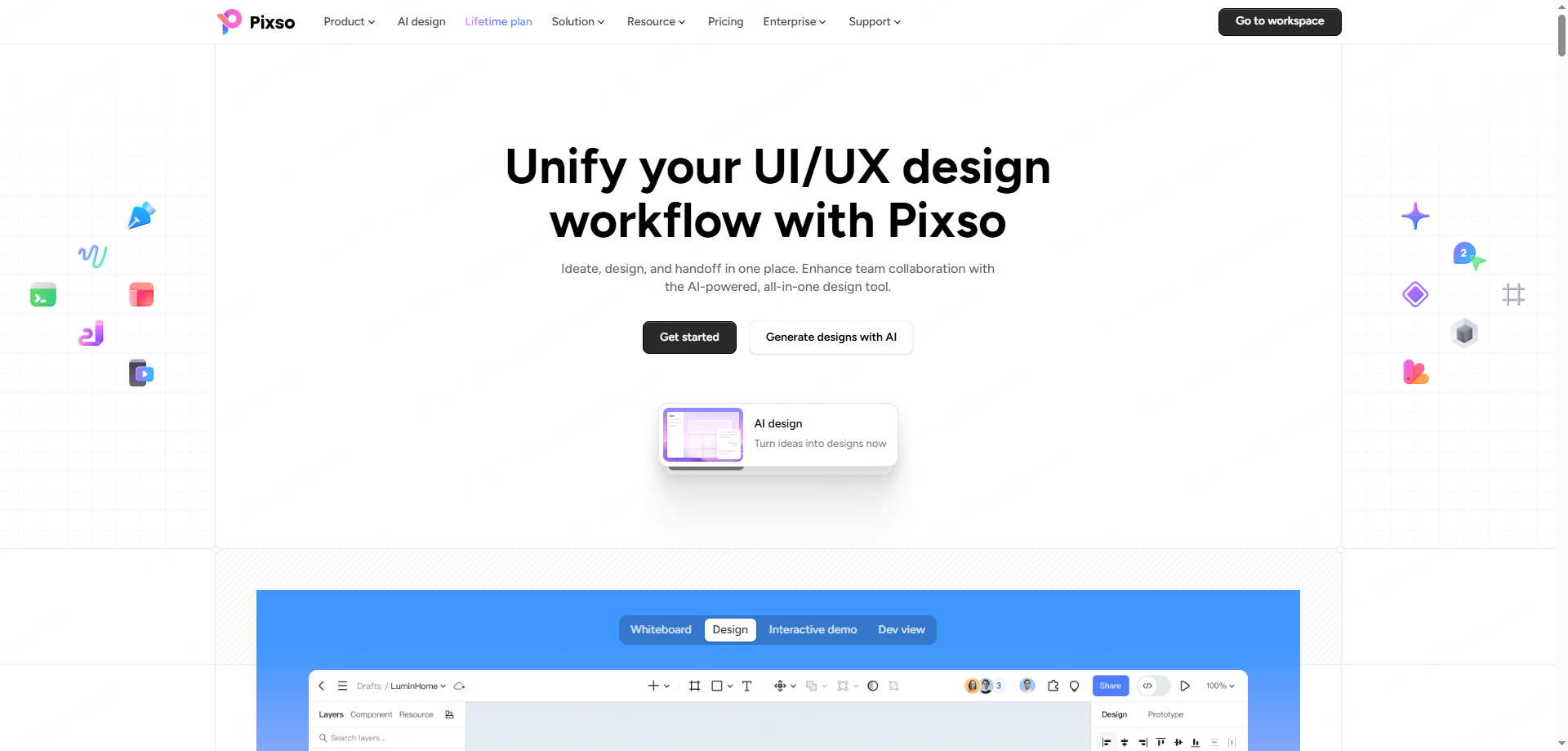
Leading this shift is Pixso, an end-to-end product design collaboration and engineering delivery platform built to connect design creation, design systems, review feedback, and code handoff.
Key Advantages of an Integrated Review Loop
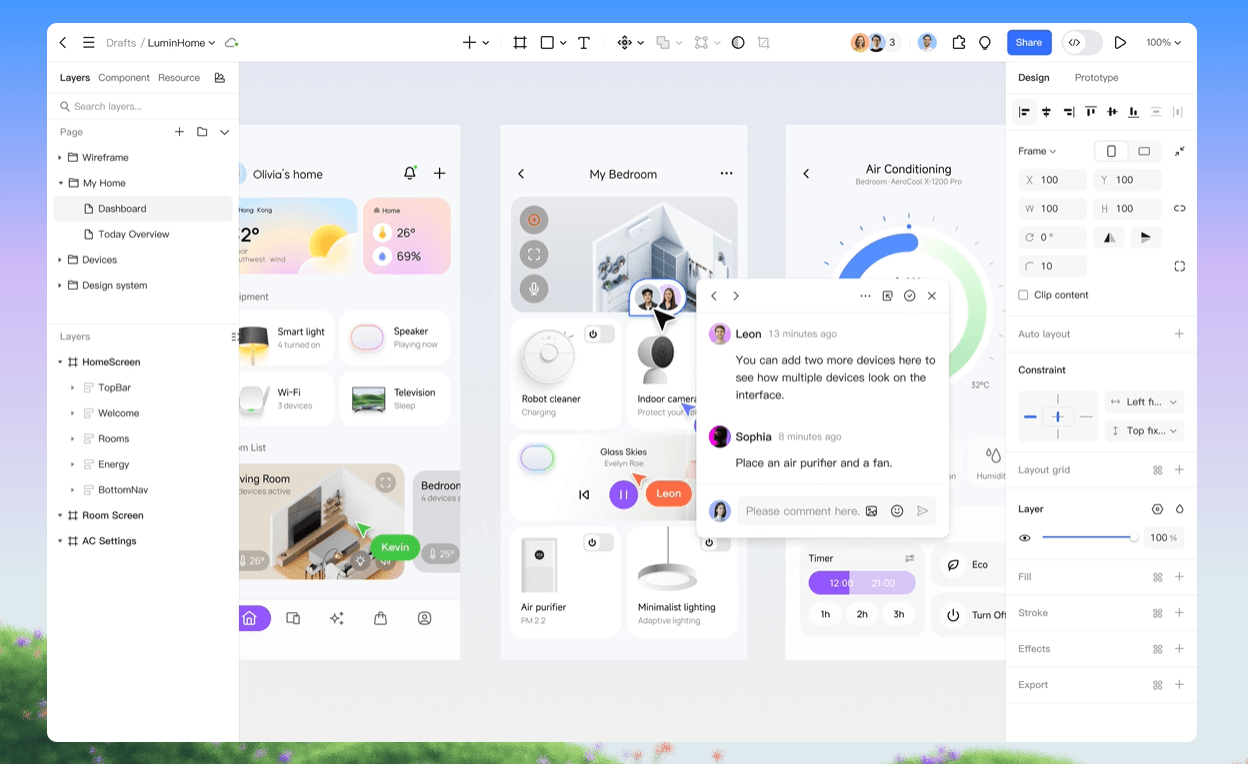
- All-in-One Comment Threading: Whiteboards, PRD documentation, UI canvases, interactive prototypes, and developer views share one unified system, eliminating fragmented feedback across multiple apps.
- Zero-Barrier Guest Access: External clients and stakeholders drop pinned comments directly on interface layers without downloading software.
- Instant Legacy Migration: Teams moving away from legacy desktop tools can batch import Figma, Sketch, and Axure files along with component libraries with compatibility that varies by file and requires verification.
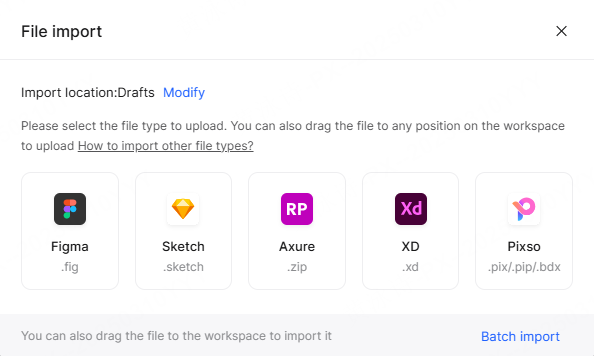
- Developer Access: Confirm which plan, seat, and file permissions your engineers need for Dev View and D2C before choosing a workflow.
By unifying ideation, drawing, and reviews into a single cloud environment, executing user interface design online requires a review loop where feedback attaches directly to live visual assets.
Part 2: Structuring Synchronous and Asynchronous Design Feedback
Not every stakeholder can join live review calls. When product teams work across global timezones, design tools must handle both live meeting discussions and offline feedback cycles seamlessly.
Combining synchronous real time collaboration with asynchronous commenting ensures global teams stay aligned. During live review meetings, multi-user co-editing and live cursor tracking allow design leads to walk stakeholders through user flows smoothly. Before presenting over an unstable connection, test the supported preview or offline options on the intended device and prepare a fallback for the review.
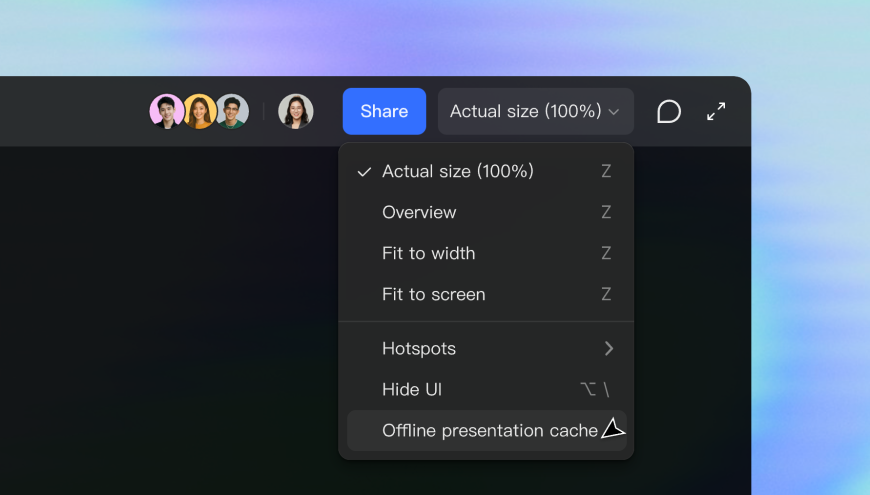
Turning a chaotic design review into an actionable sprint backlog requires structured feedback. Anchoring design feedback directly to vector layers prevents miscommunication by keeping comments attached to specific buttons, forms, or headers.
Core Features for Actionable Asynchronous Reviews
- Layer-Anchored Pinned Comments: Comments attach directly to canvas elements, ensuring notes move automatically when layouts adjust.
- Status and Priority Tagging: Reviewers mark comments as open, under review, or resolved while categorizing feedback by priority levels.
- Multi-Thread Conversations: Designers and product managers reply directly within comment threads, uploading visual attachments or referencing specific team members.
- Version-Bound History: Feedback binds to specific file version snapshots, preserving a clear audit trail of why visual decisions were made.
When evaluating the best platforms for real-time design feedback, unified commenting across whiteboards and UI canvases stands out as a key differentiator. Compare the reviewer, guest, and developer permissions included in each available plan. InVision is a historical workflow reference because its design collaboration services ended in 2024; for Pixso and Figma, assess current access against the review tasks your team needs.
Part 3: AI-Assisted Iteration and Lightweight Review Utilities
Gathering feedback is only step one; acting on that feedback quickly is what keeps projects on schedule. Integrating artificial intelligence directly into the editing canvas transforms how product teams refine layouts based on reviewer notes.
Pixso AI functions as a complete design assistant embedded inside the editor, helping teams iterate fast during review cycles.
How AI Accelerates Feedback Iteration
- Rapid Idea Validation: Input a single natural language prompt to generate editable layout drafts instantly, allowing teams to test alternative layout ideas during live reviews.
- Smart Auto-Layout Adjustments: Automatically apply responsive constraints and padding rules when updating components based on reviewer feedback.
- Layer Renaming and Cleaning: Automatically convert messy, default layer names into clear business terms, keeping file structures clean before passing work to developers.
- AI Image Utilities: Perform one-click background removals and upscale graphic resolution directly on the canvas without opening external photo editors.
- In-Place Copy Processing: Translate text across multiple languages, rewrite headlines, polish tone, and summarize long body copy directly inside design frames.
Leveraging real time collaboration during live client reviews allows team members to test suggestions instantly. AI utilities help summarize design feedback and clean up layer trees before handoff, while automated design review checklists scan pages to ensure accessibility and layout rules are met before final approval.
Part 4: Enterprise Governance, Security, and Compliance in Design Reviews
Sharing live canvases with external clients and guest reviewers introduces data security risks. Unprotected share links can lead to accidental edits, exposed confidential drafts, or visual asset leaks.
Building reliable real time collaboration tools requires combining live canvas syncing with strict access rules. Evaluating enterprise real time collaboration tools comes down to data governance and how well permission levels protect visual intellectual property.
Key Security Controls for Enterprise Reviews
- Custom Passcodes and Expiration Dates: Set mandatory passwords and automatic expiration dates on review links to revoke access when review windows close.
- On-Premise Private Server Deployment: Evaluate private hosting against your storage, access, operating, and regulatory requirements; deployment location alone does not establish compliance.
- Role-Based Workspace Control: Explicitly separate designer, developer, and guest permissions to restrict raw canvas editing rights during public client walkthroughs.
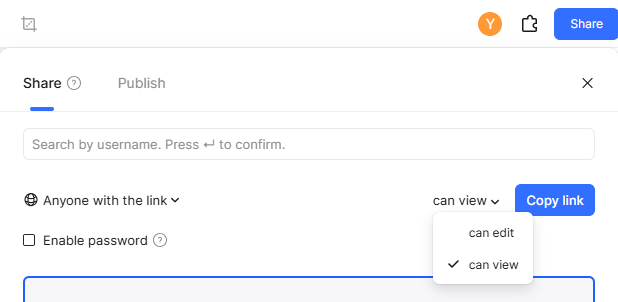
Running a secure design review in regulated industries requires strict link controls. These administrative safeguards let enterprise teams run open stakeholder reviews while keeping core intellectual property protected.
Part 5: From Approved Reviews to Production-Ready Engineering Handoff
A design review finishes when approved screens transition cleanly into production code. Traditional handoff processes required designers to manually create redline specs, write dimension guides, and export image assets for engineering teams.
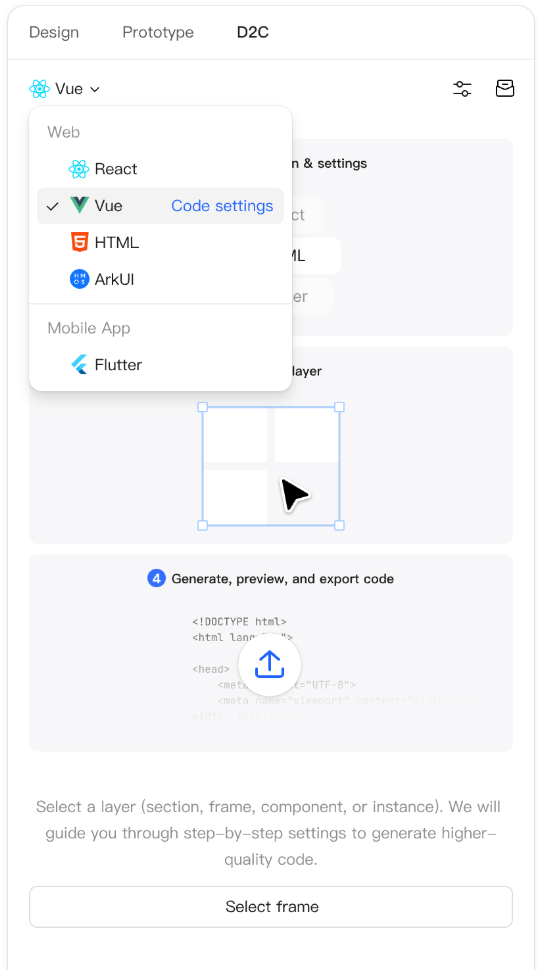
Modern platforms connect design reviews directly with engineering delivery. In Pixso's Dev View, developers can inspect layer properties and layout constraints. For D2C output such as React, Vue, HTML, ArkUI, or Flutter, confirm the supported options and required plan and seat access, then review the generated code before integration.
| Handoff Dimension | Traditional Manual Handoff Process | Pixso Integrated Engineering Handoff |
| Developer Seat Costs | Requires paid developer seats on review platforms | Access depends on the selected plan and seat permissions |
| Code Generation | Manual CSS copying from static redline sheets | Direct code output for React, Vue, HTML, Flutter |
| Visual Change Tracking | Comparing static screenshots to spot recent tweaks | Visual change markers highlight updated components |
| Design Token Synchronization | Static style guides stored in PDF files | Centralized cloud design system token repository |
Visual change markers highlight modified UI components, showing developers exactly what changed since the last sign-off. Crucially, design assets, components, styles, variables, and tokens are stored in centralized cloud libraries.
The speed of user interface design online depends heavily on how quickly feedback turns into code. Summarizing the best platforms for real-time design feedback comes down to total lifecycle integration, connecting whiteboards, vector drawing, live comments, enterprise security, and code generation into a single continuous loop.
Conclusion
Modern product development moves too fast for disconnected review processes. Reviewing user interface design online is no longer a disjointed series of email attachments and static slides, but a live, interactive experience hosted directly in the browser. Pixso brings whiteboarding, vector UI editing, comments, AI assistance, and developer inspection into one workspace; configure access and plan entitlements for each participant. By replacing fragmented tools with an all-in-one review loop, product teams can gather clear feedback, protect their design assets, and ship digital products with confidence.