Scott
A verification-code screen should make four things clear: where the code went, how to enter it, what happens next, and how to recover if it never arrives or no longer works. Start with one logical input that accepts the complete code. Then design destination correction, resend and error states as part of the same flow—not as small links added after the screen is finished.
Our example is a fictional project workspace that asks a new member to verify an email address before entering the team space. The code has six digits, and the example value is 024681. The leading zero matters: this is a sequence to reproduce, not a quantity to calculate. Build the connected screens in Pixso’s interface design workspace so the message, input and next destination can be reviewed together.
Show the destination before asking for the code
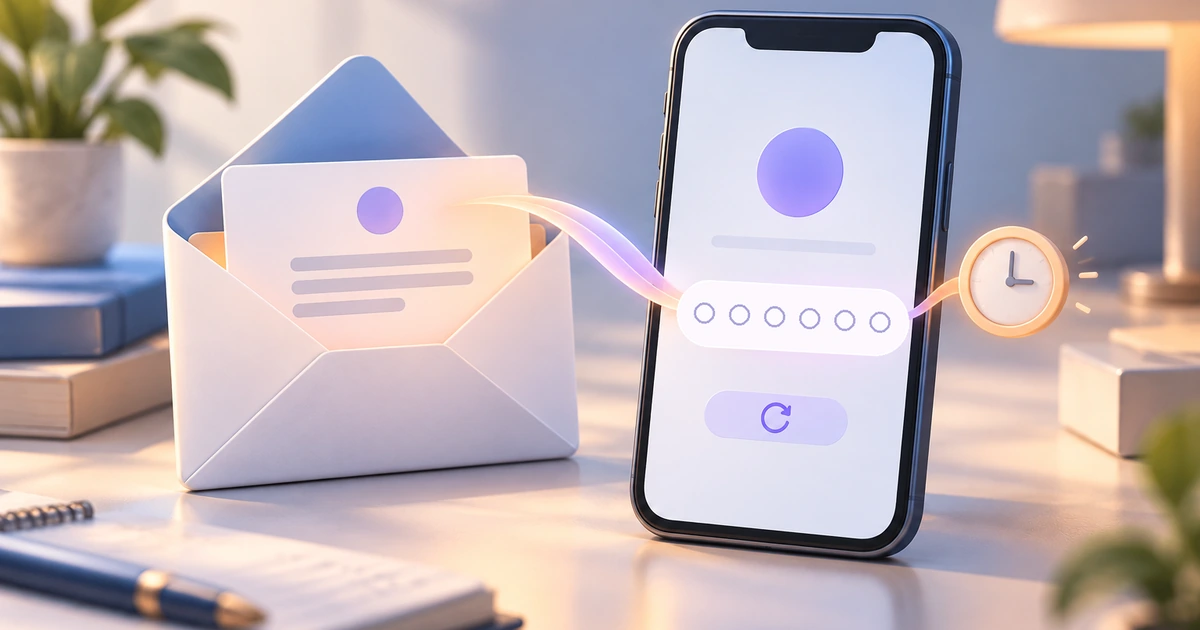
Use a direct heading such as “Verify your email” and a short instruction: “Enter the 6-digit code sent to m***@studio.example.” The heading explains the purpose; the address helps the person decide which inbox to open. Keep a visible “Change email” action nearby.
Choose how much of the address to reveal according to the setting. In a signup flow, the person has just typed an address and needs to detect a mistake. A heavily masked address may hide the very typo they need to fix. A shared-screen or account-recovery context can call for greater privacy. The same display rule need not serve both tasks.
Make the code message recognizable too. It should identify the workspace and describe why the recipient received a code. Avoid promotional content competing with the one piece of information they came to retrieve. If the product says “6-digit code,” the message should not call it a password or an invitation number.
Changing the destination is a real branch. Return to an editable address, retain the relevant signup context, and request verification for the corrected address. Do not let a code for the old address silently complete verification of the new one.
Keep the code one logical field
A single input is a strong default because typing, selecting, pasting and correcting a complete value are familiar operations. Six visual slots can still look attractive, but they should not force someone to manage six separate pieces of text.
The web.dev guide to OTP inputs recommends treating a numeric code as text, using an appropriate numeric input mode and supplying the one-time-code autocomplete hint. Those are implementation details to include in the handoff, not native features created by drawing six rectangles. Browser assistance varies, and SMS-specific behavior does not guarantee that an email code will fill itself.
For this example, paste 024681 into the field. It should remain six characters long. A numeric control that turns it into 24681 has changed the code. Do not add thousands separators, plus/minus steppers or arithmetic formatting.
If a segmented appearance is important, review ordinary editing carefully. Pasting should fill the whole code; Backspace should behave predictably; selecting and replacing digits should not require clicking tiny boxes. Keep the accessible label attached to the logical field rather than making a screen reader encounter six unexplained inputs.
Allow normal entry without fighting the person
The field label can be “Verification code.” Keep the length instruction visible and distinguish it from an error. Before the person has finished typing, “Enter all 6 digits” is guidance, not evidence that the code is wrong.
Do not show “Incorrect code” while only three digits have been entered. The interface has not yet submitted a complete value for verification. Let the person finish, then explain a genuine incomplete submission near the field.
Accept complete-code paste. If a copied message contains surrounding spaces, trimming them can reduce accidental failure, provided the implementation still validates the actual allowed characters and length. Do not guess missing digits, silently drop characters from the middle or transform a different-looking code into a supposed match.
Use a clear “Verify email” action in this example. Some products submit automatically when the expected length is reached; that choice needs an obvious pending state and a reliable correction path. An explicit action gives the person a moment to inspect the entered value and makes the outcome less surprising.
While verification is in progress, prevent duplicate submissions and keep the input stable. Do not advance to the workspace merely because six digits are present. The next destination follows a confirmed service response.
Distinguish an incorrect code from an unavailable service
Several failures can look identical if every response becomes a red field. Give each known condition a useful next action. Keep the language brief enough that the code and recovery controls remain visible on a phone.
| Known condition | Example message | Useful next action |
|---|---|---|
| The submitted value is incomplete. | Enter the 6-digit code. | Finish the existing entry. |
| The service rejects the code. | That code didn’t match. Check the code and try again. | Edit or replace the code. |
| The service confirms expiry. | This code has expired. Request a new code. | Request another message. |
| The request cannot reach the service. | We couldn’t verify the code. Check your connection and try again. | Retry without claiming the code is wrong. |
Only distinguish conditions the service actually reports. If the response combines an expired and otherwise invalid code, use truthful combined wording rather than inventing a more precise diagnosis. The aim is a useful recovery route, not a long taxonomy of invisible backend states.
After a mismatch, let the person replace the value easily. Avoid clearing it before they can compare it with the message. If a security policy requires clearing or restarting a step, explain the resulting action in the flow rather than adding unexplained input resets.
Make resend a clear request, not a promise of delivery
“Resend code” is more specific than “Try again” when the action requests another message. Give that request its own pending and result states. A successful request does not mean the person has already received the email.
If sending fails, leave the recovery option available according to the actual service policy. Do not replace the button with “Sent!” after a timeout or make the person wait through a made-up timer before learning that nothing was requested.
A resend cooldown should reflect a real limit. Show the remaining wait clearly, then return the control to a usable state. The resend timer and code-expiry period are different: one governs when another message may be requested; the other governs whether a code can still be accepted. Avoid giving both the ambiguous label “Time remaining.”
Decide what happens to the previous code when a new one is requested. If only the latest code remains valid, say so near the resend confirmation. If earlier unexpired codes remain valid, do not instruct the person to discard them. The screen, email and service need one consistent rule.
Keep the alternative route visible. Someone who entered the wrong email needs “Change email,” not an endless series of resend attempts. Someone without access to that inbox may need the supported account-help route. Do not offer a fallback channel that the product cannot actually use.
Confirm the result and return to the intended task
After successful email verification, show an unambiguous result and continue to the team workspace. For this example, “Email verified” followed by “Continue to your workspace” is enough. Do not claim that verification has established every aspect of the person’s identity or made the account secure.
If the person opens the code message on another device, the original screen should remain usable. It should not depend on a particular inbox tab staying open or on copying between two windows of a specific size. Keep the destination and recovery actions available when they return.
An already-completed verification needs its own understandable outcome when the service supports it. “Email already verified” can lead to the next step instead of presenting a mysterious invalid-code screen. Conversely, an unconfirmed network response must not be dressed as success.
Password recovery is a different task. If the user needs to replace a forgotten password rather than confirm an email during signup, the password reset UX guide follows that separate request-and-link journey. Do not send a person there merely because a verification email is delayed.
Prototype the full code journey in Pixso
Place the address-entry screen, code-entry screen and email message in one design file. Add separate frames for an incomplete entry, a rejected code, expiry, a failed resend and confirmed verification. Keep the fictional workspace name and address consistent across them.
Use the same input component for ready and error appearances, with a message area that can grow when translated. On narrow screens, keep the primary action and resend route reachable without overlapping the keyboard. A fixed-height card that works for a short English message may clip the explanation in another language.
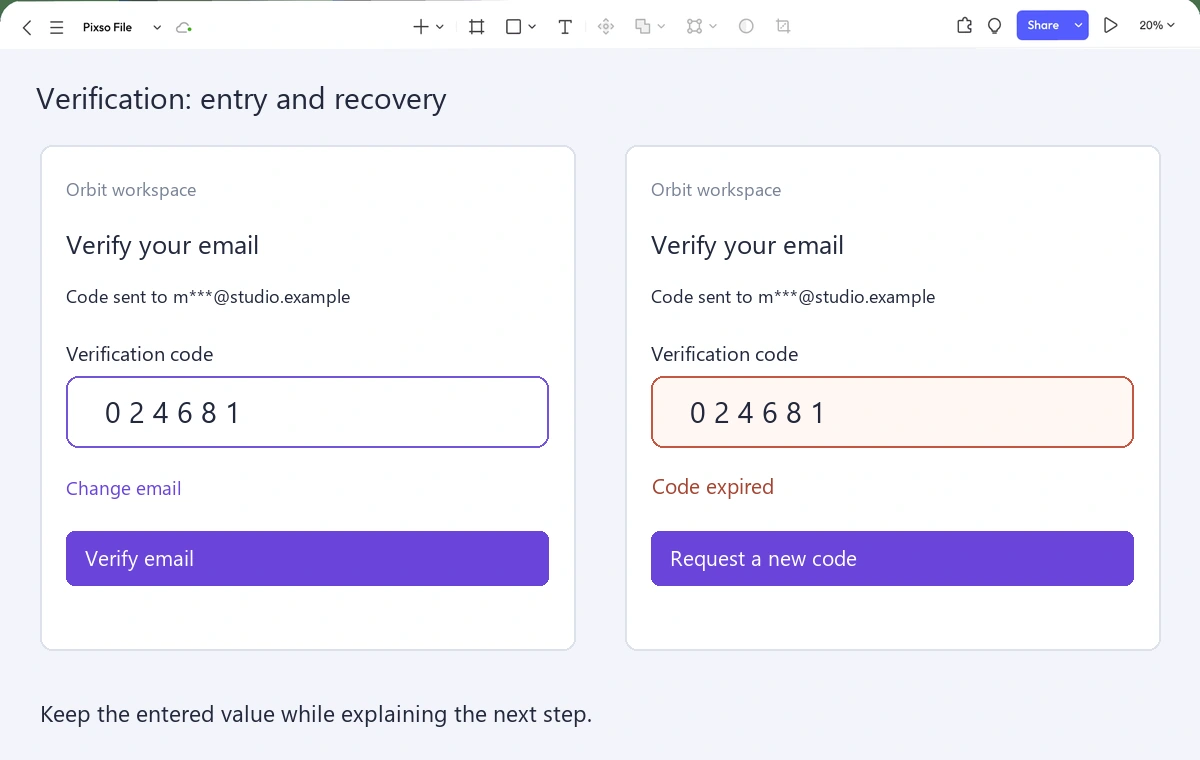
Review three journeys: paste the code successfully, correct a mistyped address, and recover from an expired code. Ask the reviewer what they expect “Resend code” to do before they use it. If their answer differs from the service rule, improve the copy or interaction.
Carry the input purpose, code length, paste behavior and service outcomes into the handoff. A prototype can communicate the intended journey; it cannot validate codes or enforce authentication rules. The strongest screen is the one that lets people complete the required step without guessing which message, value or action is still valid.