Pixso
  • Pixso products and Paico AI

    Choose the right tool for each workflow, from design to development
    Pixso
    PixsoCollaborative UI/UX design workspace
    →

    Design & collaboration

    UI design & collaborationCreate interfaces, reuse components, and hand off with your teamPrototypingConnect interactions, present flows, and gather feedbackPixso whiteboardMap requirements, user journeys, and team ideasDesign systemManage components, styles, and team standards
    Pixso AITurn text or screenshots into editable designsPixso MCPConnect AI coding tools to your design files
    Paico
    PaicoGenerate designs and app interfaces with AI
    Paico Generate designs and app interfaces with AIPaico AI builder

    Create designs and app interfaces with natural language.

    Explore Paico ↗
    Explore by use caseUX design↗Interface design↗Web design↗Import from Figma →Download Pixso
  • Pixso AI

    Pixso AITurn ideas into editable UI designs
    • Start with text or screenshots
    • Keep every layer editable
    • Generate with your team Design System

    What do you want to create?

    AI design generatorCreate interfaces, visual assets, and refinementsAI UI generatorGenerate UI and refine every layerAI website generatorFrom web concepts to responsive handoffAI app generatorGenerate screens and connect interactions

    Work with AI coding tools

    Pixso MCPConnect Codex and Cursor to read and edit designs

    Bring design context into code so canvas and development stay connected.

    Set up remote MCP↗
  • ↗Import from Figma
  • Find design resources

    Design assetsBrowse design work and reusable templatesComponent librariesFind reusable components and librariesPluginsExtend your workflow with practical tools

    Learn & use

    Help centerGuides for design, AI, and collaborationDesign tipsTutorials for UI, prototypes, and collaborationWhat's newDiscover product updates and new capabilitiesArticlesPractical guidance for design and AI tools

    Develop & extend

    Developer docsGuides for MCP, D2C, and plugin developmentD2C+ design to codeSee setup steps and development requirementsPlugin developmentExtend Pixso with the Plugin API
  • Design collaboration for enterprise teams

    From team management to deployment
    Enterprise planManage members, permissions, and design assetsPrivate deploymentExplore deployment and integrationsContact usTalk to our team about plans and deployment
  • Pricing
Log in
Get started
Go to workspace

NewsPage 2

Browse practical design guidance, product insights, and case studies from Pixso.

Try for Free
Download Download
All articles Tips Reviews News

News

 From Skills to Tools: What UI/UX Designers Need to Know
News

From Skills to Tools: What UI/UX Designers Need to Know

 Structured Usability Testing: A Practical Workflow for Product Teams
News

Structured Usability Testing: A Practical Workflow for Product Teams

Plan structured usability testing with focused tasks, neutral prompts, evidence-based notes, and a decision log your product team can act on.

 Parallax Effect in Web Design: Engaging Users with Motion and Depth
News

Parallax Effect in Web Design: Engaging Users with Motion and Depth

 Top Prototype Game Designs You Can't Miss
News

Top Prototype Game Designs You Can't Miss

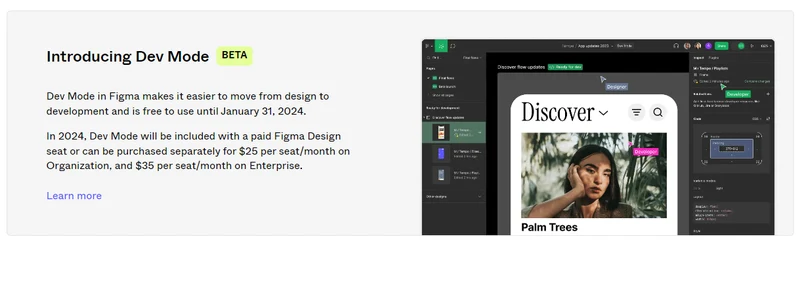
 Figma Dev Mode Pricing: The 2024 Beta Transition
News

Figma Dev Mode Pricing: The 2024 Beta Transition

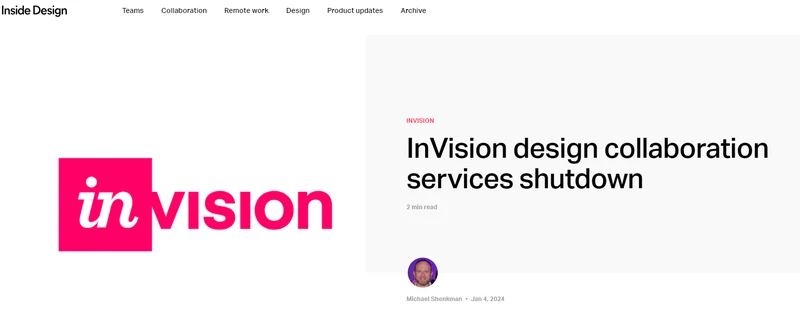
 InVision shutdown: historical context and asset recovery
News

InVision shutdown: historical context and asset recovery

Pixso: a UI design tool and an alternative to InVision

 UI Design Trends
News

UI Design Trends

The Latest UI Design Trends of 2022

 8 UX Design Trends Worth Testing in Your Product
News

8 UX Design Trends Worth Testing in Your Product

Explore eight useful UX trends, from clearer writing and resilient states to onboarding and AI assistance, with a practical travel-app example.

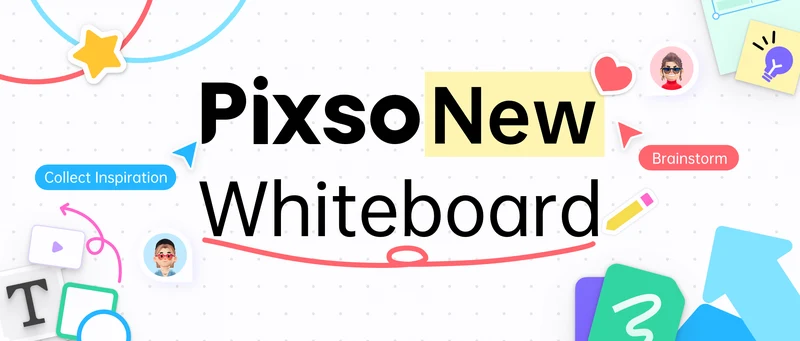
 New Pixso Whiteboard Feature
News

New Pixso Whiteboard Feature

Check out Pixso's new whiteboard tool feature that adds more functionality for individual designers and teams.

 Best UI Websites and UX Websites
News

Best UI Websites and UX Websites

Various UI/UX Resources Found for You

 UI Design Trends in 2026: A Historical Review of Visual Patterns
News

UI Design Trends in 2026: A Historical Review of Visual Patterns

Revisit the visual patterns in Pixso’s 2026 UI collection, understand their limitations and use the companion checklist to evaluate them in a current product.

 Best UX Books For User Experience Designers
News

Best UX Books For User Experience Designers

Previous123Next

Page 2 of 3

Explore More

Create Files

Create Files

Resource Community

Resource Community

Version history

Version History

User Guide
User Guide

Pixso
All-in-one UI/UX design and collaboration tool
FacebookXYouTubeInstagramPinterestDiscordTelegram
English ⌄
English日本語한국어РусскийEspañol简体中文

Solutions

  • UI design
  • UX design
  • Prototyping
  • Web design
  • Design system
  • Whiteboard

Product & AI

  • Pixso AI
  • AI design generator
  • AI UI generator
  • AI website generator
  • AI app generator
  • Pixso MCP
  • Enterprise
  • Pricing
  • Download Pixso

Learn & resources

  • Help center
  • Developer docs
  • Articles
  • Design tips
  • What's new
  • Plugins

Compare

  • Figma
  • Adobe XD
  • Axure
  • Sketch
  • InVision

Company

  • Contact us
  • About us
  • Reviews
  • Privacy policy
  • Cookie policy
  • Refund policy
  • Terms & Conditions
  • License agreement
  • Subscription terms

Copyright © 2026 Shenzhen Pixso Technology Co., Ltd. All rights reserved.