Scott
When a session expires halfway through a form, the most important message is not “You have been logged out.” People need to know whether their work is safe, how to regain access, and where they will return. A good recovery flow answers those questions without implying that signing in submits the unfinished form.
The login states and recovery routes still matter, but this interruption begins with work already on screen. Design the return journey with the same care as the sign-in screen.
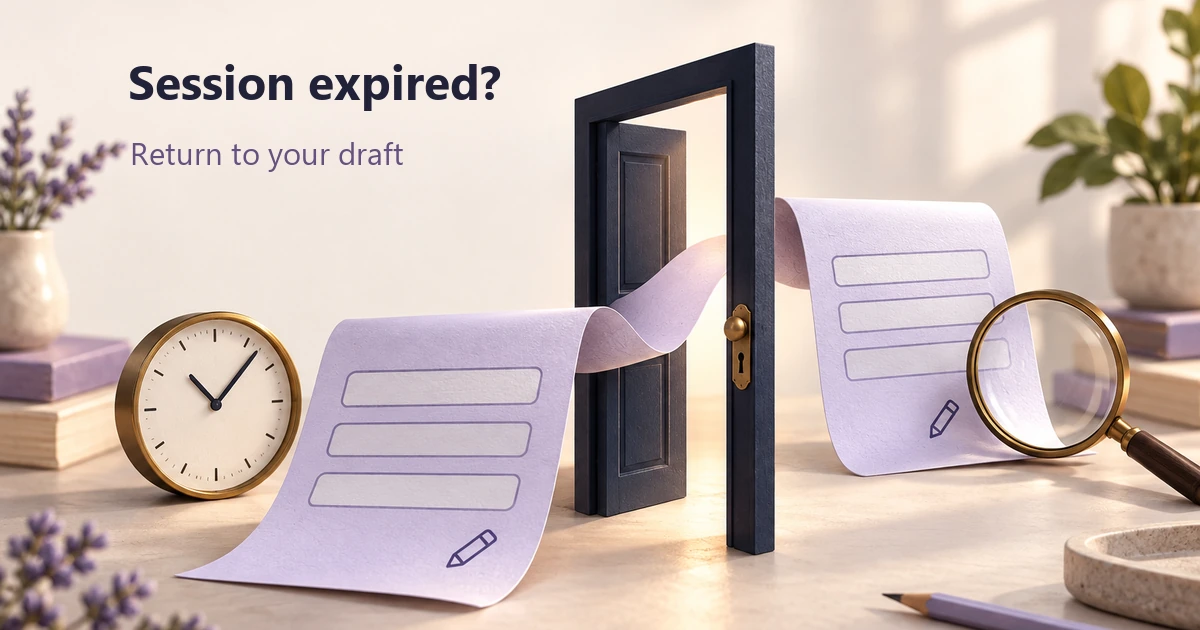
Follow one unfinished request through the interruption
Consider a fictional supplier-request application. An operations user is editing request SR-208. They have entered an organization name, added a delivery note, and attached a document. The request has not been submitted. The application has an approved draft-saving policy and requires authentication to continue.
The user steps away while reviewing the form. When they return, their authenticated session has expired. The useful outcome is to regain access to SR-208, review its retained draft, and decide whether to submit it—not to land on the homepage and reconstruct the request from memory.
Keep three events separate in both copy and visual treatment: draft saved, session expired, request submitted. They can happen at different times. A saved draft does not mean a supplier has received anything; successful reauthentication does not mean the request is complete.
Find out which clock the interface is showing
Ask the authentication owner what causes expiry. An inactivity limit, an absolute session limit, and an expired verification challenge are different conditions. Continuing to type may affect one policy but not another. Do not promise that any activity will keep the person signed in unless that is how the application actually works.
The OWASP Session Management Cheat Sheet distinguishes idle and absolute timeouts and places enforcement on the server. A countdown is a user-facing reflection of the session state, not the authority that makes it valid.
That distinction matters across tabs. A user may extend a session elsewhere, or the server may end it earlier because of a security event. Define how the current page reconciles its notice with the actual session. An old timer should not claim that editing is still authorized after the server has rejected the session.
There is no universally correct timeout duration for every product. Document the policy, how extension works where available, and which events require a fresh sign-in. Then write the notice around a real action the application can honor.
Decide what may survive before promising recovery
“Your work is safe” is too broad if only some fields have been saved. The supplier-request design needs a field-level retention decision: what is stored, for how long, under whose account, and what must be entered again after authentication.
| Information | Decision in this example | What the interface should say |
|---|---|---|
| Organization name and delivery note | Retained in the authorized user's saved draft under the application's retention policy. | Identify SR-208 and the most recent confirmed draft-save time. |
| Attachment | Retained only if its upload and draft association were confirmed. | Show the confirmed file after return; identify a file that still needs uploading. |
| Authentication credentials | Not stored as form-draft content. | Ask for the supported authentication step without claiming the previous credential entry is recoverable. |
| Unconfirmed latest edit | Its recovery depends on the actual persistence mechanism. | Do not label it saved merely because it remains visible in a field. |
These are declared rules for the exercise, not a prescription to persist every field in every product. A draft may itself contain sensitive information. Its storage, access and expiry need the same care as the form it belongs to. Never solve a recovery problem by quietly putting secrets or restricted content into an unprotected browser store.
Make a warning actionable while action is still possible
If extension is supported, say what is about to happen and offer a clearly named action, such as “Stay signed in.” Explain the consequence of leaving the notice unanswered. For SR-208, a truthful warning might say that the session will end soon and that the confirmed draft can be reopened after sign-in.
Use the most recent verified save status, not a reassuring sentence hard-coded into every warning. If the latest delivery note is still saving, the message needs to reflect that uncertainty. An extension request can also fail; keep its pending state distinct from a successful extension.
WCAG 2.2 SC 2.2.1, Timing Adjustable, is Level A and describes alternatives for user control over time limits, along with exceptions. When its extension approach applies, users must receive at least 20 seconds to extend with a simple action, with extension available at least ten times. Do not reduce the criterion to a universal “show a 20-second countdown” rule.
Make the action keyboard reachable and the message understandable without watching seconds tick. A visible countdown can help some people, but repeatedly announcing every second may prevent others from reading the warning. If a dialog is used, define how focus enters it, how the person chooses an action, and where focus goes after an extension.
Return to a recognizable draft, not an assumed success
After expiry, the recovery state should explain that sign-in is required. It can identify a recoverable draft only to the extent allowed while unauthenticated. Do not leave sensitive form contents exposed behind an overlay and assume the overlay is an access control.
After the same user successfully reauthenticates and authorization is checked, reopen SR-208 at the appropriate step. Show “Draft” and the retained values. If an attachment was never confirmed, mark that specific gap. Keep the final Submit request action available for a deliberate decision instead of automatically replaying it.
SC 2.2.5, Re-authenticating, addresses continuing an activity without losing entered data after reauthentication. It is a Level AAA criterion, not an AA requirement. Its recovery goal is useful for this design; the storage and authorization mechanisms still need to be established by the product and engineering teams.
Record the return destination as part of the trusted application flow. Developers should validate it rather than accepting an arbitrary external redirect. The designer's responsibility is to specify the intended request, step and context, not only a generic “back” button.
Review the interruption and return in Pixso
Place four frames for SR-208 in a Pixso file: editing with a timeout warning, expired session, return after sign-in, and the restored Review draft. Keep the organization name and delivery note identical in the authorized before-and-after frames. The visible change should be access and task status, not a conveniently shortened form.
Connect the relevant screens for a walkthrough. Ask a colleague to resume the request and explain whether it has been submitted. If the sign-in return looks like a completion screen, remove success language and restore the draft's identity. Add a separate branch for an attachment that did not finish uploading, so the default path does not conceal incomplete work.
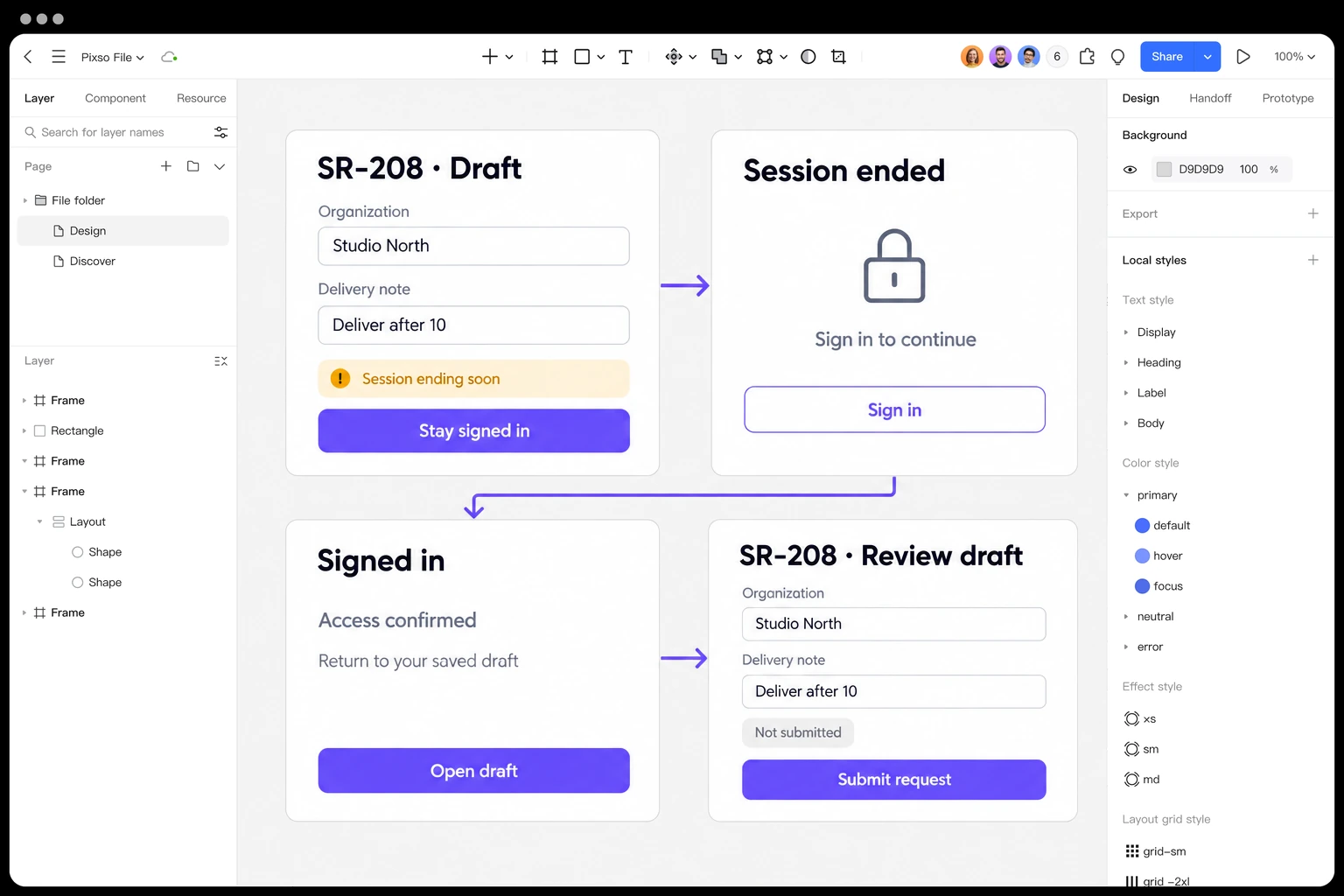
Prototype the return-to-draft journey in Pixso →
A successful sign-in can still be the wrong recovery path
If someone signs in with a different account, do not reveal the previous user's draft. Explain that the current account cannot open the requested draft and provide an appropriate account-switch or safe return route. Avoid displaying private organization or attachment names in that explanation.
The same account may also have lost permission while away. Authentication proves an identity through the supported process; it does not restore a revoked role. The permission-recovery workflow addresses that separate boundary. Do not turn “Try signing in again” into an endless loop for a user who no longer has access.
Also distinguish an expired draft from an expired session. If SR-208 is no longer retained, say so accurately and offer the permitted next step. Do not show an empty form under “Draft restored.”
Test the moment of expiry, not just the finished screens
The difficult cases happen between states: the warning appears during input, an extension response arrives late, an upload is incomplete, or the session expires just after Submit is pressed. In that last case, the application must determine the original operation's outcome before offering another submission. “Signed out” alone does not prove that the request failed.
Walk through those transitions with implementation and accessibility reviewers. Check what is retained, what is visible before authentication, which account may recover it, and whether the final action runs exactly when the user expects. A polished timeout dialog is only useful if the return journey keeps those promises.